Introducció
The Libratone Lounge is a premium wireless sound system designed to deliver maximum sound with a minimalistic Scandinavian design. It integrates seamlessly into your living space, bringing movies and music to life with superb audio quality. This manual provides essential information for setting up, operating, maintaining, and troubleshooting your Libratone Lounge speaker.
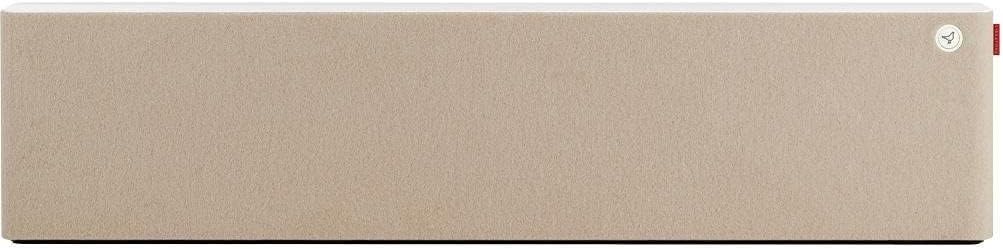
Figure 1: Libratone Lounge Standard Wireless Speaker, Vanilla Beige.
Configuració
Unboxing i continguts
Carefully unpack your Libratone Lounge speaker. The package should include:
- One Libratone Lounge speaker
- Cable d'alimentació
- Digital cable
- Analog cable
- Muntatge de paret
- Manuals de configuració
- Italian cashmere cover (Vanilla Beige)
Col·locació
The Libratone Lounge is designed for versatile placement. You can place it on a shelf, directly on the floor, or wall-mounted below your television screen. For optimal sound distribution, consider the acoustics of your room. The unique FullRoom technology utilizes walls to enhance the sound experience.
Connexió inicial
Connect the speaker to a power outlet using the provided power cable. For initial setup and advanced control, download the Libratone App on your smartphone or tablet. The app will guide you through connecting the speaker to your home Wi-Fi network.
Instruccions de funcionament
Encès/Apagat
To power on the Libratone Lounge, ensure it is connected to a power source. The speaker will typically power on automatically or can be activated via the Libratone App or touch controls on the unit.
Opcions de connectivitat
The Libratone Lounge offers multiple ways to stream audio:
- Wi-Fi: Connect directly to your home Wi-Fi network for high-quality audio streaming from any compatible device using the Libratone App, DLNA, or AirPlay.
- PlayDirect™: Stream audio directly to the speaker without needing an existing Wi-Fi network. This is ideal for on-the-go use or in environments without Wi-Fi.
- Connexions per cable: Utilize the combined 3.5mm mini jack/digital mini plug connection for direct audio input from various devices.
FullRoom Technology
Experience immersive sound with Libratone's patented FullRoom technology. This feature uses the natural acoustics of your room, bouncing sound off walls to create a powerful and authentic 360-degree soundstage that fills even large living spaces.
Video: Demonstrates the Libratone Lounge's features, including its Scandinavian design, versatile placement options, various connectivity methods (Libratone App, FullRoom, PlayDirect, DLNA, AirPlay, Mini jack), and the immersive 360-degree sound provided by FullRoom technology. The video highlights how the speaker fills a room with powerful audio and its aesthetic appeal with changeable wool covers.
Manteniment
To ensure the longevity and optimal performance of your Libratone Lounge speaker, follow these maintenance guidelines:
- Cleaning the Cashmere Cover: The Italian cashmere cover can be gently cleaned with a soft, dry cloth. For stubborn stains, consult a professional textile cleaner. Avoid using harsh chemicals or abrasive materials.
- Neteja de l'armari: The solid wooden cabinet with high-gloss lacquer can be wiped clean with a soft, damp cloth. Do not use spray cleaners directly on the surface.
- Atenció general: Keep the speaker away from direct sunlight, excessive heat, and moisture. Ensure proper ventilation around the unit.
Resolució de problemes
If you encounter issues with your Libratone Lounge, refer to the following common troubleshooting steps:
- No Power/Indicator Light Issues: Ensure the power cable is securely connected to both the speaker and a working power outlet. If the indicator light is blinking unusually (e.g., yellow light blinking for an extended period), try disconnecting and reconnecting the power.
- Sense so: Check the volume levels on both your source device and the Libratone Lounge. Verify that the correct input source is selected (Wi-Fi, PlayDirect, or wired connection). Ensure your source device is properly connected via Wi-Fi or cable.
- Problemes de connectivitat: If experiencing Wi-Fi connection issues, try restarting your home router and the Libratone Lounge. Ensure the speaker is within range of your Wi-Fi network. For PlayDirect, ensure your device's Wi-Fi is enabled and connected directly to the speaker's PlayDirect network.
- So distorsionat: Reduce the volume on both the source and the speaker. Check for any physical obstructions around the speaker. Ensure audio cables (if used) are not damaged and are properly connected.
- Problemes amb l'aplicació: If the Libratone App is not functioning correctly, try closing and reopening the app, or reinstalling it. Ensure your device's operating system is up to date.
For persistent issues, please refer to the Suport section or contact Libratone customer service.
Especificacions
| Característica | Detall |
|---|---|
| Nom del model | Lounge Standard |
| Marca | Libratone |
| Tipus d'altaveu | Multimèdia |
| Tecnologia de connectivitat | Wireless (Wi-Fi, AirPlay, PlayDirect), Wired (3.5mm mini jack/digital mini plug) |
| Tecnologia de comunicació sense fils | Airplay, Wi-Fi |
| Mode de sortida d'àudio | estèreo |
| Configuració del canal de so envoltant | 2.0 |
| Potència de sortida màxima dels altaveus | 100 watts |
| Tipus de controlador d'àudio | Conductor dinàmic |
| Diàmetre del woofer | 8 polzades |
| Diàmetre del Tweeter | 1 polzades |
| Material | Wood (cabinet), Italian Cashmere (cover) |
| Color | Vanilla Beige |
| Dimensions del producte | 39.4 x 4.7 x 9.3 polzades |
| Pes de l'article | 33.1 lliures |
| Mètode de control | Touch, iPhone App |
| Tipus de muntatge | Muntatge de paret |
| És impermeable | FALSA |
| UPC | 784624712135 |
Garantia
The Libratone Lounge Standard Wireless Speaker comes with a Garantia limitada. For specific terms and conditions, please refer to the warranty documentation included with your product or visit the official Libratone support weblloc.
Suport
For further assistance, product registration, or to explore other Libratone products, please visit the official Libratone Store or contact customer support:
- Libratone Store: Visit the Libratone Store on Amazon
- Atenció al client: Refer to your product packaging or the Libratone weblloc per obtenir informació de contacte.


