1. Producte acabatview
The AcuRite 10-inch LED digital clock is designed for clear time display in various environments such as homes, offices, or classrooms. It features large, easy-to-read numbers and multiple lighting options, including an auto-dim mode for comfortable viewing at night. The clock is powered by an included 9-foot power adapter and offers integrated cord storage for a tidy setup. It can be wall-mounted using built-in keyholes or placed on a tabletop with its fold-out stand.

Figura 1: Frontal view of the AcuRite 75114M LED Digital Clock.
2. Components inclosos
- AcuRite 75114M 10-inch LED Digital Clock
- Manual d'instruccions
- Power Adapter (9-foot cord)
Note: 2 AA batteries are required for battery backup functionality and are not included.
3. Configuració
3.1 Engegar el rellotge
The clock operates using the included 9-foot power adapter. Plug the adapter into a standard electrical outlet. The clock requires continuous power to function. For convenience, the clock features integrated cord storage to manage excess cable.

Figure 2: Integrated cord storage on the back of the clock.
3.2 Instal·lació de la bateria de reserva
For battery backup functionality during power outages, install 2 AA batteries (not included) into the battery compartment located on the back of the clock. The display will not be active during battery backup mode, but the clock will maintain accurate timekeeping.

Figure 3: Back of the clock with battery compartment and controls.
3.3 Opcions de col·locació
- Muntatge a la paret: Use the integrated keyholes on the back of the clock to securely mount it to a wall. Ensure appropriate wall anchors and screws are used for stability.
- Ús de taula: Utilize the fold-out stand on the back of the clock for stable placement on a desk, shelf, or table.
4. Instruccions de funcionament
4.1 Configuració de l'hora i la data
The clock features control buttons on the back for setting the time and date. Refer to Figure 3 for button locations.
- Manteniu premut el botó SET botó per entrar al mode de configuració de l'hora.
- Utilitza el UP i ABAIX botons per ajustar l'hora i, a continuació, premeu SET to confirm and move to minutes.
- Repeat the process for minutes, then for the year, month, and day.
- The clock supports a 12-hour format (AM/PM indicator will be displayed).
4.2 Ajust de la brillantor de la pantalla
The clock offers six different lighting settings, including an auto-dim mode. Use the dedicated brightness control button (often labeled with a sun icon or similar, refer to Figure 3) to cycle through the available brightness levels. The auto-dim mode automatically adjusts the display brightness based on ambient light conditions.
4.3 Mostra informació
The clock displays the current time in large digits. Additionally, it shows the temperature, day of the week, and the current date.
5. Manteniment
5.1 Neteja
Per netejar el rellotge, netegeu suaument la pantalla iasing amb un suau, damp cloth. Avoid using abrasive cleaners or solvents, as these may damage the surface.
5.2 Substitució de la bateria
If the clock experiences frequent power outages and the time is not maintained, the AA backup batteries may need to be replaced. Open the battery compartment on the back of the clock, remove the old batteries, and insert new ones, ensuring correct polarity.
6. Solució De Problemes
| Problema | Causa possible | Solució |
|---|---|---|
| La pantalla del rellotge està en blanc. | No power from adapter. | Assegureu-vos que l'adaptador de corrent estigui ben connectat tant al rellotge com a una presa de corrent que funcioni. |
| Time is incorrect after a power interruption. | Les bateries de reserva estan gastades o no estan instal·lades. | Install or replace 2 AA batteries in the battery compartment. Reset the time manually if necessary. |
| El rellotge perd el temps o és inexacte. | Internal clock drift or power fluctuations. | Manually reset the time. If inaccuracy persists, contact AcuRite customer support. |
| La pantalla és massa brillant o massa tènue. | Cal ajustar la configuració de la brillantor. | Use the brightness control button on the back of the clock to cycle through the six lighting settings, including auto-dim mode. |
7. Especificacions
| Característica | Detall |
|---|---|
| Marca | AcuRite |
| Número de model | 75114M |
| Color | Blanc |
| Tipus de visualització | LED digital |
| Característica especial | Light Up, Auto-Dimming |
| Dimensions del producte | 10 cm d'amplada x 5.5 cm d'alçada |
| Font d'alimentació | Corded Electric (9-foot adapter), Battery Powered (backup) |
| Piles necessàries | No (for main operation), Yes (2 AA for backup, not included) |
| Tipus de muntatge | Muntatge de paret, sobretaula |
| Material | Plàstic |
| Pes de l'article | 1.3 lliures |
| Tecnologia de connectivitat | Power (AC adapter) |
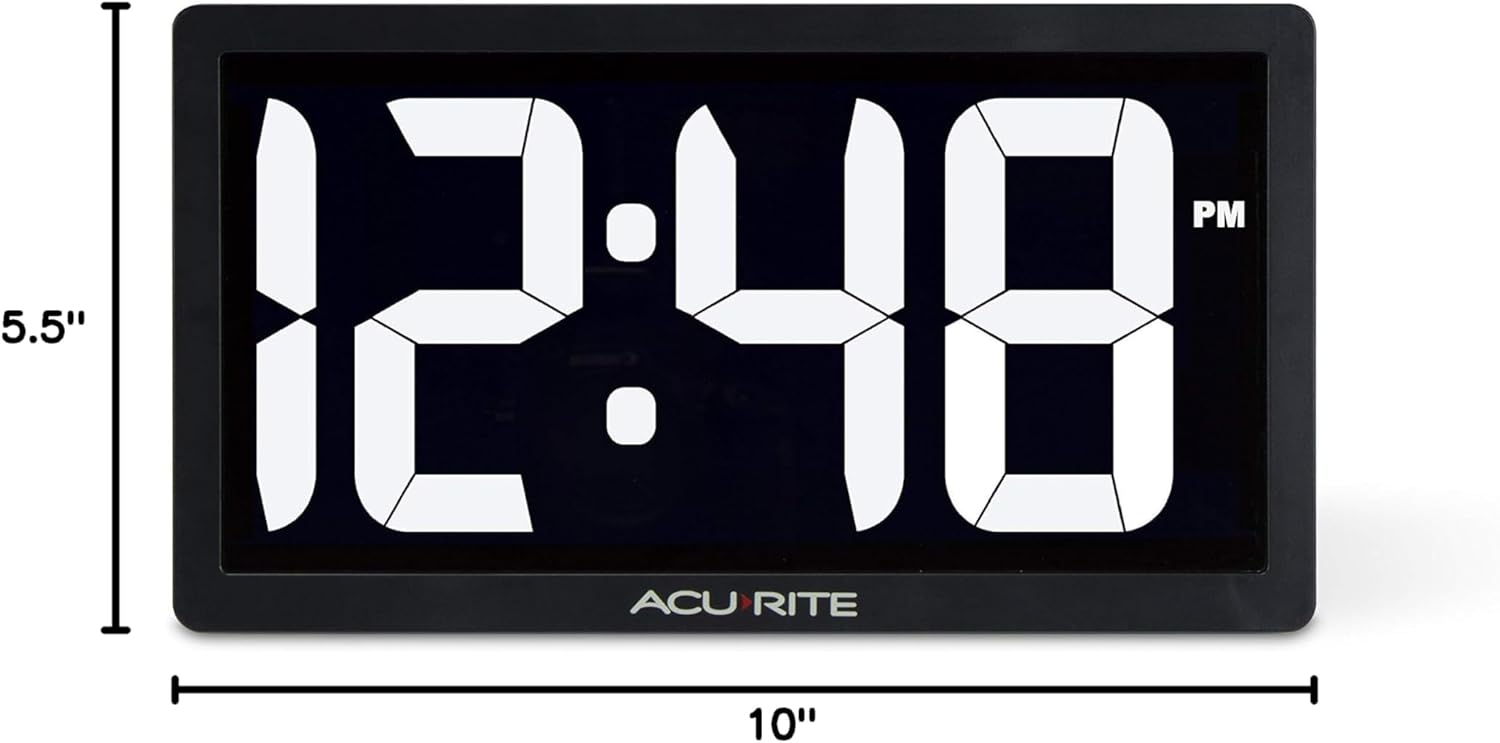
Figure 4: Product dimensions of the AcuRite 75114M clock.
8. Garantia i Suport
8.1 Informació de la garantia
This AcuRite 75114M LED Digital Clock comes with a one-year limited warranty. Please retain your proof of purchase for warranty claims.
8.2 Atenció al client
For technical assistance, troubleshooting not covered in this manual, or warranty inquiries, please contact AcuRite customer support. Refer to the official AcuRite weblloc web per obtenir informació de contacte actualitzada.


