Introducció
This manual provides comprehensive instructions for the ST Replacement Remote Control, specifically designed for the Daewoo VQ 757 television model. This remote control is pre-programmed to replace your original remote. No additional programming is required before initial operation; simply insert the batteries, and it is ready for use.
The remote control is engineered for direct compatibility, ensuring seamless functionality with your Daewoo VQ 757. It offers a full range of controls for your television experience.

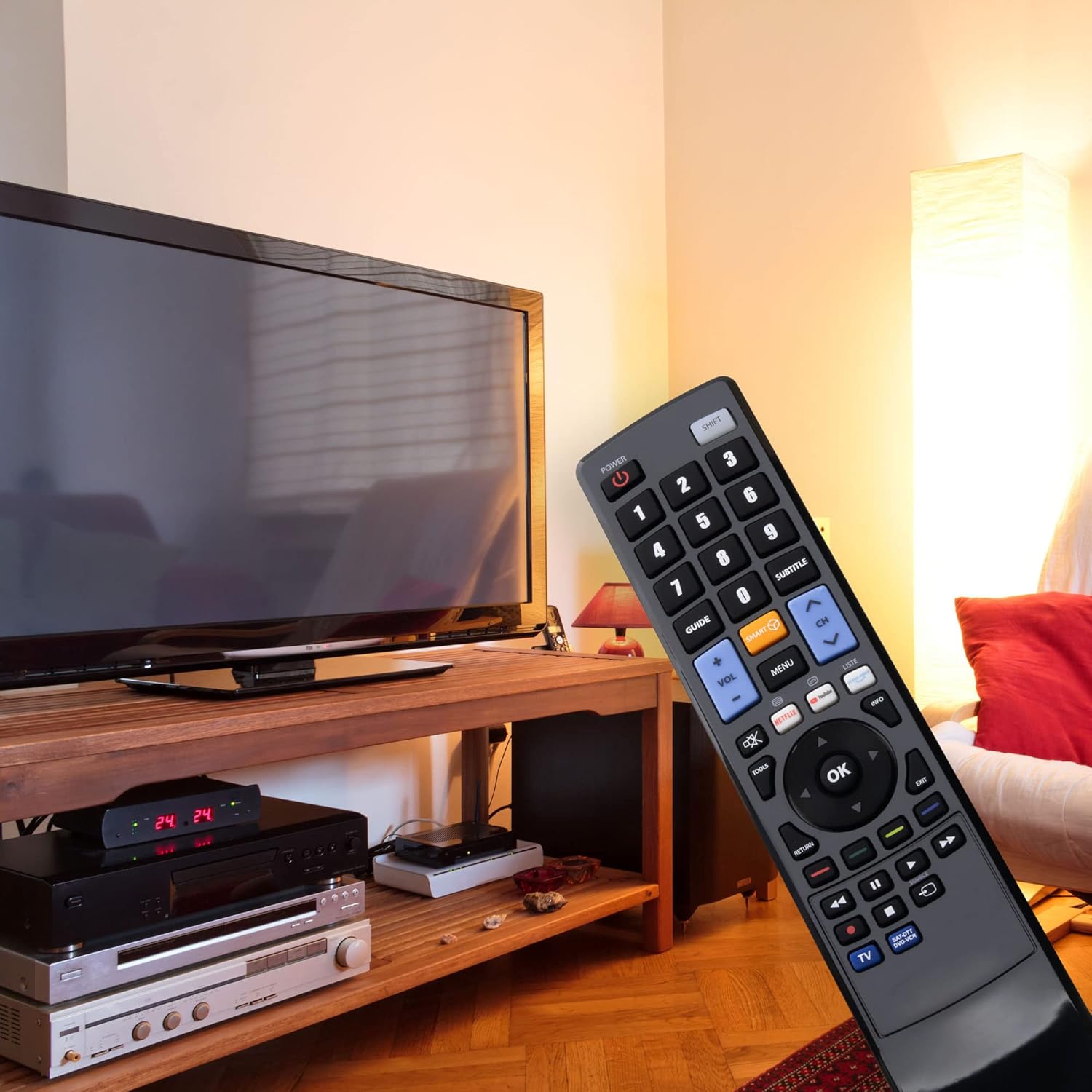
Image: The ST Replacement Remote Control shown in a typical living room environment, positioned near a television set, illustrating its intended use.
Configuració
1. Introducció de piles
El comandament a distància requereix dues piles AAA (no incloses). Segueix aquests passos per instal·lar-les:
- Localitzeu el compartiment de la bateria a la part posterior del comandament a distància.
- Premeu el pestell i feu lliscar la tapa de la bateria cap avall per obrir-la.
- Introduïu dues piles AAA, assegurant-vos que els terminals positiu (+) i negatiu (-) s'alineïn correctament amb les marques de l'interior del compartiment.
- Feu lliscar la coberta de la bateria al seu lloc fins que faci un clic de manera segura.

Imatge: Part posterior view of the remote control with the battery cover removed, clearly showing the battery compartment designed for two AAA batteries.
2. Ús inicial
Once batteries are correctly installed, the remote control is ready for immediate use with your Daewoo VQ 757 television. No additional programming or pairing steps are required.
Instruccions de funcionament
The ST Replacement Remote Control provides access to all standard functions of your Daewoo VQ 757 TV. Familiarize yourself with the button layout:
Imatge: Detall frontal view of the remote control, highlighting the arrangement and labeling of all functional buttons.
- POTÈNCIA: Encén o apaga el televisor.
- MAJÚS: Activates secondary functions for certain buttons.
- Botons numèrics (0-9): Selecciona directament els canals.
- VOL +/-: Ajusta el nivell de volum.
- CH ^/v: Canvia de canal amunt o avall.
- GUIA: Mostra la guia electrònica de programes.
- INTELLIGENT: Accesses smart TV features or a dedicated smart menu.
- MENÚ: Obre el menú principal del televisor.
- SUBTÍTOL: Activa o desactiva els subtítols.
- Teclat de navegació (amunt, avall, esquerra, dreta, OK): Navega pels menús i confirma les seleccions.
- TORNADA: Torna a la pantalla o al menú anterior.
- SORTIDA: Closes the current menu or application.
- INFORMACIÓ: Mostra informació sobre el programa actual.
- EINES: Accedeix a la configuració ràpida o al menú d'eines.
- NETFLIX, YouTube, LISTE: Dedicated buttons for quick access to streaming services or a list function.
- Botons de control multimèdia (Reproduir, Pausa, Aturar, Rebobinar, Avançar ràpidament): Controla la reproducció de suports.
- TV: Switches input to TV mode.
- ENREGISTREMENT (Record): Initiates recording if supported by your TV and connected device.
Point the remote control directly at the TV's infrared sensor for optimal performance. Ensure there are no obstructions between the remote and the TV.
Manteniment
Canvi de bateria
Replace the AAA batteries when the remote control's response becomes sluggish or stops working. Always replace both batteries at the same time with new ones. Do not mix old and new batteries, or different types of batteries.
Neteja
Per netejar el comandament a distància, feu servir un drap suau i sec. No utilitzeu netejadors líquids, esprais ni materials abrasius, ja que poden danyar la superfície o els components interns del comandament a distància.
Emmagatzematge
Guardeu el comandament a distància en un lloc fresc i sec, allunyat de la llum solar directa i de temperatures extremes. Si no heu d'utilitzar el comandament a distància durant un període prolongat, és recomanable treure les piles per evitar fuites.
Resolució de problemes
- El comandament a distància no funciona:
- Comproveu si les piles estan inserides correctament amb la polaritat correcta (+/-).
- Substitueix les piles per piles AAA noves.
- Assegureu-vos que no hi hagi obstacles entre el comandament a distància i el sensor d'infrarojos del televisor.
- Assegureu-vos d'apuntar el comandament a distància directament al televisor.
- Some buttons are not responding:
- This remote is pre-programmed for the Daewoo VQ 757. If certain functions are not responding, verify that your TV model is indeed the Daewoo VQ 757.
- Netegeu el comandament a distància tal com es descriu a la secció Manteniment.
Especificacions
| Marca | ST |
| Número de model | 71012-ST-036331 |
| Model de TV compatible | Daewoo VQ 757 |
| Color | Negre |
| Pes de l'article | 95 grams |
| Font d'alimentació | 2 piles AAA (no incloses) |
Informació de la garantia
No specific warranty information is provided in the product details. Please refer to your purchase documentation or contact your retailer for details regarding warranty coverage.
Atenció al client
For further assistance or inquiries, please contact the retailer from whom you purchased this product. They can provide support specific to your purchase and any additional product information.