Introducció
This manual provides essential instructions for the proper use and care of your Transcend 4GB Secure Digital High Capacity (SDHC) Memory Card. Please read this manual thoroughly before using the product to ensure optimal performance and longevity.
Producte acabatview
The Transcend 4GB SDHC Memory Card is designed for reliable data storage in compatible devices. It features a high capacity for storing photos, videos, and other digital files.
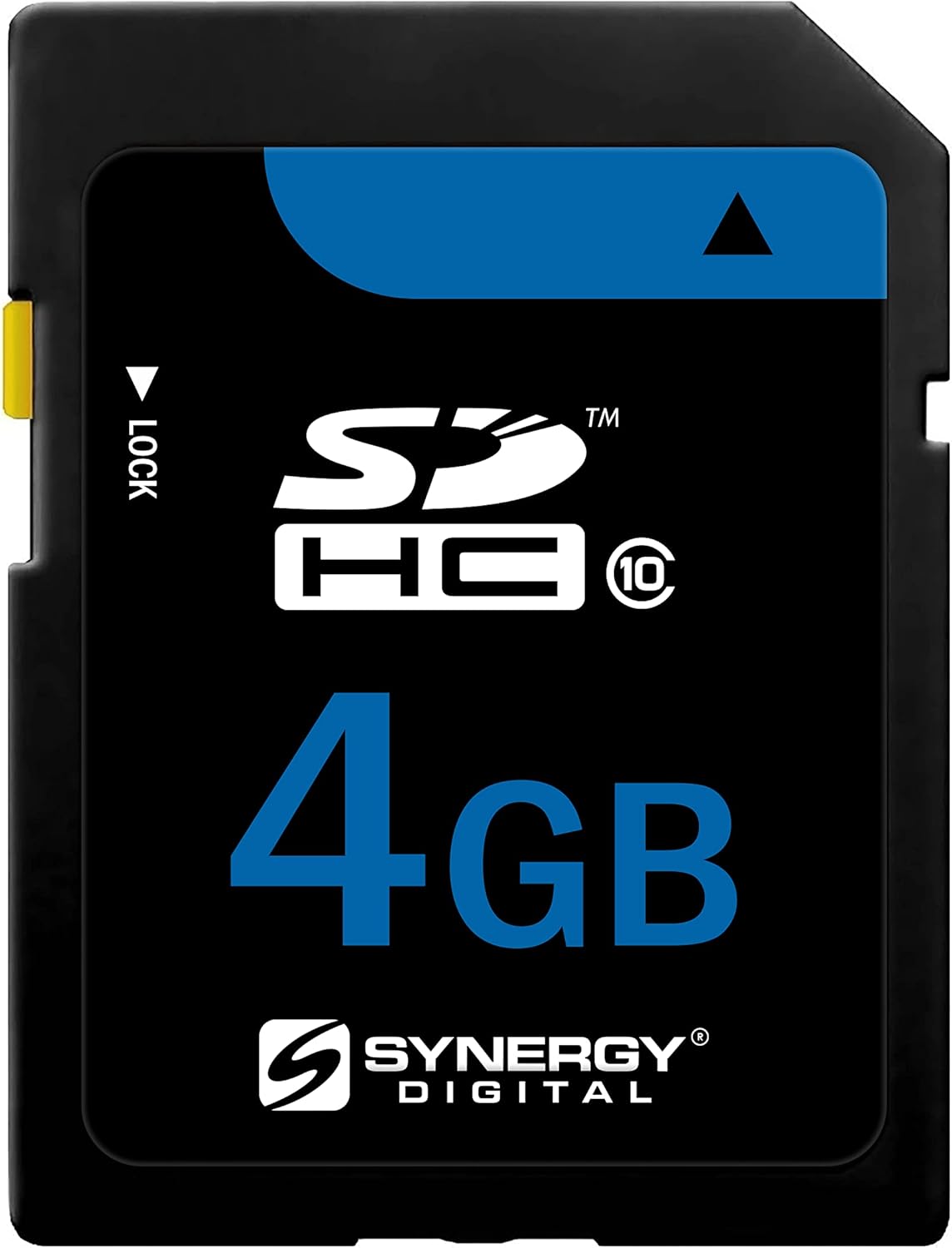
Imatge: Frontal view of the Transcend 4GB SDHC Memory Card, showing the capacity and SDHC logo.
Configuració i instal·lació
- Comproveu la compatibilitat del dispositiu: Ensure your device (e.g., digital camera, camcorder, laptop) supports SDHC memory cards. This card is specifically designed for devices compatible with SDHC standards.
- Locate the Memory Card Slot: Identify the memory card slot on your device. Refer to your device's instruction manual if you are unsure.
- Unlock the Card (if necessary): The Transcend SDHC card features a small lock switch on its left side. Before inserting, ensure the switch is in the "unlocked" (upward) position to allow writing to the card. If the switch is in the "locked" (downward) position, data cannot be written or deleted.
- Inseriu la targeta de memòria: Gently slide the memory card into the slot with the gold contacts facing the correct direction, usually downwards or towards the back of the device. Apply gentle pressure until the card clicks into place. Do not force the card.
- Format inicial (opcional però recomanat): For first-time use or if experiencing issues, it is recommended to format the memory card using your device's formatting function. This prepares the card for optimal performance with your specific device. Warning: Formatting will erase all data on the card. Back up any important data before formatting.

Image: A hand holding the Transcend SDHC card next to a camera, demonstrating its wide compatibility with devices like DSLR cameras and HD camcorders.
Instruccions de funcionament
Once the Transcend SDHC card is installed and formatted, it is ready for use with your compatible device.
- Emmagatzematge de dades: Use your device's functions to capture photos, record videos, or save other files directly to the memory card. The 4GB capacity allows for significant storage of high-resolution media.
- Accés a les dades: Insert the card into a compatible device or a card reader connected to a computer to access your stored files.
- Transferència de dades: Per transferir files to a computer, insert the card into a card reader or connect your device directly to the computer. Drag and drop files or use your operating system's import functions. The card supports high-speed data transfer, up to 20 MB/s, for efficient file gestió.
- Expulsió de la targeta: Expulseu sempre la targeta de memòria de l'ordinador o dispositiu abans de treure-la físicament. Això evita que les dades es corrompin.

Image: A person inserting the Transcend SDHC card into a laptop, illustrating the process of high-speed data transfer, capable of speeds up to 20 MB/s.

Image: A digital camera set up in a scenic outdoor environment, surrounded by various SD cards, highlighting the card's role in capturing and storing important memories.
Manteniment i cura
Proper care ensures the longevity and reliability of your memory card.
- Manipulació física: Avoid bending, dropping, or applying excessive force to the card. Handle it by the edges to prevent touching the gold contacts.
- Emmagatzematge: Store the card in a protective case when not in use to shield it from dust, moisture, and static electricity.
- Temperatura i humitat: Eviteu exposar la targeta a temperatures extremes, llum solar directa o humitat elevada.
- Neteja: If necessary, gently clean the gold contacts with a soft, lint-free cloth. Do not use abrasive materials or harsh chemicals.
- Còpia de seguretat de dades: Feu còpies de seguretat regulars de les dades importants de la targeta de memòria a un altre dispositiu d'emmagatzematge (per exemple, el disc dur de l'ordinador, l'emmagatzematge al núvol) per evitar la pèrdua de dades.

Image: The Transcend SDHC card with text emphasizing its highest quality, stability, reliability, and durability, indicating robust construction for data integrity.
Resolució de problemes
If you encounter issues with your Transcend SDHC memory card, consider the following:
- Targeta no reconeguda:
- Ensure the card is fully inserted into the device slot.
- Check if the lock switch on the card is in the "unlocked" position.
- Verify that your device is compatible with SDHC cards.
- Try inserting the card into a different compatible device or card reader to rule out a device issue.
- Clean the gold contacts on the card with a soft, dry cloth.
- No es pot escriure ni suprimir Files:
- Confirm the lock switch on the card is in the "unlocked" position.
- Comproveu si la targeta està plena. Suprimiu els elements innecessaris. fileo transferir-los a un altre dispositiu d'emmagatzematge.
- La targeta pot estar protegida contra escriptura per la configuració del dispositiu. Consulteu el manual del dispositiu.
- Rendiment lent:
- Ensure your device and card reader support high-speed data transfer.
- The card may be fragmented. Back up data and then format the card.
- Corrupció de dades o errors:
- Expulseu sempre la targeta de manera segura abans de treure-la.
- Eviteu treure la targeta durant la transferència de dades o quan el dispositiu hi accedeix activament.
- If errors persist, back up any recoverable data and then format the card.
Especificacions
| Marca | Transcendir |
| Número de model | FinePix HS25EXR-KSD4GB |
| Capacitat d'emmagatzematge de memòria | 4 GB |
| Tipus de memòria flash | Sdhc |
| Interfície del maquinari | Sdhc |
| Dispositius compatibles | Càmera |
| Característica especial | Lleuger |
| Pes de l'article | 3.2 unces |
| UPC | 744596969364 |
| ASIN | B0079T8Z5M |
Garantia i Suport
Specific warranty information for your Transcend 4GB SDHC Memory Card is typically provided with your purchase documentation or can be found on the official Transcend website. For technical support, product registration, or detailed warranty terms, please visit the manufacturer's official support channels.
Manufacturer: Transcend
For further assistance, please refer to the official Transcend support resources.


