1. Introducció
This manual provides detailed instructions for the proper use, installation, and maintenance of your GlobalSat RV-1000S 720P HD Video Camera. Please read this manual thoroughly before operating the device to ensure optimal performance and longevity.
The GlobalSat RV-1000S is designed to record high-definition video with a 120-degree wide-angle lens, featuring a 3D G-sensor for incident detection and a SiRF Star IV GPS chipset for location tracking. It includes a 2.5-inch TFT display for real-time viewing i reproducció.
2. Contingut del paquet
Si us plau, verifiqueu que tots els elements que s'enumeren a continuació estiguin inclosos al vostre paquet:
- Main RV-1000S unit
- Charging cable (car charger)
- Antena GPS
- Manual d'instruccions (aquest document)
3. Producte acabatview
Familiarize yourself with the components of your RV-1000S camera:
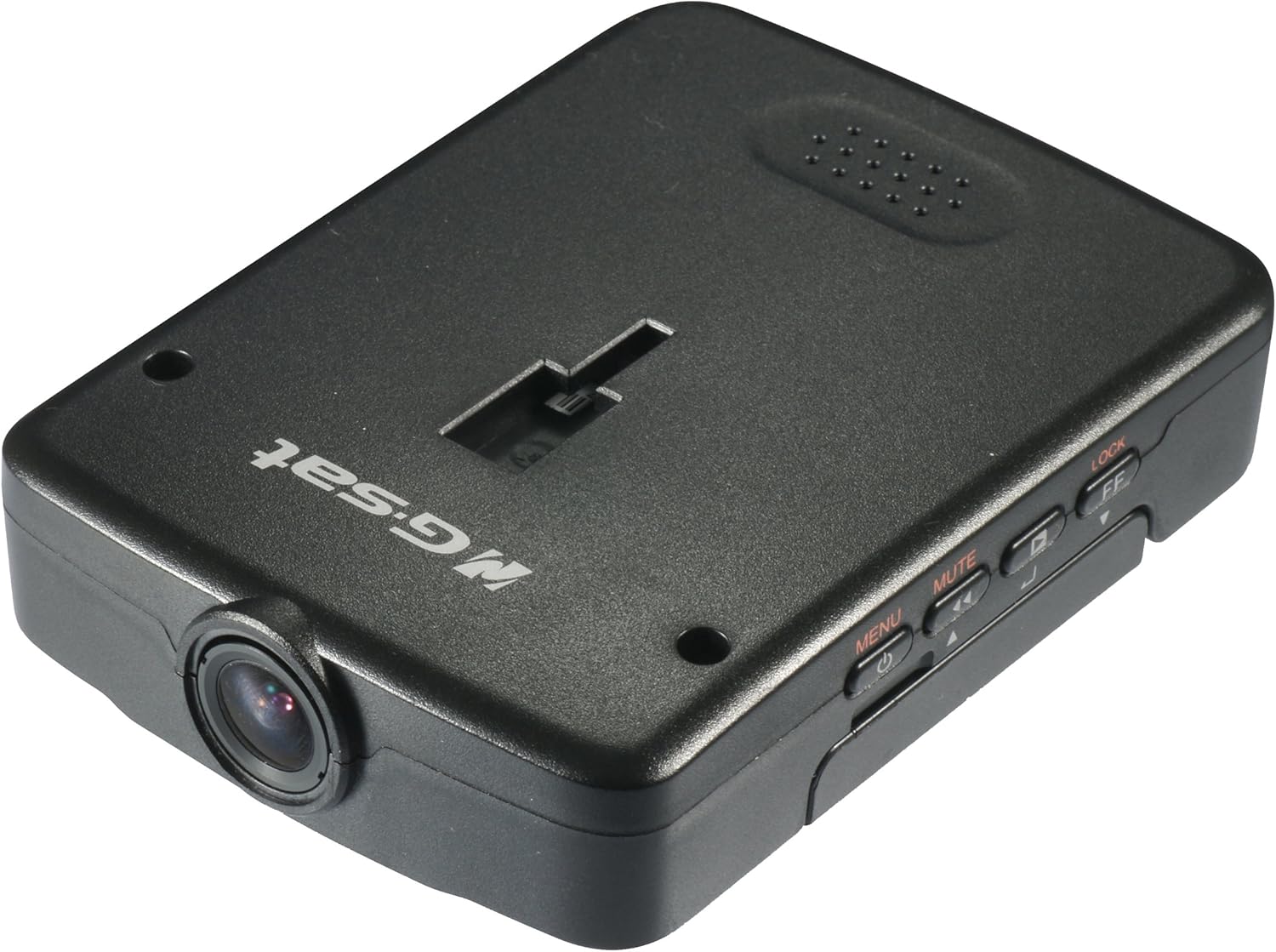
Figura 3.1: De dalt a baix view of the Globalsat RV-1000S HD Video Camera, showing the main unit with its lens, control buttons, and the "Globalsat" logo.

Figura 3.2: Davant view of the RV-1000S, highlighting the central camera lens. This is the primary component for video capture.
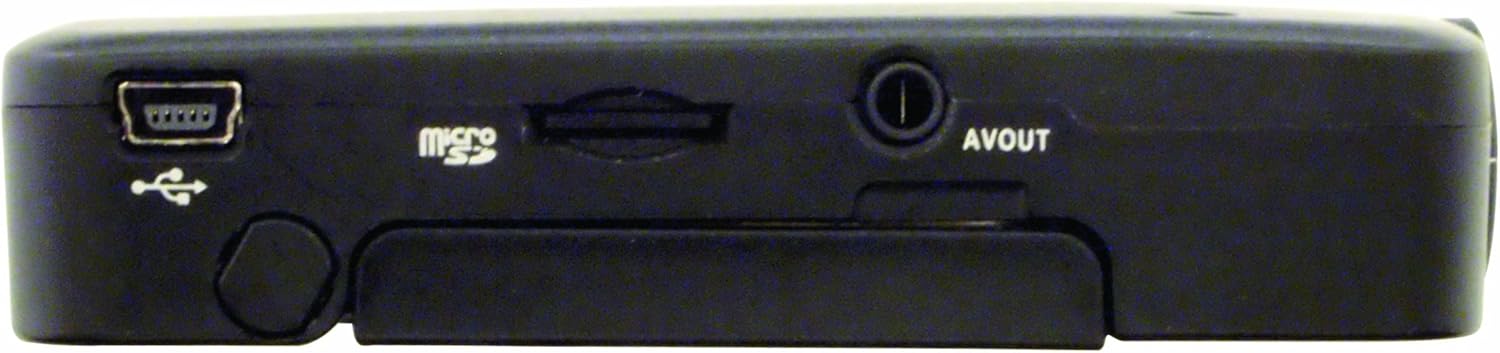
Figura 3.3: A dalt view of the RV-1000S, displaying the control buttons: Power/Menu, Mute, Play/Pause, and Lock/Fast Forward. These buttons are used for device control and navigation.
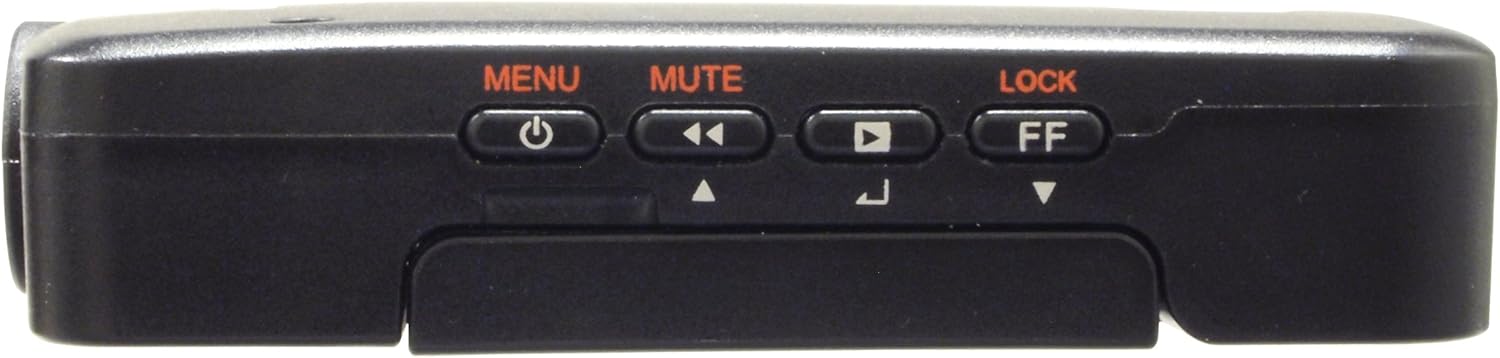
Figura 3.4: A baix view of the RV-1000S, showing the Mini-USB port for power/data, the Micro SD card slot, and the AV Out port. These ports are essential for connectivity and storage.

Figura 3.5: The RV-1000S with its 2.5-inch TFT display articulated and open, providing a clear view for real-time monitoring and video playback.
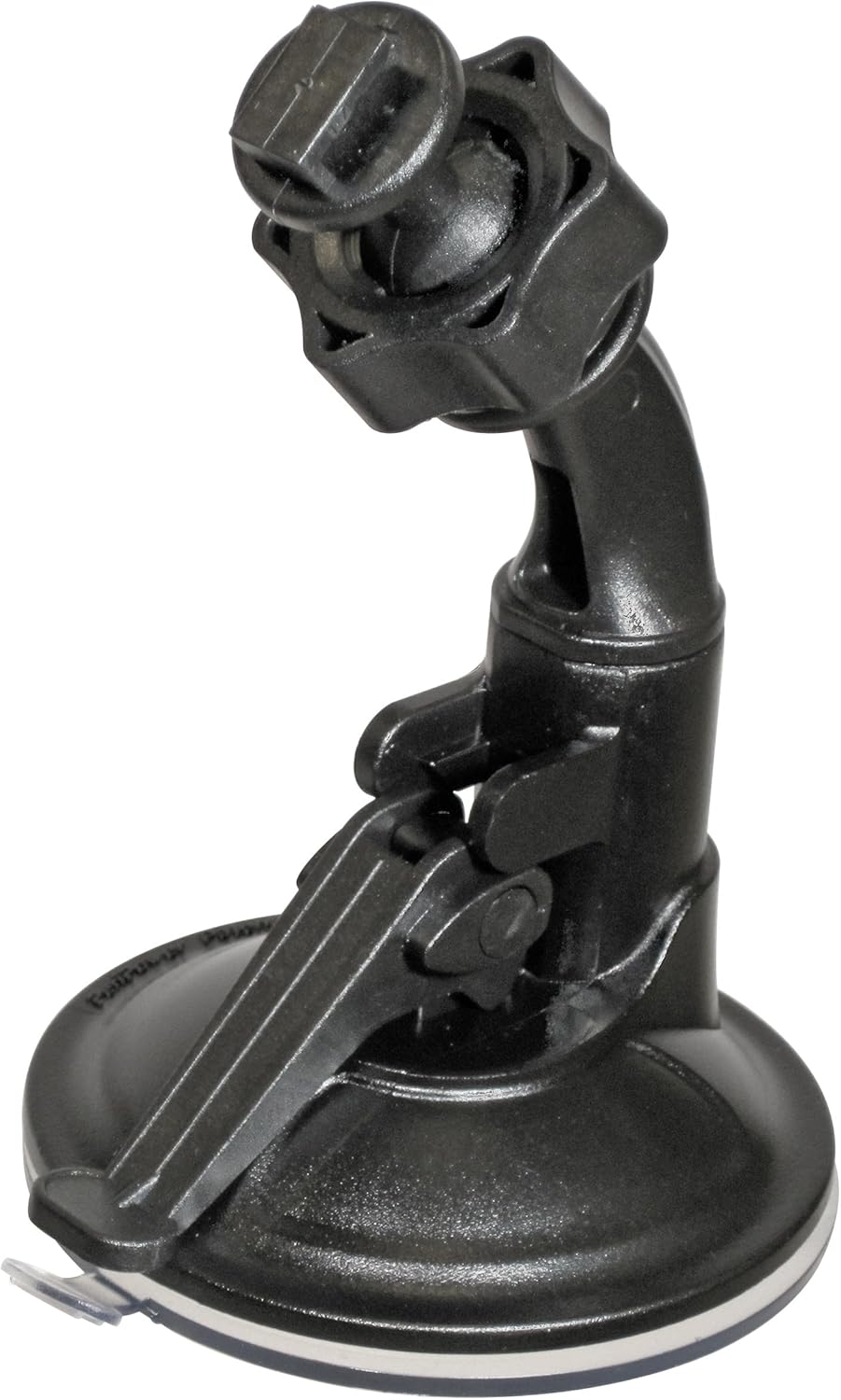
Figura 3.6: The adjustable suction cup mount for the RV-1000S, designed for secure attachment to a vehicle's windshield or dashboard.

Figura 3.7: The included car charger with a Mini-USB connector, used to power the RV-1000S and charge its internal battery via a vehicle's 12V power outlet.
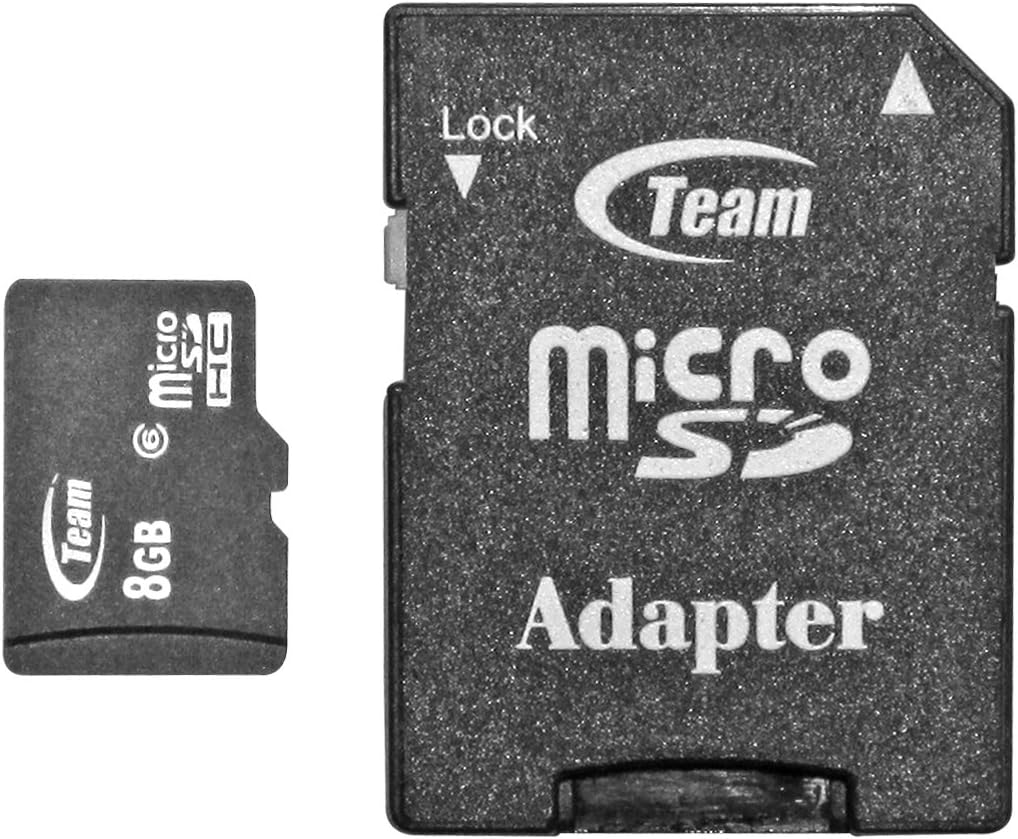
Figura 3.8: Un example of a Micro SD card and its standard SD card adapter. The Micro SD card is inserted directly into the RV-1000S for video storage.
4. Configuració
4.1. Installing the Micro SD Card
- Assegureu-vos que el dispositiu estigui apagat.
- Locate the Micro SD card slot on the bottom of the RV-1000S (refer to Figure 3.4).
- Insert the Micro SD card into the slot with the gold contacts facing down until it clicks into place.
- Per treure-la, premeu suaument la targeta fins que surti.
Note: A Class 6 or higher Micro SD card (up to 32GB) is recommended for optimal recording performance.
4.2. Muntatge de la càmera
- Clean the desired mounting surface (e.g., windshield) thoroughly.
- Attach the suction cup mount (Figure 3.6) to the clean surface by pressing firmly and flipping the lever down to secure it.
- Slide the RV-1000S unit onto the mounting bracket until it clicks into place.
- Adjust the angle of the camera to ensure a clear view de la carretera.
4.3. Connexió d'alimentació
- Connect the Mini-USB end of the car charger (Figure 3.7) to the Mini-USB port on the RV-1000S.
- Plug the other end of the car charger into your vehicle's 12V power outlet.
- The device will typically power on automatically when the vehicle starts and power off when the vehicle is turned off.
4.4. GPS Antenna Connection
Connect the external GPS antenna to the designated port on the RV-1000S. Position the antenna in a location with a clear view del cel per a una recepció òptima del senyal GPS.
4.5. Configuració inicial (data/hora)
- Premeu el botó MENÚ button to access the settings menu.
- Navigate through the options using the arrow buttons (often combined with Mute/Play/Lock buttons).
- Select "Date/Time" and adjust the current date and time using the navigation buttons.
- Confirm your settings and exit the menu.
5. Funcionament
5.1. Encès / apagat
- Automàtic: The device powers on/off with the vehicle's ignition when connected to the car charger.
- manual: Manteniu premut el botó POTÈNCIA/MENÚ button to manually power on or off the device.
5.2. Gravació de vídeo
- Once powered on, the RV-1000S typically begins recording automatically. A red recording indicator will flash on the screen.
- To manually start/stop recording, press the REPRODUCCIÓ/PAUSA botó.
- Recordings are saved to the Micro SD card in segments (e.g., 1, 3, or 5 minutes) based on loop recording settings.
5.3. G-Sensor Function
The built-in 3D G-sensor detects sudden impacts or rapid acceleration/deceleration. When triggered, the current video segment is automatically locked and protected from being overwritten by loop recording. This ensures critical incident footage es conserva.
5.4 Manual File Bloqueig
Durant la gravació, premeu el botó LOCK/FF button to manually lock the current video file. This prevents it from being overwritten.
5.5. Audio Mute
Premeu el botó MUT button to toggle audio recording on or off during video capture. An icon on the screen will indicate the audio status.
5.6. Reproducció
- Stop recording if currently active.
- Premeu el botó MENÚ button to enter the menu, then navigate to the playback mode.
- Utilitza el MUT (anterior) i LOCK/FF (next) buttons to browse through recorded files.
- Premeu el botó REPRODUCCIÓ/PAUSA botó per iniciar o aturar la reproducció.
- Premeu MENÚ again to exit playback mode.
5.7. Navegació del menú
Premeu el botó MENÚ button to access system settings. Use the MUT i LOCK/FF buttons to navigate up and down through menu options. Press REPRODUCCIÓ/PAUSA per seleccionar una opció o confirmar una configuració. Premeu MENÚ torneu a sortir del menú.
Common settings include: Video Resolution, Loop Recording Duration, G-Sensor Sensitivity, Date/Time, Format SD Card, Language, etc.
6. Manteniment
6.1. Neteja del dispositiu
- Ensure the device is powered off and disconnected from power.
- Use a soft, dry cloth to wipe the exterior of the camera.
- Per a la lent, feu servir un drap i una solució especials per netejar lents per evitar ratllades.
- No utilitzeu productes químics ni productes de neteja abrasius.
6.2. Formatting the Micro SD Card
Regularly formatting the Micro SD card (at least once a month) can help maintain optimal recording performance and prevent data corruption. This can usually be done through the device's menu settings. Avís: El format esborrarà totes les dades de la targeta. És important fer una còpia de seguretat. files abans de formatar.
6.3. Actualitzacions de firmware
Periodically check the GlobalSat official website for any available firmware updates. Firmware updates can improve performance, add new features, or fix bugs. Follow the instructions provided with the firmware update package carefully.
7. Solució De Problemes
| Problema | Causa possible | Solució |
|---|---|---|
| El dispositiu no s'encén. | No power supply; faulty cable; dead battery. | Check car charger connection; try a different power outlet; ensure vehicle ignition is on; charge the device for a period. |
| L'enregistrament s'atura inesperadament. | SD card full; SD card error; power interruption. | Format the SD card; replace the SD card; ensure stable power connection. |
| Poca qualitat de vídeo. | Dirty lens; low light conditions; incorrect resolution setting. | Clean the lens; ensure adequate lighting; check video resolution settings in the menu. |
| Senyal GPS no adquirit. | GPS antenna not connected; antenna obstructed; poor satellite visibility. | Ensure GPS antenna is securely connected; reposition antenna for clear sky view; wait longer for signal acquisition. |
| Els botons no responen. | Dispositiu congelat. | Perform a soft reset (if available, usually a small reset button) or power cycle the device by disconnecting and reconnecting power. |
8. Especificacions
| Característica | Detall |
|---|---|
| Número de model | RV-1000S |
| Resolució de captura de vídeo | 720p HD |
| Angle de la lent | 120-degrees Wide Angle |
| Chipset GPS | SiRF Star IV |
| Sensor G | Sensor G 3D |
| Pantalla de visualització | 2.5 Inches TFT |
| Tipus d'emmagatzematge | Micro SD (up to 32GB, Class 6 or higher recommended) |
| Dimensions del producte | 3.85 x 0.82 x 2.81 polzades |
| Pes de l'article | 4.2 unces |
| Color | Negre |
| Fabricant | USGlobalSat, Inc. |
| Primera data disponible | 25 de maig de 2012 |
9. Garantia i Suport
9.1. Informació de la garantia
GlobalSat products are manufactured to the highest quality standards. For specific warranty terms and conditions, please refer to the warranty card included with your product or visit the official GlobalSat weblloc web. Conserveu el rebut de compra com a comprovant de compra per a reclamacions de garantia.
9.2. Atenció al client
If you encounter any issues not covered in this manual or require further assistance, please contact GlobalSat customer support. Contact information can typically be found on the GlobalSat official weblloc web o a l'embalatge del producte.
For the most up-to-date support resources, including FAQs and driver downloads, please visit: www.globalsat.com.tw/support