1. Introducció
The Logitech MK220 is a compact wireless keyboard and mouse combo designed for efficiency and convenience. It offers a reliable 2.4 GHz wireless connection, long-lasting battery life, and a space-saving design, making it ideal for various computing environments, including PC and laptop use.

Imatge: Presentació del combo de teclat i ratolí sense fil Logitech MK220asing both the compact keyboard and the ambidextrous mouse.
Característiques principals:
- Disseny per estalviar espai: The compact keyboard is approximately 36 percent smaller than standard keyboards, yet it retains all essential keys for full functionality.
- Comfortable and Portable: The ambidextrous mouse is compact, providing smooth tracking and scrolling for versatile use.
- Bateria de llarga durada: Enjoy up to 24 months of battery life for the keyboard and up to 12 months for the mouse, thanks to auto-sleep power-saving technology.
- Reliable Wireless Connection: Experience plug-and-play simplicity with no delays or dropouts up to 10 meters, powered by Logitech Advanced 2.4 GHz technology.
- Construcció duradora: The keyboard features a spill-proof design, ensuring longevity and resilience against minor accidents.
- Materials sostenibles: Plastic parts in the MK220 include certified post-consumer recycled plastic (66% for the mouse, 44% for the keyboard, and 75% for the receiver).
2. Què hi ha a la caixa
Upon opening your Logitech MK220 package, you should find the following components:
- Teclat sense fil
- Ratolí sense fil
- Receptor USB
- 2 piles AAA (per al teclat)
- 2 AA batteries (for mouse)
- Documentació d'usuari
- 3-year manufacturer's guarantee and full product support information
3. Guia de configuració
Follow these simple steps to set up your Logitech MK220 combo:
- Instal·leu les bateries:
- For the keyboard: Open the battery compartment on the underside of the keyboard and insert the two AAA batteries provided, ensuring correct polarity (+/-).
- For the mouse: Open the battery compartment on the underside of the mouse and insert the two AA batteries provided, ensuring correct polarity (+/-).
- Connecteu el receptor USB: Locate an available USB port on your computer (PC or laptop). Insert the small USB receiver into the port.
- Encès: Ensure the mouse has its power switch (usually on the underside) set to the 'ON' position. The keyboard typically powers on automatically once batteries are inserted and the receiver is connected.
- Connexió automàtica: Your keyboard and mouse should automatically connect to the USB receiver. No additional software installation is usually required for basic functionality.
If the devices do not connect immediately, try moving them closer to the USB receiver or re-inserting the receiver into a different USB port.
4. Instruccions de funcionament
Ús del teclat:
The compact design of the MK220 keyboard includes a full set of keys, including a number pad, despite its smaller footprint. It features multimedia function keys accessible via the 'Fn' key.

Imatge: Primer pla view of the Logitech MK220 keyboard, highlighting its space-saving design and integrated number pad.
- Mecanografia estàndard: Use the keyboard as you would any standard keyboard for typing and data entry.
- Function (Fn) Keys: Many keys have secondary functions (e.g., media controls, volume, calculator). To activate these, press and hold the Fn key, then press the desired function key (F1-F12).
- Caps Lock/Num Lock: Note that this model does not feature dedicated indicator lights for Caps Lock or Num Lock.
Ús del ratolí:
The MK220 mouse is designed for comfortable, ambidextrous use, offering precise tracking and smooth scrolling.
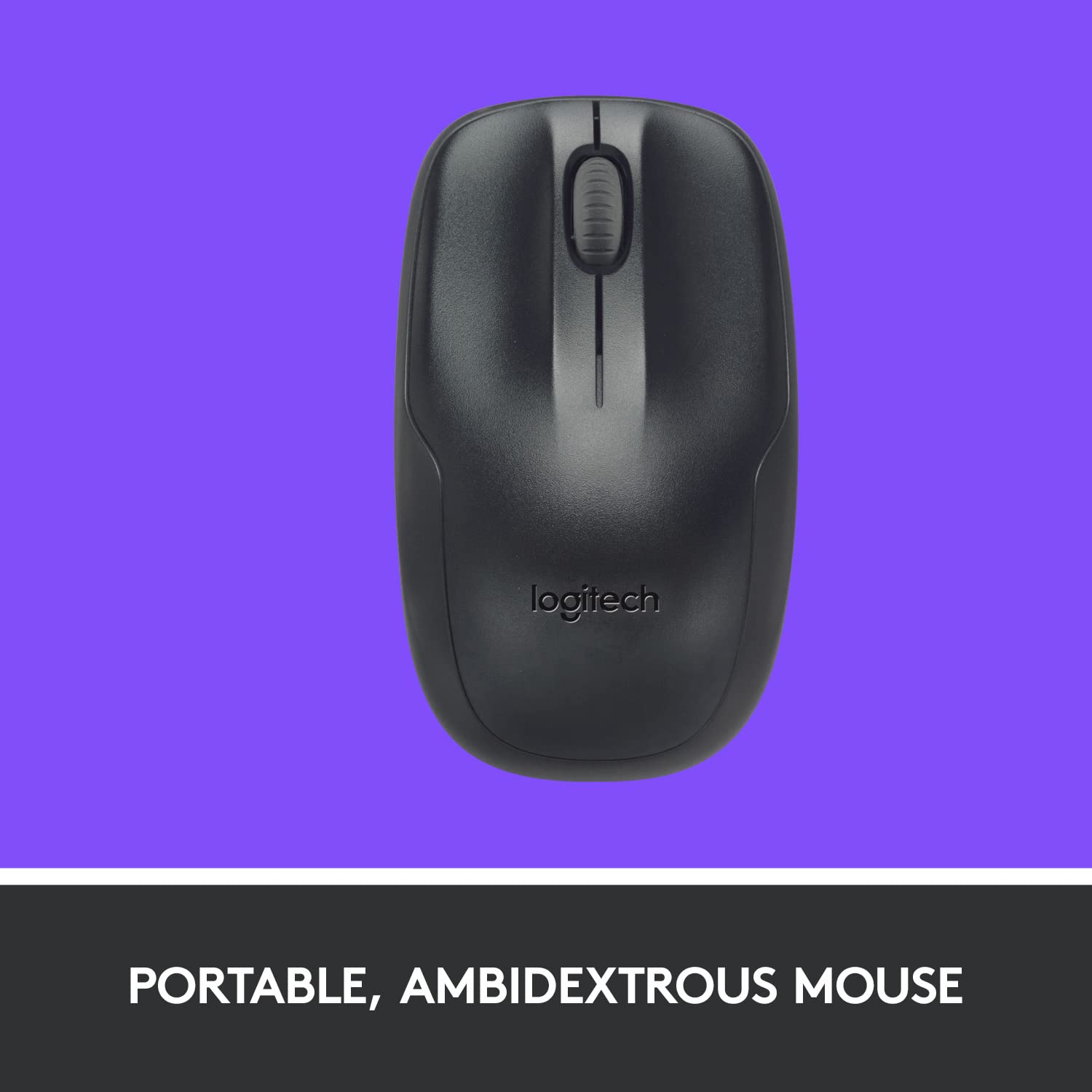
Imatge: De dalt a baix view of the Logitech MK220 mouse, emphasizing its portable and ambidextrous design.
- Clic esquerre i dret: Botons estàndard del ratolí per als menús de selecció i contextuals.
- Roda de desplaçament: Feu servir la roda de desplaçament per desplaçar-vos verticalment en documents i web pàgines. També pot funcionar com a botó de clic central.
- Estalvi d'energia: The mouse features an auto-sleep mode to conserve battery life when not in use. Simply move or click the mouse to wake it up.

Image: Visual representation indicating the long battery life of the Logitech MK220 keyboard (24 months) and mouse (12 months).
5. Manteniment
Proper maintenance ensures the longevity and optimal performance of your Logitech MK220 combo.
- Substitució de la bateria:
- Replace keyboard batteries (2 AAA) when performance degrades or it becomes unresponsive.
- Replace mouse batteries (2 AA) when performance degrades or it becomes unresponsive.
- Always use fresh, high-quality alkaline batteries for best results.
- Neteja:
- Although the keyboard has a spill-proof design, it is recommended to clean it with a soft, dry cloth. For stubborn dirt, a slightly damp es pot utilitzar un drap, assegurant-se que no entri líquid als components interns.
- Clean the mouse's optical sensor periodically with a soft, lint-free cloth to ensure accurate tracking.
- Eviteu utilitzar productes químics aggressivs o netejadors abrasius.
- Emmagatzematge: When not in use for extended periods, it is advisable to turn off the mouse to conserve battery life. Store the combo in a cool, dry place away from direct sunlight and extreme temperatures.
6. Solució De Problemes
If you encounter issues with your Logitech MK220 combo, try the following troubleshooting steps:
- No Connection/Unresponsive Device:
- Comproveu les bateries: Ensure batteries are correctly installed and have sufficient charge. Replace them if necessary.
- Receptor USB: Prova de connectar el receptor USB a un port USB diferent de l'ordinador.
- Proximitat: Ensure the keyboard and mouse are within 10 meters (33 feet) of the USB receiver and there are no large metal objects or other electronic devices causing interference.
- Restablir la connexió: For some models, there might be a small connect button on the receiver and/or the devices. Refer to the included user documentation for specific re-pairing instructions if needed.
- Retard o resposta retardada:
- Interferència: Move the receiver away from other wireless devices (e.g., Wi-Fi routers, cordless phones) that operate on the 2.4 GHz frequency.
- Superfície (ratolí): Ensure the mouse is used on a suitable surface. Highly reflective or transparent surfaces may affect tracking.
- Keyboard Keys Not Working:
- Claus netes: Comproveu si hi ha restes sota les claus que puguin impedir que es registrin.
- Prova en un altre ordinador: Si és possible, prova el teclat en un altre ordinador per determinar si el problema és del teclat o del sistema.
For more detailed troubleshooting or persistent issues, please refer to the official Logitech support website or the user documentation provided with your product.
7. Especificacions
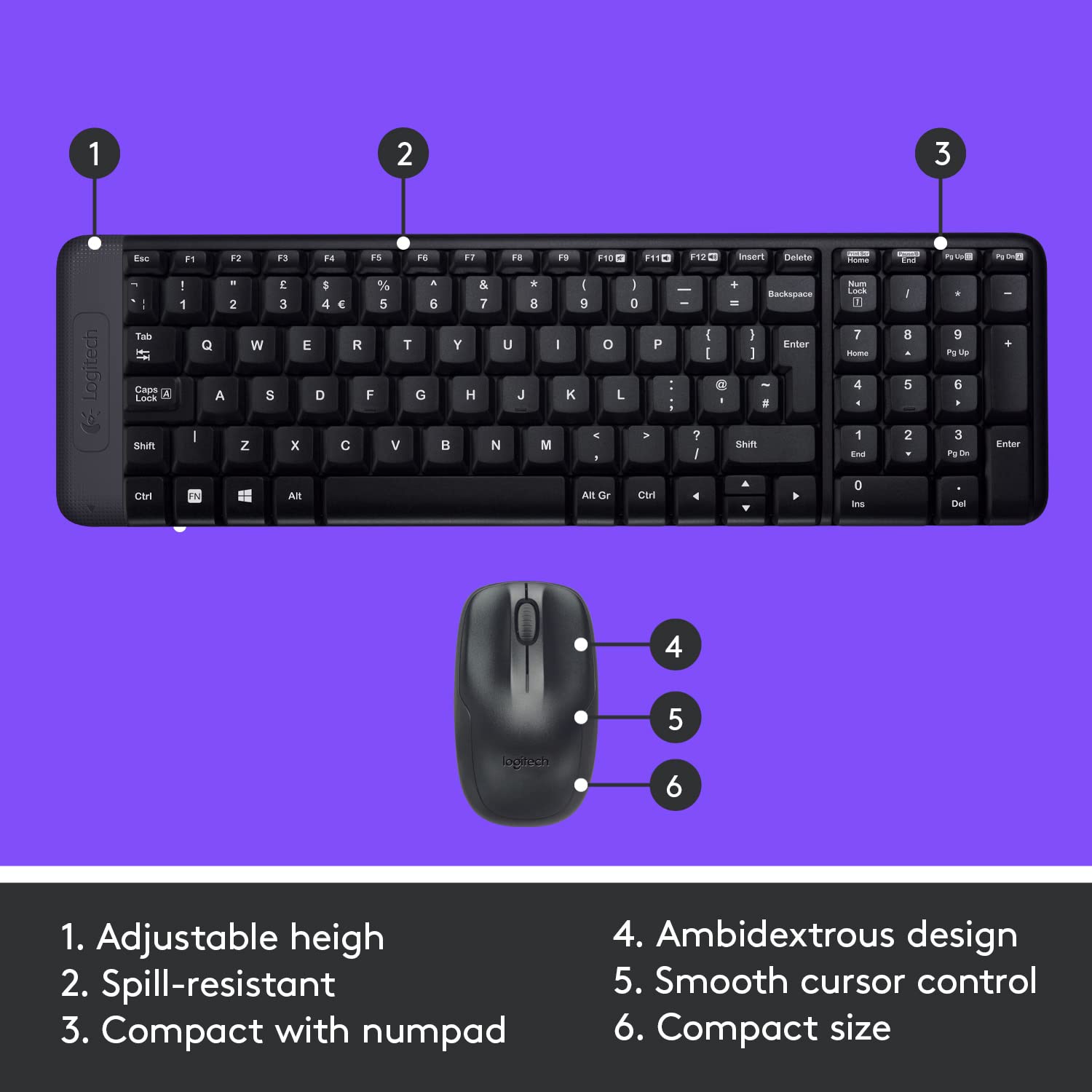
Image: Diagram illustrating key features of the Logitech MK220 combo, including adjustable height, spill-resistance, compact design, ambidextrous mouse, smooth cursor control, and compact size.
| Característica | Detall |
|---|---|
| Marca | Logitech |
| Sèrie Model | MK220 |
| Número de model de l'article | 920-003157 |
| Color | Negre |
| Tipus de connectivitat | 2.4 GHz Radio Frequency Wireless |
| Font d'alimentació | Funciona amb bateria |
| Bateries del teclat | 2 piles AAA (incloses) |
| Bateries de ratolí | 2 piles AA (incloses) |
| Average Battery Life (Keyboard) | 24 mesos |
| Average Battery Life (Mouse) | 12 mesos |
| Dispositius compatibles | Ordinador personal, portàtil |
| Compatibilitat de sistemes operatius | Windows 10, 11 o posterior, Chrome OS |
| Dimensions del producte | 45.8 x 5.1 x 12.4 cm |
| Pes de l'article | 480 g |
| Característica especial | Wireless, Spill-resistant keyboard |
| Data de primera disponibilitat | 30 de juliol de 2012 |
8. Garantia i Suport
Your Logitech MK220 Wireless Keyboard and Mouse Combo comes with a Garantia del fabricant de 3 anys. Aquesta garantia cobreix els defectes de materials i de mà d'obra en ús normal.
For warranty claims, technical support, or additional product information, please visit the official Logitech support website or contact their customer service. Details for full product support are typically included in the user documentation provided in the box.
Conserveu el tiquet de compra com a comprovant de compra a efectes de garantia.


