1. Introducció
Gràcies per la compraasing the Imation Memorex PX6683 Wireless Bluetooth Speaker. This manual provides essential information for setting up, operating, and maintaining your speaker to ensure optimal performance and longevity. Please read these instructions carefully before use.
2. Contingut del paquet
- Imation Memorex PX6683 Wireless Bluetooth Speaker
- Adaptador de corrent (pot variar segons la regió)
- Cable d'àudio (cable auxiliar de 3.5 mm)
- Manual d'usuari (aquest document)
3. Producte acabatview
Familiarize yourself with the components of your Memorex PX6683 speaker.
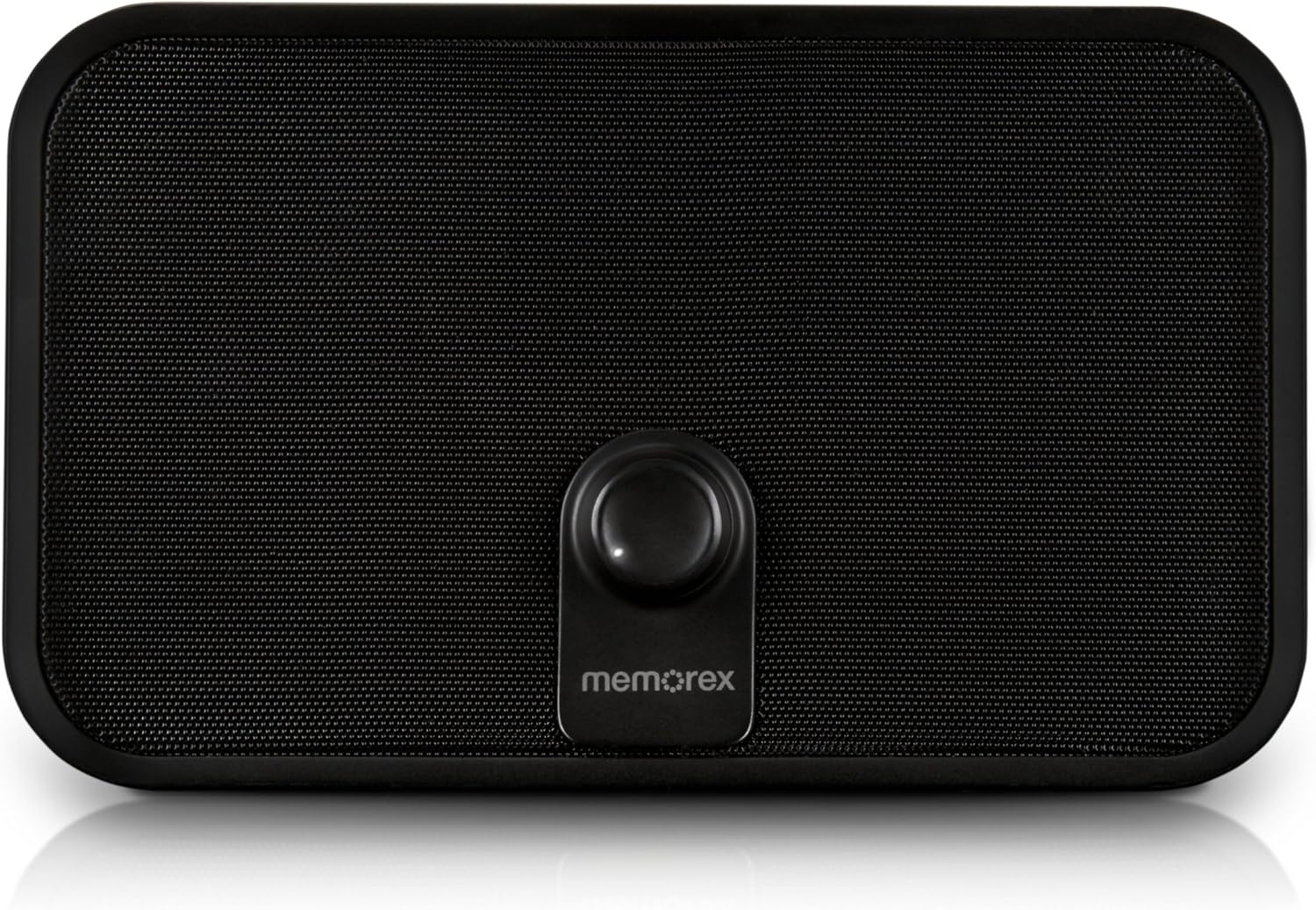
Figura 3.1: Frontal view of the Memorex PX6683 speaker. The front features a large speaker grille and a central control knob with the 'memorex' logo below it.

Figura 3.2: Angle view of the Memorex PX6683 speaker. This perspective highlights the speaker's rectangular shape with rounded edges, the front grille, and the central control knob.
4. Configuració
4.1 Connexió d'alimentació
- Locate the power input port on the back or side of the speaker.
- Connect the provided power adapter to the speaker.
- Connecteu l'adaptador d'alimentació a una presa de corrent estàndard.
- The speaker is now powered on or in standby mode.
4.2 Vinculació Bluetooth
The Memorex PX6683 supports A2DP Bluetooth wireless technology for audio streaming.
- Assegureu-vos que l'altaveu estigui encès.
- Activa el Bluetooth al teu dispositiu d'àudio (telèfon intel·ligent, tauleta, ordinador).
- Cerca available Bluetooth devices. The speaker should appear as "Memorex PX6683" o similar.
- Seleccioneu l'altaveu de la llista per iniciar l'emparellament.
- Once paired, the speaker will indicate a successful connection (e.g., an audible tone or LED indicator).
4.3 Line-in Connection (Auxiliary Input)
For devices without Bluetooth, use the universal line-in jack.
- Connect one end of the 3.5mm audio cable to the 'Line In' or 'AUX' port on the speaker.
- Connect the other end of the 3.5mm audio cable to the headphone jack or audio output of your device.
- The speaker will automatically switch to auxiliary input mode or may require manual selection via a mode button (if present).
5. Instruccions de funcionament
5.1 Encès/Apagat
Refer to the power button or control knob on your speaker. Typically, a long press or rotation will power the unit on or off.
5.2 Control de volum
Adjust the audio volume using the central control knob on the front of the speaker. Rotate clockwise to increase volume and counter-clockwise to decrease volume.
Reproducció d'àudio 5.3
Once connected via Bluetooth or Line-in, begin playing audio from your source device. The sound will be output through the speaker.
6. Manteniment
6.1 Neteja
Wipe the speaker's exterior with a soft, dry cloth. Do not use liquid cleaners or abrasive materials, as they may damage the finish or internal components.
6.2 Emmagatzematge
When not in use for extended periods, store the speaker in a cool, dry place away from direct sunlight and extreme temperatures. Disconnect the power adapter.
7. Solució De Problemes
- Sense energia: Ensure the power adapter is securely connected to both the speaker and a working electrical outlet.
- Sense so:
- Check the volume level on both the speaker and your audio source device.
- If using Bluetooth, ensure the speaker is successfully paired and connected.
- If using Line-in, ensure the audio cable is fully inserted into both devices.
- Problemes de vinculació de Bluetooth:
- Ensure the speaker is in pairing mode (if applicable).
- Desactiva i activa el Bluetooth al dispositiu font.
- Move your device closer to the speaker.
- Remove "Memorex PX6683" from your device's Bluetooth list and attempt to re-pair.
8. Especificacions

Figure 8.1: Approximate dimensions of the Memorex PX6683 speaker.
| Característica | Especificació |
|---|---|
| Marca | Imation |
| Model | PX6683 |
| Tecnologia de connectivitat | Wireless (Bluetooth), Wired (3.5mm Line-in) |
| Suport Bluetooth | A2DP |
| Mode de sortida d'àudio | estèreo |
| Potència de sortida màxima dels altaveus | 10 watts |
| Tipus de muntatge | Autònom |
| Dimensions (aproximades) | 11.25 cm (amplada) x 8.75 cm (alçada) x 4.13 cm (profunditat) |
9. Garantia i Suport
For warranty information and customer support, please refer to the documentation included with your purchase or visit the official Imation weblloc web. Conserveu el comprovant de compra per a reclamacions de garantia.


