1. Introducció i finalview
The Logitech USB Headset H340 is designed for clear internet calls and stereo sound, offering a simple plug-and-play solution for your Windows or Mac computer. This lightweight and comfortable headset provides crystal-clear digital audio for all your communication and entertainment needs.
Key features include a versatile USB connection, clear digital sound, a rotating boom microphone for noise reduction, and a comfortable, adjustable design.
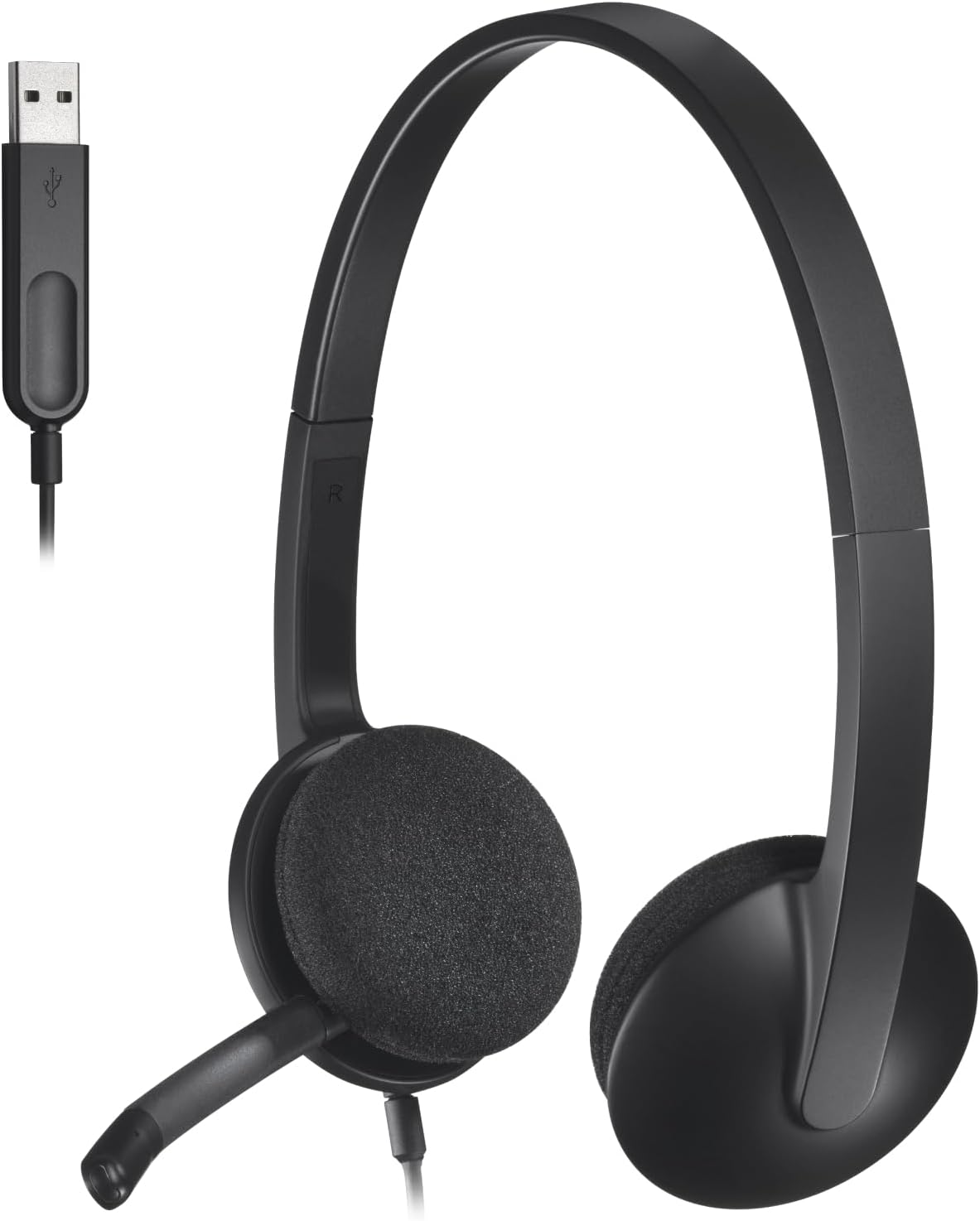
Figure 1: Logitech USB Headset H340, a black over-ear headset with an attached microphone boom and a USB-A cable.
2. Configuració
Setting up your Logitech USB Headset H340 is straightforward due to its plug-and-play design. No additional software or drivers are typically required.
2.1 Connexió dels auriculars
- Locate an available USB-A port on your Windows or Mac computer.
- Plug the USB connector of the H340 headset firmly into the USB-A port.
- L'ordinador hauria de detectar i instal·lar automàticament els controladors necessaris. Aquest procés pot trigar uns instants.
- Once installed, the headset will be ready for use. You may need to select it as the default audio input and output device in your computer's sound settings.

Figure 2: The USB-A connector of the headset being plugged into a laptop's USB port, illustrating the simple plug-and-play connection.
2.2 Compatibilitat
- Works with Windows operating systems.
- Works with Mac OS operating systems.
- Requereix un port USB disponible.
3. Instruccions de funcionament
The H340 headset is designed for ease of use, providing clear audio for both listening and speaking.
3.1 Ús del micròfon
The headset features a rotating boom microphone with noise-cancelling capabilities to ensure your voice is heard clearly during calls.
- To use the microphone, gently rotate the boom down until it is positioned near your mouth.
- For optimal voice pickup, ensure the microphone is aligned with your mouth, but not directly in front of it to avoid breath noises.
- When not in use, the microphone boom can be flipped up and out of the way.

Figure 3: A person wearing the Logitech H340 headset, demonstrating the microphone positioned for clear communication in a busy workspace.

Figure 4: An illustration showing the adjustable range of the microphone boom, indicating it can be easily positioned for best voice pickup.
3.2 Ajust per comoditat
The H340 headset is designed for a comfortable fit during extended use.
- Diadema ajustable: Extend or retract the headband on both sides to achieve a snug yet comfortable fit on your head.
- Soft Foam Ear Cups: The ear cups are equipped with soft foam padding for comfort during long periods of wear.

Figure 5: An illustration demonstrating the adjustable headband, showing arrows indicating its ability to extend and retract for a customized fit.

Figura 6: Un primer pla view of the comfortable soft foam earpads, highlighting their texture and design for user comfort.
3.3 Experiència d'àudio
Enjoy clear digital stereo sound for various applications.
- Internet Calls: Optimized for applications like Skype, Zoom, and other communication platforms.
- Music and Multimedia: Provides clear stereo sound for listening to music, watching videos, and other audio content.

Figure 7: An image depicting the headset alongside icons representing music, gaming, and phone calls, emphasizing its clear digital stereo sound for various uses.
4. Manteniment i cura
Proper care will extend the life of your Logitech USB Headset H340.
- Neteja: Use a soft, dry cloth to wipe down the headset. For the ear cups, a slightly damp cloth can be used, but ensure no moisture enters the speaker grilles. Avoid harsh chemicals or abrasive cleaners.
- Emmagatzematge: Guardeu els auriculars en un lloc net i sec, allunyat de temperatures extremes i de la llum solar directa. Eviteu enredar el cable.
- Manipulació: Do not pull on the cable to disconnect the headset. Always grasp the USB connector. Avoid excessive bending or twisting of the microphone boom.
5. Solució De Problemes
Si teniu problemes amb els auriculars, proveu les solucions següents:
5.1 No Sound or Microphone Not Working
- Comprova la connexió USB: Ensure the USB connector is fully inserted into a working USB port on your computer. Try a different USB port.
- Verify System Audio Settings:
- Windows: Go to Sound Settings (right-click the speaker icon in the taskbar) and ensure "Logitech H340" is selected as the default Playback and Recording device.
- Mac: Go to System Preferences > Sound and select "Logitech H340" under both Input and Output tabs.
- Configuració de l'aplicació: Check the audio settings within the specific application you are using (e.g., Zoom, Skype, game client) to ensure the H340 is selected as the audio device.
- Reinicieu l'ordinador: De vegades, un simple reinici pot resoldre els problemes de connectivitat.
5.2 Audio Quality Issues (e.g., Hissing)
- Monitorització del micròfon: If you hear your own voice or a hiss, check your computer's sound settings. In Windows, under the Recording tab for the microphone, ensure "Listen to this device" is unchecked.
- Nivells de volum: Adjust the input (microphone) and output (headset) volume levels in your computer's sound settings to an appropriate level.
- Interferència: Move away from other electronic devices that might be causing interference.
6. Especificacions
| Característica | Detall |
|---|---|
| Nom del model | Auriculars USB H340 |
| Número de model de l'article | 981-000507 |
| Tecnologia de connectivitat | Cablejat (USB-A) |
| Conector d'auriculars | USB |
| Resposta de freqüència | 20 Hz - 20,000 Hz |
| Control de soroll | Aïllament acústic (passiu) |
| Micròfon | Rotating Boom, Noise-Cancelling |
| Col·locació de l'orella | Sobre l'orella |
| Factor de forma | A l'orella |
| Impedància | 22 ohms |
| Longitud del cable | 6 peus |
| Pes de l'article | 3.53 unces (100 grams) |
| Material | Plàstic |
| Dispositius compatibles | PC (Windows, Mac OS) |
7. Garantia i Suport
Logitech products are manufactured to high quality standards and are backed by a limited hardware warranty. For specific warranty details, please refer to the warranty information included with your product or visit the official Logitech weblloc.
For further assistance, technical support, or to access the latest drivers and software, please visit the official Logitech support weblloc:
You can also find the official User Manual (PDF) for this product aquí.


