1. Acabatview
This manual provides essential information for the safe and efficient use of your Panasonic Viera TH-L42E5D 42-inch Full HD LED Television. Please read these instructions carefully before operating the television and retain them for future reference.
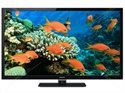
Figure 1: Panasonic Viera TH-L42E5D 42-inch Full HD LED Television. This image shows the front view of the black LED television with its stand.
Característiques principals:
- 150Hz Backlight Scanning: Millora la claredat del moviment per a escenes de moviment ràpid.
- IPS LED LCD Panel: Proporciona àmplia viewangles ajustats i reproducció del color consistent.
- Clear Panel: Reduces reflections and enhances contrast.
- VIERA Connect: Access to online content and services.
- Ample Viewangle: Ensures clear picture quality from various positions.
2. Què hi ha a la caixa
En desembalar, assegureu-vos que hi hagi tots els elements següents:
- Panasonic Viera TH-L42E5D Television Unit
- Suport de TV
- Comandament a distància (piles no incloses)
- Cable d'alimentació
- Manual d'usuari (aquest document)
- Informació de la garantia
3. Guia de configuració
3.1 Col·locació del suport
- Col·loqueu amb cura la pantalla del televisor amb la pantalla cap avall sobre una superfície suau i plana per evitar que es faci malbé.
- Align the TV stand with the mounting holes on the bottom of the television.
- Fixeu el suport amb els cargols proporcionats. No l'estrenyeu massa.
- Once the stand is securely attached, carefully lift the TV and place it on a stable, level surface.
Alternatively, for wall mounting, consult a professional installer and refer to the specific instructions provided with your wall mount kit. The TV supports both wall mount and table mount configurations.
3.2 Connexió de potència
- Connect the power cord to the AC input on the back of the TV.
- Connecteu l'altre extrem del cable d'alimentació a una presa de corrent adequada.
3.3 Configuració inicial
- Premeu el botó d'engegada del televisor o del comandament a distància per encendre el televisor.
- Follow the on-screen instructions to complete the initial setup, including language selection, channel scanning (for ATSC tuner technology), and network connection.
4. Instruccions de funcionament
4.1 Funcions bàsiques del televisor
- Encès/apagat: Premeu el botó PODER botó del comandament a distància o del televisor.
- Control de volum: Utilitza el VOL +/- botons per ajustar el volum.
- Selecció de canals: Utilitza el CH +/- botons o el teclat numèric per canviar de canal.
- Font d'entrada: Premeu el botó ENTRADA or FONT button to select connected devices (e.g., HDMI, USB).
- Navegació del menú: Feu servir les tecles de fletxa i OK botó per navegar pels menús en pantalla.
4.2 Using the VIERA Remote App
The Panasonic Viera TH-L42E5D supports the VIERA remote app, allowing you to control your TV from a smartphone or tablet. Download the official Panasonic VIERA remote app from your device's app store and follow the in-app instructions for pairing with your television.
5. Smart Features (VIERA Connect)
Your Panasonic Viera TH-L42E5D is equipped with VIERA Connect, providing access to a range of internet-based services and applications. The television runs on an Android operating system.
5.1 Connexió a Internet
To utilize VIERA Connect, the TV must be connected to the internet. This model supports wireless LAN connectivity (requires a wireless LAN adaptor, which may be sold separately).
- Navigate to the TV's network settings menu.
- Select your Wi-Fi network and enter the password if prompted.
- Once connected, you can access VIERA Connect services.
5.2 Available Features
- VIERA Connect Portal: Access various apps and web serveis.
- Skype while watching TV: Conduct video calls directly from your television (requires compatible camera, sold separately).
- Reproductor multimèdia: Reprodueix contingut multimèdia files (e.g., MP3 audio, 1080p video) from connected USB devices. The TV has 2 USB ports.
- Serveis d'Internet compatibles: Includes Facebook and Skype.
6. Manteniment i cura
6.1 Neteja del televisor
- Desendolleu sempre el televisor de la presa de corrent abans de netejar-lo.
- Feu servir un drap suau i sec per netejar la pantalla i la carcassa.
- Per a marques difícils, esbandiu lleugeramentampNetegeu el drap amb aigua o un netejador suau i no abrasiu dissenyat específicament per a electrònica.
- Never spray cleaner directly onto the screen or cabinet.
6.2 Precaucions de seguretat
- No bloquegeu les obertures de ventilació del televisor.
- Avoid exposing the TV to direct sunlight, high temperatures, or excessive humidity.
- Mantingueu el televisor allunyat de fonts de camps magnètics forts.
- Do not attempt to repair the TV yourself. Refer all servicing to qualified personnel.
7. Solució De Problemes
Abans de contactar amb l'atenció al client, consulteu els següents problemes i solucions habituals:
| Problema | Possible causa/solució |
|---|---|
| Sense poder |
|
| No hi ha imatge, però hi ha so |
|
| No hi ha so, però hi ha imatge |
|
| El control remot no funciona |
|
8. Especificacions
| Característica | Detall |
|---|---|
| Marca | Panasonic |
| Model | TH-L42E5D |
| Nom del model | Viera LED |
| Mida de la pantalla | 42 polzades |
| Tecnologia de visualització | LED (IPS LED LCD panel) |
| Resolució | 1080p (Full HD, 1920 x 1080 píxels) |
| Freqüència d'actualització | 150 hertz (150Hz backlight scanning) |
| Relació d'aspecte | 16:9 |
| Sistema operatiu | Android |
| Interfície del maquinari | USB |
| Ports USB totals | 2 |
| Entrada d'àudio | HDMI |
| Mode de sortida d'àudio | estèreo |
| Formats d'àudio compatibles | MP3 |
| So envoltant de l'altaveu | 2.1 Configuració del canal |
| Àudio Wattage | 10 watts |
| Wattage (Power Consumption) | 84 watts |
| Font d'alimentació | AC |
| Dimensions del producte (LxWxH) | 24.7 x 99.7 x 65 centímetres |
| Pes de l'article | 17 kg |
| Tipus de muntatge | Suport de paret i suport de taula |
| Data de primera disponibilitat | 15 de maig de 2013 |
9. Garantia i Suport
This Panasonic Viera TH-L42E5D television comes with a standard brand warranty. For detailed information regarding warranty terms, conditions, and service procedures, please refer to the warranty card included with your product or visit the official Panasonic support weblloc.
For further assistance, technical support, or to locate authorized service centers, please visit the product detail page on the retailer's website or the official Panasonic customer support portal.


