1. Configuració
1.1 Desembalatge i col·locació
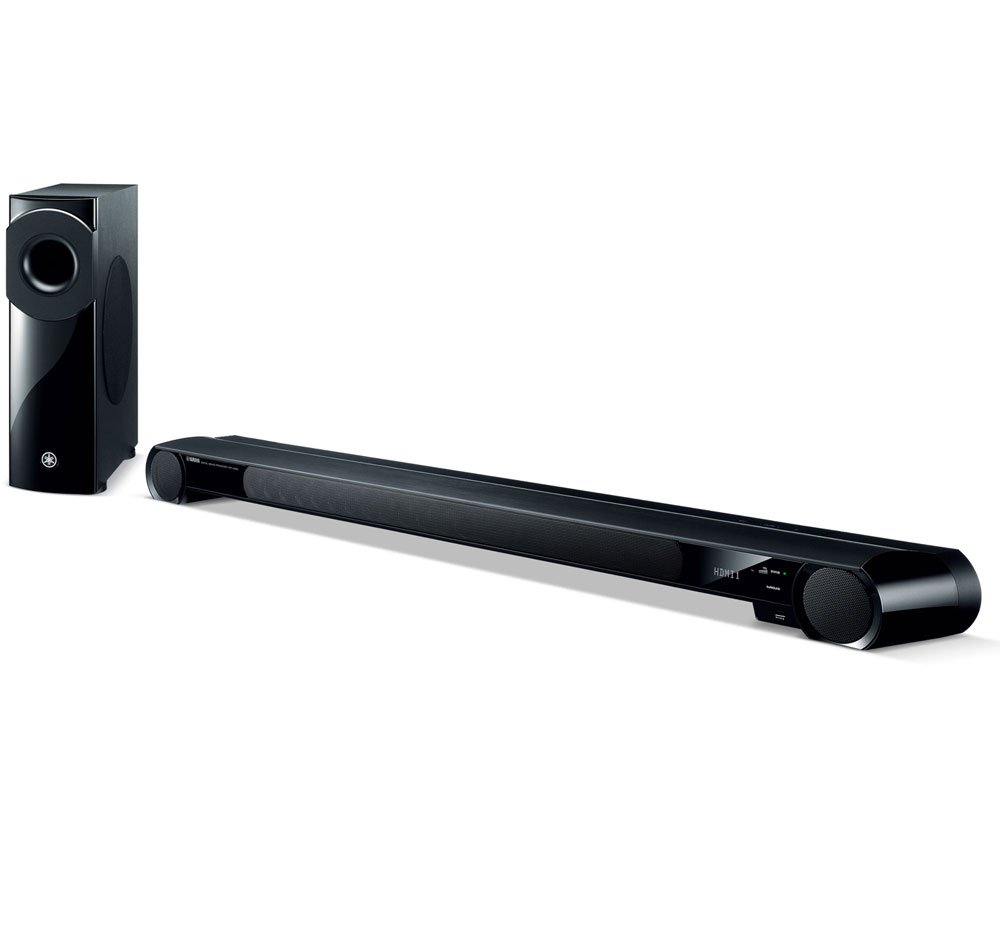
Carefully remove all components from the packaging. Ensure the sound projector is placed on a stable, level surface, or mounted securely. The wireless subwoofer can be placed in a convenient location within range of the sound projector, as its wireless connectivity offers flexible placement options.
1.2 Connexions
Connect your audio/video sources to the sound projector using the available HDMI inputs. The YSP-4300 features four HDMI inputs for connecting devices such as Blu-ray players, game consoles, and cable boxes. Use optical or coaxial digital audio connections for devices without HDMI output.
Ensure the wireless subwoofer is powered on and paired with the sound projector according to the quick start guide. The subwoofer automatically connects wirelessly to the main unit.
1.3 USB Device Connection
The front panel features a USB connection for compatible iOS devices. This allows for direct digital audio playback and charging.
Imatge 1.3.1: Front panel USB port on the Yamaha YSP-4300 connected to an iPad. This port facilitates direct audio playback and charging for iOS devices.
2. Instruccions de funcionament
2.1 Funcionament bàsic
Use the supplied remote control to power on the unit, select input sources, adjust volume, and navigate settings. The sound projector's display will show the current input, volume level, and selected sound mode.
2.2 Modes de so i so envoltant
The YSP-4300 utilizes 22 array speakers to create a true 7.1-channel surround sound experience. Various sound modes are available to optimize audio for different content types (e.g., movies, music, sports). Refer to the on-screen display or the remote control for mode selection.
2.3 Sintonitzador FM
The built-in FM tuner allows you to listen to radio broadcasts. Use the remote control to scan for stations and save presets. Ensure the FM antenna is properly connected for optimal reception.
3. Manteniment
3.1 Neteja
To maintain the appearance and performance of your unit, regularly wipe the surfaces with a soft, dry cloth. Avoid using abrasive cleaners, solvents, or chemical sprays, as these can damage the finish. Do not block the speaker grilles or ventilation openings.
4. Solució De Problemes
4.1 No Power / Unit Unresponsive
- Assegureu-vos que el cable d'alimentació estigui ben connectat tant a la unitat com a una presa de corrent que funcioni.
- If the unit is unresponsive to the remote control, check the remote's batteries and ensure there are no obstructions between the remote and the sound projector's sensor.
- Perform a hard reset by unplugging the unit from the power outlet for a few minutes, then plugging it back in.
4.2 Poor Dialogue Clarity
- Adjust the center channel volume settings through the sound projector's menu.
- Experiment with different sound modes to find one that enhances dialogue.
- Ensure the sound projector is positioned optimally and not obstructed.
4.3 Audio Delay / Lip Sync Issues
- Check the audio delay or lip sync settings in the sound projector's menu. Adjust these settings to synchronize audio with video.
- If your display device also has audio delay settings, ensure they are not conflicting or are set appropriately.
4.4 Wireless Subwoofer Interference with Wi-Fi
- Reposition the wireless subwoofer and your Wi-Fi router to minimize interference.
- Ensure the subwoofer is not placed directly next to other wireless devices.
- If possible, change the wireless channel of your Wi-Fi router to a less congested one.
5. Especificacions
| Marca | Yamaha |
| Nom del model | YSP-4300 |
| Potència de sortida màxima dels altaveus | 260 watts |
| Tecnologia de connectivitat | Coaxial, Optical, HDMI, USB |
| Mode de sortida d'àudio | Surround (7.1 Channels) |
| Tipus d'altaveu | Barra de so, subwoofer sense fil |
| Mètode de control | Control remot |
| Mida de l'altaveu | 1 Inches (array speakers) |
| Total USB 2.0 Ports | 1 |
| Pes de l'article | 2 Pounds (Soundbar only, excluding subwoofer) |
| Dispositius compatibles | Smartphone (iOS via USB) |
| Font d'alimentació | Elèctric amb cable |
6. Garantia i Suport
Your Yamaha YSP-4300 Digital Sound Projector is covered by a manufacturer's warranty. Please refer to the warranty card included with your product for specific terms and conditions, or visit the official Yamaha weblloc per obtenir informació detallada sobre la garantia.
For technical assistance, troubleshooting beyond this manual, or service inquiries, please contact Yamaha customer support. You can find contact information and additional resources on the official Yamaha weblloc.