Producte acabatview
The Nokia MD-100W JBL PowerUp is a wireless charging speaker designed to provide high-quality audio and convenient wireless charging for compatible devices. It features Bluetooth connectivity for wireless audio streaming and NFC for quick pairing. The speaker is portable and includes a built-in battery for use on the go.
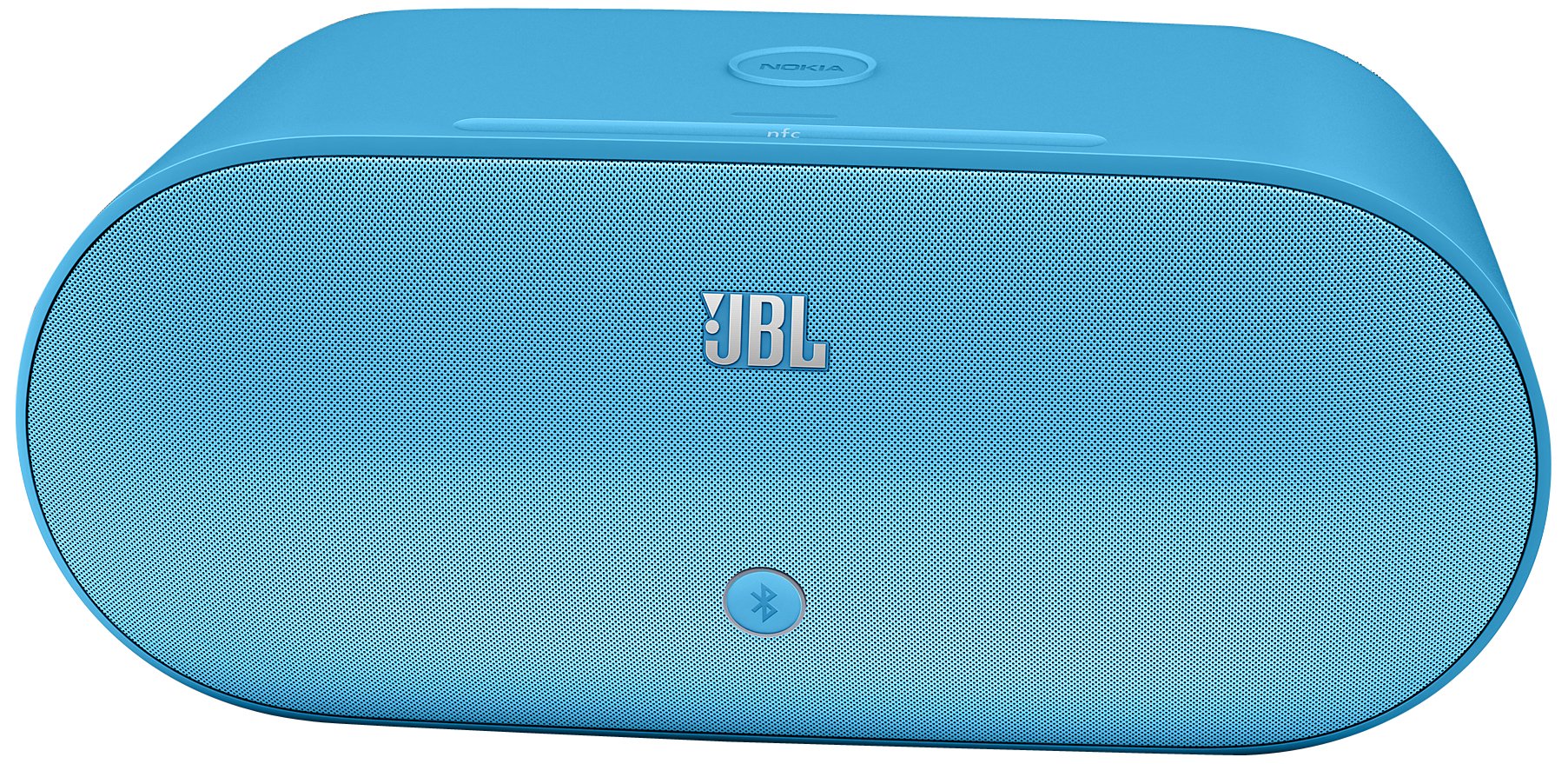
Image: Nokia MD-100W JBL PowerUp Wireless Charging Speaker in Cyan. This image displays the speaker unit with its distinctive design and the wireless charging pad on top.
Configuració
1. Desembalatge i càrrega inicial
Carefully remove the speaker and all accessories from the packaging. Before first use, ensure the speaker is fully charged. Connect the provided power adapter to the speaker's power input and then to a wall outlet. The charging indicator will illuminate.
2. Encès
Press and hold the power button located on the speaker until the power indicator light turns on.
3. Emparellament Bluetooth
- Ensure the speaker is powered on and in pairing mode. The Bluetooth indicator light will typically flash.
- Al dispositiu mòbil (telèfon intel·ligent, tauleta, etc.), activeu el Bluetooth i cerqueu els dispositius disponibles.
- Select "Nokia MD-100W" from the list of found devices.
- Once paired, the Bluetooth indicator light on the speaker will become solid, and your device will confirm the connection.
4. NFC (Near Field Communication) Pairing
For devices with NFC capability, simply tap your NFC-enabled device to the NFC tag area on the speaker. Your device will prompt you to confirm the Bluetooth pairing. This provides a quick and convenient way to establish a connection.
5. Connexió amb cable (AUX de 3.5 mm)
To connect a device without Bluetooth, use a 3.5mm audio cable (not included) to connect the device's headphone jack to the AUX input port on the speaker. The speaker will automatically switch to AUX input mode.
Instruccions de funcionament
1. Reproducció d'àudio
- Bluetooth/NFC: Once paired, start playing audio on your connected device. The sound will be output through the speaker. Adjust volume using your device's controls or the touch controls on the speaker.
- AUX: After connecting via the 3.5mm cable, start playing audio on your connected device. Adjust volume using your device's controls or the touch controls on the speaker.
2. Càrrega sense fil
The speaker features a wireless charging pad on its top surface. To charge a compatible device wirelessly:
- Ensure the speaker is powered on and connected to a power source.
- Place your Qi-compatible smartphone or device directly onto the charging pad area on top of the speaker.
- Ensure the device is centered on the charging pad for optimal charging. Your device's screen will typically indicate that it is charging wirelessly.
Note: Wireless charging functionality requires the speaker to be connected to its power adapter.
3. Toqueu Controls
The speaker features touch-sensitive controls for various functions. Refer to the markings on the speaker for specific functions such as volume adjustment, play/pause, and track navigation (if supported by your device).
Manteniment
1. Neteja
Wipe the speaker with a soft, dry, lint-free cloth. Do not use abrasive cleaners, waxes, or solvents as they may damage the finish. Avoid getting moisture into any openings.
2. Cura de la bateria
- Per allargar la durada de la bateria, eviteu descarregar-la completament amb freqüència.
- Guardeu l'altaveu en un lloc fresc i sec quan no l'utilitzeu durant períodes prolongats.
- Recarrega la bateria periòdicament si l'has emmagatzemat durant molt de temps per evitar una descàrrega profunda.
Resolució de problemes
| Problema | Causa possible | Solució |
|---|---|---|
| L'altaveu no s'encén. | La bateria està esgotada; l'adaptador de corrent no està connectat o està defectuós. | Connect the speaker to a power source and allow it to charge. Ensure the power adapter is working correctly. |
| No hi ha so de l’altaveu. | Volume is too low; Device not paired/connected; Incorrect input source selected. | Increase volume on both the speaker and the connected device. Re-pair the Bluetooth device or check the 3.5mm cable connection. Ensure the correct input mode is active. |
| Problemes de connexió Bluetooth. | Device too far; Interference; Pairing failed. | Move the device closer to the speaker. Avoid obstacles. Delete "Nokia MD-100W" from your device's Bluetooth list and try pairing again. |
| La càrrega sense fil no funciona. | Speaker not powered/plugged in; Phone not Qi-compatible; Phone not correctly placed. | Ensure the speaker is connected to its power adapter. Verify your phone supports Qi wireless charging. Re-position your phone centrally on the charging pad. |
Especificacions
- Nom del model: MD-100W
- Tipus d'altaveu: prestatgeria
- Característica especial: Portàtil
- Usos recomanats: Música, Viatges, Activitats a l'aire lliure
- Dispositius compatibles: Ordinador de sobretaula, portàtil, reproductor MP3, projector, telèfon intel·ligent, tauleta, televisió
- Color: Cian
- Pes de l'article: 4.8 lliures
- Impermeable: No
- Mètode de control: Toca
- Tecnologia de comunicació sense fils: Bluetooth
- Font d'alimentació: Funciona amb bateria (1 bateria d'ions de liti inclosa)
- Tipus de controlador d'àudio: Conductor dinàmic
- Dimensions del producte: 9.06 x 13.6 x 7.48 polzades
- Fabricant: Nokia
- Tecnologia de connectivitat: Bluetooth, 3.5 mm AUX
- Mode de sortida d'àudio: estèreo
- Tipus de muntatge: Autònom
- Número d'identificació comercial global (GTIN): 06438158513983
Garantia i Suport
Per obtenir informació detallada sobre la garantia, consulteu la targeta de garantia inclosa amb el producte o visiteu el lloc web d'assistència oficial de Nokia. website. For technical support, product registration, or service inquiries, please contact Nokia customer support through their official channels.