1. Producte acabatview
The Inateck KTU3FR-4P is a PCI-e to USB 3.0 expansion card designed to add four SuperSpeed USB 3.0 ports to your desktop computer. This card provides enhanced data transfer rates and broad compatibility with various USB devices and operating systems.
Les característiques clau inclouen:
- SuperSpeed USB 3.0 with transfer rates up to 5Gbps.
- Four USB 3.0 downstream ports for standard desktop PCs.
- Supports USB Hot Plug and Plug & Play functionality.
- Low Energy Consumption (LPM support).
- 15-pin SATA Power Connector for stable power supply to USB devices.
- Backward compatible with USB 2.0 and 1.1 devices.
- Operating System Compatibility: Windows XP/Vista/7/8/10/11, Mac OS 10.8 or above.

This image displays the Inateck KTU3FR-4P expansion card, highlighting its four USB 3.0 ports and the PCI-e connector. The included SATA power cables are also visible, essential for providing sufficient power to the card and connected devices.
2. Contingut del paquet
Si us plau, verifiqueu que tots els elements siguin presents al paquet:
- 1x Inateck USB 3.0 PCI-E Expansion Card (KTU3FR-4P)
- 1 x controlador de CD
- 1x cargols de muntatge
- 1x Manual d'usuari (aquest document)
- 1x 15-pin to 2x 15-pin SATA Y-cable
- 1x 4-pin to 2x 15-pin SATA Cable (for older power supplies)
3. Configuració i instal·lació
3.1 Llista de comprovació prèvia a la instal·lació
- Ensure your computer has an available PCI-Express slot (PCI-E 2.0 or higher recommended).
- Apagueu l'ordinador i desconnecteu-lo de la font d'alimentació.
- Ground yourself by touching a metal object to discharge static electricity before handling internal components.
- Reuneix les eines necessàries: tornavís Phillips.
3.2 Hardware Installation Steps
- Obriu la caixa de l'ordinador: Remove the side panel of your computer case to access the motherboard and PCI-Express slots.
- Locate an Available PCI-Express Slot: Identify an empty PCI-Express slot on your motherboard. The Inateck KTU3FR-4P card requires a PCI-Express x1 slot or larger.
- Insert the Expansion Card: Carefully align the gold contacts of the Inateck card with the chosen PCI-Express slot. Press down firmly and evenly until the card is securely seated.

Figure 2: Close-up of the PCI-E connector on the expansion card. Aquesta imatge mostra un detall view of the PCI-E connector, emphasizing the gold contacts that interface with the motherboard slot. Ensure proper alignment during installation.
- Assegureu la targeta: Use the provided mounting screw to secure the card's bracket to the computer case.
- Connectar l'alimentació: The Inateck KTU3FR-4P requires external power for stable operation and to supply power to connected USB devices.
- Locate an available 15-pin SATA power connector from your power supply.
- Connect this SATA power connector to the 15-pin SATA power port on the Inateck card.
- If your power supply does not have an available 15-pin SATA power connector, use the provided 4-pin Molex to 15-pin SATA power cable or the 15-pin to 2x 15-pin SATA Y-cable as needed.

Figure 3: Included power supply cables for the expansion card. This image displays the two types of power cables included: a SATA Y-cable and a 4-pin Molex to SATA cable, providing flexibility for various power supply configurations.
- Tanqueu la carcassa de l'ordinador: Substitueix el panell lateral de la caixa de l'ordinador.
- Torneu a connectar l'alimentació: Plug your computer back into the power source and turn it on.

This image illustrates the expansion card properly seated in a PCI-e slot within a computer case, with the SATA power cable connected to the card.
4. Driver Installation and Operation
4.1 Instal·lació del controlador
For Windows 8/10/11 and Mac OS 10.8 or above, the necessary drivers are typically installed automatically upon system startup (Plug & Play). For older operating systems like Windows XP/Vista/7, manual driver installation may be required.
- Automatic Installation (Windows 8/10/11, Mac OS 10.8+): After booting your computer, the operating system should detect the new hardware and install the appropriate drivers automatically. You can verify installation in Device Manager (Windows) or System Information (Mac).
- Manual Installation (Windows XP/Vista/7):
- Insert the provided driver CD into your computer's optical drive.
- Seguiu les instruccions que apareixen a la pantalla per instal·lar els controladors.
- Alternatively, download the latest drivers from the Inateck official website if the CD is unavailable or for updated versions.

This image lists the compatible operating systems, including Windows XP/Vista/7/8/10/11 and Mac OS 10.8 or above, indicating broad system support.
4.2 Funcionament bàsic
Once drivers are successfully installed, the four USB 3.0 ports are ready for use. Simply plug your USB devices into the available ports. The card supports:
- Transferència de dades de supervelocitat: Connect USB 3.0 compatible devices to achieve transfer speeds up to 5Gbps.
- Compatibilitat enrere: USB 2.0 and USB 1.1 devices will function normally, operating at their respective maximum speeds.
- Hot-Plugging: Devices can be connected and disconnected while the computer is running.
5. Manteniment
The Inateck KTU3FR-4P is designed for reliable, long-term operation with minimal maintenance. To ensure optimal performance and longevity:
- Keep your computer's interior clean and free of dust to prevent overheating and component damage.
- Avoid physical impact or excessive force on the card or its connectors.
- Ensure proper ventilation within your computer case.
6. Solució De Problemes
6.1 Card Not Detected or Not Functioning
- Consulta els seients: Ensure the card is fully and securely seated in the PCI-Express slot.
- Verifiqueu la connexió d'alimentació: Confirm that the 15-pin SATA power cable is firmly connected to both the card and the power supply. Insufficient power is a common cause of issues.
- Instal·lació del controlador: For Windows XP/Vista/7, ensure drivers are correctly installed. For newer OS, check Device Manager for any error symbols next to the USB controller.
- Prova una altra ranura: If available, try installing the card in a different PCI-Express slot.
- Mac Pro Specific Note: Some Mac Pro models may have issues with the 4th PCI-e slot not providing power. Avoid using this slot if you experience problems.
6.2 Velocitats de transferència lentes
- USB 3.0 Device: Ensure the connected device (e.g., external hard drive, flash drive) is a USB 3.0 compatible device. USB 2.0/1.1 devices will operate at their slower native speeds.
- Qualitat del cable: Use high-quality USB 3.0 cables.
- Rendiment del sistema: Other system activities or an overloaded CPU can affect transfer speeds.
- Actualització del controlador: Ensure you have the latest drivers installed, especially for Windows 10/11, as generic drivers might not fully utilize the card's capabilities (e.g., Multiple Transaction Translation for specific applications like VR headsets). Check Inateck's website or Fresco Logic's website for the latest FL1100EX chip drivers.
6.3 USB Devices Not Receiving Power
- This almost always indicates an issue with the external power connection to the Inateck card. Double-check the SATA power cable connection.
- Ensure your power supply has sufficient wattage to power all components, including the new expansion card and connected USB devices.
7. Especificacions
| Característica | Detall |
|---|---|
| Número de model | KTU3FR-4P |
| Interfície | PCI Express x1 (compatible amb ranures x4, x8, x16) |
| Ports USB | 4 x USB 3.0 Type-A Downstream Ports |
| Velocitat de transferència de dades | Fins a 5 Gbps (USB 3.0 SuperSpeed) |
| Chipset | Fresco Logic FL1100EX |
| Connector d'alimentació | 15-pin SATA Power |
| Compatibilitat de sistemes operatius | Windows XP/Vista/7/8/10/11, Mac OS 10.8 or above |
| Dimensions (LxWxH) | 4.72 x 3.15 x 0.71 polzades (aprox.) |
| Pes de l'article | 1.76 unces (aprox.) |
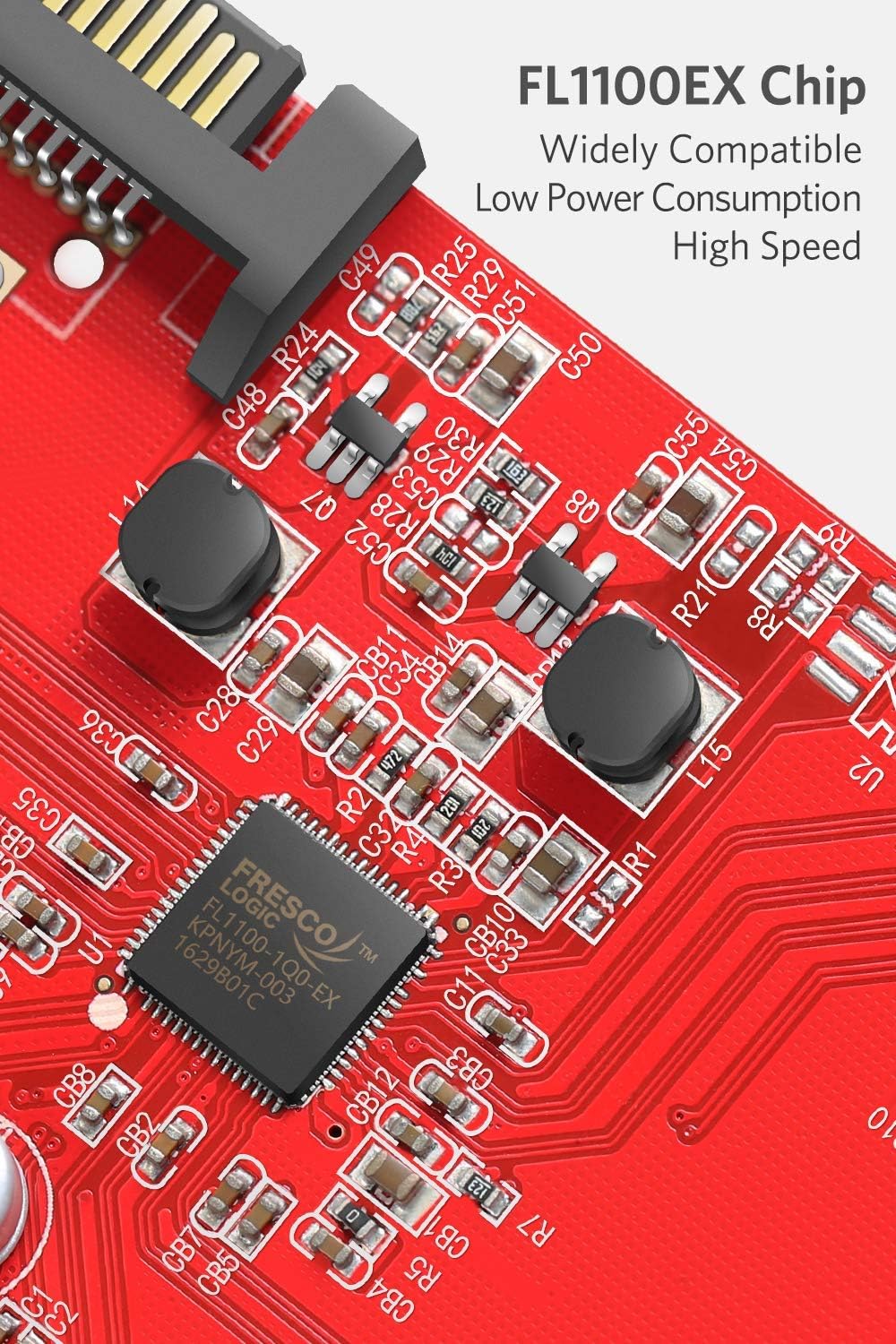
This image highlights the FL1100EX chipset, which is responsible for the card's high-speed USB 3.0 performance and compatibility.
8. Garantia i Suport
Inateck products are designed for quality and reliability. This product is typically guaranteed for a period of one year from the date of purchase against defects in materials and workmanship.
For technical support, driver downloads, or warranty inquiries, please visit the official Inateck website or contact their customer service department. When contacting support, please have your product model number (KTU3FR-4P) and purchase information ready.
Official Inateck Weblloc: www.inateck.com


