1. Introducció
This manual provides essential information for the safe and efficient operation of your Keystone KSTAD70B 70-Pint Dehumidifier. This unit is designed to remove up to 70 pints of moisture from the air daily, suitable for rooms up to 4500 square feet. Key features include electronic controls with an LED display, a 24-hour timer, a transparent water level indicator, and a full bucket alert with automatic shutoff. It also offers a continuous draining option and a removable, easy-to-clean dust filter with a clean-filter alert. The auto-restart function preserves your settings after a power outage, and rolling casters facilitate easy movement.
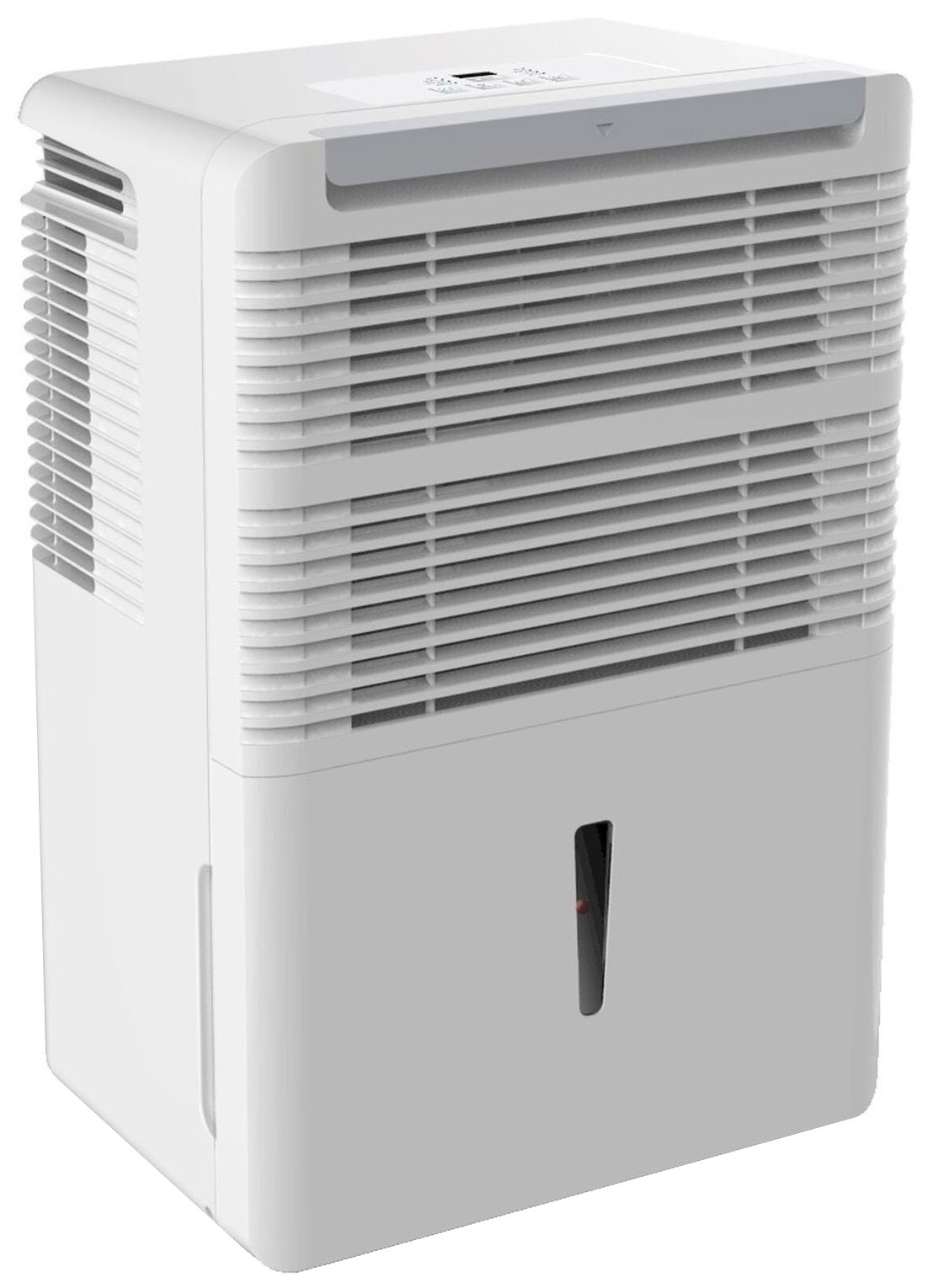
Figura 1: Frontal view of the Keystone KSTAD70B Dehumidifier.
2. Informació de seguretat
Si us plau, llegiu totes les instruccions de seguretat abans de fer servir el deshumidificador per evitar lesions o danys. Conserveu aquest manual per a futures consultes.
- Always connect the unit to a properly grounded electrical outlet of the correct voltage.
- No feu servir la unitat amb un cable d'alimentació o un endoll danyats.
- Ensure adequate clearance (at least 12-18 inches) around the air intake and outlet to prevent overheating and ensure efficient operation.
- No bloquegeu les obertures d’aire.
- Do not use the dehumidifier near water or in excessively wet environments.
- Desendolleu la unitat abans de netejar-la o realitzar qualsevol manteniment.
- Aquest aparell no està pensat per ser utilitzat per persones (inclosos nens) amb capacitats físiques, sensorials o mentals reduïdes, o amb manca d'experiència i coneixements, tret que hagin rebut la supervisió o instruccions sobre l'ús de l'aparell per una persona responsable de la seva seguretat.
- Do not use chemical solvents or abrasive cleaners on the unit.
3. Configuració i col·locació
3.1 Desembalatge
Carefully remove the dehumidifier from its packaging. Retain the packaging materials for future storage or transport. Inspect the unit for any shipping damage.
3.2 Col·locació
For optimal performance, place the dehumidifier in a location where air can circulate freely around it. The unit circulates air from the sides, not the top. Therefore, avoid placing it directly in a corner or against walls. Maintain a minimum clearance of 12-18 inches (30-45 cm) on all sides to ensure proper airflow.
3.3 Encès inicial
Connecteu el cable d'alimentació a una presa de corrent amb connexió a terra. La unitat ja està a punt per funcionar.
4. Instruccions de funcionament
4.1 Tauler de control acabatview

Figure 2: Control panel of the Keystone KSTAD70B Dehumidifier.
The control panel features an LED display and various buttons for setting the dehumidifier's functions:
- Botó d'encesa: Encén o apaga la unitat.
- Botó del ventilador: Adjusts fan speed (typically Low, Medium, High).
- Botó del temporitzador: Configura el temporitzador d'encesa/apagada de 24 hores.
- Fletxes amunt/avall: Adjust humidity level settings or timer duration.
- Indicador de filtre: S'il·lumina quan cal netejar el filtre d'aire.
- Indicador complet: Illuminates when the water bucket is full and needs emptying.
- Cont. (Continuous) Indicator: Illuminates when the unit is set for continuous operation.
- Mode turbo: Activates maximum dehumidification.
- Mode normal: Standard dehumidification operation.
- Descongelació automàtica: Automatically defrosts the coils if ice builds up.
4.2 Configuració del nivell d'humitat desitjat
Press the Up or Down arrow buttons to set your desired humidity level. The unit will operate until the set humidity is reached, then cycle on and off to maintain it. The recommended humidity range for comfort is typically between 45% and 55%.
4.3 Funcionament continu
To run the dehumidifier continuously, select the 'Cont.' setting. In this mode, the unit will operate regardless of the ambient humidity level. Note that when continuous operation is selected, the humidity setpoint buttons will not respond.
4.4 Funció de temporitzador
Use the Timer button to program the unit to turn on or off automatically after a set number of hours (up to 24 hours).
4.5 Reinici automàtic
The unit features an auto-restart function that saves your settings. In the event of a power outage, the dehumidifier will automatically resume operation with the last settings once power is restored.
5. Manteniment
Un manteniment regular garanteix un rendiment òptim i una llarga vida útil del deshumidificador.
5.1 Buidar la galleda d'aigua
When the water bucket is full, the 'Full' indicator light will illuminate, and the unit will automatically shut off. Carefully remove the bucket and empty the collected water. Reinsert the bucket firmly until it clicks into place to resume operation.

Figura 3: Extracció de la galleda de recollida d'aigua.

Figure 4: Transparent water level indicator.
5.2 Continuous Draining Option
For continuous operation without emptying the bucket, you can connect a standard garden hose (not included) to the unit's low-level drain. The unit includes an adapter with a clear hose that pushes onto a smooth plastic fitting inside the unit. This adapter has male hose threads for attaching a garden hose. Ensure the hose is routed downwards to a suitable drain to allow gravity to remove the water.
5.3 Neteja del filtre d'aire
The 'Filter' indicator light will remind you when it's time to clean the air filter. A clean filter ensures efficient operation and better air quality. To clean, lift the filter straight up from the top at the front corner of the unit and slide it out. Wash the filter with warm, soapy water, rinse thoroughly, and allow it to air dry completely before reinserting.

Figure 5: Removing the air filter for cleaning.
6. Solució De Problemes
Before contacting support, try these common troubleshooting steps:
| Problema | Causa possible | Solució |
|---|---|---|
| El deshumidificador no s'encén. | No power; power cord loose; 'Full' indicator on. | Check power supply; ensure cord is plugged in; empty water bucket. |
| La unitat funciona però no deshumidifica. | Air filter clogged; room temperature too low; unit size too small for area. | Clean air filter; ensure room temperature is above 41°F (5°C); consider unit placement. |
| La unitat fa soroll. | Unitat no anivellada; obstrucció del ventilador. | Place on a flat, stable surface; check for obstructions in fan area. |
| Fuites d'aigua de la unitat. | Water bucket not properly seated; continuous drain hose loose or clogged. | Ensure bucket is fully inserted; check continuous drain hose connection and clear any blockages. |
7. Especificacions
| Característica | Detall |
|---|---|
| Marca | clau de volta |
| Nom del model | KSTAD70B |
| Capacitat de deshumidificació | 70 pintes al dia |
| Mida recomanada de l'habitació | Fins a 4500 peus quadrats |
| Color | Blanc |
| Característiques especials | Automatic Restart, Automatic Shutoff |
| Nombre de velocitats | 3 |
| Mode d'operació | Normal, Turbo, Auto-Defrost |
| Wattage | 720 watts |
| Pes de l'article | 40 lliures |
| Dimensions del producte (L x A x A) | 11.25 x 15.5 x 23.25 polzades |
| Usos recomanats | Residencial |
8. Informació de la garantia
The Keystone KSTAD70B Dehumidifier comes with a 1 any de garantia on parts and labor, and a garantia limitada de 5 anys on the sealed system. Please refer to the physical warranty card included with your product for full terms and conditions.
9. Atenció al client
For product registration, warranty claims, or technical assistance, please refer to the contact information provided in the physical instruction manual that came with your dehumidifier. Online registration or direct manufacturer contact information may not be readily available; therefore, retaining your original manual is important for support inquiries.