1. Introducció
This manual provides detailed instructions for the proper setup, operation, and maintenance of your Grundig 72847 Azerty USB Keyboard. Please read this manual thoroughly before using the product to ensure optimal performance and longevity.
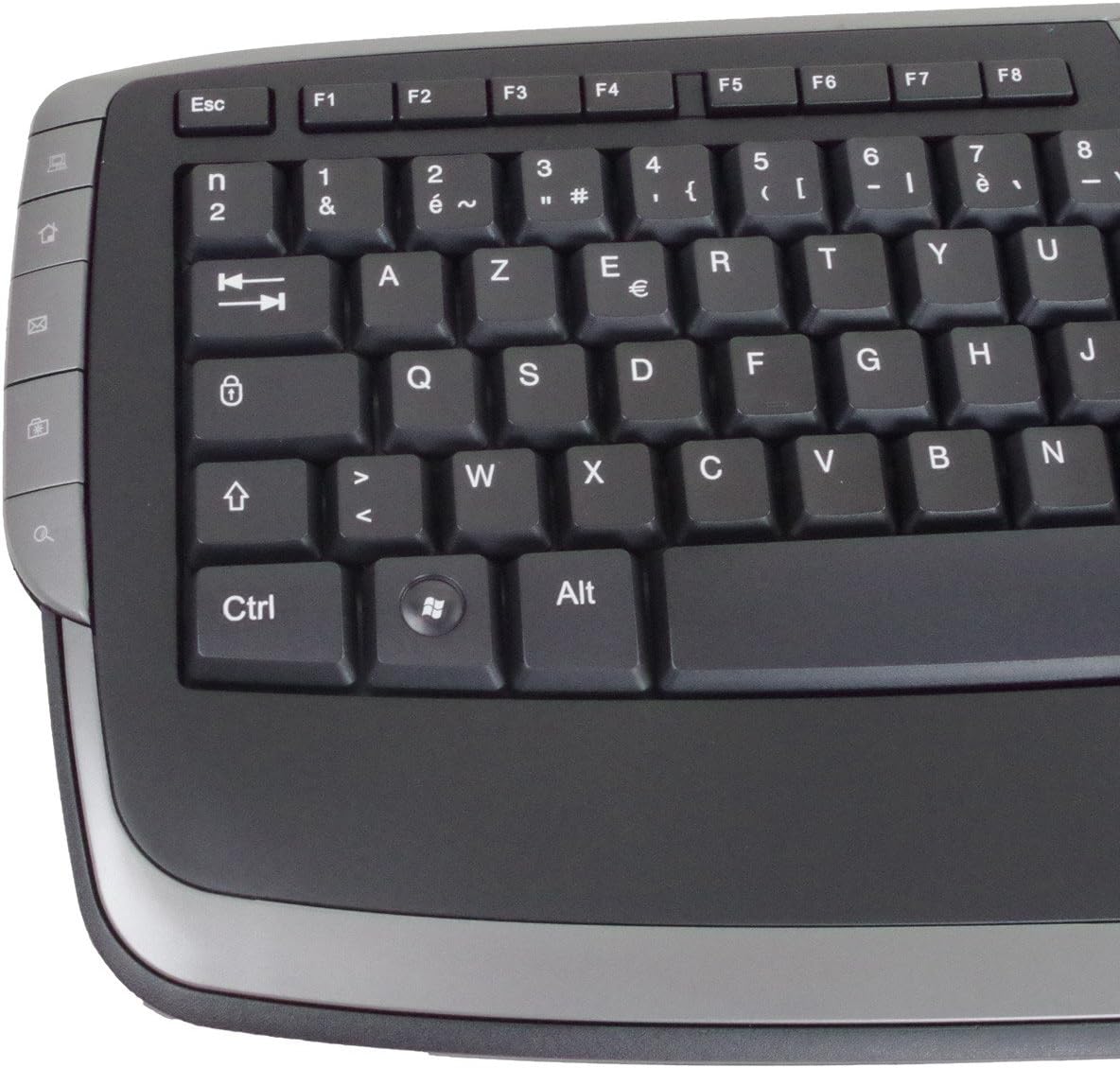
The Grundig 72847 keyboard features an Azerty layout, a wired USB connection, and an ergonomic design. It includes dedicated multimedia and office direct keys for enhanced functionality and supports both Windows and Mac operating systems.
2. Producte acabatview
The Grundig 72847 keyboard is designed for comfortable and efficient typing. It features a standard Azerty key layout, along with additional function keys.
2.1 Característiques clau
- Azerty Layout: Standard key arrangement primarily used in French-speaking regions.
- Connexió USB amb cable: Ensures stable and reliable connectivity.
- Disseny ergonòmic: Contoured shape for comfortable use and reduced strain.
- Tecles multimèdia: 8 dedicated keys for quick access to media controls (volume, play/pause, etc.).
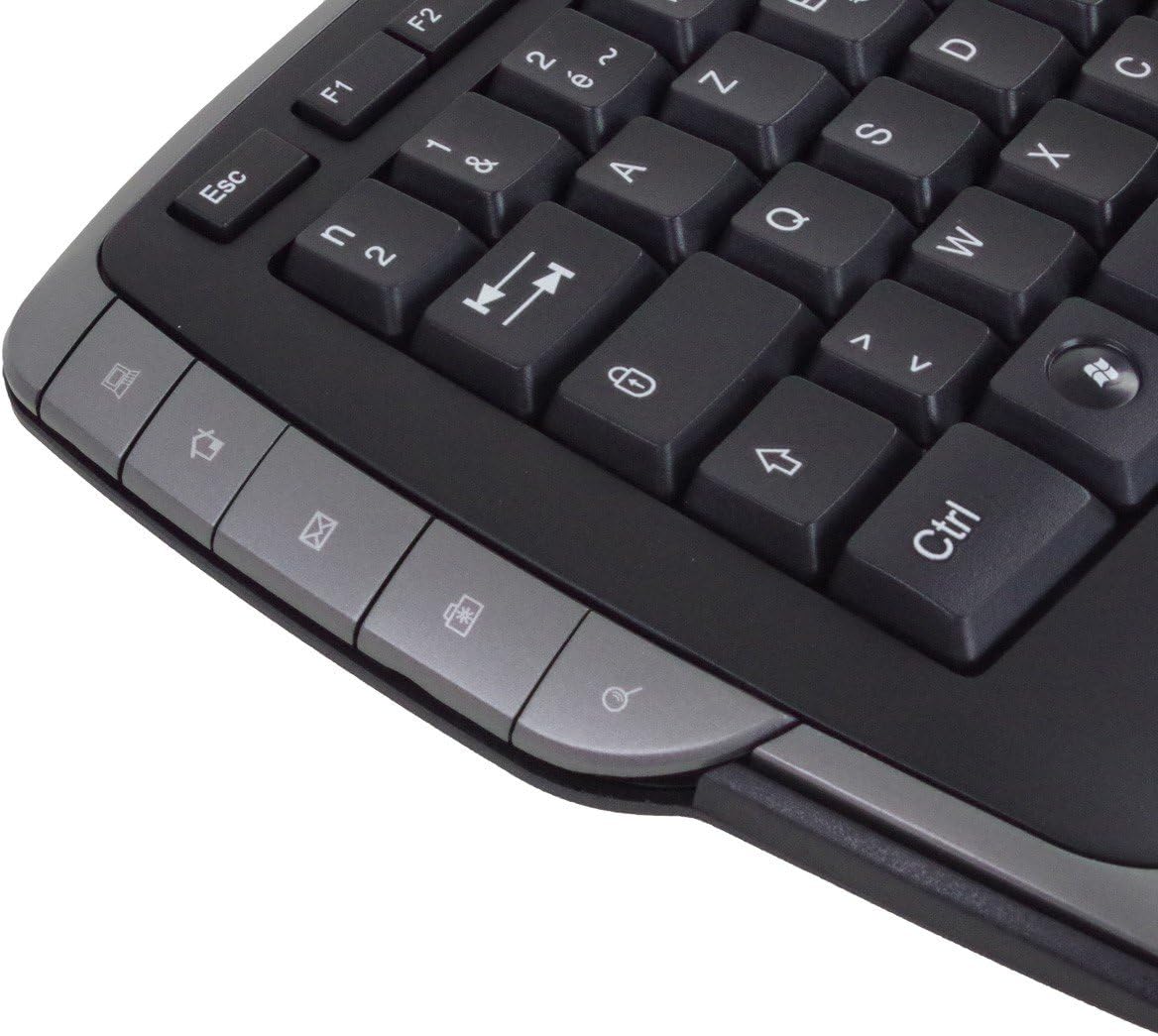
- Office Direct Keys: 17 additional keys for common office functions, enhancing productivity.
- Indicadors LED blaus: Signal illumination for various functions.
- Àmplia compatibilitat: Supports Windows and Mac operating systems.
2.2 Keyboard Components
Familiarize yourself with the main components of your Grundig 72847 keyboard:

- Standard Azerty Keys: Alphanumeric, symbol, and function keys (F1-F12).
- Teclat numèric: Located on the right side for data entry.
- Multimedia Control Keys: Located above the function keys and on the left/right sides.
- Office Direct Keys: Additional shortcut keys for common office applications.
- Cable USB: For connecting the keyboard to your computer.

3. Configuració
Follow these steps to connect your Grundig 72847 keyboard to your computer.
- Descomprimir el teclat: Traieu amb cura el teclat del seu embalatge.
- Localitza un port USB: Identify an available USB port on your computer (PC or Mac).
- Connecteu el cable USB: Insert the USB connector of the keyboard cable into the USB port on your computer.
- Instal·lació del controlador (automàtica): Your operating system (Windows or Mac) should automatically detect and install the necessary drivers. This process may take a few moments.
- Verificació de la funcionalitat: Once installed, test the keyboard by typing in a text editor or browser to ensure all keys are responsive.
No additional software or drivers are typically required for basic functionality.
4. Instruccions de funcionament
The Grundig 72847 keyboard offers standard typing functionality along with convenient multimedia and office shortcut keys.
4.1 Mecanografia estàndard
Use the alphanumeric and symbol keys for text input. The Azerty layout is standard for regions like France and Belgium.
4.2 Tecles multimèdia
The keyboard includes 8 dedicated multimedia keys for quick control of media playback and volume. These are typically located above the function keys (F1-F12) or on the side bezels.
- Pujar/Baixar volum/Silenciar: Ajusta els nivells d'àudio.
- Reproduir/pausa: Controla la reproducció multimèdia.
- Pista anterior/següent: Navega pels mitjans de comunicació files.
- Atura: Halt media playback.
4.3 Office Direct Keys
The 17 office direct keys provide shortcuts to frequently used functions, improving workflow efficiency. Refer to the key labels for specific functions, which may include:
- Correu electrònic: Obriu el vostre client de correu electrònic predeterminat.
- Web Navegador: Launch your default web navegador.
- El meu ordinador: Obert file explorador.
- Cerca: Activate the system search function.
- Calculadora: Obriu l'aplicació de la calculadora.
- Dormir: Put the computer into sleep mode.
The exact functionality of these keys may depend on your operating system and installed software.
5. Manteniment
Proper care and maintenance will help extend the life of your keyboard.
- Neteja:
- Desconnecteu el teclat de l'ordinador abans de netejar-lo.
- Utilitzeu un drap suau i sense pelusa lleugerament dampesbandida amb aigua o una solució netejadora suau per netejar la superfície.
- Eviteu utilitzar productes químics agressius, netejadors abrasius o dissolvents.
- Feu servir aire comprimit per eliminar la pols i les restes que hi ha entre les tecles.
- Emmagatzematge: Store the keyboard in a clean, dry environment away from extreme temperatures and direct sunlight.
- Eviteu els vessaments: Mantingueu els líquids allunyats del teclat per evitar danys als components interns.
6. Solució De Problemes
If you encounter issues with your Grundig 72847 keyboard, try the following solutions:
- El teclat no respon:
- Assegureu-vos que el cable USB estigui connectat correctament tant al teclat com a l'ordinador.
- Prova de connectar el teclat a un port USB diferent de l'ordinador.
- Reinicieu l'ordinador.
- Prova el teclat en un altre ordinador per determinar si el problema és del teclat o de l'ordinador original.
- Tecles específiques que no funcionen:
- Check for any physical obstructions or debris under the key.
- Netegeu el teclat tal com es descriu a la secció Manteniment.
- Multimedia/Office Keys Not Functioning:
- Ensure your operating system and applications are up to date.
- Some functions may require specific software or settings within your operating system.
Si el problema persisteix després d'intentar aquests passos, poseu-vos en contacte amb l'atenció al client.
7. Especificacions
| Característica | Detall |
|---|---|
| Número de model | 72847 |
| Disseny | Azerty |
| Color | Negre mat |
| Tipus de connexió | USB (per cable) |
| Longitud del cable | Aprox. 1.4 m |
| Dimensions (L x P x A) | Approx. 47.5 x 19.5 x 2.7 / 3.8 cm |
| Pes | Aprox. 910 g |
| Vida clau | 8,000,000 actuacions |
| Canvia la vida | 8,000,000 actuacions |
| Temperatura de funcionament | -5 a 40 °C |
| Humitat de funcionament | del 20% al 90% |
| Indicadors LED | Blau |
| Sistemes compatibles | Windows, Mac |
| Nombre de claus multimèdia | 8 |
| Number of Office Direct Keys | 17 |
8. Garantia i Suport
For warranty information and customer support, please refer to the documentation provided with your purchase or contact your retailer. You may also visit the official Grundig weblloc per obtenir més ajuda.
Conserveu el vostre comprovant de compra per a reclamacions de garantia.


