1. Introducció
The D-Link DIR-610 Wireless N150 Router is designed to provide a high-speed wireless network connection for your home or small office. This manual will guide you through the installation, configuration, and operation of your new router, ensuring a secure and efficient internet experience.
The DIR-610 supports the latest wireless security features to prevent unauthorized access to both the wireless network and the internet. It also includes Quality of Service (QoS) functionality, which, when enabled, allows for a better online experience by prioritizing network traffic.
2. Contingut del paquet
Si us plau, verifiqueu que el vostre paquet contingui els elements següents:
- 1 x D-Link DIR-610 Wireless N150 Router
- 1 x adaptador de corrent
- 1 x cable Ethernet
- 1 x Guia d'instal·lació
- 1 x Manual d'usuari (aquest document)
Si falta algun element o hi ha algun dany, poseu-vos en contacte amb el vostre distribuïdor local de D-Link.
3. Configuració
Follow these steps to set up your D-Link DIR-610 Router:
- Desempaquetar el router: Traieu amb cura el router i tots els accessoris de l'embalatge.
- Posicioneu el router: Col·loqueu el router en un lloc cèntric de casa vostra o de l'oficina, lluny d'obstacles i dispositius que puguin causar interferències (per exemple, telèfons sense fil, forns microones).
- Connecteu-vos a l'alimentació: Connect the power adapter to the router's power port and then plug the adapter into a wall outlet. Ensure the power LED on the router illuminates.
- Connexió a Internet (WAN): Connect one end of the provided Ethernet cable to your modem's Ethernet port and the other end to the Internet (WAN) port on the DIR-610 router.
- Connect to Computer (LAN - Optional): For initial setup or wired connections, connect one end of another Ethernet cable (not included, or use the provided one if not connecting to modem yet) to one of the LAN ports on the router and the other end to your computer's Ethernet port. Alternatively, you can connect wirelessly using the default Wi-Fi name and password found on the router's label.
- Run D-Link Assistant: The D-Link Assistant allows users without technical knowledge to install the router and establish an internet connection in minutes by simply running the product CD. Insert the product CD into your computer and follow the on-screen instructions.
- Accés Web-based Setup: If not using the CD, open a web browser (e.g., Chrome, Firefox) on a connected computer and type
http://dlinkrouter.localorhttp://192.168.0.1into the address bar. Log in using the default username (usually admin) and password (often blank or admin). Refer to the router's label for default login credentials. - Segueix l'Auxiliar de configuració: Once logged in, the setup wizard will guide you through configuring your internet connection, wireless network name (SSID), and password.
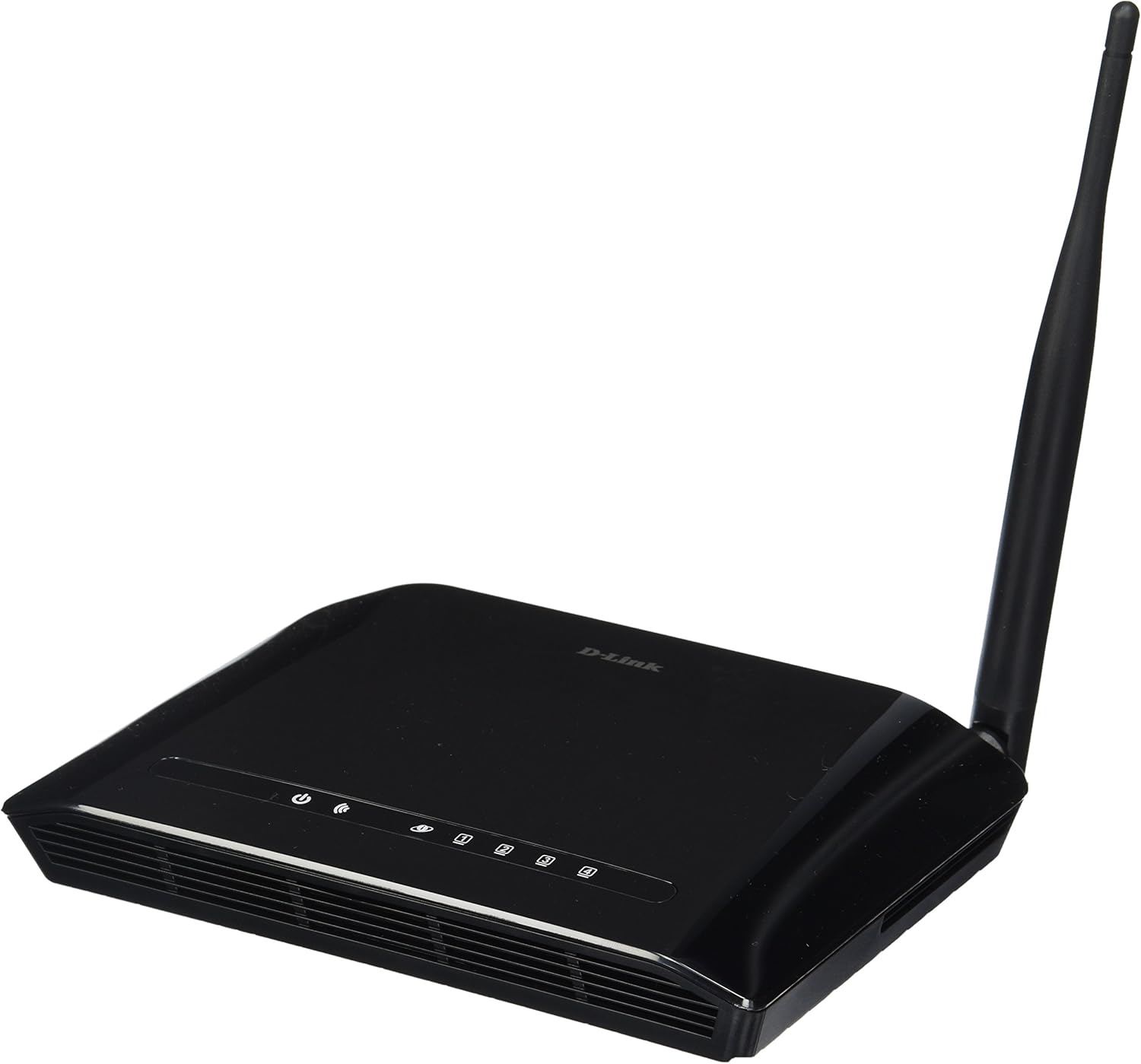
Figura 3.1: Davant view of the D-Link DIR-610 Wireless N150 Router. This image shows the compact black router with its single external antenna and LED indicators on the front panel for power, internet, and wireless status.
4. Funcionament del router
Once your D-Link DIR-610 router is set up, you can manage its various functions through the web-interfície basada.
4.1 Connectivitat sense fil
The DIR-610 provides Wireless N150 connectivity, offering reliable wireless access for devices such as laptops, smartphones, and tablets. To connect a device:
- Activa la Wi-Fi al teu dispositiu.
- Cerca xarxes sense fil disponibles.
- Select your configured network name (SSID).
- Enter your wireless password (WPA/WPA2 key).
4.2 Funcions de seguretat
The DIR-610 incorporates advanced wireless security protocols to protect your network from unauthorized access. It supports WPA/WPA2 encryption. It is highly recommended to use WPA2-PSK (AES) encryption with a strong, unique password for your wireless network.
4.3 Qualitat de servei (QoS)
The DIR-610 Router includes Quality of Service (QoS) functionality. QoS allows you to prioritize certain types of network traffic, such as online gaming or video streaming, over less time-sensitive activities like file downloads. This helps ensure a smoother and more responsive experience for critical applications. You can configure QoS settings through the router's web interfície.
5. Manteniment
Regular maintenance helps ensure optimal performance and longevity of your D-Link DIR-610 router.
- Actualitzacions de firmware: Comproveu periòdicament el suport de D-Link weblloc web per a actualitzacions de firmware. L'actualització del firmware pot millorar el rendiment, afegir noves funcions i solucionar vulnerabilitats de seguretat.
- Contrasenyes segures: Regularly change your router's administrator password and your Wi-Fi password to strong, unique combinations.
- Entorn físic: Keep the router in a well-ventilated area, free from dust and direct sunlight. Avoid placing heavy objects on top of the router.
- Reiniciant: If you experience network issues, a simple reboot of the router (unplugging the power for 10 seconds and plugging it back in) can often resolve minor problems.
6. Solució De Problemes
This section addresses common issues you might encounter with your D-Link DIR-610 router.
6.1 Sense accés a Internet
- Check all cable connections: Ensure the Ethernet cable from your modem is securely connected to the router's Internet (WAN) port.
- Verify modem status: Ensure your modem is working correctly and has an active internet connection.
- Reboot devices: Power cycle your modem, then your router, and finally your computer/device.
- Check router settings: Access the router's web interface and verify your internet connection settings (e.g., PPPoE, DHCP, Static IP) are correct as provided by your Internet Service Provider (ISP).
6.2 Velocitat sense fil lenta
- Interferència: Allunyeu el router d'altres dispositius electrònics que puguin causar interferències.
- Selecció de canals: In the router's wireless settings, try changing the wireless channel to a less congested one (e.g., 1, 6, or 11).
- Distància i obstacles: Ensure your device is within a reasonable range of the router and that there are no major physical obstructions (thick walls, metal objects) blocking the signal.
- QoS Settings: If QoS is enabled, ensure it is configured correctly and not inadvertently prioritizing less important traffic.
6.3 Forgotten Administrator Password
If you forget your router's administrator password, you will need to perform a factory reset. Locate the reset button (usually a small pinhole button) on the router. With the router powered on, use a paperclip to press and hold the reset button for about 10 seconds. The router will reboot with factory default settings, and you can then log in using the default credentials (e.g., username admin, password blank or admin).
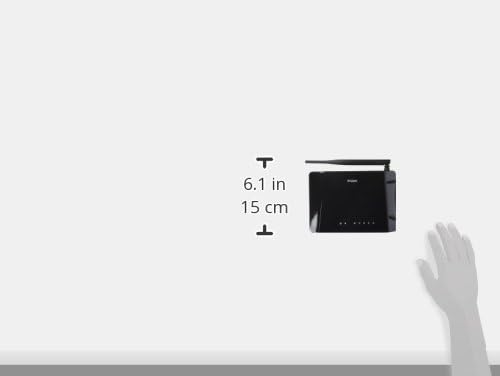
Figura 6.1: Diagram illustrating the approximate dimensions of the D-Link DIR-610 Router. The image shows the router's height of approximately 6.1 inches (15 cm).
7. Especificacions
| Característica | Especificació |
|---|---|
| Marca | D-Link |
| Fabricant | D-Link |
| Sèrie | 97200GL |
| Color | Negre |
| Alçada del producte | 14.75 centímetres |
| Amplada del producte | 3.15 centímetres |
| Resolució | pixels Pixels |
| Piles incloses | No |
| Dimensions del producte | 11.32 x 3.15 x 14.75 cm; 200 g |
| Número de model de producte | DIR-610 |
| ASIN | B00CLMOR4U |
| Primera data disponible | 15 de novembre de 2012 |
| Components inclosos | 1 DIR-610 Router, Power Adapter, Ethernet Cable, Installation Guide, User Manual |
| Tecnologia de connectivitat | Sense fil |
| Pes del producte | 200 grams |
| Mètode de control | Application (referring to web interfície) |
| LAN Port Bandwidth | 10/100 megabits per segon |
| UPC | 790069377822, 790069377808, 790069377891 |
| Número d'article comercial global (GTIN) | 00790069377891 |
8. Informació de seguretat
Please read and follow all safety instructions to prevent injury or damage to the device:
- No obriu el dispositiu casing.
- No exposeu el dispositiu a l'aigua, la humitat ni a temperatures extremes.
- Utilitzeu només l'adaptador d'alimentació subministrat amb el dispositiu.
- Mantingueu el dispositiu lluny de fonts de calor i de la llum solar directa.
- Assegureu-vos una ventilació adequada al voltant del dispositiu.
9. Garantia i Suport
Per obtenir informació sobre la garantia, consulteu la targeta de garantia inclosa amb el producte o visiteu el lloc web oficial de D-Link. website for your region. D-Link provides technical support for its products. For assistance, please visit your local D-Link support weblloc o poseu-vos en contacte amb el seu servei d'atenció al client.
D-Link Weblloc: www.dlink.com


