1. Introducció
The Optoma ML550 is an ultra-compact, lightweight, and portable LED projector designed for professionals on the go. It delivers an impressive 500 lumens and a 10,000:1 contrast ratio, providing razor-sharp focus and magnificent color accuracy for presentations and media consumption. Its LED light source is rated to last over 20,000 hours, eliminating the need for frequent bulb replacements. This projector is 3D Ready for an immersive viewing experience and offers comprehensive connectivity for maximum compatibility, including MHL-enabled HDMI and wireless presentation capabilities via an optional adapter.

Figure 1: The Optoma ML550 projector, demonstrating its ultra-compact design.
2. Informació de seguretat
ADVERTIMENT: This product contains chemicals known to the State of California to cause cancer and birth defects or other reproductive harm. Please handle with care and refer to local regulations for disposal.
Always ensure proper ventilation around the projector during operation to prevent overheating. Do not block any ventilation openings. Avoid direct eye exposure to the projector lens when the lamp està encès, ja que la llum intensa pot causar lesions oculars.
3. Què hi ha a la caixa
- Optoma Projector Model ML550
- Cable d'alimentació
- Adaptador d'alimentació
- Universal I/O Cable (for audio output)
- Control remot
- Maleta de transport
4. Producte acabatview
4.1. Davant View
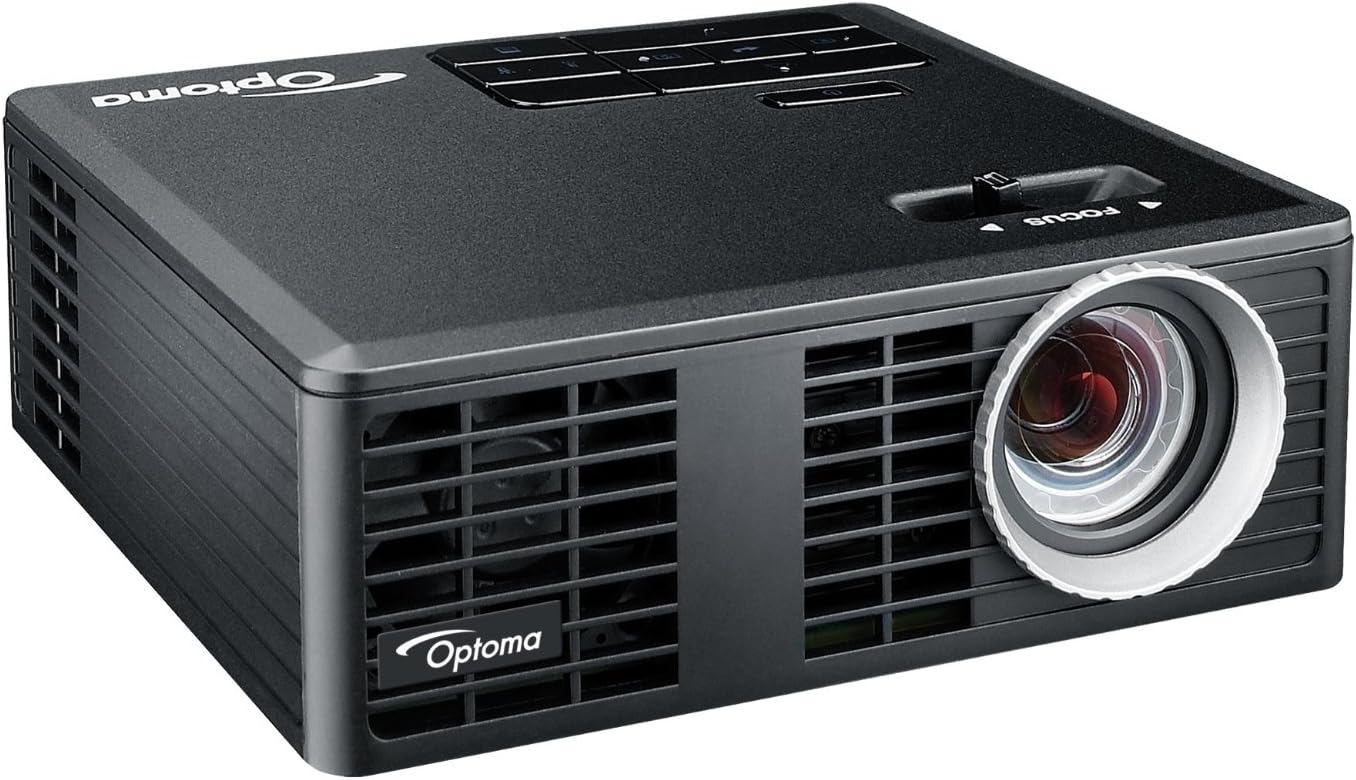
Figura 2: Frontal view of the Optoma ML550 projector, highlighting the projection lens.
4.2. Amunt View i Controls

Figura 3: superior view of the projector with the focus slider and integrated control panel.
4.3. Rear Panel and Ports

Figure 4: Rear panel showing the Micro SD slot, Universal I/O port, HDMI/MHL port, USB port, DC In, and built-in speaker grille.
- Ranura Micro SD: For PC-free presentations and media playback from a Micro SD card.
- Universal I/O: Multi-purpose port for connecting various accessories, including the provided audio output cable.
- HDMI/MHL Port: Connects to HDMI-compatible devices or MHL-enabled mobile devices for high-definition video and audio.
- Port USB: For connecting USB drives for PC-free presentations or powering external devices.
- Entrada DC: Power input for the projector.
- Receptor IR: Rep senyals del comandament a distància.
- Kensington Lock Port: For securing the projector.
- Altaveu integrat: Provides basic audio output.
5. Configuració
5.1. Encès
- Connect the power adapter to the 'DC In' port on the projector.
- Connecteu el cable d'alimentació a una presa de corrent adequada.
- Premeu el botó d'encesa del projector o del comandament a distància per encendre el dispositiu.
- Allow the projector approximately 5-10 minutes to warm up for optimal performance and image stability.
5.2. Ajust d'enfocament
After powering on and allowing warm-up, use the 'FOCUS' slider located on the top of the projector to adjust the image clarity. Slide it left or right until the projected image appears sharp and clear.
5.3. Dispositius de connexió
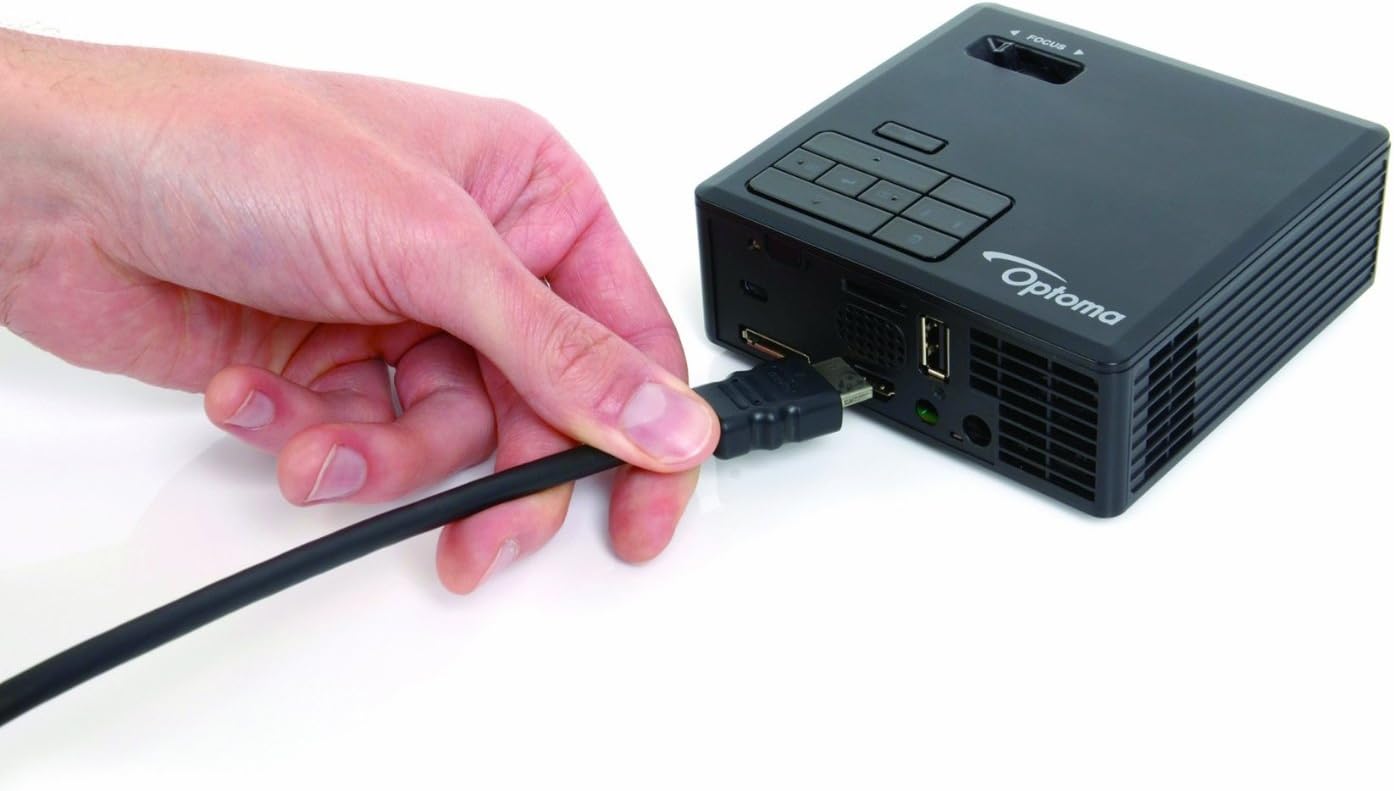
Figure 5: Connecting an HDMI cable to the projector for video input.
- HDMI/MHL: Connect your laptop, Blu-ray player, or MHL-compatible smartphone/tablet using an HDMI cable. The projector will automatically detect the input.
- USB: Inseriu una unitat flaix USB al port USB per reproduir contingut multimèdia directament.
- Micro SD: Insert a Micro SD card into the Micro SD slot for direct media playback.
- Universal I/O: Use the provided Universal I/O cable to connect to older devices or for audio output to external speakers/headphones.
6. Instruccions de funcionament
6.1. Navegació del menú

Figure 6: The remote control for navigating menus and controlling playback.
Use the control buttons on the top panel of the projector or the included remote control to navigate through the on-screen menu. The remote control offers additional functions for easier operation.
- Botó d'encesa: Encén/apaga el projector.
- Botó Font: Selects input sources (HDMI, USB, Micro SD, Universal I/O).
- Botó de menú: Accedeix al menú principal de configuració.
- Botons de navegació (fletxes): Move through menu options or control media playback.
- Botó Enter: Confirma les seleccions.
- Correcció Keystone: Adjusts the image to be rectangular if the projector is not perfectly aligned with the screen.
6.2. PC-Free Presentations and Media Playback
The ML550 features a built-in media player and office viewer, allowing you to present directly from a USB drive or Micro SD card without a computer. Supported file types include videos, photos, and common office documents (Word, Excel, PowerPoint, PDF).
6.3. MHL Connectivity
Connect your MHL-enabled smartphone or tablet directly to the HDMI/MHL port to mirror your device's screen on a larger display. This is ideal for sharing content from your mobile device.
6.4. Wireless Presentations (Optional)
For wireless presentations, an optional BI-EXTBGN adapter is required. Insert the adapter into the USB port and follow the on-screen instructions to connect your device wirelessly.
Video 1: Official Optoma ML550 Product Overview. This video demonstrates the compact size, LED technology, MHL connectivity, and PC-free presentation capabilities of the projector.
7. Manteniment
- Neteja de la lent: Feu servir un drap suau i sense borrissol dissenyat específicament per a lents òptiques. No utilitzeu productes de neteja abrasius ni dissolvents.
- Neteja de la Casing: Netegeu el projector casing amb un suau, damp tela. Eviteu utilitzar productes químics aggressivs.
- Ventilació: Ensure the ventilation grilles are free from dust and obstructions to maintain proper airflow and prevent overheating.
- Emmagatzematge: When not in use, store the projector in its carrying case in a cool, dry place away from direct sunlight and extreme temperatures.
8. Solució De Problemes
- Sense imatge/senyal:
- Assegureu-vos que el cable d'alimentació estigui connectat correctament i que el projector estigui encès.
- Verify the input source is correctly selected (HDMI, USB, Micro SD).
- Check the connection cable between the source device and the projector.
- Imatge borrosa:
- Adjust the 'FOCUS' slider on the top of the projector.
- Ensure the projector has warmed up for 5-10 minutes before final focus adjustment.
- Imatge distorsionada (forma trapezoidal):
- Use the keystone correction feature via the control panel or remote control to adjust the image to a rectangular shape.
- Poor Color Quality/Oversaturation:
- Access the projector's menu to adjust color settings. The manual notes that fine-tuning for home theater use might be limited, as it's primarily marketed for business/education.
- Try different pre-defined color profiles si està disponible.
- No Audio from Projector:
- Check the volume settings on the projector and the source device.
- If using external speakers, ensure they are properly connected to the Universal I/O port via the audio output cable.
- El control remot no respon:
- Assegureu-vos que no hi hagi obstacles entre el comandament a distància i el receptor d'infrarojos del projector.
- Substituïu les piles del comandament a distància si cal.
9. Especificacions
| Característica | Especificació |
|---|---|
| Número de model | ML550 |
| Dimensions del producte | 4.1 x 4.2 x 1.5 polzades |
| Pes de l'article | 14.1 unces |
| Resolució de visualització | 1280 x 800 (WXGA) |
| Brillantor | 500 lúmens |
| Relació de contrast | 10,000:1 |
| Font de llum | LED (20,000+ hours lamp vida) |
| Preparat per a 3D | Sí |
| Tecnologia de connectivitat | HDMI, MHL |
| Usos recomanats | Negocis, Educació |
| Mida de la pantalla de projecció | 0.43 - 2.54m (17" - 100") Diagonal 16:10 |
| Distància de projecció | 0.55 - 3.23 metres |
| Fabricant | OPTOMA TECHNOLOGY |
10. Garantia i Suport
For detailed warranty information and technical support, please refer to the official Optoma website or contact Optoma customer service. Keep your purchase receipt as proof of purchase for any warranty claims.


