1. Introducció
This manual provides detailed instructions for setting up, operating, and maintaining your Linksys AC1600 Wi-Fi Wireless Dual-Band+ Router (EA6400). This router is designed to deliver high-speed wireless connectivity using the 802.11ac standard, offering enhanced performance for your home network.
2. Contingut del paquet
Assegureu-vos que tots els elements estiguin presents al paquet del producte:
- Router sense fil de doble banda Wi-Fi Linksys AC1600+ (EA6400)
- Adaptador d'alimentació
- Cable Ethernet
- Guia d'inici ràpid
- Informació reglamentària sense fil
3. Sobrecàrrega físicaview
Familiaritzeu-vos amb els components físics i els ports del router.
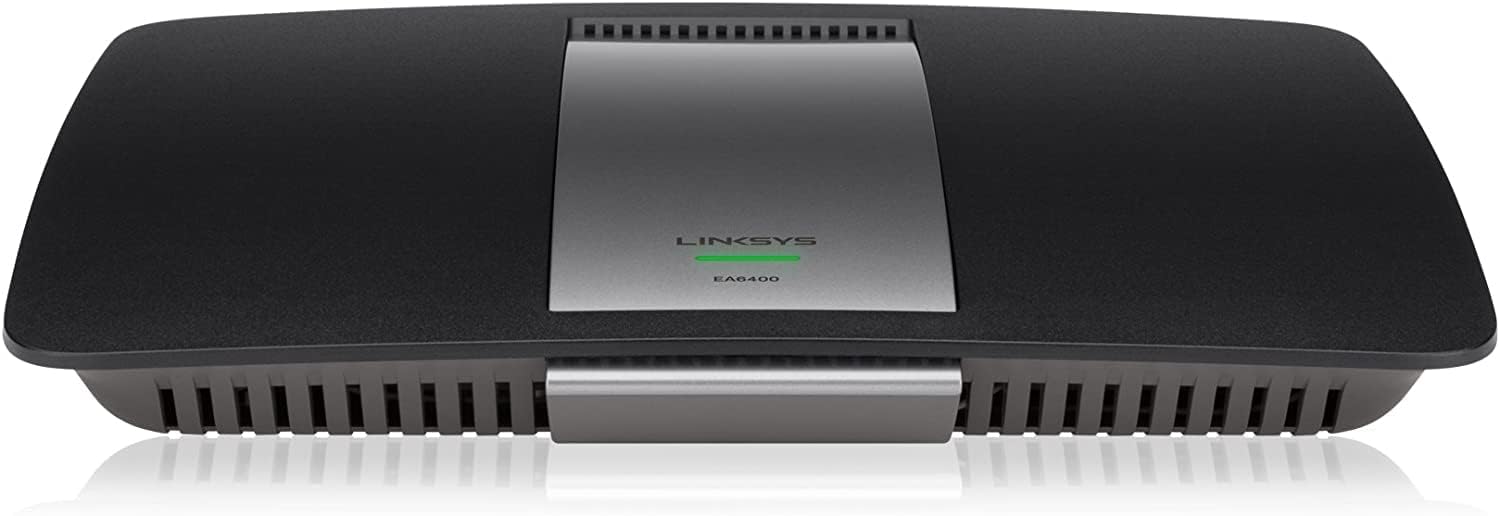
Figura 1: Frontal view of the Linksys EA6400 Router, showing its sleek black design with a central silver panel and the Linksys logo.

Figura 2: posterior view of the Linksys EA6400 Router, highlighting the various connection ports including Ethernet, USB, and power input.
Ports i botons del panell posterior:
- Power Port (12VDC): Connecteu l'adaptador d'alimentació inclòs aquí.
- Interruptor d'alimentació: Toggles the router's power on or off.
- Internet Port (Yellow): Connect an Ethernet cable from your modem to this port.
- Ethernet Ports 1-4 (Blue): Connect wired devices such as computers, gaming consoles, or smart TVs using Ethernet cables. These are Gigabit Ethernet ports for high-speed wired connections.
- Ports USB (USB1, USB2): Connecteu dispositius d'emmagatzematge USB o impressores per compartir en xarxa.
- Botó de restabliment: Premeu i manteniu premut durant uns segons per restaurar el router a la configuració de fàbrica.
- Wi-Fi Protected Setup (WPS) Button: Use for easy, secure connection of WPS-compatible devices.
4. Configuració
Follow these steps to set up your Linksys EA6400 Router:
- Desempaquetar el router: Traieu tots els components de l'embalatge.
- Posicioneu el router: Place the router in a central location in your home for optimal Wi-Fi coverage. Avoid placing it near large metal objects or appliances that may cause interference.
- Connectar-se al mòdem: Connect one end of the included Ethernet cable to the Internet port (yellow) on the router and the other end to your modem's Ethernet port.
- Connectar l'alimentació: Plug the power adapter into the router's power port and then into an electrical outlet. Turn on the router using the power switch.
- Espera la inicialització: Allow a few minutes for the router to power on and initialize. The indicator light on the front should turn solid white or blue.
- Connectar un dispositiu: Connect a computer or mobile device to the router's Wi-Fi network. The default Wi-Fi network name (SSID) and password can be found on a label on the bottom of the router or in the Quick Start Guide.
- Executa l'assistent de configuració: Obre a web browser on the connected device. The Linksys Smart Wi-Fi setup wizard should automatically launch. Follow the on-screen instructions to configure your network settings, including changing the Wi-Fi name and password. Alternatively, download the Linksys Smart Wi-Fi App for guided setup.
Vídeo 1: Un overview of the Linksys EA6400 router, demonstrating its physical features and connectivity options.
5. Instruccions de funcionament
Wi-Fi de doble banda:
The EA6400 is a dual-band router, meaning it broadcasts two separate Wi-Fi networks: 2.4 GHz and 5 GHz. The 2.4 GHz band offers wider coverage and better penetration through walls, while the 5 GHz band provides faster speeds and less interference for devices closer to the router.
- Banda de 2.4 GHz: Ideal for older devices, devices further from the router, and general internet browsing.
- Banda de 5 GHz: Best for newer devices, high-bandwidth activities like streaming HD video, online gaming, and large file transfers, especially when closer to the router.
Linksys Smart Wi-Fi App:
Manage your network from anywhere using the Linksys Smart Wi-Fi App. This app allows you to:
- View dispositius connectats.
- Set up guest access.
- Prioritize devices for optimal performance.
- Manage parental controls.
- Perform speed tests.
Ports Gigabit Ethernet:
Utilize the four Gigabit Ethernet ports for wired connections to devices that require maximum speed and stability, such as desktop computers, network-attached storage (NAS) devices, or smart home hubs.
NFC Simple Tap:
For NFC-enabled devices, simply tap the Simple Tap card (included with some models or available via the app) to easily connect to your home network without manually entering credentials.
6. Manteniment
To ensure optimal performance and security for your router:
- Actualitzacions de firmware: Regularly check for and install firmware updates through the Linksys Smart Wi-Fi App or the web interfície. Les actualitzacions sovint inclouen pegats de seguretat i millores de rendiment.
- Col·locació: Keep the router in an open area, away from obstructions and other electronic devices that may cause interference.
- Seguretat: Use a strong, unique password for your Wi-Fi network and router administration. Enable WPA2/WPA3 encryption for maximum security.
- Neteja: Periodically clean the router's exterior with a soft, dry cloth to prevent dust buildup in ventilation areas.
7. Solució De Problemes
If you encounter issues with your router, try the following:
- Sense connexió a Internet:
- Check all cable connections between the modem and router.
- Restart your modem and router by unplugging them for 30 seconds and then plugging them back in.
- Verify your Internet Service Provider (ISP) is not experiencing an outage.
- Velocitat Wi-Fi lenta:
- Ensure your devices are connected to the appropriate Wi-Fi band (5 GHz for faster speeds, 2.4 GHz for better range).
- Apropa't més al router per millorar la intensitat del senyal.
- Reduce the number of devices actively using the network, especially for high-bandwidth tasks.
- Comproveu si hi ha actualitzacions de firmware.
- No es pot connectar a Wi-Fi:
- Comproveu el nom de la xarxa Wi-Fi (SSID) i la contrasenya.
- Prova de reiniciar el router.
- If using WPS, ensure the device is compatible and the WPS button is pressed correctly.
- Restabliment de fàbrica: If all else fails, perform a factory reset by pressing and holding the Reset button on the rear panel for approximately 10 seconds. This will erase all custom settings, and you will need to reconfigure the router.
8. Especificacions
| Característica | Especificació |
|---|---|
| Marca | Linksys |
| Nom del model | EA6400 |
| Tipus sense fil | 802.11a/b/g/n/ac |
| Classe de banda de freqüència | Doble banda (2.4 GHz, 5 GHz) |
| Velocitat sense fil | AC1600 (fins a 1300 Mbps) |
| Ports Ethernet | 4 x 10/100/1000 Gigabit Ethernet LAN Ports |
| Broadband Port | 1 x 10/100/1000 Gigabit Ethernet WAN Port |
| Ports USB | 2 x USB Ports (USB1, USB2) |
| Característica especial | WPS, Smart Wi-Fi App Enabled |
| Compatibilitat de sistemes operatius | Windows, Mac |
| Pes de l'article | 1.1 lliures |
| Dimensions del producte | 10.8 x 7.25 x 1.58 polzades |
| Color | Negre |
| Bateries | 1 AAA batteries required (Note: This is an unusual specification for a router and may be a generic data entry error. The router typically operates via AC power.) |
9. Garantia i Suport
Your Linksys EA6400 Router typically comes with a Garantia limitada de maquinari d'1 any. For specific warranty details, please refer to the documentation included in your package or visit the official Linksys support weblloc.
For technical assistance, troubleshooting, or additional information, please visit the Suport de Linksys Weblloc or use the Linksys Smart Wi-Fi App.