1. Introducció
The HUION A3 LED Light Tracing Pad is a versatile tool designed for various creative and technical applications. Its slim profile and advanced LED technology provide a uniformly illuminated surface, making it suitable for tasks such as animation, drawing, calligraphy, and more. This manual provides essential information for the proper setup, operation, and maintenance of your device.

Figure 1: HUION A3 LED Light Tracing Pad displaying an illustration.
Key features of the HUION A3 LED Light Tracing Pad include:
- Alimentat per CA: Ensures stable and bright illumination with a brightness of 730.80 cd/m2 and 84.5% uniformity.
- Brillantor ajustable: Features a touch switch for stepless brightness adjustment and a memory function that recalls your last used brightness setting.
- Disseny ultra prim: With a thickness of only 7.33mm, it is lightweight and portable.
- Eyesight-Protected Technology: Designed to minimize eye strain during extended use.
- Aplicacions versàtils: Ideal for animation, cartooning, tattoo tracing, sewing, quilting, fabric design, photography, X-ray film viewing, and calligraphy.

Figure 7: Diverse applications for the HUION A3 LED Light Tracing Pad.
2. Configuració
Follow these steps to set up your HUION A3 LED Light Tracing Pad:
- Desempaquetar el dispositiu: Carefully remove the light tracing pad and all accessories from its packaging. Ensure all components listed in the package contents are present.
- Col·locar sobre una superfície estable: Position the light tracing pad on a flat, stable, and clean surface.
- Connecteu l'adaptador d'alimentació: Insert the DC adapter cable into the power port on the side of the light tracing pad. Then, plug the AC power adapter into a standard electrical outlet.
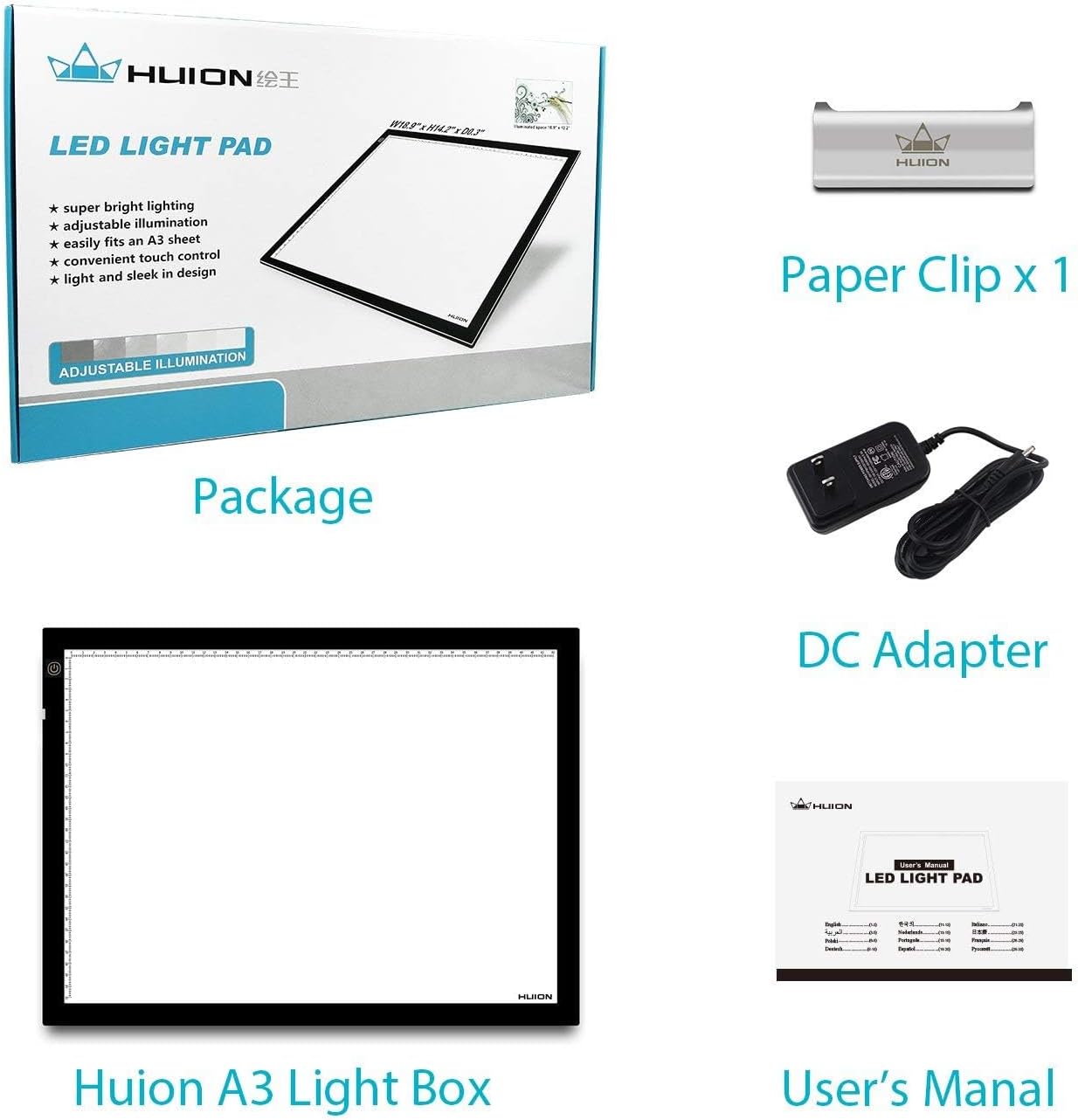
Figure 2: Included items: HUION A3 Light Box, Paper Clip, DC Adapter, and User's Manual.
The light pad is designed for immediate use upon power connection. No assembly is required.
3. Instruccions de funcionament
The HUION A3 LED Light Tracing Pad features a simple touch-sensitive control for power and brightness adjustment.
- Encès/apagat: After connecting the power adapter, gently touch the power button located on the surface of the light pad to turn it on. Touch it again to turn it off.
- Ajust de brillantor: To adjust the brightness, press and hold the power button. The light intensity will gradually increase or decrease. Release the button when you reach your desired brightness level. The device will automatically remember your last brightness setting for future use.

Figure 3: Stepless adjustable brightness control via touch switch.
The illuminated surface is designed to be perfectly even, providing clear visibility for tracing and viewing various materials.

Figura 4: Mésview of key features including scale design and eyesight protection.
4. Manteniment
Proper care and maintenance will ensure the longevity and optimal performance of your HUION A3 LED Light Tracing Pad.
- Neteja de la superfície: Utilitzeu un suau, sec o lleugerament damp cloth to clean the acrylic work surface. Avoid abrasive cleaners, solvents, or harsh chemicals, as these can damage the surface.
- Emmagatzematge: When not in use, store the light pad in a clean, dry place, away from direct sunlight and extreme temperatures.
- Manipulació: Handle the light pad with care to prevent scratches or damage to the acrylic surface and internal components. Avoid placing heavy objects on the pad.
- Cable d'alimentació: Ensure the power cord is not bent sharply or placed under heavy objects to prevent damage.
5. Solució De Problemes
If you encounter issues with your HUION A3 LED Light Tracing Pad, refer to the following common problems and solutions:
| Problema | Causa possible | Solució |
|---|---|---|
| Light pad does not turn on. |
|
|
| L'ajust de la brillantor no funciona. |
|
|
| Uneven illumination. |
|
|
6. Especificacions
Detailed technical specifications for the HUION A3 LED Light Tracing Pad:
| Característica | Detall |
|---|---|
| Nom del model | A3 |
| Dimensions (L x A x A) | 479 mm x 361 mm x 7 mm (18.86 "x 14.21" x 0.27") |
| Àrea Activa | 310 mm x 430 mm (12.20" x 16.92") |
| Work Surface Material | Panells acrílics |
| Tipus de font de llum | LED (díode emissor de llum) |
| Brillantor | 730.80 cd/m2 |
| Illuminate Uniformity | 84.5% |
| Voltage | DC12V |
| Font d'alimentació | AC Powered (Input: DC 12V, Output: AC 110V-220V) |
| Pes net | 2.3 KG (5.04 lliures) |
| Gruix de l'article | 0.27 polzades |
| Mida d'escala | Sí |
| UPC | 519670708005 |

Figure 5: Dimensions and power input details of the A3 Light Pad.

Figure 6: Size comparison of HUION light pads, highlighting the A3 model's dimensions.
7. Garantia i Suport
Informació de la garantia: The HUION A3 LED Light Tracing Pad comes with a one-year warranty from the date of purchase. This warranty covers manufacturing defects and malfunctions under normal use. Please retain your proof of purchase for warranty claims.
Fabricant: ShenZhen Huion Animation Technology Co., LTD
For technical support, warranty claims, or any inquiries regarding your product, please contact HUION customer service through their official channels. Refer to the contact information provided in the original product packaging or on the official HUION weblloc.


