Miditech MIDIFACE 4x4 USB MIDI Interface User Manual
Model: MIT-00151
Introducció
This manual provides comprehensive instructions for the setup, operation, and maintenance of your Miditech MIDIFACE 4x4 USB MIDI Interface. The MIDIFACE 4x4 is a versatile and compact device designed to connect your MIDI-compatible instruments and devices to your computer, offering 4 MIDI inputs and 4 MIDI outputs for extensive connectivity.
Producte acabatview
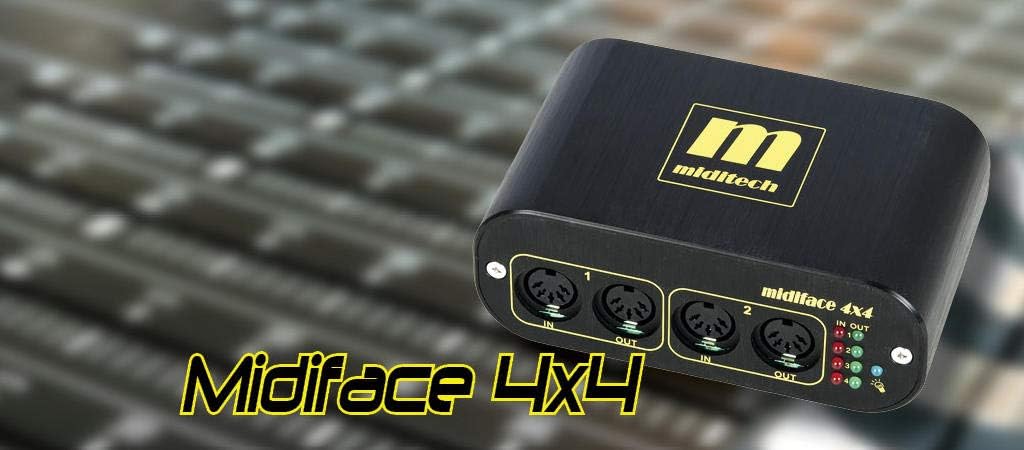
The Miditech MIDIFACE 4x4 USB MIDI Interface, a compact black unit with gold branding, designed for seamless MIDI connectivity.
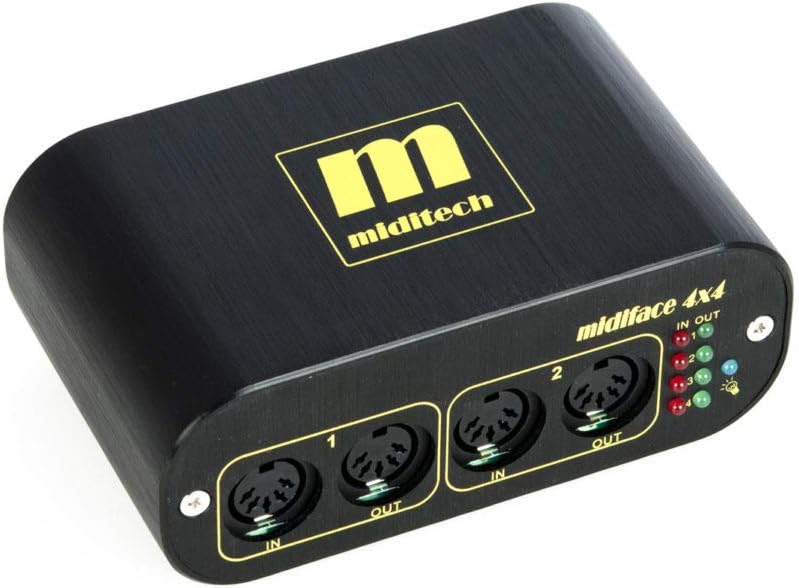
Davant view of the Miditech MIDIFACE 4x4, showing MIDI IN/OUT ports 1 and 2, along with the status LEDs for activity indication.
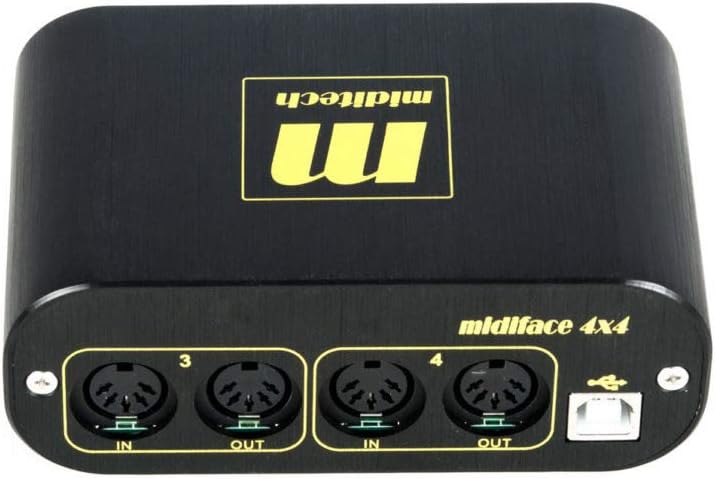
posterior view of the Miditech MIDIFACE 4x4, displaying MIDI IN/OUT ports 3 and 4, and the USB connection port for computer interface.
Configuració
Requisits del sistema
- Sistema operatiu: Class Compliant with MAC OSX, Windows XP SP2, Windows Vista, Windows 7, 8, and 10.
- Port USB: Available USB 2.0 or 3.0 port.
Connecting the MIDIFACE 4x4
- Connect the USB cable from the MIDIFACE 4x4 to an available USB port on your computer. The device is USB bus-powered and does not require an external power supply.
- The MIDIFACE 4x4 is "class compliant," meaning it does not require special driver installation on supported operating systems. Your computer should automatically recognize the device.
- Connect your MIDI instruments and devices to the MIDI IN and MIDI OUT ports on the MIDIFACE 4x4 using standard MIDI cables. Ensure MIDI OUT from your instrument connects to MIDI IN on the MIDIFACE, and MIDI IN on your instrument connects to MIDI OUT on the MIDIFACE.
Funcionament
Connectivitat MIDI
The MIDIFACE 4x4 provides four independent MIDI input and four independent MIDI output ports. Each pair of IN/OUT ports functions as a separate MIDI interface, allowing for flexible routing and control of multiple MIDI devices.
LED d'estat
The device features status LEDs for each MIDI IN and MIDI OUT port. These LEDs illuminate to indicate MIDI activity, helping you confirm data transmission and reception.
Integració de programari
Once connected, the MIDIFACE 4x4 will appear as multiple MIDI input and output devices within your Digital Audio Workstation (DAW) software or other MIDI applications. Select the appropriate MIDI ports within your software for sending and receiving MIDI data.
Manteniment
The Miditech MIDIFACE 4x4 is designed for durability and requires minimal maintenance.
- Mantingueu el dispositiu net netejant-lo amb un drap suau i sec. Eviteu utilitzar netejadors líquids o dissolvents.
- Ensure the device is stored in a dry environment, away from extreme temperatures and direct sunlight.
- Protect the MIDI and USB ports from dust and debris when not in use.
Resolució de problemes
Dispositiu no reconegut
- Comprova la connexió USB: Ensure the USB cable is securely connected to both the MIDIFACE 4x4 and your computer. Try a different USB port or cable.
- Compatibilitat del sistema operatiu: Verify your operating system is listed as "class compliant" (MAC OSX, Windows XP SP2, Windows Vista, Windows 7, 8, and 10). For Windows 10, some users have reported issues with USB 3.0 ports; if possible, try connecting to a USB 2.0 port.
- Reinicieu l'ordinador: Un simple reinici sovint pot resoldre problemes de reconeixement.
No MIDI Signal
- Connexions de cable: Double-check that MIDI IN on your instrument is connected to MIDI OUT on the MIDIFACE, and MIDI OUT on your instrument is connected to MIDI IN on the MIDIFACE.
- LED d'estat: Observe the status LEDs on the MIDIFACE 4x4. If they are not flashing during MIDI activity, there might be an issue with the MIDI cable or the connected instrument.
- Configuració del programari: Ensure the correct MIDI input/output ports are selected and enabled within your DAW or MIDI application.
- Older Synthesizers: Some older synthesizers may have specific MIDI implementation requirements. Consult your synthesizer's manual for details.
Intermittent Connection/Performance Issues
- Potència USB: While bus-powered, ensure your computer's USB port is providing sufficient power. Avoid connecting through unpowered USB hubs if issues persist.
- Qualitat del cable: Use high-quality USB and MIDI cables.
Especificacions
| Característica | Detall |
|---|---|
| Marca | Miditech |
| Número de model | MIT-00151 |
| Ports MIDI | 4 MIDI Inputs, 4 MIDI Outputs |
| Tecnologia de connectivitat | USB |
| Poder | Alimentat per bus USB |
| Compatibilitat de sistemes operatius | MAC OSX, Windows XP SP2, Windows Vista, Windows 7, 8, 10 (Class Compliant) |
| Dimensions (L x P x A) | 114 x 68.5 x 42.5 mm (4.49 x 2.7 x 1.67 polzades) |
| Pes | 287 g (12.6 unces) |
| Indicadors d'estat | LEDs for MIDI IN/OUT activity |
Garantia i Suport
For warranty information and technical support, please refer to the Miditech official weblloc web o contacteu directament amb el servei d'atenció al client. Conserveu el rebut de compra per a reclamacions de garantia.


