1. Introducció
This manual provides essential information for the safe and efficient operation of your TCL L32E3005/G 32-inch LED HD-Ready Television. Please read this manual thoroughly before using the television and retain it for future reference. It covers setup, operation, maintenance, and troubleshooting to ensure you get the best experience from your device.
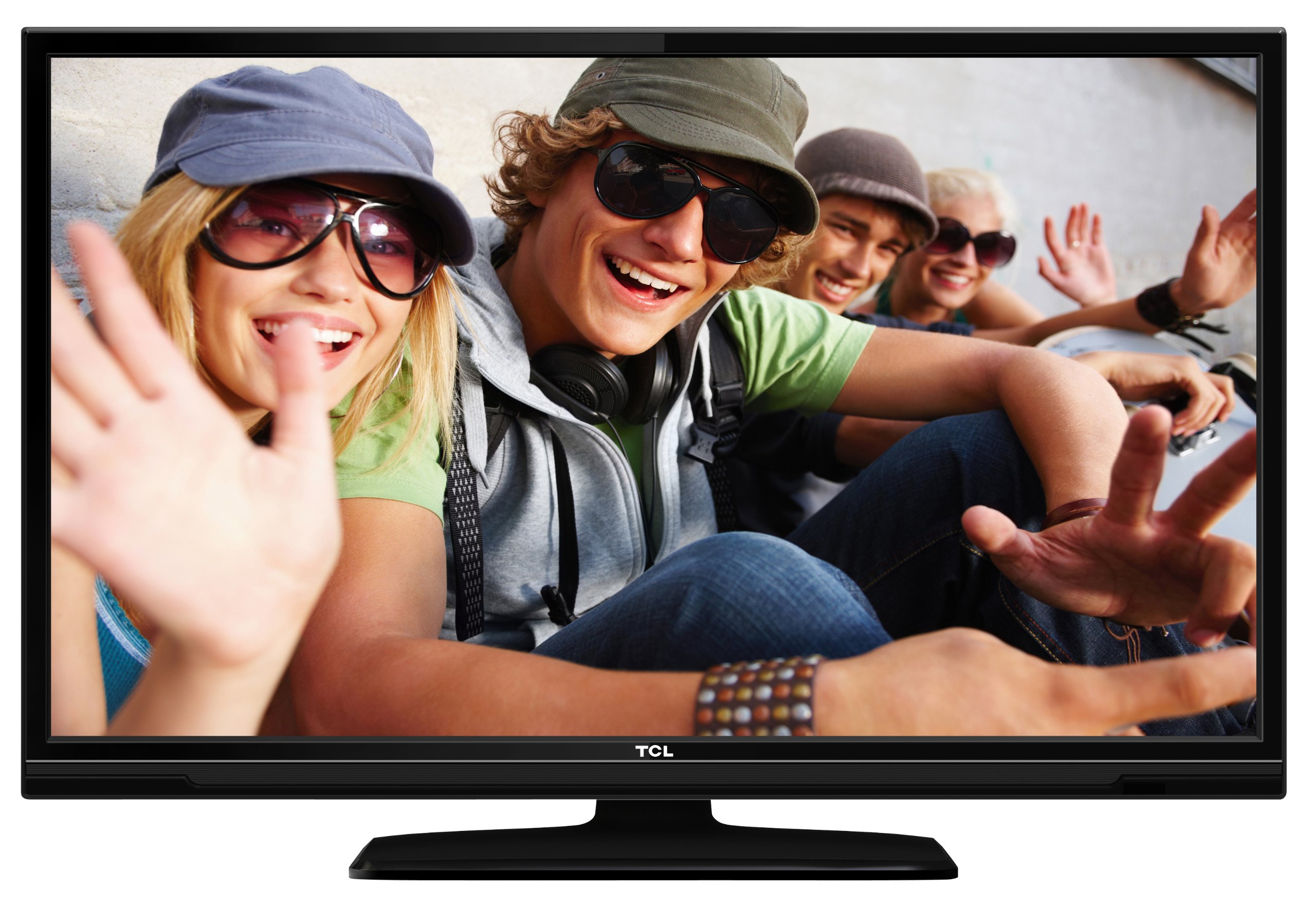
This image shows the TCL L32E3005/G television from a slight angle, highlighting its slim black bezel and the stand. The screen displays a colorful image of people, demonstrating its visual capabilities.
2. Informació de seguretat
Observeu sempre les precaucions de seguretat següents per evitar descàrregues elèctriques, incendis o danys al televisor:
- No exposeu el televisor a la pluja ni a la humitat.
- No obriu l'armari; encarregueu tot el manteniment a personal qualificat.
- Assegureu-vos que hi hagi una ventilació adequada al voltant del televisor.
- Avoid placing the television near heat sources or in direct sunlight.
- Use only the power adapter supplied with the television.
- Mantingueu les piles fora de l'abast dels nens.
3. Contingut del paquet
Verifiqueu que tots els elements siguin presents al paquet:
- TCL L32E3005/G LED-backlight Television
- Adaptador d'alimentació
- Base de peu
- Control remot (requereix 2 piles AAA, incloses)
- Manual d'usuari (aquest document)
4. Configuració
4.1 Desembalatge
Carefully remove the television and all accessories from the packaging. Retain the packaging materials for future transport or storage.
4.2 Stand Installation (Table Mounting)
Per instal·lar la base del suport:
- Col·loqueu el televisor cap per avall sobre una superfície suau i plana per evitar que es facin malbé la pantalla.
- Align the stand base with the mounting holes on the bottom of the television.
- Secure the stand base using the provided screws. Ensure it is firmly attached.
- Carefully lift the television and place it on a stable, level surface suitable for table mounting.
4.3 Connexió de dispositius
Connect your external devices to the television using the appropriate ports:
- HDMI: For high-definition video and audio from devices like Blu-ray players, game consoles, or set-top boxes. Your TV has 2 HDMI ports.
- USB: Per connectar dispositius d'emmagatzematge USB per reproduir contingut multimèdia files. Your TV has 1 USB 2.0 port.
- Antenna/Cable (DVB-C/-S2/-T): Connect an antenna or cable for digital terrestrial (DVB-T), cable (DVB-C), or satellite (DVB-S2) broadcasts.
- VGA: Per connectar un ordinador.
- CI+: Perquè els mòduls d'accés condicional (CAM) desxifrin els canals xifrats.
4.4 Connexió d'alimentació
After all connections are made, plug the power adapter into the television's power input, then plug the power adapter into a wall outlet.
5. Funcionament
5.1 Encès/Apagat
Premeu el botó PODER button on the remote control or on the television to turn the TV on or off.
5.2 Configuració inicial
The first time you turn on the television, an initial setup wizard will guide you through basic settings such as language, country, and channel scanning.
5.3 Sintonització de canals
After connecting your antenna or cable, perform an automatic channel scan through the TV's menu to find available DVB-C, DVB-S2, or DVB-T channels.
5.4 Guia electrònica de programes (EPG)
Accediu a la Guia electrònica de programes (EPG) per view program schedules and information for digital channels. This feature helps you plan your viewing.
5.5 Selecció d'entrada
Utilitza el FONT or ENTRADA button on your remote control to switch between connected devices (e.g., HDMI 1, HDMI 2, USB, DVB-T).
5.6 Reproducció multimèdia USB
Insert a USB storage device into the USB port. The TV will typically prompt you to access the media browser, allowing you to play photos, music, or videos stored on the device.
5.7 Mode Hotel
This television includes a Hotel Mode feature, which allows for customization of settings suitable for hotel environments, such as limiting volume, setting a default channel, or disabling certain functions. Consult the advanced settings menu for Hotel Mode configuration.
6. Manteniment
6.1 Neteja de la pantalla
Netegeu suaument la pantalla amb un drap suau i sense borrissol. Per a marques difícils, netegeu lleugerament.ampNetegeu el drap amb aigua o un netejador de pantalles especialitzat. No ruixeu líquid directament sobre la pantalla.
6.2 Neteja de l'armari
Use a soft, dry cloth to wipe the television cabinet. Avoid using abrasive cleaners or solvents.
6.3 Piles del comandament a distància
Replace the remote control batteries (2x AAA) when the remote's range decreases or it stops responding. Ensure correct polarity when inserting new batteries.
7. Solució De Problemes
Si teniu problemes amb el televisor, consulteu els següents problemes i solucions habituals:
- Sense energia: Check if the power adapter is securely connected to both the TV and the wall outlet. Ensure the outlet is functional.
- Sense imatge, però sí so: Verify the input source is correctly selected. Check cable connections to external devices.
- Sense so, però sí imatge: Comproveu el nivell de volum i l'estat de silenci. Assegureu-vos que els cables d'àudio estiguin connectats correctament per als dispositius externs.
- Mala qualitat d'imatge: Check antenna/cable connections. If using an external device, try a different HDMI cable or port. Adjust picture settings in the TV menu.
- El control remot no funciona: Ensure there are no obstructions between the remote and the TV. Replace batteries if necessary.
Si el problema persisteix, poseu-vos en contacte amb el servei d'atenció al client.
8. Especificacions
| Model | L32E3005/G |
| Mida de la pantalla | 80 cm (32 polzades) |
| Tecnologia de visualització | LED |
| Resolució | 720p (1366 x 768 Pixels) |
| Freqüència d'actualització | 50 Hz |
| Tecnologia del sintonitzador | DVB-C, DVB-S2, DVB-T |
| Connectivitat | 2x HDMI, 1x USB 2.0, VGA, CI+ |
| Sortida d'àudio | 8 Watt (2.0 Channel) |
| Característiques especials | Electronic Program Guide (EPG), Hotel Mode |
| Dimensions (A x A x P) | 74 x 49.4 x 18.9 cm (amb suport) |
| Pes | 7.22 kg |
| Font d'alimentació | Adaptador |
| Bateries remotes | 2x AAA (included) |
9. Garantia i Suport
For warranty information and technical support, please refer to the warranty card included with your product or visit the official TCL weblloc web. Conserveu el rebut de compra com a comprovant de compra per a reclamacions de garantia.


