1. Introducció
This manual provides instructions for the Vivitek D555 XGA DLP Portable Projector. The D555 is designed for clear and vivid image projection, featuring XGA resolution, 3000 lumens brightness, and 3D readiness via DLP Link. It incorporates DLP and Brilliant Color technologies for enhanced visual performance and offers various connectivity options including HDMI v1.4.
2. Informació de seguretat
- No bloquegeu les obertures de ventilació. Assegureu-vos que hi hagi prou espai al voltant del projector per a un flux d'aire adequat.
- No mireu directament a la lent del projector quan estigui encès.amp està encès. La llum brillant pot causar lesions oculars.
- Avoid placing the projector in direct sunlight, near heat sources, or in environments with high humidity or dust.
- Feu servir només el cable d'alimentació que s'inclou amb el projector.
- No intenteu atendre aquest producte vosaltres mateixos. Consulteu tots els serveis a personal de servei qualificat.
- Mantingueu el projector allunyat de l'aigua o altres líquids.
- Desendolleu el projector de la presa de corrent abans de netejar-lo o quan no l'utilitzeu durant períodes prolongats.
3. Contingut del paquet
Verifiqueu que tots els elements que s'enumeren a continuació s'inclouen al vostre paquet:
- Vivitek D555 Projector
- Cable d'alimentació CA
- Cable VGA
- Control remot
- Batteries for Remote (AA x 2)
- User's Manual (on CD)
4. Producte acabatview
4.1 Davant i superior View
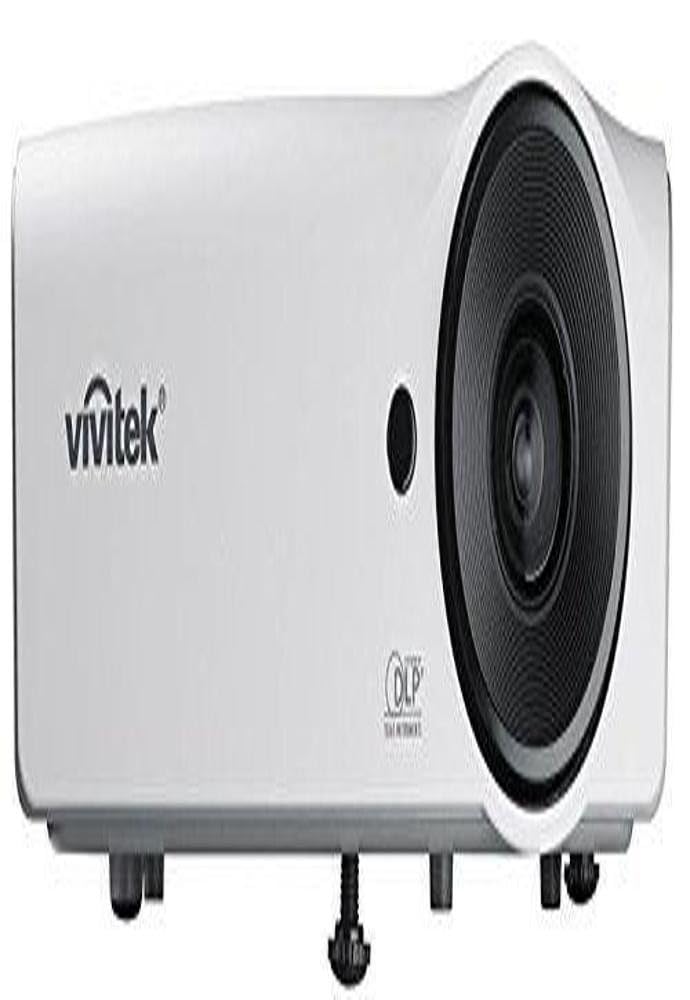
Figura 4.1: Davant i superior view of the Vivitek D555 projector. This image shows the projector's lens, control panel on top, and the Vivitek logo.
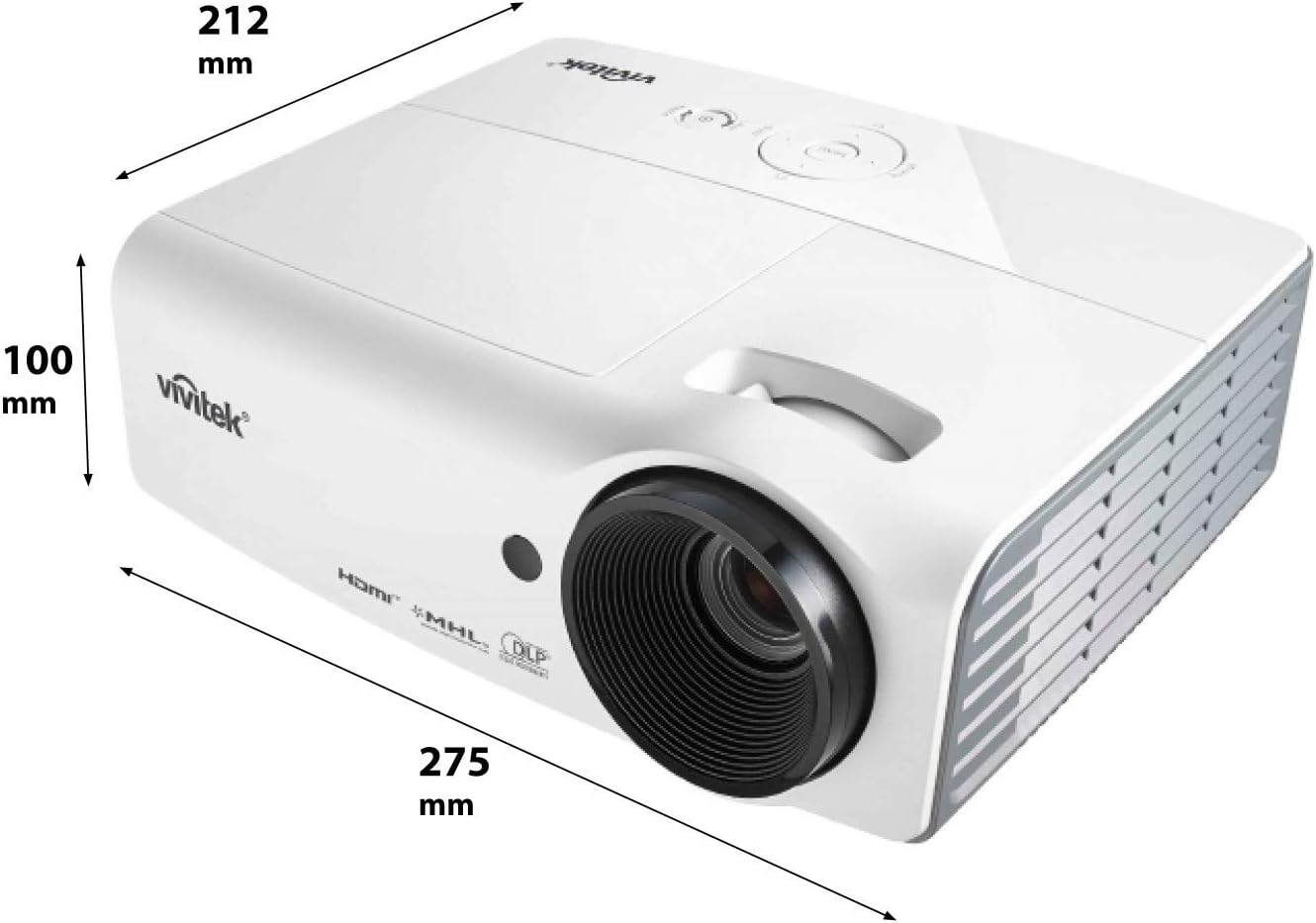
Figura 4.2: Dimensions of the Vivitek D555 projector. The image indicates a width of 275 mm, a depth of 212 mm, and a height of 100 mm.
The front of the projector features the projection lens. The top panel includes the control buttons for power, menu navigation, source selection, and focus/zoom adjustments. The Vivitek logo is prominently displayed.
4.2 Connexions del panell posterior

Figura 4.3: Rear panel of the Vivitek D555 projector showing various input and output ports. These include HDMI, dual VGA inputs, VGA output, S-Video, Composite Video, audio input/output, and a USB port.
The rear panel provides all necessary connection ports for video and audio sources. These include:
- HDMI versió 1.4: For digital video and audio input.
- Computer In 1 (VGA): D-Sub 15-pin input for computer connection.
- Computer In 2 (VGA): Second D-Sub 15-pin input for computer connection.
- Computer Out (VGA): D-Sub 15-pin output for monitor loop-through.
- Vídeo S: For S-Video input.
- Video (Composite): RCA jack for composite video input.
- Entrada d’àudio: 3.5mm stereo mini-jack for audio input.
- Sortida d'àudio: 3.5mm stereo mini-jack for audio output.
- USB (tipus B): Per a actualitzacions de servei o firmware.
- Entrada d'alimentació CA: Per connectar el cable d'alimentació.
5. Configuració
5.1 Col·locació del projector
Place the projector on a stable, flat surface or mount it securely. Ensure the projector is positioned at an appropriate distance from the screen to achieve the desired image size. The lens should be perpendicular to the screen for optimal image geometry.
5.2 Connexió a una font d'alimentació
- Connect the AC power cord to the projector's AC power inlet.
- Connecteu l'altre extrem del cable d'alimentació a una presa de corrent amb connexió a terra.
5.3 Connexió de fonts de vídeo
Choose the appropriate cable for your video source and connect it to the corresponding port on the projector's rear panel.
- HDMI: For high-definition digital sources like Blu-ray players, gaming consoles, or laptops.
- VGA (Computer In 1/2): For computers or other devices with VGA output.
- S-Video/Composite Video: For standard definition video sources like DVD players or VCRs.
For audio, connect an audio cable from your source to the projector's Audio In port, or use the HDMI connection which carries both video and audio.
6. Funcionament del projector
6.1 Engegada/apagada
- Per encendre: Press the Power button on the projector's control panel or the remote control. The power indicator light will turn blue.
- Per apagar: Press the Power button twice. The projector will enter a cooling down cycle, and the power indicator will flash. Do not unplug the projector until the cooling cycle is complete and the power indicator light stops flashing.
6.2 Ajust de la imatge
- Focus: Gireu l'anell d'enfocament de la lent del projector fins que la imatge sigui nítida i clara.
- Zoom: Gireu l'anell de zoom de la lent del projector per ajustar la mida de la imatge.
- Correcció Keystone: If the image appears trapezoidal, use the Keystone Correction function in the projector's OSD (On-Screen Display) menu to square the image.
6.3 Selecting an Input Source
Press the "Source" button on the projector or remote control to cycle through available input sources (HDMI, VGA1, VGA2, S-Video, Video).
6.4 Funcionalitat 3D
The Vivitek D555 is 3D-ready via DLP Link. To view Contingut 3D:
- Connect a 3D-compatible source (e.g., 3D Blu-Ray player) to the projector via HDMI.
- Assegura't que el contingut en 3D s'estigui reproduint.
- Wear active DLP Link 3D glasses (sold separately). The projector will automatically detect the 3D signal and enable 3D mode.
7. Manteniment
7.1 Neteja del projector
- Exterior: Utilitzeu un drap suau i sense pelusa dampened with a mild cleaning solution to wipe the projector's casing. No utilitzeu productes de neteja abrasius ni dissolvents.
- Lent: Use a lens cleaning cloth and lens cleaning solution specifically designed for optical surfaces. Avoid touching the lens with your fingers.
- Vendes d'aire: Regularly check and clean the air vents to prevent dust buildup, which can affect cooling and performance. Use a soft brush or compressed air.
7.2 Lamp Substitució
El projector lamp has a lifespan of up to 6,000 hours in Eco-mode. When the lamp reaches the end of its life, a warning message will appear, or the lamp indicator light will illuminate. Refer to the detailed instructions in the full user manual (on CD) for safe lamp replacement procedures. Always allow the projector to cool down completely before attempting lamp substitució.
8. Solució De Problemes
| Problema | Causa possible | Solució |
|---|---|---|
| No hi ha imatge a la pantalla |
|
|
| La imatge és borrosa |
|
|
| La imatge és trapezoïdal |
|
|
| Sense àudio |
|
|
9. Especificacions
| Número de model | DP535-264VVUP (D555) |
| Marca | Vivitek |
| Tecnologia de visualització | DLP |
| Resolució nativa | XGA (1024 x 768) |
| Resolució màxima | WUXGA (1920 x 1200) |
| Brillantor | 3000 lúmens |
| Relació de contrast | 15000:1 |
| Lamp La vida | Fins a 6,000 hores (mode Eco) |
| Connectivitat | HDMI v1.4, Dual VGA In, VGA Out, S-Video, Composite Video, Audio In/Out, USB |
| Característiques especials | 3D-Ready (DLP Link), Brilliant Color Technology |
| Dimensions del producte | 10.8 x 8.35 x 3.66 polzades (275 x 212 x 100 mm) |
| Pes de l'article | 5.1 lliures |
| Fabricant | Vivitek Corp. |
| Bateries (per a comandament a distància) | 2 piles AA (incloses) |
10. Garantia i Suport
For warranty information and technical support, please refer to the official Vivitek website or the warranty card included with your product. Do not attempt to repair the projector yourself, as this may void your warranty. Contact Vivitek customer service for assistance with any issues not covered in the troubleshooting section.


