1. Producte acabatview

Image: The Pantone CAPSURE device, a portable color scanning and matching tool.
The Pantone CAPSURE with Bluetooth is a portable device designed for capturing and matching colors from various surfaces to the extensive Pantone Color Libraries. It features built-in Bluetooth technology for wireless data transmission to compatible devices and applications.
This tool is suitable for professionals in fashion, home, interior, industrial, and graphic design, as well as contractors and paint retailers, providing accurate and versatile color measurement.
2. Característiques clau
- Color Capture Storage: Stores up to 100 color captures on a 1.75-inch color viewpantalla de ing.
- Library Toggling: Allows easy switching between multiple PANTONE Libraries.
- Actualitzacions automàtiques: Color libraries are automatically updated through CAPSURE Sync.
- Portabilitat: Compact and lightweight, weighing approximately six ounces (with battery).
- Extensive Color Libraries: Preloaded with over 10,000 PANTONE Colors, including PANTONE FASHION + HOME, PANTONE PAINT + INTERIORS, PANTONE PLUS SERIES Formula Guide, PANTONE PLUS SERIES CMYK, and PANTONE Goe System.
- Digital Values: Provides sRGB, Adobe RGB, HTML, Lab, and XYZ values for multimedia design.
- Connectivitat Bluetooth: Enables wireless transmission of color measurement data to smartphones, tablets, and other Bluetooth-enabled devices.
3. Guia de configuració
3.1 Desembalatge i inspecció inicial

Image: The Pantone CAPSURE device, its retail packaging, and a protective carrying case.
Carefully remove all components from the packaging. Verify that all items are present and undamaged. The package typically includes the CAPSURE device, a USB cable, and a protective carrying case.
3.2 Càrrega del dispositiu
The CAPSURE device is powered by Lithium Ion batteries. Before first use, fully charge the device using the provided USB cable. Connect the USB cable to the CAPSURE device and a compatible USB power source (e.g., computer USB port or USB wall adapter). The charging indicator will show the charging status. A full charge provides approximately 4 hours of continuous use.
3.3 Engegada/apagada
To power on the device, press and hold the power button located on the device until the screen illuminates. To power off, press and hold the power button until the shutdown prompt appears, then confirm.
3.4 Vinculació Bluetooth

Image: The Pantone CAPSURE device positioned near a smartphone and tablet, illustrating its wireless connectivity capabilities.
To utilize the Bluetooth functionality, ensure Bluetooth is enabled on your smartphone, tablet, or other compatible device. Open the myPANTONE App (available for iOS and Android) or other supported design applications. Follow the in-app instructions to pair the CAPSURE device. The device will appear in the list of available Bluetooth devices for connection.
4. Instruccions de funcionament
4.1 Capturing a Color
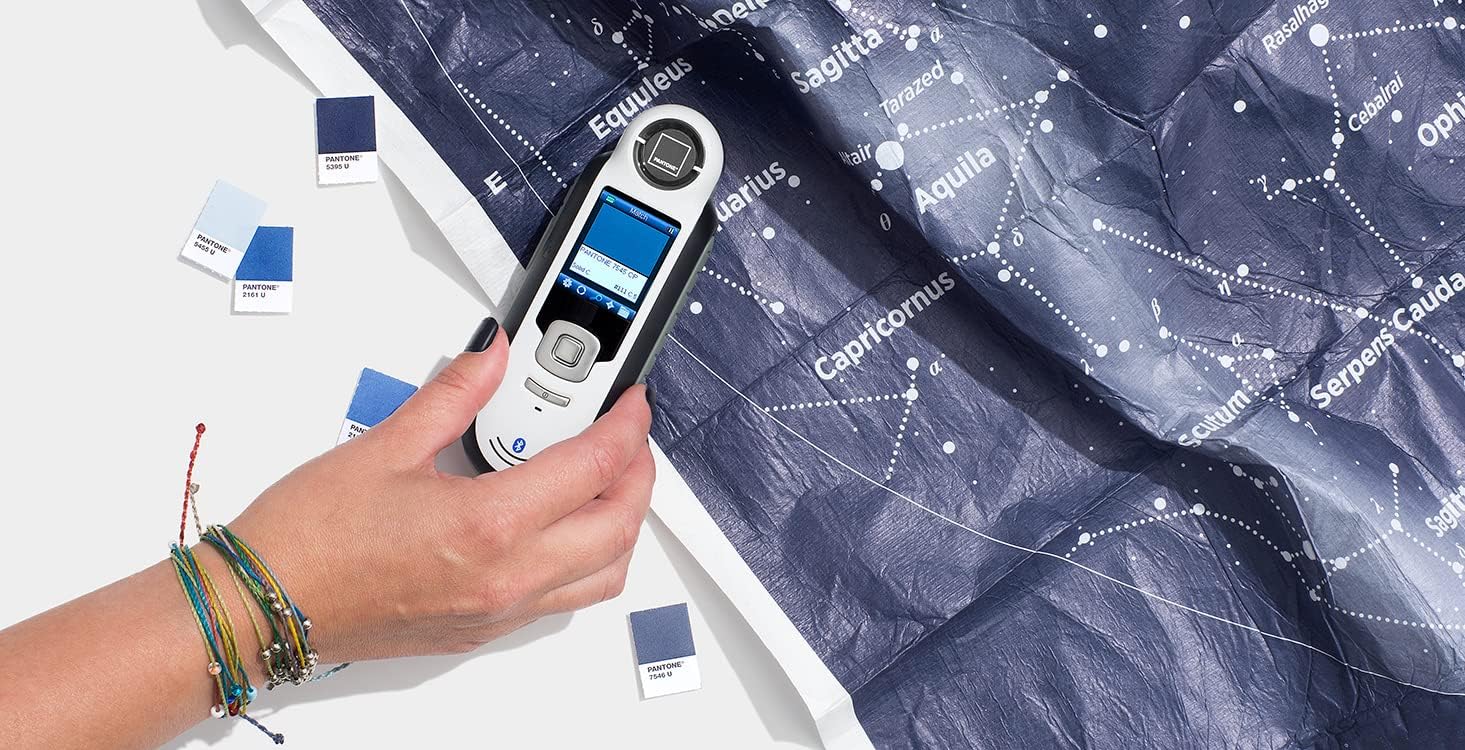
Image: A user demonstrating the Pantone CAPSURE device by placing it on a patterned surface to capture a color sample.
- Ensure the CAPSURE device is powered on.
- Place the measurement aperture of the device firmly and flatly against the surface from which you wish to capture a color. Ensure no ambient light interferes with the measurement area.
- Press the measurement button. The device will emit a light and capture the color.
- The captured color will be displayed on the screen, along with its closest PANTONE match and associated color values (sRGB, Adobe RGB, HTML, Lab, XYZ).
4.2 Navigating Color Libraries
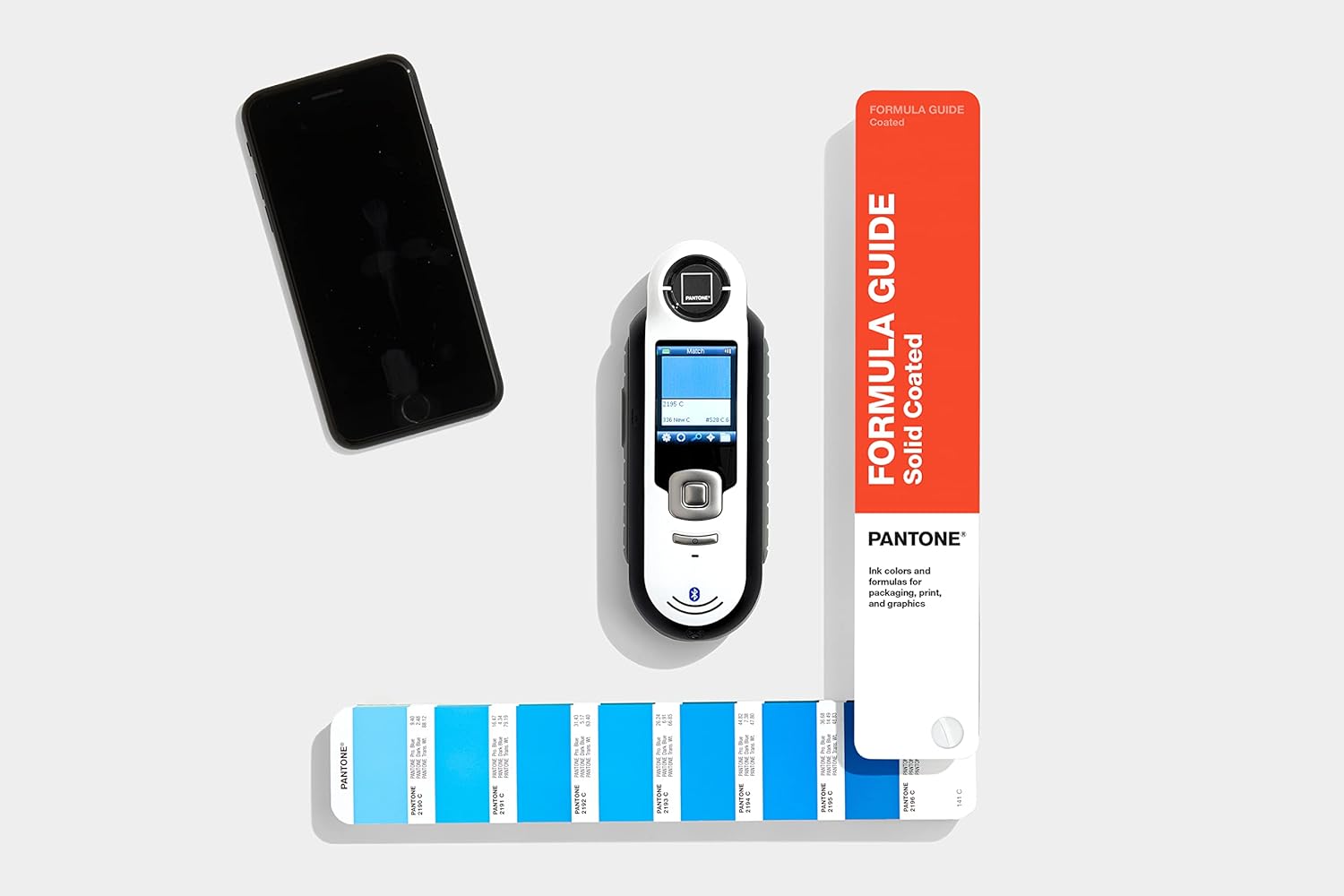
Image: The Pantone CAPSURE device displayed alongside a Pantone Formula Guide, illustrating its ability to match and identify colors within various Pantone libraries.
The CAPSURE device comes preloaded with multiple PANTONE Color System Libraries. Use the navigation buttons on the device to toggle between these libraries (e.g., FASHION + HOME, PAINT + INTERIORS, PLUS SERIES Formula Guide, CMYK, Goe System) to find the most relevant match for your application.
4.3 Saving and Exporting Colors
Captured colors are automatically saved to the device's internal memory, up to 100 captures. To export or share colors, ensure the CAPSURE is paired via Bluetooth to your smartphone or tablet running the myPANTONE App. Within the app, you can manage, save, and share your captured color data.
5. Manteniment
5.1 Neteja del dispositiu
To maintain optimal performance, regularly clean the measurement aperture and the device's exterior. Use a soft, lint-free cloth. For stubborn marks, slightly dampen the cloth with water. Do not use abrasive cleaners or solvents, as these can damage the device.
5.2 Cura de la bateria
The device uses Lithium Ion batteries. For best battery life, avoid fully discharging the battery frequently. Recharge the device when the battery indicator is low. If storing the device for an extended period, ensure it has a partial charge (around 50%) and store it in a cool, dry place.
5.3 Actualitzacions de programari
The CAPSURE device's color libraries and firmware can be updated automatically through CAPSURE Sync when connected to a computer with internet access. Regularly check for updates to ensure access to the latest color data and device improvements.
6. Solució De Problemes
| Problema | Causa possible | Solució |
|---|---|---|
| El dispositiu no s'encén. | Bateria baixa o esgotada. | Connect the device to a power source using the USB cable and allow it to charge for at least 30 minutes before attempting to power on again. |
| La connexió Bluetooth falla. | Bluetooth is off on the host device; device is out of range; pairing issue. | Ensure Bluetooth is enabled on both devices. Move the CAPSURE closer to the host device. Try unpairing and re-pairing the device. Restart both devices. |
| Inaccurate color readings. | Measurement aperture is dirty; improper placement on surface; surface texture/lighting conditions. | Clean the measurement aperture. Ensure the device is placed firmly and flatly on the surface. Avoid measuring highly textured or reflective surfaces if possible. Ensure consistent lighting conditions. |
| Dispositiu no reconegut per l'ordinador. | USB cable issue; driver issue; CAPSURE Sync software not installed. | Try a different USB port or cable. Ensure CAPSURE Sync software is installed and up to date. Restart the computer and device. |
7. Especificacions
| Atribut | Detall |
|---|---|
| Fabricant | PANTONE |
| Número de model | RM200+BPT01 |
| Pes de l'article | Approximately 0.01 ounces (device only) |
| Dimensions del producte | 8.75 x 8.25 x 3.5 polzades |
| Color | Capsure Color Match with Bluetooth |
| Estil | Color Capsure with Bluetooth |
| Bateries | 2 Lithium Ion batteries (required, not included) |
| Durada mitjana de la bateria | 4 hores |
| Tipus de bombeta | LED |
| Tecnologia de connectivitat | USB, Bluetooth |
| Resolució | RGB |
| Profunditat de color | 24 bits |
| Tecnologia de sensors òptics | CMOS o CCD |
| Requisits mínims del sistema | Windows 7 |
| UPC | 849572000595 |
8. Garantia i Suport
For information regarding product warranty, please refer to the official Pantone website or contact Pantone customer support directly. Support resources, including FAQs, software downloads, and contact information, are typically available on the manufacturer's weblloc.
Pantone Official Weblloc: www.pantone.com


