1. Introducció
This manual provides instructions for the installation, operation, and maintenance of the Black Box ACR1002A-T ServSwitch Agility Dual KVM Extender. This device is designed to extend Keyboard, Video, and Mouse (KVM) signals over a network, enabling remote access to computers with perfect digital video transmission.
2. Producte acabatview
2.1 Característiques clau
- Flexible topology for KVM extension, supporting various network configurations.
- Delivers perfect digital video with no loss, ensuring high-quality display.
- Utilizes no-loss compression to minimize bandwidth usage while maximizing user experience.
- Supports dual-head or dual-link video configurations.
- Designed for high availability, scalability, and flexibility in KVM extension solutions.
2.2 Components
The Black Box ACR1002A-T ServSwitch Agility Dual KVM Extender typically includes:
- ACR1002A-T KVM Extender Unit (Local or Remote, depending on configuration)
- Unitat d'alimentació
- Necessary cables (e.g., DVI, USB, Audio, Ethernet - sold separately or included based on specific package)
2.3 Producte View
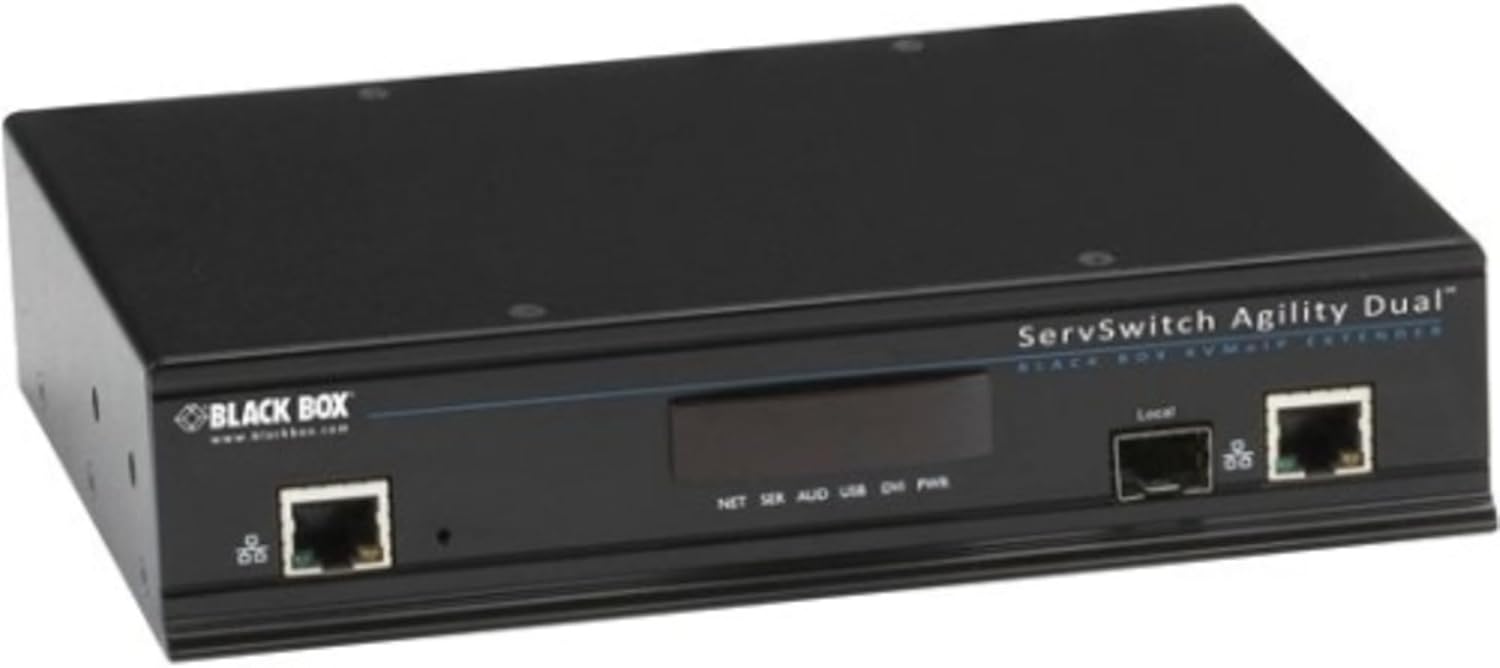
Figura 1: Frontal view of the Black Box ACR1002A-T ServSwitch Agility Dual KVM Extender. The unit is black and features two RJ45 network ports, one labeled 'Local', and a central display area with indicators for NET, SER, AUD, USB, DVI, and PWR. The 'BLACK BOX' logo is visible on the left side.
3. Instruccions de configuració
Follow these steps to set up your KVM extender:
- Connect the Local Unit: Connect your computer's DVI (or other video output), USB (for keyboard/mouse), and audio cables to the corresponding ports on the local KVM extender unit.
- Connect the Remote Unit: Connect your monitor(s), USB keyboard/mouse, and audio devices to the corresponding ports on the remote KVM extender unit.
- Establir connexió de xarxa: Connect both the local and remote KVM extender units to your network using standard Ethernet cables. Ensure the network infrastructure supports the required bandwidth for KVM extension.
- Encès: Connect the power supply to both the local and remote units and plug them into a power outlet. The power indicator (PWR) on the unit should illuminate.
- Verifica la connexió: Once powered on, observe the network (NET) and other status indicators on the unit to confirm a successful connection and signal transmission.
For dual-head or dual-link video configurations, ensure all necessary video cables are connected to both the computer and the remote display(s).
4. Instruccions de funcionament
Once the KVM extender units are properly connected and powered on, the system will automatically establish the KVM extension link. You can then operate the remote computer from your extended workstation as if you were directly connected to it.
- Qualitat del vídeo: The system is designed to deliver perfect digital video without loss, utilizing no-loss compression for optimal visual experience.
- Dispositius USB: Connected USB keyboards and mice should function immediately. Additional USB devices may require specific driver installations on the remote computer.
- Àudio: Audio signals are extended, allowing for remote audio input and output.
5. Manteniment
To ensure optimal performance and longevity of your Black Box ACR1002A-T KVM Extender, consider the following maintenance guidelines:
- Neteja: Keep the unit clean and free from dust. Use a soft, dry cloth for cleaning. Avoid liquid cleaners.
- Ventilació: Assegureu-vos que hi hagi un flux d'aire adequat al voltant de la unitat per evitar el sobreescalfament. No bloquegeu les obertures de ventilació.
- Actualitzacions de firmware: Revisa periòdicament la Caixa Negra website for any available firmware updates for your model. Firmware updates can improve performance, add features, or resolve issues.
- Gestió de cables: Ensure all cables are securely connected and not under undue stress.
6. Solució De Problemes
If you encounter issues with your KVM extender, refer to the following common troubleshooting steps:
- Sense energia:
- Verify the power adapter is securely connected to the unit and a working power outlet.
- Check the power indicator (PWR) on the unit.
- Sense senyal de vídeo:
- Ensure all DVI/video cables are correctly connected between the computer, local unit, remote unit, and monitor.
- Check the network connection between the local and remote units.
- Power cycle both the KVM extender units and the connected computer/monitor.
- El teclat/ratolí no respon:
- Confirm USB cables are properly connected.
- Try connecting the keyboard/mouse directly to the computer to verify functionality.
- Restart the computer and the KVM extender units.
- Problemes de connectivitat de xarxa:
- Comproveu les connexions del cable Ethernet.
- Verify network switch/router status.
- Ensure network settings (IP addresses, etc.) are correctly configured if applicable.
If problems persist, consult the Black Box support weblloc o contacteu amb l'assistència tècnica.
7. Especificacions tècniques
| Número de model | ACR1002A-T |
| Marca | Caixa Negra |
| Material | Metall |
| Color | Negre |
| Dimensions (L x A x A) | 18.5 x 9 x 2.5 polzades (46.99 x 22.86 x 6.35 cm) |
| Pes de l'article | 5.08 lliures (2.3 kg) |
| Mode d'operació | ON-OFF |
| Protocol de connectivitat | Wi-Fi (Note: KVM extension typically uses Ethernet for primary link) |
| Ports USB 2.0 | 1 |
| Ports USB 3.0 | 1 |
| Classificació de protecció internacional | IP00 |
| UPC | 822088067979 |
8. Garantia i Suport
For detailed warranty information, please refer to the official Black Box website or the warranty card included with your product. For technical support, product registration, or further assistance, please visit the Black Box support portal or contact their customer service department.
Caixa Negra Weblloc: www.blackbox.com


