Introducció
This manual provides essential information for the proper use and care of your Beats Studio Wireless Over-Ear Headphones. Please read these instructions carefully before using your headphones to ensure optimal performance and longevity. The Beats Studio Wireless headphones offer a premium audio experience with wireless connectivity and Adaptive Noise Canceling technology.
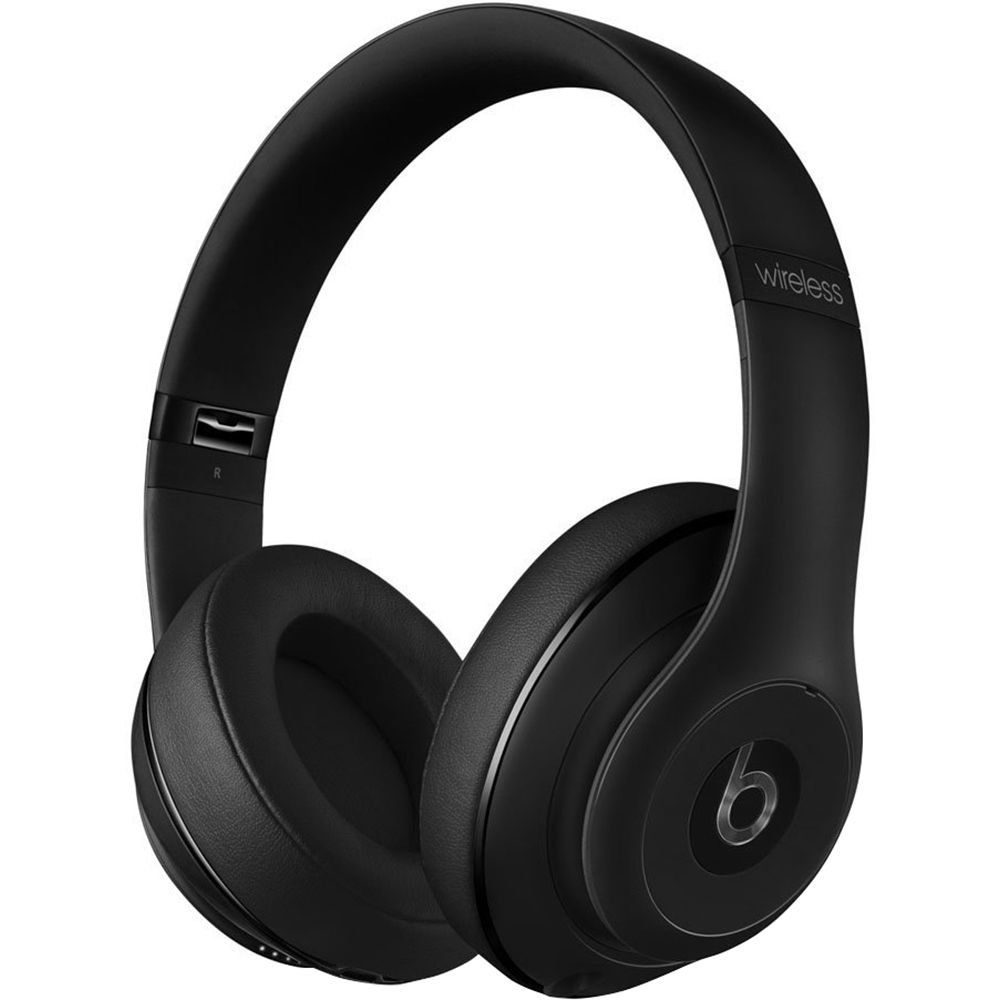
Image: Beats Studio Wireless Over-Ear Headphones in Matte Black, showcasinel disseny elegant.
Què hi ha a la caixa
Verifiqueu que tots els elements siguin presents al vostre paquet:
- Beats Studio Wireless over-ear headphones
- 3.5mm audio cable with RemoteTalk (for wired connection and controls)
- Standard 3.5 mm audio cable (for wired connection without RemoteTalk features)
- USB 2.0 cable (USB-A to USB Micro-B) for charging
- Hard-shell carrying case with carabiner clip

Image: The Beats Studio Wireless headphones, hard-shell carrying case, and various cables laid out from the packaging.
Configuració
1. Càrrega dels auriculars
Before first use, fully charge your Beats Studio Wireless headphones. A full charge provides approximately 12 hours of wireless playback or 20 hours of wired playback with Adaptive Noise Canceling enabled.
- Connect the small end of the USB 2.0 cable (USB-A to USB Micro-B) to the Micro-USB port on the right earcup of the headphones.
- Connect the larger end of the USB cable to a USB power adapter (not included) or a powered USB port on a computer.
- The Fuel Gauge LEDs on the right earcup will indicate charging status. When all five LEDs are solid white, the headphones are fully charged.
Nota: Els auriculars no es poden fer servir mentre es carreguen.
2. Emparellament Bluetooth
Pair your headphones with your Bluetooth-enabled device for wireless audio.
- Ensure your headphones are charged and powered off.
- Press and hold the power button on the right earcup for 3-5 seconds until the Fuel Gauge LEDs begin to pulse. This indicates pairing mode.
- Al dispositiu, vés a la configuració de Bluetooth i activa el Bluetooth.
- Select "Beats Studio Wireless" from the list of available devices.
- Once paired, the Fuel Gauge LEDs will turn solid white.
The headphones have a Bluetooth range of up to 30 feet (9 meters).
3. Connexió per cable
For a wired connection, use the provided 3.5mm audio cables.
- Plug one end of the 3.5mm audio cable into the audio input port on the left earcup.
- Connecteu l'altre extrem al connector de sortida d'àudio de 3.5 mm del dispositiu.
The RemoteTalk cable allows for inline control of music and calls when connected to compatible devices.
Instruccions de funcionament
1. Encendre/apagar
- Per encendre: Press and hold the power button on the right earcup until the Fuel Gauge LEDs illuminate.
- Per apagar: Press and hold the power button until the Fuel Gauge LEDs turn off.
2. Controls (Wireless Mode)
The "b" button on the left earcup and the volume buttons control playback and calls.
- Reproduir/pausa: Press the "b" button once.
- Pista següent: Press the "b" button twice quickly.
- Pista anterior: Press the "b" button three times quickly.
- Pujar el volum: Press the top volume button.
- Baixar el volum: Press the bottom volume button.
- Respondre/Finalitzar la trucada: Press the "b" button once during an incoming call or active call.
- Rebutja la trucada: Press and hold the "b" button for 2 seconds during an incoming call.
- Activa l'Assistent de veu: Press and hold the "b" button for 2 seconds (functionality depends on device).
3. Adaptive Noise Canceling (ANC)
The Beats Studio Wireless headphones feature Dual-Mode Adaptive Noise Canceling. ANC is automatically active when the headphones are powered on. There are two modes:
- Full ANC: Engaged when listening to music or media, providing maximum noise reduction.
- ANC Only: When the audio cable is unplugged and the headphones are powered on, ANC will automatically switch to a more aggressive mode to reduce external noise without playing audio.
Manteniment
1. Neteja
To maintain the appearance and performance of your headphones:
- Netegeu els auriculars i la diadema amb un drap suau, sec i sense borrissol.
- No utilitzeu netejadors abrasius, alcohol ni dissolvents químics.
- Eviteu que entri humitat a cap obertura.
2. Emmagatzematge
When not in use, store your headphones in the provided hard-shell carrying case to protect them from damage.
- Fold the headphones carefully to fit into the case.
- Keep headphones away from extreme temperatures and humidity.
3. Cura de la bateria
Per allargar la durada de la bateria:
- Eviteu descarregar completament la bateria amb freqüència.
- Carregueu els auriculars regularment, fins i tot si no els feu servir durant períodes prolongats.
- Emmagatzemar en un lloc fresc i sec.
Resolució de problemes
If you encounter issues with your Beats Studio Wireless headphones, try the following solutions:
Sense alimentació / No s'encén
- Assegureu-vos que els auriculars estiguin completament carregats. Connecteu-los a una font d'alimentació amb el cable USB.
- Comproveu el cable USB i el port de càrrega per si hi ha danys.
No Sound / Intermittent Audio
- Sense fil:
- Ensure headphones are paired and connected to your device.
- Comproveu els nivells de volum tant dels auriculars com del dispositiu.
- Move closer to your device to avoid interference or exceeding Bluetooth range.
- Prova de desvincular i tornar a vincular els auriculars amb el dispositiu.
- Amb cable:
- Ensure the 3.5mm audio cable is securely plugged into both the headphones and your audio source.
- Try a different 3.5mm audio cable if available.
Problemes d'aparellament
- Ensure the headphones are in pairing mode (pulsing Fuel Gauge LEDs).
- Desactiva i després activa el Bluetooth del dispositiu.
- Forget "Beats Studio Wireless" from your device's Bluetooth list and attempt to pair again.
- Assegureu-vos que no hi hagi altres dispositius Bluetooth que interfereixin amb el procés d'emparellament.
Adaptive Noise Canceling (ANC) Not Working
- Ensure the headphones are powered on. ANC requires power.
- Check for any obstructions around the external microphones on the earcups.
Especificacions
Key technical specifications for the Beats Studio Wireless Over-Ear Headphones:
- Nom del model: Estudi
- Tecnologia de connectivitat: Bluetooth (Wireless), 3.5 mm Jack (Wired)
- Tecnologia de comunicació sense fils: Bluetooth
- Rang Bluetooth: Fins a 30 peus (9 metres)
- Control de soroll: Active Noise Cancellation (Dual-Mode Adaptive Noise Canceling)
- Durada de la bateria: Approximately 12 hours (wireless), 20 hours (wired with ANC)
- Tipus de bateria: 1 bateria de ions de liti (recarregable)
- Tipus de control: Media Control (on-earcup "b" button, volume buttons)
- Micròfon: Integrat per a trucades mans lliures
- Factor de forma: Sobre l'orella
- Col·locació de les orelles: Sobre l'orella
- Material: Plàstic
- Pes de l'article: Aproximadament 9.2 unces (0.26 quilograms)
- Dimensions del producte: 9.6 x 7.3 x 4.5 polzades
- Fabricant: Beats Electronics, LLC
- Data de primera disponibilitat: 1 de desembre de 2013

Imatge: Un primer pla view of the headphone's inner band, displaying the model number B0501.
Garantia i Suport
For warranty information and customer support, please refer to the official Beats weblloc web o contacteu directament amb el servei d'atenció al client. Conserveu el comprovant de compra per a reclamacions de garantia.
Nota: This product is an older model. Specific warranty terms may vary based on purchase date and region. Please consult the manufacturer's official resources for the most accurate and up-to-date information.
Per a més ajuda, visiteu: Suport Beats