1. Introducció
Gràcies per la compraasing the BigBen TD99 USB Turntable. This device allows you to enjoy your vinyl record collection, listen to FM radio, and connect via USB. This manual provides essential information for safe operation, setup, and maintenance of your turntable.
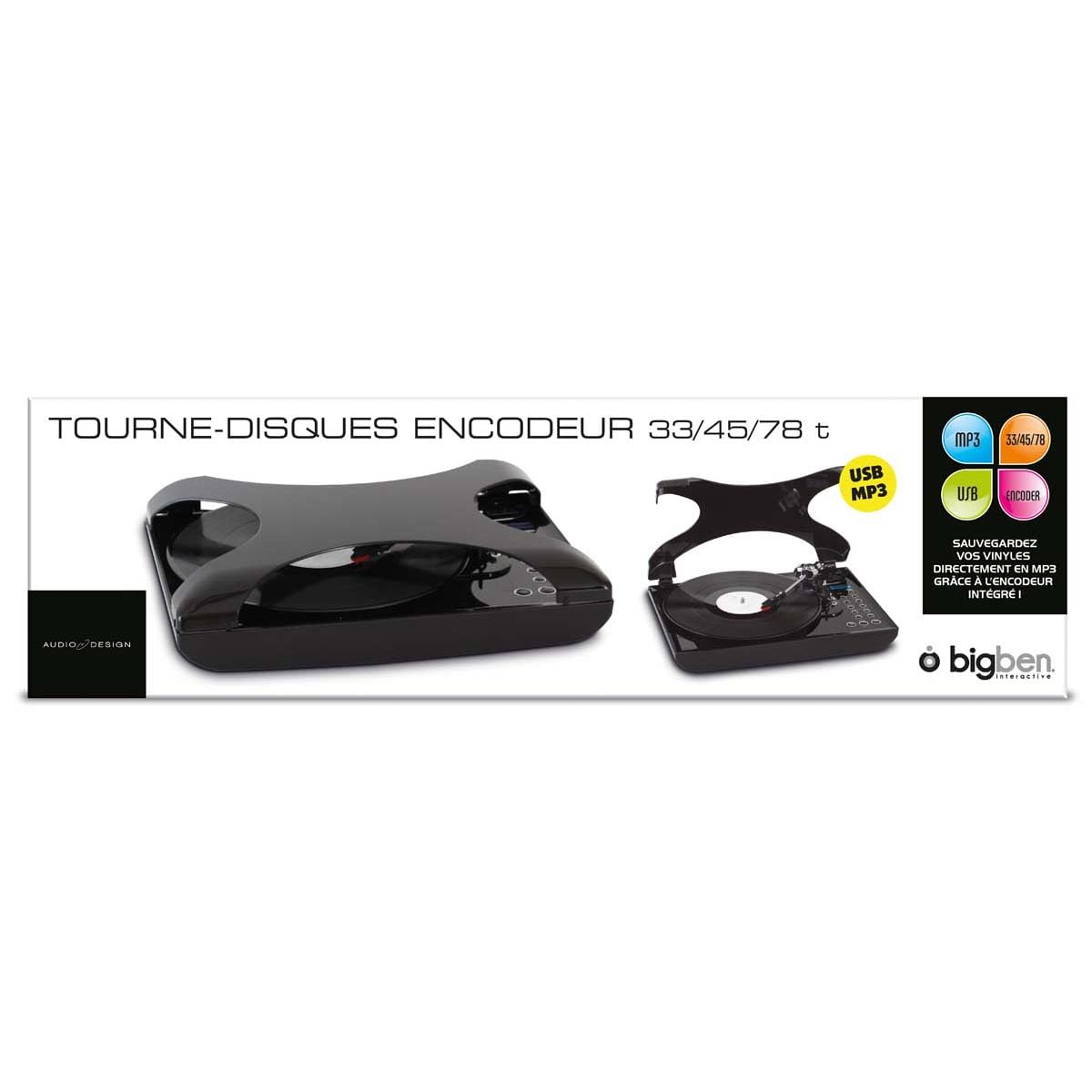
Imatge 1.1: Frontal view of the BigBen TD99 USB Turntable. This image shows the main unit with the platter, tone arm, and control panel.
2. Instruccions de seguretat importants
Please read these instructions carefully before using the device and retain them for future reference. Failure to follow these instructions may result in electric shock, fire, or other hazards.
- Font d'alimentació: Connecteu el dispositiu només a una presa de corrent de CA amb el volum especificattage (220 volts).
- Aigua i humitat: Do not expose the device to rain, moisture, or place objects filled with liquids, such as vases, on or near the device.
- Ventilació: Assegureu-vos que hi hagi una ventilació adequada. No bloquegeu cap obertura de ventilació.
- Calor: No col·loqueu el dispositiu a prop de fonts de calor com ara radiadors, registres de calor, estufes o altres aparells (inclosos amplificadors) que produeixen calor.
- Neteja: Unplug the device from the wall outlet before cleaning. Use a dry cloth for cleaning.
- Manteniment: No intenteu atendre aquest producte vosaltres mateixos. Consulteu tots els serveis a personal de servei qualificat.
- Nens: Mantingueu el dispositiu i els seus accessoris fora de l'abast dels nens.
3. Contingut del paquet
Carefully unpack your BigBen TD99 Turntable and ensure all items are present and in good condition. If any items are missing or damaged, contact your retailer.
- BigBen TD99 USB Turntable Unit
- Adaptador d'alimentació
- Control remot
- Manual d'usuari (aquest document)
4. Producte acabatview
Familiarize yourself with the components of your BigBen TD99 Turntable:
4.1 Front Panel / Top View
- Funda antipols: Protects the platter and tone arm from dust.
- Plat: Where the record is placed.
- Fus: Holds the record in place on the platter.
- Braç de to: Conté el cartutx i el llapis.
- Agulla (punta): Llegeix els solcs del disc.
- Palanca de senyal: Aixeca i baixa el braç de lectura.
- Selector de velocitat: Allows selection of 33, 45, or 78 RPM.
- Botons de funció: For mode selection (Phono, FM, USB) and playback control.
- Visualització: Mostra el mode actual, el número de pista o la freqüència FM.
- Control de volum: Ajusta el nivell de sortida d'àudio.
- Botó de reforç dels baixos: Activates or deactivates the bass enhancement feature.
4.2 Panell posterior
- Entrada d'alimentació: Es connecta a l'adaptador de corrent.
- Port USB: For connecting to a computer or USB storage device.
- Sortida d'àudio (RCA): Per connectar altaveus externs o un amplificador (si està disponible).
- Antena FM: Per a una millor recepció de ràdio FM.
5. Configuració
5.1 Desembalatge i col·locació
- Remove all packaging materials and protective inserts.
- Col·loqueu el tocadiscos sobre una superfície estable i plana, allunyada de la llum solar directa, de fonts de calor i de pols o vibracions excessives.
- Ensure adequate space around the unit for ventilation.
5.2 Connexió d'alimentació
- Connect the power adapter cable to the Power Input port on the rear of the turntable.
- Plug the power adapter into a standard 220V AC wall outlet.
5.3 Initial Tone Arm Setup
- Remove the stylus protector from the needle.
- Deixeu anar el bloqueig del braç de to.
6. Instruccions de funcionament
6.1 Reproducció d'un disc de vinil
- Obriu la coberta antipols.
- Posa un disc al plat.
- Select the appropriate speed (33, 45, or 78 RPM) using the speed selector switch. For 45 RPM records, place the included adapter on the spindle first.
- Press the "MODE" button until "PHONO" is displayed.
- Lift the tone arm using the cue lever.
- Manually position the tone arm over the desired starting groove of the record.
- Gently lower the tone arm onto the record using the cue lever. The record will begin to play.
- Ajusteu el volum amb el botó de control de volum.
- To stop playing, lift the tone arm using the cue lever, return it to its rest, and engage the tone arm lock.
6.2 Using the FM Radio
- Press the "MODE" button until "FM" is displayed.
- Esteneu l'antena FM per a una millor recepció.
- Use the "TUNE" buttons (or corresponding buttons on the remote control) to scan for radio stations.
- La pantalla mostrarà la freqüència actual.
- Ajusteu el volum com vulgueu.
- The device supports program and repeat functions for FM radio, allowing you to save favorite stations or repeat playback. Refer to the remote control section for specific button functions.
Connectivitat USB 6.3
The BigBen TD99 features a USB port for various functions, including playback from USB storage devices or connecting to a computer for recording (software not included).
- Reproducció USB: Insert a USB flash drive into the USB port. Press the "MODE" button until "USB" is displayed. Use the playback controls (Play/Pause, Next/Previous) to navigate and play audio files.
- Gravació USB: Connect the turntable to a computer using a USB cable (not included). You will need third-party audio recording software on your computer to digitize your vinyl records. Follow the instructions provided with your chosen software.
6.4 Ús del comandament a distància
The included remote control allows for convenient operation of the turntable from a distance. Functions typically include:
- Encès/Apagat
- Mode Selection (Phono, FM, USB)
- Pujar/Bajar el volum
- Play/Pause, Stop, Next/Previous Track (for USB)
- Tuning/Scanning (for FM radio)
- Program/Repeat functions
- Bass Boost activation
6.5 Funció de reforç de greus
Press the "BASS BOOST" button on the unit or remote control to enhance the low-frequency audio output. Press it again to deactivate the function.
7. Manteniment i cura
7.1 Neteja de la unitat
- Desconnecteu sempre la unitat de la presa de corrent abans de netejar-la.
- Feu servir un drap suau i sec per netejar les superfícies exteriors. No utilitzeu productes de neteja abrasius, ceres ni dissolvents.
- The dust cover can be cleaned with a soft, damp tela.
7.2 Cura del llapis òptic
- The stylus is delicate. Handle it with care.
- Netegeu el llapis periòdicament amb un raspall suau, raspallant suaument de darrere cap endavant.
- A worn stylus can damage records and degrade sound quality. Replace the stylus when necessary.
7.3 Cura de registres
- Keep records clean and free of dust. Use a record brush before each play.
- Store records vertically in their sleeves, away from heat and direct sunlight.
8. Solució De Problemes
If you experience problems with your turntable, consult the following table for possible solutions:
| Problema | Causa possible | Solució |
|---|---|---|
| Sense poder | Cable d'alimentació no connectat; presa de corrent no activa. | Ensure power cord is securely plugged in; test outlet with another device. |
| No hi ha so dels altaveus | Volume too low; incorrect mode selected; external speakers not connected/powered. | Increase volume; select correct mode (PHONO, FM, USB); check external speaker connections and power. |
| Turntable speed incorrect | S'ha seleccionat una velocitat incorrecta. | Adjust the speed selector to match the record's RPM (33, 45, or 78). |
| So saltat o distorsionat | Dirty record; worn stylus; turntable not level. | Clean record; replace stylus; ensure turntable is on a level surface. |
| Mala recepció FM | Antena no estesa; senyal feble. | Fully extend the FM antenna; try repositioning the unit or antenna. |
9. Especificacions
- Marca: Bigben
- Nom del model: TD99
- Número de model: AU313635
- Color: Negre
- Material: Plàstic
- Pes de l'article: 2 quilos
- Voltage: 220 Volts
- Connexions: USB (1 port)
- Velocitats de registre: 33, 45 i 78 RPM
- Característiques: FM Radio, Program/Repeat Function, Bass Boost, Remote Control
- International Article Code (EAN/UPC): 03499550313635
10. Garantia i Suport
This BigBen TD99 USB Turntable comes with a Garantia del fabricant de 1 anys des de la data de compra. Aquesta garantia cobreix els defectes de fabricació en condicions d'ús normal.
La garantia no cobreix:
- Damage caused by misuse, accident, modification, or unauthorized repair.
- Normal wear and tear, including stylus wear.
- Danys causats per una instal·lació o un funcionament incorrectes.
For warranty claims or technical support, please contact your retailer or the Bigben customer service department. Please have your proof of purchase and model number (AU313635) ready.


