1. Introducció
The Sigma ANT+ Cadence Sensor is a wireless device designed to accurately measure your pedaling cadence (revolutions per minute) during cycling activities. This sensor transmits data wirelessly using ANT+ technology to compatible cycling computers, such as the Sigma Rox 10 GPS, allowing you to monitor and improve your cycling performance. It is constructed from durable, high-quality plastic to ensure reliability and longevity.
2. Contingut del paquet
- Sigma ANT+ Cadence Sensor
- Mounting accessories (e.g., zip ties, rubber bands, or adhesive pads)
- Tool Kit (if applicable for battery compartment access)
- Manual d'usuari (aquest document)
3. Configuració i instal·lació
Proper installation ensures accurate data collection. The cadence sensor is typically mounted on the crank arm or chainstay of your bicycle.
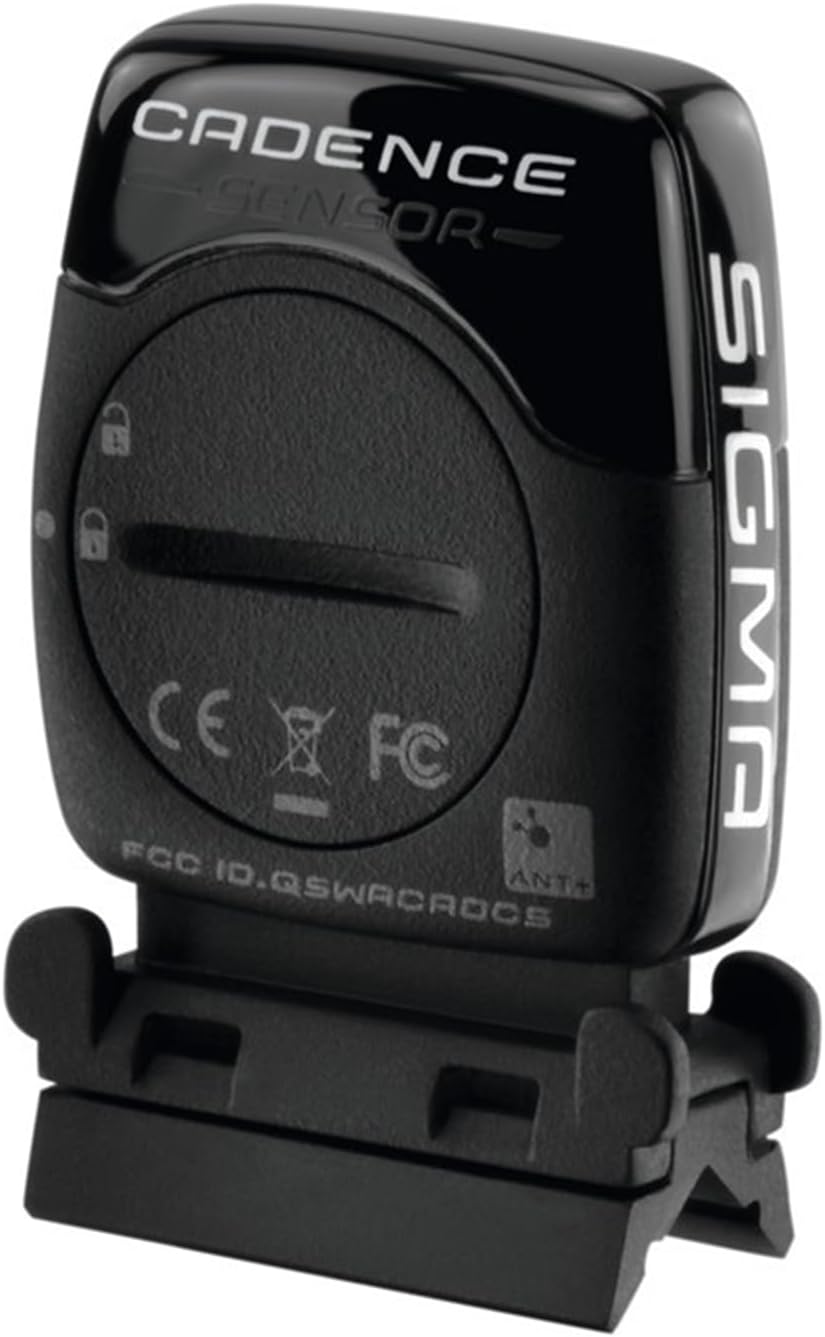
Imatge 1: The Sigma ANT+ Cadence Sensor. This image displays the compact, black sensor unit, highlighting its branding and regulatory compliance markings. The sensor is designed to be discreetly mounted on a bicycle to track pedaling activity.
- Identificar la ubicació de muntatge: The sensor should be mounted on the non-drive side crank arm or the chainstay, positioned to detect the rotation of the crank.
- Superfície neta: Ensure the mounting surface on your bike is clean and dry for secure attachment.
- Attach Sensor: Use the provided zip ties or rubber bands to firmly attach the sensor to the crank arm or chainstay. Ensure the sensor is stable and does not interfere with pedaling or other bike components. Some sensors may require alignment with a magnet (not typically included with this model, as it's often magnet-less).
- Estabilitat de prova: Gently rotate the crank arm to confirm the sensor is securely attached and does not move or rub against any parts of the bicycle.
4. Pairing with a Cycling Computer
To receive cadence data, the sensor must be paired with an ANT+ compatible cycling computer (e.g., Sigma Rox 10 GPS).
- Activa el sensor: Rotate your bicycle's crank arm a few times to wake up the cadence sensor.
- Access Cycling Computer Settings: On your ANT+ compatible cycling computer, navigate to the sensor pairing or sensor setup menu.
- Cerca Sensor: Select the option to search for new ANT+ sensors. Your cycling computer should detect the Sigma ANT+ Cadence Sensor.
- Confirmeu l'aparellament: Once detected, select the sensor from the list and confirm pairing. The cycling computer will typically display a confirmation message.
- Verify Data: Begin pedaling and check your cycling computer's display to ensure cadence data is being received and displayed correctly.
5. Funcionament
Once installed and paired, the Sigma ANT+ Cadence Sensor operates automatically. It will transmit cadence data to your cycling computer whenever it detects pedaling motion. The sensor typically enters a low-power sleep mode when no activity is detected to conserve battery life.
- Activació automàtica: The sensor activates when you start pedaling.
- Dades en temps real: Cadence data is transmitted in real-time to your paired device.
- Gravació de dades: Your cycling computer will record the cadence data along with other ride metrics.
6. Manteniment
The Sigma ANT+ Cadence Sensor requires minimal maintenance to ensure optimal performance.
- Neteja: Netegeu el sensor amb anuncisamp cloth periodically to remove dirt and debris. Avoid using harsh chemicals or abrasive cleaners.
- Substitució de la bateria: The sensor is powered by a coin cell battery (e.g., CR2032). When the battery is low, your cycling computer may indicate a low battery warning or the sensor may stop transmitting data. To replace the battery:
- Carefully open the battery compartment cover, usually located on the back of the sensor, using a small coin or the tool provided.
- Traieu la bateria antiga.
- Inseriu una nova bateria CR2032 amb el costat positiu (+) cap amunt.
- Securely close the battery compartment cover, ensuring the seal is properly seated to maintain water resistance.
- Emmagatzematge: If storing the sensor for an extended period, consider removing the battery to prevent leakage.
7. Solució De Problemes
If you encounter issues with your Sigma ANT+ Cadence Sensor, try the following steps:
- No Cadence Data:
- Ensure the sensor is correctly installed and securely attached.
- Verify the sensor is paired with your cycling computer. Try re-pairing if necessary.
- Check the battery level. Replace the battery if it is low or depleted.
- Assegureu-vos que no hi hagi interferències electromagnètiques fortes a prop.
- Confirm your cycling computer is set to display cadence data.
- Inaccurate Cadence Readings:
- Check the sensor's position and ensure it is stable and not shifting during rides.
- If your sensor uses a magnet, ensure the magnet is properly aligned with the sensor.
- Sensor no detectat:
- Wake up the sensor by rotating the crank arm.
- Move the sensor closer to the cycling computer during the pairing process.
- Comproveu la bateria.
- Ensure your cycling computer's ANT+ function is enabled.
8. Especificacions
| Nom del model | ANT+ Cadence Sensor |
| Número de part | Cicli Bonin_CVS024 |
| Marca | Sigma |
| Connectivitat | ANT+ |
| Tipus de sensor | Sensor de cadència |
| Material | Plàstic |
| Color | Negre |
| Dimensions del producte | 3.94 cm de llargada x 2.36 cm d'amplada x 1.57 cm d'alçada (aproximat) |
| Pes de l'article | 0.04 Kilograms (Approximate) |
| Font d'alimentació | Coin Cell Battery (e.g., CR2032) |
| Compatibilitat | ANT+ enabled cycling computers (e.g., Sigma Rox 10 GPS) |
9. Garantia i Suport
Sigma products are designed for reliability and performance. For specific warranty information, please refer to the warranty card included with your product or visit the official Sigma website. For technical support, troubleshooting assistance, or inquiries about replacement parts, please contact Sigma customer service through their official channels.
Recursos en línia: For additional information, FAQs, and software updates, please visit the Sigma Store on Amazon or the official Sigma weblloc.


