1. Introducció
Thank you for choosing the Rabbit Air BioGS 2.0 Air Purifier. This advanced system is designed to significantly improve your indoor air quality by effectively removing allergens, pollutants, odors, and harmful particles. Featuring a 4-stage filtration and deodorization process, including a BioGS HEPA filter and activated carbon filter, the SPA-550A is engineered for quiet operation and long-lasting performance. Please read this manual thoroughly to ensure proper setup, operation, and maintenance of your air purifier.

Figura 1: Frontal view of the Rabbit Air BioGS 2.0 Air Purifier.
2. Instruccions de seguretat importants
Per reduir el risc d'incendi, descàrrega elèctrica o lesions, seguiu sempre aquestes precaucions de seguretat bàsiques:
- Llegiu totes les instruccions abans d’utilitzar l’aparell.
- Desendolleu sempre el purificador d'aire abans de moure'l, netejar-lo o fer-ne cap manteniment.
- Do not operate any appliance with a damaged cord or plug. If the cord or plug is damaged, contact customer support.
- Mantingueu el cable d'alimentació lluny de superfícies escalfades.
- No utilitzeu el purificador d'aire a l'exterior o sobre superfícies humides.
- No bloquegeu les obertures d'aire ni col·loqueu la unitat sobre una superfície tova on les obertures puguin estar bloquejades.
- Do not insert foreign objects into any ventilation or exhaust opening.
- Aquest aparell té un endoll polaritzat (una fulla és més ampla que l'altra). Per reduir el risc de descàrrega elèctrica, aquest endoll només està pensat per encaixar en una presa polaritzada d'una manera. Si l'endoll no encaixa completament a la presa de corrent, inverteix l'endoll. Si encara no encaixa, poseu-vos en contacte amb un electricista qualificat. No intenteu derrotar aquesta característica de seguretat.
3. Producte acabatview
The BioGS 2.0 Air Purifier features an intuitive design with easy-to-access controls and indicators. Familiarize yourself with the main components and functions:

Figure 2: Top control panel and indicators.
Components:
- Sortida d'aire: Where purified air is released.
- Suport a distància: Convenient storage for the remote control.
- Botó de control: Main power and mode selection.
- Indicador de qualitat de l'aire: LED lights indicating current air quality.
- Indicadors de velocitat del ventilador: Displays the current fan speed setting (1-5).
- Timer Indicators: Shows active timer settings.
- Negative Ion On/Off: Indicator for the negative ionizer function.
- Entrada d'aire: Located on both sides and bottom for efficient air circulation.
- Sensor de qualitat de l'aire: Detects odors and particles in the air.
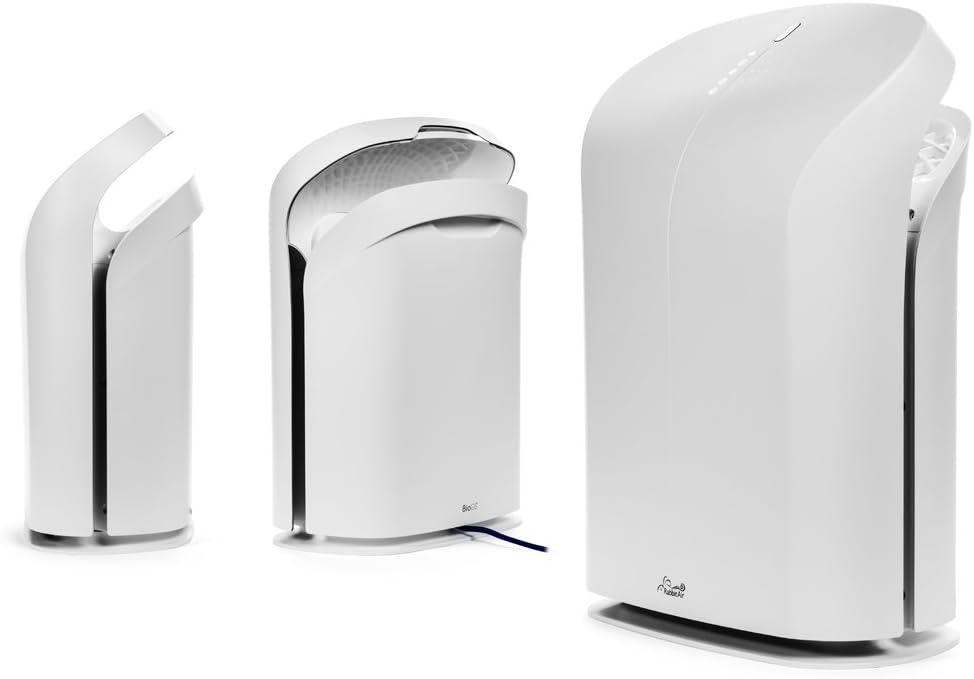
Figura 3: Diversos views of the BioGS 2.0 Air Purifier.
4. Configuració inicial
Follow these steps to set up your BioGS 2.0 Air Purifier:
- Desempaquetar la unitat: Traieu amb cura el purificador d'aire del seu embalatge. Conserveu l'embalatge per a futurs transports o emmagatzematge.
- Instal·lació del filtre: The filters are typically pre-installed. However, ensure all protective plastic packaging is removed from the filters before first use. Refer to the 'Maintenance' section for filter access.
- Col·locació: Place the air purifier on a firm, level surface. Ensure there is adequate space around the unit (at least 6 inches from walls or furniture) for optimal air intake and output. Avoid placing it near heat sources or in direct sunlight.
- Connexió d'alimentació: Connecteu el cable d'alimentació a una presa de corrent estàndard.

Figure 4: Recommended placement in a living room setting.
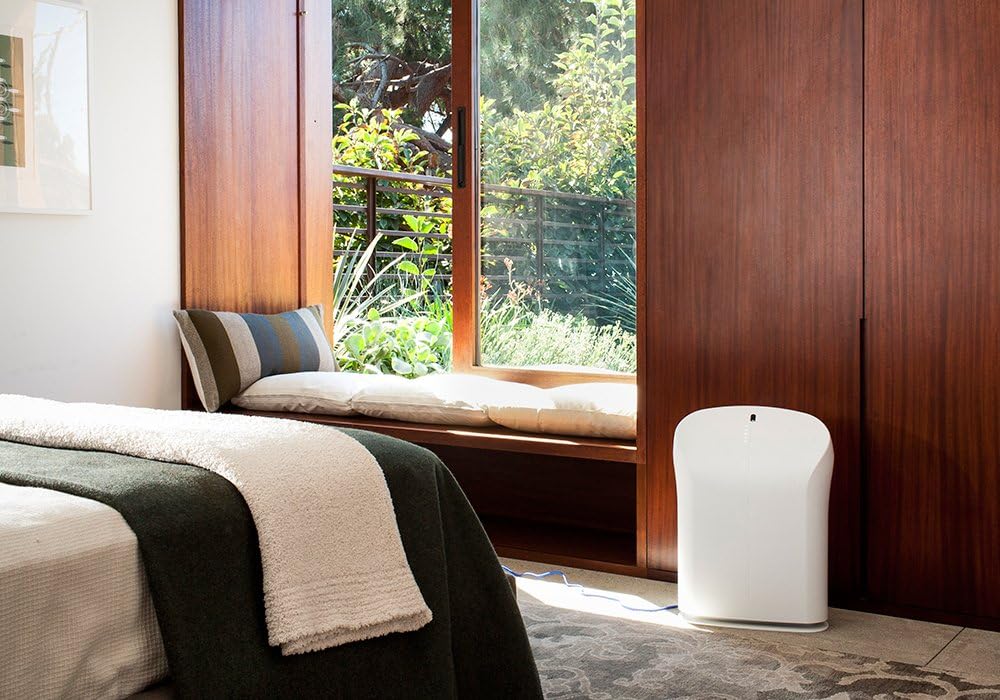
Figure 5: Recommended placement in a bedroom setting.
5. Instruccions de funcionament
The BioGS 2.0 can be operated using the control panel on the unit or the included remote control.

Figure 6: Remote control for the BioGS 2.0 Air Purifier.
5.1. Encendre/apagar
Press the power button (usually indicated by a circle with a vertical line) on the control panel or remote to turn the unit on or off.
5.2. Ajust de velocitat del ventilador
The unit has five adjustable fan speeds. Press the fan speed button (often depicted as a gear or fan icon) repeatedly to cycle through the speeds. The corresponding LED indicators will illuminate.
5.3. Mode automàtic
Activate Auto Mode by pressing the dedicated button (often an 'A' or circular arrow icon). In this mode, the air purifier automatically adjusts the fan speed based on the detected air quality, optimizing performance and energy consumption.
5.4. Funció de temporitzador
Use the timer button (clock icon) to set the operating duration. You can typically set the unit to run for a specific number of hours before automatically turning off.
5.5. Negative Ion Function
The negative ionizer can be turned on or off by pressing its respective button (often a smiling face or wave icon). This function helps to freshen the air by releasing ions negatius.
5.6. Indicador de qualitat de l'aire
The LED lights on the control panel provide a visual indication of the current air quality, allowing you to monitor your environment at a glance.
6. Manteniment i cura
Un manteniment regular garanteix un rendiment òptim i allarga la vida útil del purificador d'aire.
6.1. Neteja prèvia del filtre
The washable pre-filter captures larger particles. It should be cleaned regularly, typically once a month or as needed. To clean:
- Desendolleu la unitat.
- Remove the front panel and carefully detach the pre-filter.
- Vacuum the pre-filter with a brush attachment or rinse it under cool running water.
- Deixeu que el prefiltre s'assequi completament a l'aire abans de tornar-lo a instal·lar.
6.2. HEPA and Activated Carbon Filter Replacement
The BioGS HEPA and Charcoal-Based Activated Carbon Filters are designed to last up to three years with 12-hour daily use. Filter life may vary based on usage and air quality. Replace filters when the filter indicator light illuminates or when you notice a decrease in performance or an increase in odors.
- Desendolleu la unitat.
- Remove the front panel and old filters.
- Install new genuine Rabbit Air replacement filters, ensuring they are correctly seated.
- Reset the filter life indicator according to the instructions provided with the replacement filters or in the full user manual.
6.3. Neteja general
Wipe the exterior of the unit with a soft, dry cloth. Do not use abrasive cleaners or solvents. Ensure the unit is unplugged before cleaning.
7. Guia de resolució de problemes
Consulteu aquesta taula per veure els problemes habituals i les seves solucions:
| Problema | Causa possible | Solució |
|---|---|---|
| La unitat no s'encén. | No power, power cord loose, unit not plugged in. | Check power connection, ensure outlet is functional. |
| Flux d'aire feble. | Clogged pre-filter, dirty HEPA/Carbon filters. | Clean pre-filter, replace HEPA/Carbon filters. |
| Soroll inusual. | Foreign object in fan, unit not on a level surface. | Unplug and check for obstructions. Place on a stable surface. |
| L'olor persisteix. | Activated carbon filter saturated, source of odor too strong. | Replace activated carbon filter. Identify and remove odor source. |
8. Especificacions tècniques
| Característica | Especificació |
|---|---|
| Número de model | SPA-550A |
| Dimensions del producte (P x A x A) | 9.8" x 16.6" x 22.2" |
| Pes | 16.8 lliures |
| Superfície recomanada | Fins a 550 peus quadrats |
| Nivell de soroll | 25 Decibels (at lowest setting) |
| Wattage | 39 watts |
| Vida útil del filtre | Up to 3 years (HEPA & Activated Carbon, 12-hour daily use) |
9. Garantia i atenció al client
Rabbit Air stands behind the quality of its products. The BioGS 2.0 Air Purifier comes with an industry-leading five-year warranty, covering defects in materials and workmanship under normal use.
For technical assistance, warranty claims, or general inquiries, Rabbit Air offers 24/7 lifetime technical support. Please visit the official Rabbit Air website or refer to the contact information provided in your product packaging for the most current support details.
Recursos en línia: For additional information, FAQs, and filter purchasing, please visit the Rabbit Air Store on Amazon.


