1. Introducció
This manual provides comprehensive instructions for the Sony Cyber-shot DSC-W810 Digital Camera. It covers essential information for setting up, operating, maintaining, and troubleshooting your camera to ensure optimal performance and longevity. Please read this manual thoroughly before using your camera.
2. Producte acabatview
Familiarize yourself with the components and controls of your Sony Cyber-shot DSC-W810 camera.
2.1 Components de la càmera
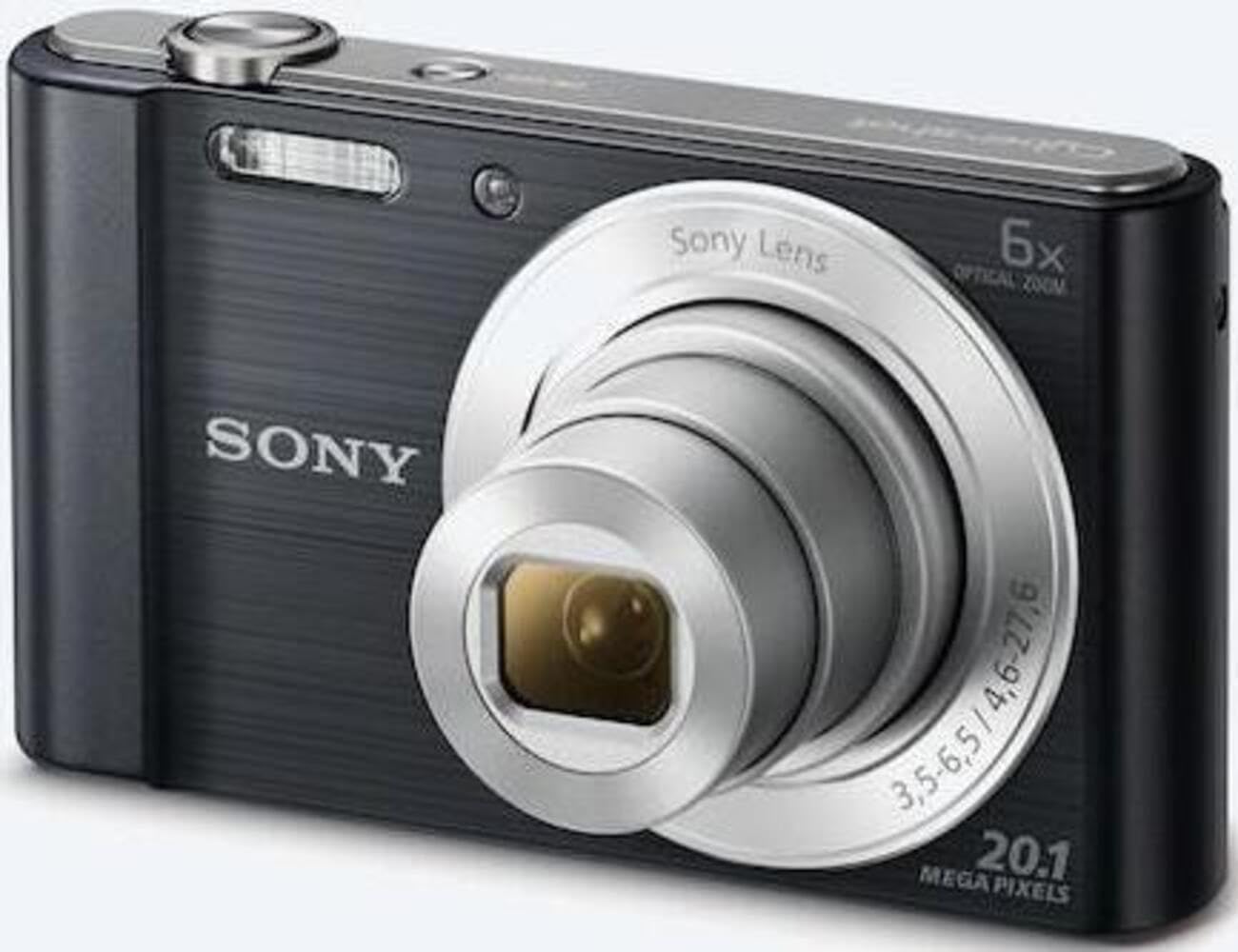
Figura 1: Frontal view of the camera with the lens retracted. This shows the lens, flash, and shutter button.
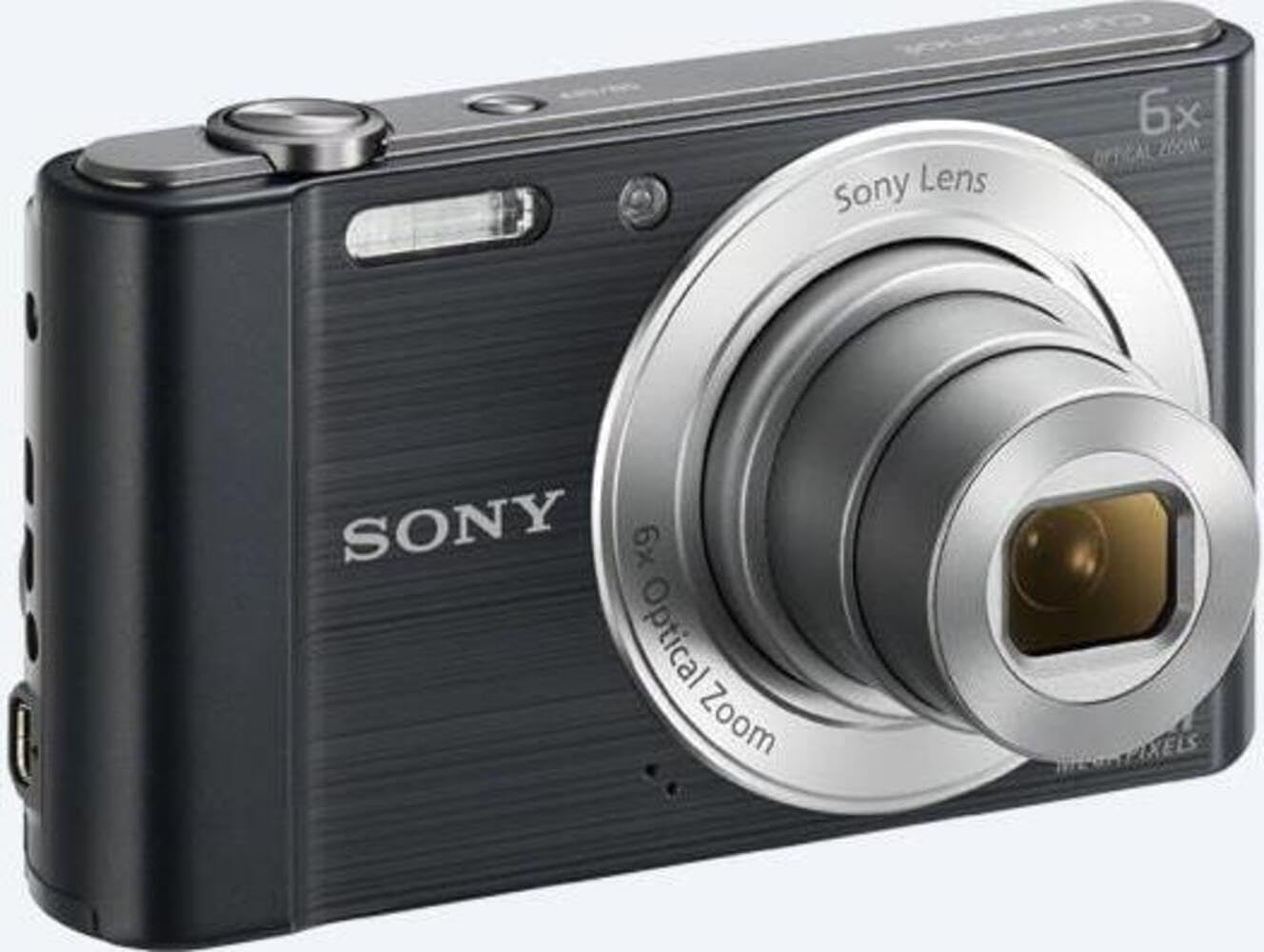
Figura 2: Frontal view of the camera with the lens extended, ready for shooting. This illustrates the camera's compact design when in use.

Figura 3: posterior view of the camera, highlighting the 2.7-inch LCD screen, navigation buttons, movie record button, and menu button.

Figura 4: superior view of the camera, showing the power button, shutter button, and zoom lever.
2.2 Control Buttons and Functions
- Botó de l'obturador: Premeu fins a la meitat per enfocar, completament per capturar una imatge.
- Palanca de zoom (G/T): Adjusts optical and digital zoom. "W" for wide-angle, "T" for telephoto.
- Botó d'encesa: Encén o apaga la càmera.
- Botó de pel·lícula: Inicia i atura la gravació de vídeo.
- Botó de reproducció: Entra en el mode de reproducció per a view fotos i vídeos.
- Botó de menú: Accesses camera settings and options.
- Botons direccionals: Navigate menus and select options. Also used for flash settings, self-timer, and display options.
- Flash: Flaix integrat per a condicions de poca llum.
- Pantalla LCD: 2.7-inch display for framing shots, viewvisualitzar imatges i navegar pels menús.
3. Configuració
Follow these steps to prepare your camera for first use.
3.1 Inserció de la bateria
- Obriu la tapa de la bateria/targeta de memòria que es troba a la part inferior de la càmera.
- Insert the battery with the correct orientation, ensuring the terminals align. Push until it clicks into place.
- Tanqueu la coberta de manera segura.
Note: The camera does not include batteries. Please use compatible Sony NP-BN or NP-BN1 batteries.
3.2 Inserció d'una targeta de memòria
The camera supports SDXC or SDHC memory cards.
- Obriu la tapa de la bateria/targeta de memòria.
- Introduïu la targeta de memòria a la ranura amb l'orientació correcta fins que sentiu un clic.
- Tanqueu la coberta de manera segura.
Note: A memory card is not included with the camera. Purchase a compatible SDXC or SDHC card separately.
3.3 Engegada inicial i configuració
- Premeu el botó d'engegada per encendre la càmera.
- The initial setup screen will appear. Follow the on-screen prompts to set the language, date, and time.
- Assegureu-vos que la data i l'hora siguin correctes per a una correcta organització de les fotos.
4. Funcionament de la càmera
Learn how to capture photos and videos with your DSC-W810.
4.1 Fer fotos
- Enceneu la càmera.
- Enquadra la teva foto amb la pantalla LCD.
- Use the zoom lever (W/T) to adjust the 6x optical zoom.
- Press the Shutter button halfway down to focus. The focus frame will turn green when focus is achieved.
- Press the Shutter button fully to take the picture.
4.2 Using Flash Modes
The camera features a built-in flash with various modes. Press the right directional button (flash icon) to cycle through modes:
- Flash automàtic: Camera automatically determines if flash is needed.
- Flaix d'ompliment: El flaix es dispara per a cada foto.
- Sincronització lenta: El flaix es dispara i la velocitat d'obturació es redueix per capturar la llum de fons.
- Sense flaix: El flaix està desactivat.
Tip: For low-light environments, the "Party Mode" (accessible via the menu) can optimize settings for clearer images without harsh flash.
4.3 Gravació de vídeos
- Enceneu la càmera.
- Press the dedicated Movie button to start recording.
- Press the Movie button again to stop recording.
Note: Videos are recorded in 720p resolution in MP4 format.
4.4 Mode de reproducció
- Premeu el botó Reproducció per entrar al mode de reproducció.
- Use the left/right directional buttons to browse through your photos and videos.
- Press the center button to play videos.
- Premeu el botó de reproducció de nou per tornar al mode de fotografia.
5. Manteniment
Proper care ensures the longevity and performance of your camera.
5.1 Neteja de la càmera
- Cos de la càmera: Netegeu amb un drap suau i sec. Per a la brutícia persistent, utilitzeu un drap lleugerament humit.ampacabat amb aigua.
- Lent: Feu servir un raspall de lents per eliminar la pols i, a continuació, netegeu suaument amb un drap de neteja de lents. Eviteu tocar la superfície de la lent amb els dits.
- Pantalla LCD: Use a soft, dry cloth specifically designed for LCD screens.
Caution: Do not use organic solvents such as alcohol or thinner to clean the camera.
5.2 Cura de la bateria
- Carregueu la bateria completament abans del primer ús.
- Traieu la bateria si la càmera no s'utilitzarà durant un període prolongat.
- Guardeu les piles en un lloc fresc i sec.
5.3 Emmagatzematge
When not in use, store the camera in a dry, well-ventilated area, away from direct sunlight, high temperatures, and humidity. Use a camera case for protection during transport.
6. Solució De Problemes
Consulteu aquesta secció per obtenir solucions a problemes comuns.
| Problema | Solució |
|---|---|
| La càmera no s'encén. |
|
| Les imatges són borroses. |
|
| Flash is too bright or too dim. |
|
| Error de la targeta de memòria. |
|
7. Especificacions
Key technical specifications for the Sony Cyber-shot DSC-W810 Digital Camera.
| Característica | Detall |
|---|---|
| Nom del model | DSCW810B.CE3 |
| Resolució de fixes efectius | 20.1 MP |
| Tecnologia del sensor fotogràfic | CCD |
| Zoom òptic | 6x |
| Zoom digital | 48x |
| Distància focal màxima | 27.6 mm |
| Distància focal mínima | 4.6 mm |
| Estabilització d'imatge | Digital, Òptic |
| Mida de la pantalla | LCD de 2.7 polzades |
| Resolució de vídeo | 720p |
| Admet File Formats | JPEG, RAW (Still), MP4 (Video) |
| Tipus de memòria flash | SDXC or SDHC |
| Connectivitat | USB, HDMI |
| Pes de l'article | 111 grams |
| Color | Negre |
8. Garantia i Suport
8.1 Informació de la garantia
This product comes with a 90-day Limited Hardware Warranty. For full details, please refer to the official warranty document:
View 90-day Limited Hardware Warranty
Note: This is an international version of the camera and may have warranty limitations in certain regions.
8.2 Atenció al client
Per a més ajuda, assistència tècnica o consultes de servei, visiteu el lloc web oficial d'assistència de Sony. weblloc o poseu-vos en contacte amb el seu servei d'atenció al client.