1. Introducció
This manual provides instructions for the setup, operation, and maintenance of your Logitech M557 Bluetooth Mouse. The Logitech M557 is designed for seamless wireless connectivity with Bluetooth-enabled computers, laptops, and tablets, supporting various operating systems including Windows, macOS, Chrome OS, and Android.
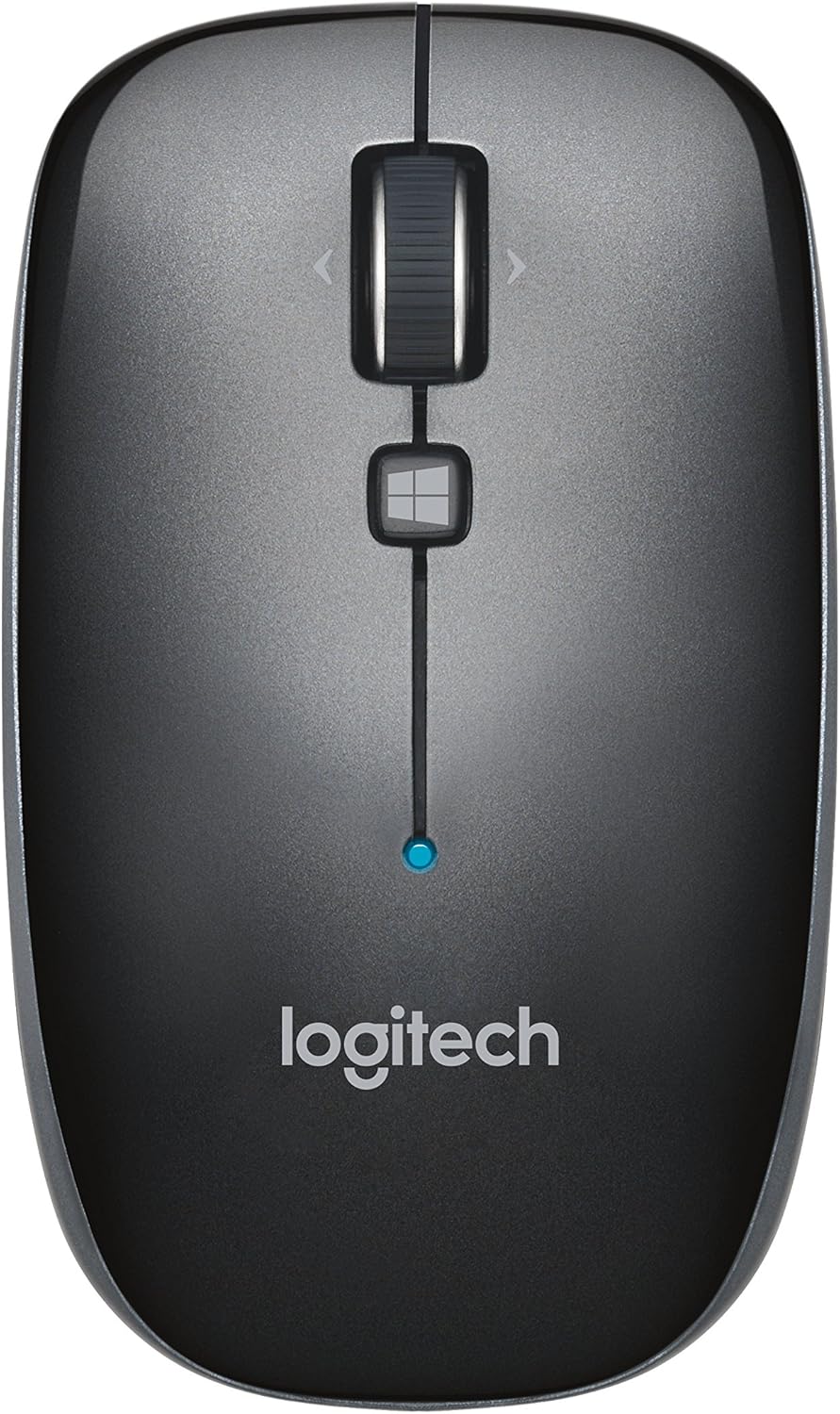
Figura 1: A dalt view of the Logitech M557 Bluetooth Mouse, showing the scroll wheel, Windows button, and Logitech logo.
2. Contingut del paquet
Comproveu que el vostre paquet contingui els elements següents:
- Ratolí Bluetooth Logitech M557
- 1 AAA Battery (pre-installed or included separately)
- Quick Start Guide (this manual serves as a detailed guide)
3. Configuració
3.1. Instal·lació de la bateria
- Localitzeu el compartiment de la bateria a la part inferior del ratolí.
- Obriu la tapa del compartiment de la bateria.
- Insert the included AAA battery, ensuring correct polarity (+/-).
- Tanqueu la tapa del compartiment de la bateria.

Figura 2: Underside of the Logitech M557 mouse, showing the ON/OFF switch, Connect button, and optical sensor. The battery compartment is typically located here.
3.2. Connexió mitjançant Bluetooth
The Logitech M557 connects wirelessly via Bluetooth, requiring no USB receiver.
- Encès: Slide the ON/OFF switch on the bottom of the mouse to the "ON" position. A small LED indicator on the top of the mouse may light up briefly.
- Activa el mode de vinculació: Manteniu premut el botó Connecta't button on the bottom of the mouse for a few seconds until the LED indicator on the top of the mouse begins to blink rapidly. This indicates the mouse is in pairing mode.
- Activa el Bluetooth al teu dispositiu:
- Windows: Vés a Configuració > Dispositius > Bluetooth i altres dispositius. Ensure Bluetooth is turned on.
- macOS: Vés a System Settings > Bluetooth. Ensure Bluetooth is turned on.
- Chrome OS/Android: Vés a Configuració > Dispositius connectats > Bluetooth. Ensure Bluetooth is turned on.
- Pair the Mouse: In your device's Bluetooth settings, look for "Logitech M557" in the list of available devices. Select it to initiate the pairing process.
- Confirmació: Once paired, the LED indicator on the mouse will stop blinking and remain solid for a few seconds, then turn off. Your mouse is now ready for use.
Note: If the connection is lost or you wish to pair with a different device, repeat steps 2-5.
4. Com utilitzar el ratolí
4.1. Funcions bàsiques
- Botó esquerre del clic: Selecció i activació primàries.
- Botó del botó dret: Accedeix als menús contextuals.
- Roda de desplaçament: Desplaça verticalment pels documents i web pàgines.
- Roda inclinable: The scroll wheel can also be tilted left or right for horizontal scrolling (if supported by your operating system/application).
- Scroll Wheel Button: Pressing the scroll wheel acts as a middle-click button, often used for opening links in new tabs or activating specific application functions.
- Windows Button: Located below the scroll wheel. By default, this button opens the Start Menu or Search function on Windows. Its function may be customizable using Logitech Options software (if available for your OS).

Figura 3: En angle view of the Logitech M557 mouse, highlighting its ergonomic design and button placement.
4.2. Customizing Your Mouse (Optional)
For advanced customization of button functions and scroll behavior, Logitech may offer software such as Logitech Options. Visit the official Logitech support website for your product model to check for compatible software downloads.
5. Manteniment
5.1. Neteja
To maintain optimal performance, clean your mouse periodically:
- Utilitzeu un drap suau i sense pelusa lleugerament dampened with water or an electronics-safe cleaning solution.
- Eviteu productes químics o materials abrasius.
- Clean the optical sensor area on the bottom of the mouse to ensure accurate tracking.
5.2. Substitució de la bateria
The Logitech M557 uses one AAA battery. The average battery life is approximately 12 months, but actual life may vary based on usage.
- When the battery is low, the LED indicator on the mouse may flash red.
- Turn off the mouse using the ON/OFF switch on the bottom.
- Obriu el compartiment de la bateria.
- Remove the old AAA battery and dispose of it according to local regulations.
- Insert a new AAA battery, observing correct polarity.
- Close the battery compartment and turn the mouse back on.
6. Solució De Problemes
6.1. Mouse Not Connecting or Disconnecting
- Comproveu la bateria: Assegureu-vos que la bateria estigui instal·lada correctament i que tingui prou càrrega. Substituïu-la si cal.
- Cicle d'alimentació: Apagueu el ratolí i torneu-lo a engegar.
- Torna a emparellar: Remove "Logitech M557" from your device's Bluetooth list and repeat the pairing process (Section 3.2).
- Dispositiu Bluetooth: Ensure Bluetooth is enabled on your computer or tablet.
- Interferència: Bluetooth can be affected by other wireless devices (e.g., Wi-Fi routers, other Bluetooth devices). Try moving closer to your device or away from potential sources of interference.
- Actualitzacions del sistema operatiu: Ensure your device's operating system and Bluetooth drivers are up to date.
6.2. Cursor Movement is Erratic or Non-Responsive
- Neteja el sensor: Netegeu el sensor òptic de la part inferior del ratolí.
- Superfície: Ensure you are using the mouse on a suitable surface. Highly reflective or transparent surfaces may affect tracking. A mouse pad is recommended.
- Bateria: Low battery can affect performance. Replace the battery.
6.3. Buttons or Scroll Wheel Not Functioning
- Torna a emparellar: Try re-pairing the mouse with your device.
- Programari: If using customization software, ensure it is correctly installed and configured. Temporarily uninstalling and reinstalling the software might resolve issues.
- Prova en un altre dispositiu: If possible, test the mouse on another Bluetooth-enabled device to determine if the issue is with the mouse or the original device.
7. Especificacions
| Característica | Detall |
|---|---|
| Marca | Logitech |
| Model | M557 (número de referència: 910-003971) |
| Tecnologia de connectivitat | Bluetooth |
| Detecció de moviment | Òptic |
| Compatibilitat de sistemes operatius | Windows 10, 11 or later, macOS, Chrome OS, Android |
| Font d'alimentació | Funciona amb bateria |
| Tipus de bateria | 1 bateria AAA (inclosa) |
| Durada mitjana de la bateria | 12 mesos |
| Color | Gris |
| Pes de l'article | 2.16 unces (aproximadament 61 grams) |
| Dimensions del producte (LxWxH) | 3.93 x 2.28 x 1.34 polzades (aprox. 10 x 5.8 x 3.4 cm) |

Figura 4: Logitech M557 mouse displaying its physical dimensions.
8. Garantia i Suport
Per obtenir informació sobre la garantia i assistència tècnica, consulteu la pàgina oficial de Logitech. website. You can find detailed support resources, FAQs, and contact information by visiting support.logi.com and searching for "Logitech M557".
Note: Product specifications and warranty terms are subject to change without notice. Please consult the official Logitech weblloc per obtenir la informació més actualitzada.


