1. Introducció
Thank you for choosing the Portronics POR-143 Portable Speaker. This manual provides detailed instructions for the proper setup, operation, and maintenance of your device. Please read this manual thoroughly before using the speaker to ensure optimal performance and longevity.
2. Contingut del paquet
En desempaquetar, comproveu que hi hagi tots els elements següents:
- Portronics POR-143 Portable Speaker
- Cable auxiliar
- Cable de càrrega micro USB
- Manual d'usuari
- 1 Lithium Polymer Battery (pre-installed or separate)
3. Producte acabatview
The Portronics POR-143 is a compact and versatile portable speaker designed for music playback via FM radio, MicroSD card, and auxiliary input. It features an integrated keypad for easy control and a digital display.

Imatge: Frontal view of the Portronics POR-143 Portable Speaker, showing the speaker grille, digital display, and control keypad.
3.1 Controls i ports

Image: Diagram highlighting the USB Port, Micro SD Card slot, and AUX-Out port on the side of the speaker.
- Pantalla digital: Shows current mode, FM frequency, track number, and battery status.
- Teclat: Numeric buttons for direct FM tuning, track selection, and general navigation.
- Botons de volum: Ajusta el nivell de sortida d'àudio.
- Botó Reproduir/Pausa: Controla la reproducció de suports.
- Botó de mode: Switches between FM, MicroSD, and AUX modes.
- Port micro USB: Used for charging the device and PC USB mode.
- Ranura per a targetes Micro SD: Insert a MicroSD card for music playback.
- AUX-Out Port: Connect external audio devices using the auxiliary cable.
4. Configuració
4.1 Càrrega de la bateria
Before first use, fully charge the speaker's internal battery. Connect the supplied Micro USB charging cable to the speaker's Micro USB port and the other end to a compatible USB power adapter (5V/1000mA recommended) or a computer's USB port. The digital display will indicate charging status. A full charge typically takes approximately 1 hour and provides up to 7 hours of playtime.
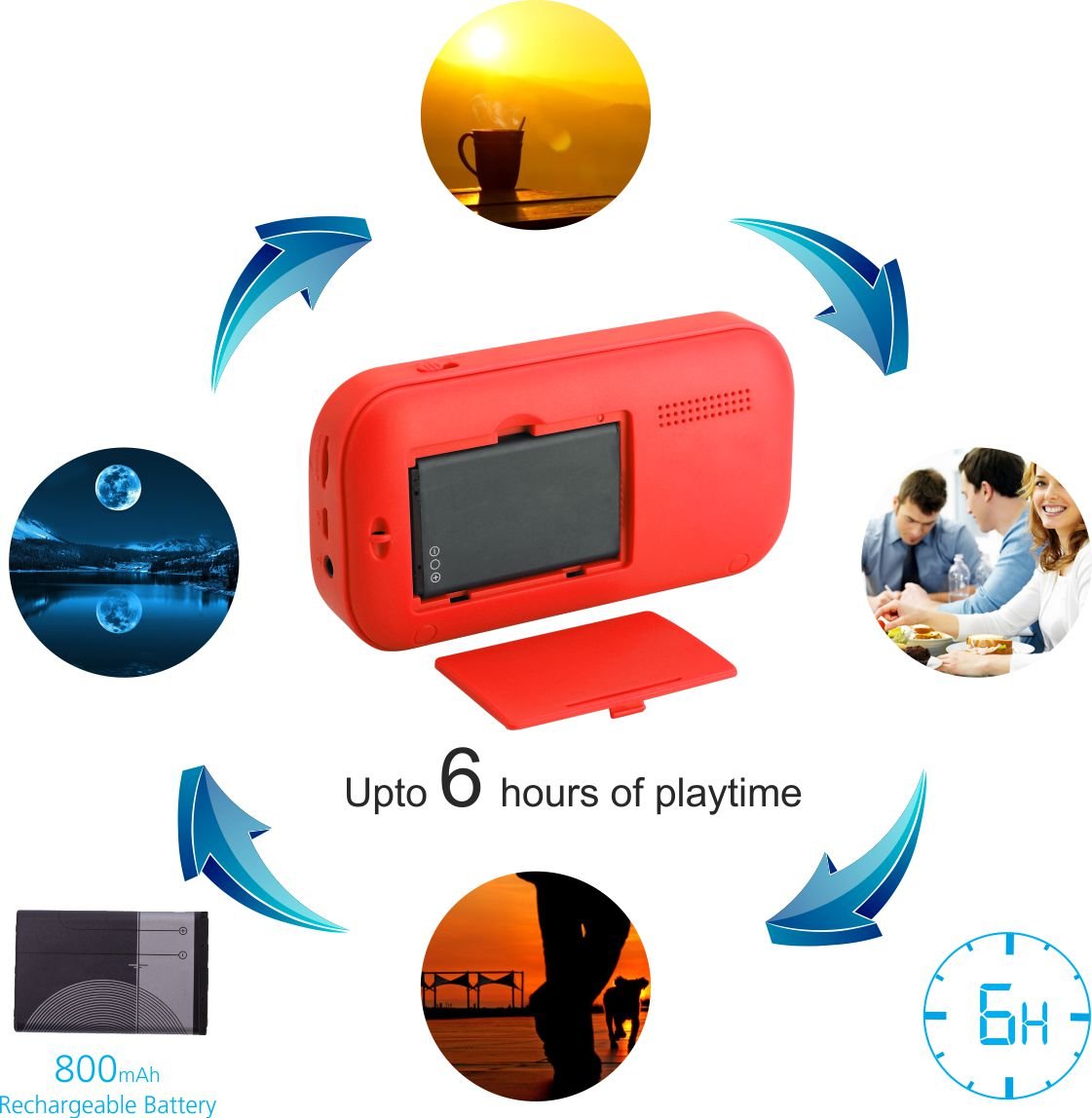
Image: Illustration showing the removable battery compartment and indicating up to 6 hours of playtime.
Important: Do not keep the device on charge for more than 4 hours to prevent potential battery damage.
4.2 Inserció d'una targeta MicroSD
To play music from a MicroSD card, gently insert the card into the Micro SD card slot until it clicks into place. Ensure the card is inserted with the correct orientation. The speaker supports MicroSD cards up to 32GB.

Imatge: Primer pla view of the Micro SD card slot on the side of the speaker.
5. Instruccions de funcionament
5.1 Encès/Apagat
To power on the speaker, slide the power switch located on the side or top of the device to the 'ON' position. The digital display will light up. To power off, slide the switch to the 'OFF' position.
5.2 Mode de ràdio FM
- Turn on the speaker. It may default to FM mode. If not, press the 'Mode' button until 'FM' appears on the display.
- To auto-scan and save available FM stations, press and hold the 'Play/Pause' button. The speaker will scan and store stations automatically.
- To manually tune to a specific frequency, use the numeric keypad. For example, to tune to 98.3 FM, press '9', '8', '3'.
- Use the 'Previous' and 'Next' track buttons to navigate through saved stations.

Image: A hand pressing the '8' button on the keypad, with the display showing '98.3', illustrating FM tuning.
5.3 Reproducció de targetes MicroSD
- Ensure a MicroSD card with audio files (MP3 format recommended) is inserted into the slot.
- Turn on the speaker. If it doesn't automatically switch to MicroSD mode, press the 'Mode' button until the display shows track information.
- Use the 'Play/Pause' button to start or pause playback.
- Use the 'Previous' and 'Next' track buttons to skip between songs.
- The numeric keypad can be used to directly select a track number.
5.4 PC USB Mode
The speaker can function as an external speaker when connected to a computer via USB.
- Connect the speaker to your computer using the Micro USB charging cable.
- The computer should recognize the speaker as an audio output device. Select it from your computer's sound settings.
- Audio from your computer will now play through the speaker.

Image: The speaker connected to a laptop via a USB cable, demonstrating PC USB mode.
5.5 Entrada auxiliar
Connect external audio sources like smartphones or MP3 players using the supplied auxiliary cable.
- Connect one end of the auxiliary cable to the speaker's AUX-Out port and the other end to the audio output of your external device.
- Press the 'Mode' button on the speaker until it enters AUX mode.
- Controla la reproducció i el volum des del teu dispositiu extern.
6. Manteniment
- Neteja: Use a soft, dry cloth to clean the speaker's exterior. Do not use liquid cleaners or solvents.
- Emmagatzematge: Guardeu l'altaveu en un lloc fresc i sec, allunyat de la llum solar directa i de temperatures extremes.
- Cura de la bateria: To prolong battery life, avoid fully discharging the battery frequently. Recharge the battery when the low battery indicator appears. As noted in the setup section, avoid overcharging for extended periods (e.g., more than 4 hours).
- Exposició a l'aigua: Aquest dispositiu no és impermeable. Eviteu l'exposició a l'aigua o a una humitat elevada.
7. Solució De Problemes
| Problema | Causa possible | Solució |
|---|---|---|
| L'altaveu no s'encén. | La bateria està descarregada. | Charge the speaker using the Micro USB cable. |
| No hi ha so de l'altaveu. | El volum és massa baix o silenciat. S'ha seleccionat un mode incorrecte. | Increase volume. Press the 'Mode' button to select the correct input source (FM, MicroSD, AUX). |
| Recepció FM deficient. | Weak signal in current location. Interference. | Relocate the speaker to an area with better reception. Avoid placing near electronic devices that may cause interference. |
| No es reconeix la targeta MicroSD. | Card inserted incorrectly. Incompatible file format. Corrupted card. | Re-insert the MicroSD card correctly. Ensure audio files are in MP3 format. Try a different MicroSD card. |
| L'altaveu no carrega. | Faulty charging cable or adapter. Loose connection. | Check cable connections. Try a different Micro USB cable or USB power adapter. |
8. Especificacions
| Característica | Especificació |
|---|---|
| Model | POR-143 |
| Tipus d'altaveu | Altaveu portàtil |
| Característiques especials | FM Radio, MicroSD Card Support |
| Usos recomanats | Música |
| Dispositius compatibles | Ordinador de sobretaula, portàtil, reproductor MP3, telèfon intel·ligent, tauleta |
| Color | Vermell |
| Pes de l'article | 222 grams |
| Impedància | 4 ohms |
| Font d'alimentació | Funciona amb bateria |
| Tipus de bateria | 1 polímer de liti (inclòs) |
| Durada mitjana de la bateria | 7 hores |
| Àudio Wattage | 2.5 watts |
| Dimensions del producte (LxWxH) | 12 x 3 x 6.4 cm |
| Tecnologia de connectivitat | USB, auxiliar |
| Mode de sortida d'àudio | estèreo |
| Mètode de control | Teclat |

Image: The speaker held in a hand, illustrating its compact size (120mm length, 20.5mm height, 116g weight).
9. Garantia i Suport
9.1 Informació de la garantia
The Portronics POR-143 Portable Speaker comes with a Garantia limitada d'1 any des de la data de compra. Aquesta garantia cobreix els defectes de fabricació i la mà d'obra en condicions d'ús normal. No cobreix els danys causats per un mal ús, accidents, modificacions no autoritzades o desgast normal.
9.2 Atenció al client
For technical assistance, warranty claims, or any product-related inquiries, please contact Portronics customer support through their official website or the contact information provided with your purchase documentation. Please have your product model number (POR-143) and proof of purchase ready when contacting support.


