1. Introducció
Thank you for choosing the Grundig PS 5040 Personal Scale. This manual provides essential information for the safe and effective use of your new scale. Please read these instructions thoroughly before first use and keep them for future reference. This scale is designed for personal use to measure body weight and, potentially, body composition metrics.
2. Informació de seguretat
- Always place the scale on a hard, flat, and stable surface. Uneven surfaces can affect accuracy.
- Do not use the scale on wet or slippery floors to prevent falls.
- The glass surface can be slippery when wet. Ensure your feet and the scale surface are dry before use.
- No saltis a la bàscula ni hi deixis caure objectes pesats a sobre.
- Keep the scale away from water and high humidity. Do not immerse it in water.
- This scale is intended for household use only and not for medical diagnosis or treatment.
- Mantingueu les piles fora de l'abast dels nens. En cas d'ingestió, busqueu atenció mèdica immediata.
- Eliminar les bateries segons la normativa local.
3. Contingut del paquet
- Grundig PS 5040 Personal Scale
- Manual d'instruccions
Nota: Les piles no estan incloses i s'han de comprar per separat.
4. Producte acabatview
The Grundig PS 5040 is a sleek digital personal scale designed for accurate weight measurement. It features a clear digital display and user-friendly controls.

Figura 4.1: superior view of the Grundig PS 5040 Personal Scale, showing the black glass platform and silver accents.
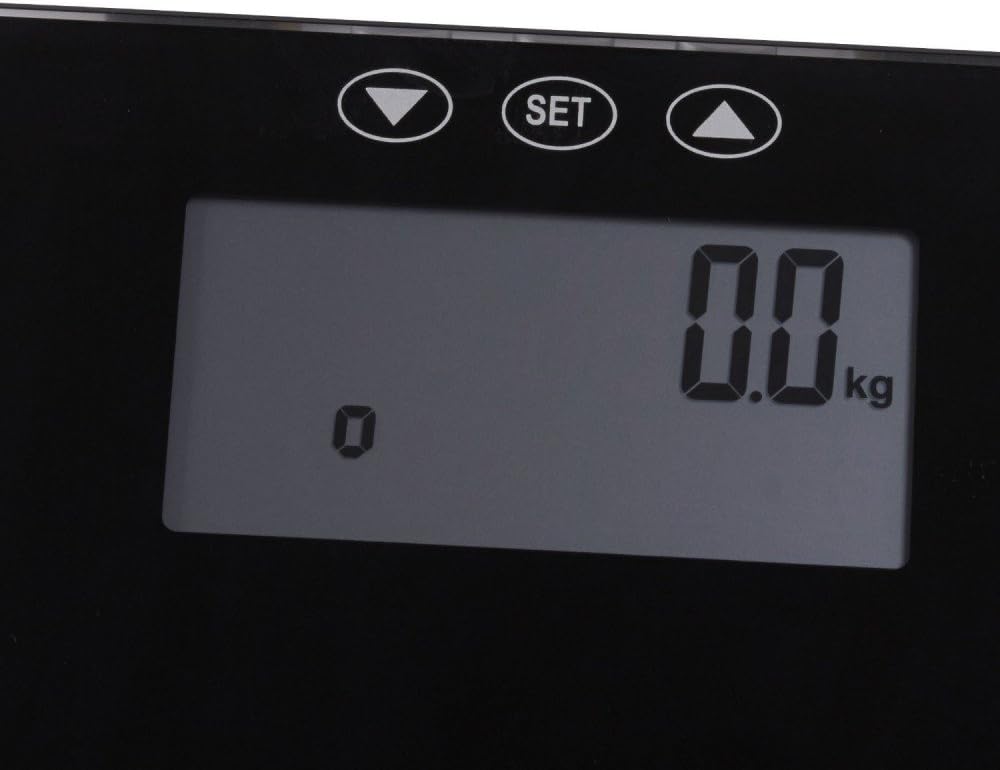
Figure 4.2: Close-up of the digital display showing '0.0 kg' and the 'SET', Up, and Down control buttons.

Figura 4.3: Part inferior view of the scale, indicating the location of the battery compartment.
5. Configuració
- Desempaquetar la bàscula: Traieu amb cura la bàscula del seu embalatge.
- Instal·leu les bateries: Locate the battery compartment on the underside of the scale (refer to Figure 4.3). Open the cover and insert the required batteries (e.g., AAA or CR2032, typically 2 or 3 depending on model) ensuring correct polarity (+/-). Close the battery cover securely.
- Col·locació: Place the scale on a firm, flat, and stable surface. Avoid carpets or soft flooring, as this can affect accuracy.
- Initial Calibration (Zeroing): After installing batteries or moving the scale, step onto the scale briefly until the display shows a reading, then step off. The display should return to '0.0 kg' (or your selected unit). This indicates the scale has calibrated itself.
6. Instruccions de funcionament
6.1. Basic Weight Measurement
- Ensure the scale is on a flat, stable surface and shows '0.0 kg'.
- Puja a la bàscula descalç, dret i amb el pes distribuït uniformement.
- Your weight will be displayed. The reading will flash or stabilize, then lock.
- Step off the scale. The scale will automatically turn off after a few seconds.
6.2. Conversió d'unitats (kg/lb/st)
The scale typically allows switching between metric (kilograms) and imperial (pounds/stones). Look for a button on the underside of the scale or use the 'SET' button and arrow keys on the top surface (refer to Figure 4.2) to cycle through units. Press the unit button or use the 'SET' button to confirm your selection.
6.3. Usuari Profile Setup (for Body Composition Measurement)
If your PS 5040 model includes body composition analysis (e.g., body fat, muscle mass), you will need to set up user profiles. The 'SET' and arrow buttons (Up/Down) are used for this purpose.
- Entra al mode de configuració: Press the 'SET' button. The display will likely show a user number (e.g., P01).
- Select User Number: Use the Up/Down arrow buttons to select an empty user profile (e.g., P01-P10). Press 'SET' to confirm.
- Introduïu les dades personals: The display will prompt you to enter data such as:
- Gender (Male/Female) - Use Up/Down, then 'SET'.
- Height (cm/inches) - Use Up/Down, then 'SET'.
- Age (years) - Use Up/Down, then 'SET'.
- Activity Level (if applicable) - Use Up/Down, then 'SET'.
- Desa Profile: Once all data is entered, the scale will save the profile and return to '0.0 kg'.
6.4. Measuring Body Composition
- Step onto the scale barefoot. The scale will first display your weight.
- If multiple users are set up, the scale may automatically recognize you or prompt you to select your user profile using the Up/Down arrows. Confirm with 'SET'.
- Remain still. The scale will send a low electrical current through your body (imperceptible) to measure impedance.
- The display will cycle through your body composition metrics (e.g., Body Fat %, Muscle Mass %, Water %, Bone Mass %).
- Step off the scale. The scale will turn off automatically.
7. Manteniment
- Neteja: Netegeu la superfície de l'escala amb un drap lleugeramentamp cloth and mild detergent if necessary. Do not use abrasive cleaners or immerse the scale in water.
- Emmagatzematge: Guardeu la bàscula en un lloc fresc i sec, allunyat de la llum solar directa i de temperatures extremes.
- Substitució de la bateria: If the display shows 'Lo' or becomes dim, it's time to replace the batteries. Follow the instructions in Section 5.2.
8. Solució De Problemes
| Problema | Causa possible | Solució |
|---|---|---|
| L'escala no s'encén | Piles gastades o instal·lades incorrectament. | Comproveu la polaritat de la bateria o substituïu les bateries. |
| Lectures inexactes | Scale on uneven surface; not calibrated; moved recently. | Place on a hard, flat surface. Step on and off to re-calibrate. |
| La pantalla mostra "Lo" | Potència de bateria baixa. | Substituïu les piles. |
| Display shows "Err" or "OL" | Sobrecàrrega (el pes supera la capacitat màxima). | Step off the scale. Do not exceed the maximum weight capacity. |
| Body composition readings are inconsistent | Not standing still; feet not making good contact; incorrect user profile dades. | Ensure bare feet are clean and dry. Stand still. Verify user profile data (height, age, gender). |
9. Especificacions
- Marca: Grundig
- Model: PS 5040
- Material: Vidre
- Dimensions: 34.5 x 34 x 4 cm (aprox. 13.6 x 13.4 x 1.6 polzades)
- Pes: 798.32 g (aprox. 1.76 lliures)
- Font d'alimentació: Necessites piles (no incloses)
- Unitats de mesura: Kilograms (kg), Pounds (lb), Stones (st) - (Unit conversion capability based on typical scale features and display)
10. Garantia i Suport
For warranty information and customer support, please refer to the warranty card included with your purchase or visit the official Grundig weblloc web. També podeu contactar amb el distribuïdor on vau comprar el producte per obtenir ajuda.
Grundig Store: Visit the Grundig Store on Amazon.nl


