1. Introducció
This manual provides detailed instructions for the installation, operation, maintenance, and troubleshooting of the Genuine Honda 39112-TA0-A01 Auxiliary Input Jack Assembly. Please read this manual thoroughly before attempting any procedures to ensure proper function and safety. This auxiliary input jack is designed to restore audio connectivity in compatible Honda vehicles.
2. Producte acabatview
The Genuine Honda 39112-TA0-A01 Auxiliary Input Jack Assembly is a direct-fit OEM replacement part designed for specific Honda models. It allows for the connection of external audio devices, such as MP3 players, smartphones, and tablets, to your vehicle's audio system via a standard 3.5mm audio jack. This assembly ensures high-quality audio transmission and seamless integration with your vehicle's interior.

Figure 1: Genuine Honda 39112-TA0-A01 Auxiliary Input Jack Assembly, front view.

Figure 2: 360-degree view of the Auxiliary Input Jack Assembly, showing all sides and connectors.
Video 1: A brief 8-second video showcasing a 360-degree rotation of the auxiliary input jack assembly, highlighting its physical design and connector ports.
3. Especificacions
| Característica | Especificació |
|---|---|
| Número de part | 39112-TA0-A01 |
| Marca | Honda |
| Tipus de connector | 3.5mm Àudio Jack |
| Mode d'operació | Manual |
| Tipus de muntatge | Suport al tauler |
| Tipus de contacte | Normalment obert |
| Tipus de circuit | 1 vies |
| Tipus d'actuador | Pulsador |
| Material de contacte | Coure, llautó |
| Nombre de llocs | 1 |
| Mètode de control | Toca |
| Wattage | 3 watts |
| Pes de l'article | 2.89 unces |
| Dimensions del producte (L x A x A) | 3.94 x 1.97 x 3.15 polzades |
| Compatible Vehicle Service Type | Honda Pilot (2009-2014), Honda Accord, Honda Crosstour |
| Dispositius compatibles | MP3 players, smartphones, tablets |
4. Configuració i instal·lació
Installation of the auxiliary input jack assembly typically involves removing interior trim panels to access the existing jack or a designated slot. It is recommended to consult your vehicle's specific service manual for detailed trim removal procedures. Always ensure the vehicle's ignition is off and the battery is disconnected before beginning electrical work.
Eines necessàries:
- Plastic trim removal tools (to prevent damage to interior surfaces)
- Small flat-head screwdriver or pry tool
- Possibly a Phillips head screwdriver (depending on vehicle model)
Passos d'instal·lació:
- Access the Auxiliary Jack Location: Carefully use plastic trim removal tools to pry off the interior trim panel surrounding the auxiliary input jack location. This is often in the center console or dashboard area.
- Disconnect the Old Assembly: Once the trim is removed, locate the existing auxiliary input jack assembly. Disconnect the electrical connector from the back of the old jack. If applicable, also disconnect any mounting clips or screws.
- Remove the Old Assembly: Gently remove the old auxiliary input jack assembly from its mounting slot.
- Install the New Assembly: Insert the new Genuine Honda 39112-TA0-A01 Auxiliary Input Jack Assembly into the mounting slot. Ensure it clicks securely into place.
- Connecteu el connector elèctric: Reconnect the vehicle's electrical connector to the back of the new auxiliary input jack assembly. Ensure a firm connection.
- Funcionalitat de prova: Before reassembling the trim, temporarily reconnect the battery (if disconnected) and turn on the vehicle's audio system. Connect an audio device to the new auxiliary jack and verify that audio plays correctly through the vehicle's speakers.
- Reassemble Trim: Once functionality is confirmed, carefully reattach the interior trim panel, ensuring all clips and fasteners are properly secured.
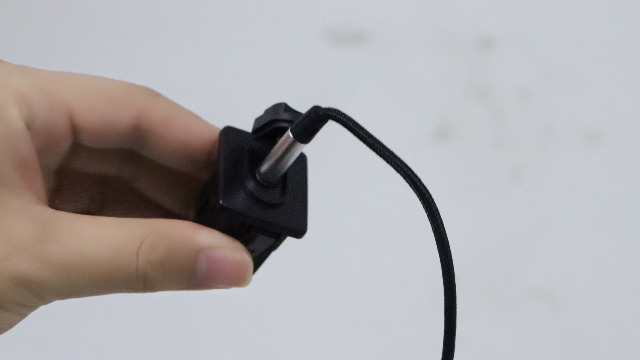
Figura 3: Example of an auxiliary port installation in a Honda Pilot, showing the location within the vehicle's interior.
Video 2: A 22-second video demonstrating the replacement process for an auxiliary adapter input jack assembly, including removal and installation steps.
Video 3: A 43-second video showing the installation of a Honda 39112-TA0-A01 Auxiliary Input Jack Assembly, providing a visual guide to the process.
Video 4: A 32-second video detailing the auxiliary port replacement for a Honda Pilot, showing specific steps for that model.
Video 5: A 28-second video illustrating the replacement of an auxiliary input adapter audio jack kit for a Honda Civic, demonstrating similar installation techniques.
Video 6: An 8-second video showing the internal components and assembly of an auxiliary port replacement, model 39112-SNA-A01, which shares design similarities.
Video 7: A 29-second video demonstrating the replacement of an auxiliary adapter audio input jack kit for a Honda Civic, providing additional visual guidance.
5. Instruccions de funcionament
Once the Auxiliary Input Jack Assembly is successfully installed, operating it is straightforward:
- Connecteu el vostre dispositiu: Plug a standard 3.5mm audio cable into the auxiliary input jack.
- Connecteu-vos a la font d'àudio: Connect the other end of the audio cable to the headphone jack or auxiliary output of your MP3 player, smartphone, or tablet.
- Selecciona l'entrada AUX: On your vehicle's audio system, select the 'AUX' input source. This is typically done by pressing a 'MODE' or 'AUX' button on the stereo unit.
- Ajustar el volum: Adjust the volume on both your audio device and the vehicle's stereo to achieve the desired listening level.
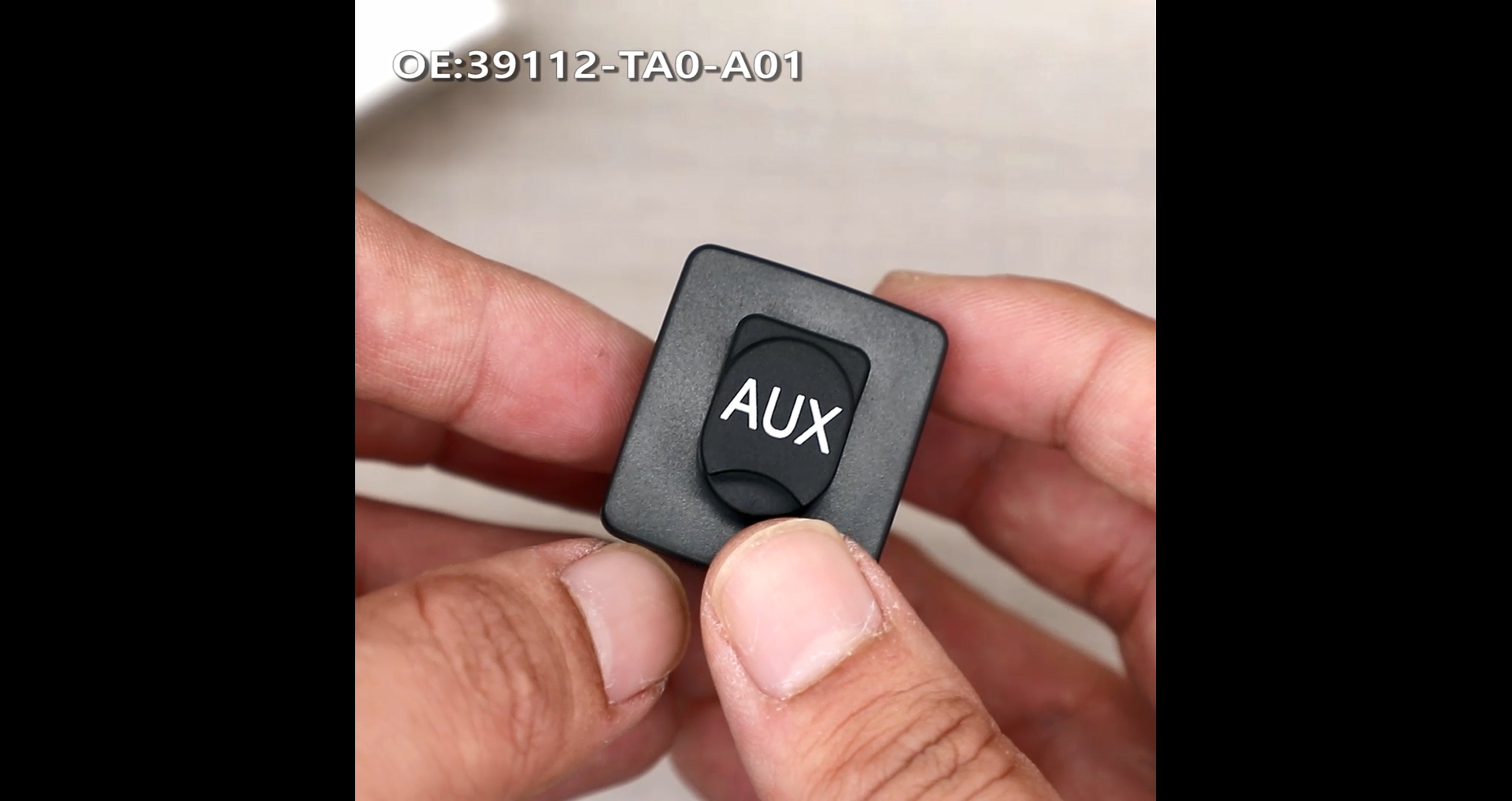
Figura 4: Un primer pla view of a hand connecting a 3.5mm audio jack to the auxiliary input, demonstrating the proper connection method.
6. Manteniment
The Auxiliary Input Jack Assembly requires minimal maintenance to ensure long-lasting performance:
- Mantenir net: Periodically inspect the 3.5mm jack opening for dust, debris, or lint. Use a small, non-metallic tool (like a toothpick or compressed air) to gently clean the port if necessary. Avoid using sharp metal objects that could damage the internal contacts.
- Evitar la força: Do not force audio cables into the jack. If a cable does not insert smoothly, check for obstructions or ensure it is the correct 3.5mm size.
- Estat del cable: Use high-quality audio cables that are free from damage. Frayed or bent cables can cause poor audio quality or damage the jack.
7. Solució De Problemes
If you experience issues with your auxiliary input jack, try the following troubleshooting steps:
- Sense sortida d'àudio:
- Ensure the audio cable is fully inserted into both the device and the auxiliary jack.
- Verify that the vehicle's audio system is set to the 'AUX' input source.
- Check the volume levels on both your audio device and the car stereo.
- Test with a different audio cable and a different audio device to rule out faulty accessories.
- Estàtic o mala qualitat d'àudio:
- Ensure the audio cable connections are secure and free from debris.
- Try a different audio cable, as some cables may be poorly shielded or damaged.
- Check for interference from other electronic devices in the vehicle.
- Ensure the audio device's volume is not set too high, which can cause distortion.
- Connexió solta:
- If the cable feels loose in the jack, inspect the jack for physical damage. If damaged, replacement may be necessary.
If these steps do not resolve the issue, professional diagnosis and repair may be required.
8. Garantia i Suport
Informació de la garantia:
This Genuine Honda part is typically covered by a manufacturer's warranty. For specific warranty terms and conditions, please refer to the documentation provided with your purchase or contact an authorized Honda service center. General return policy allows items to be returned within 30 days of purchase.
Atenció al client:
For any questions regarding the product or your order, please contact the seller directly via the messaging system on the platform where the purchase was made. Business hours for support are typically 9 am to 5:30 pm EST.


