Introducció
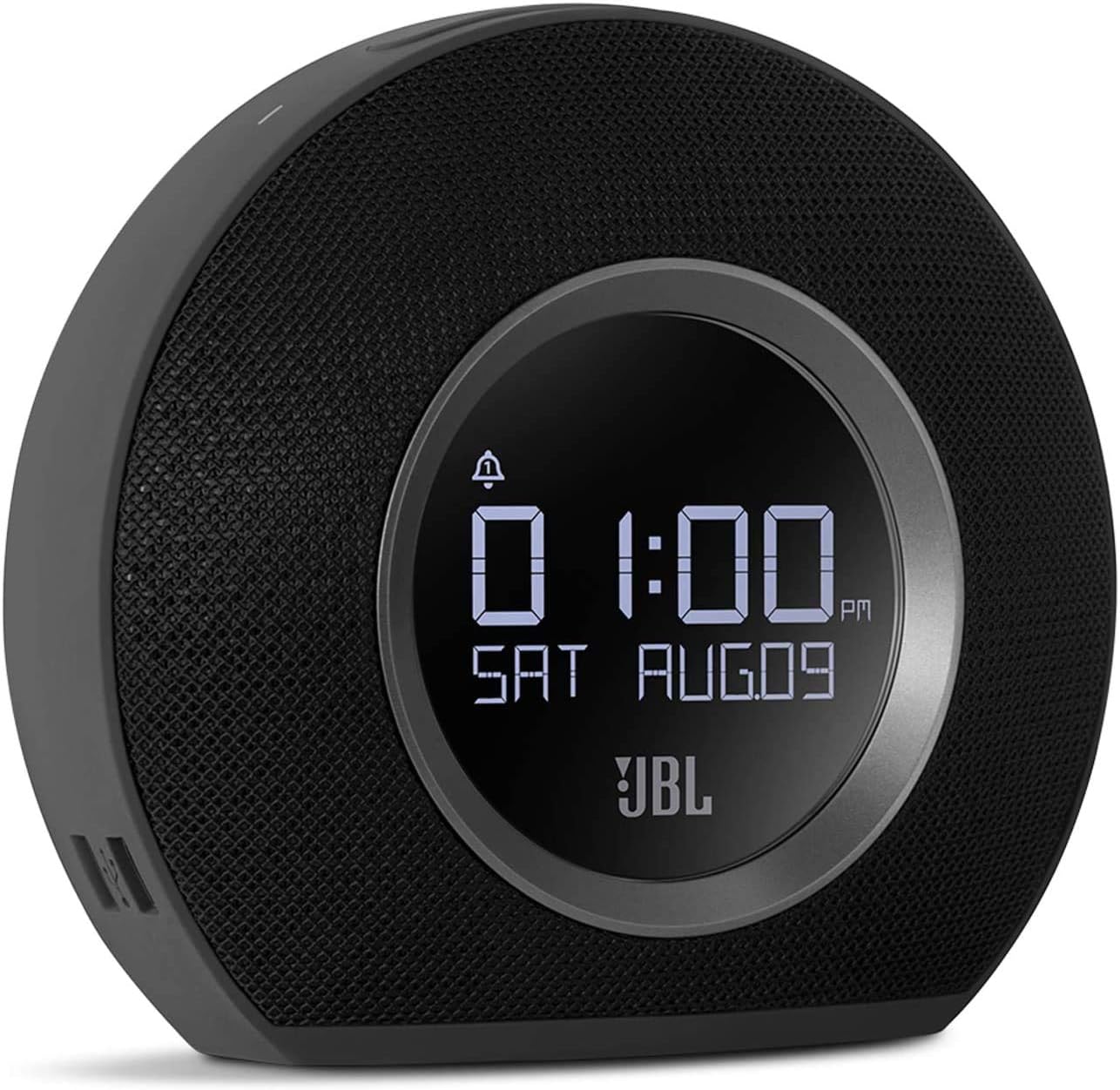
The JBL Horizon is a versatile alarm clock radio designed to enhance your morning routine. It combines a high-quality Bluetooth speaker with an FM radio, dual alarm system, ambient LED light, and convenient USB charging ports. This manual provides detailed instructions for setting up, operating, and maintaining your JBL Horizon.
Contingut del paquet
- 1 x JBL Horizon Device
- 1 x adaptador de corrent
- 1 x Manual d'usuari
- 1 x Full de seguretat
- 1 x Guia d'inici ràpid
- 1 antena de ràdio
Configuració
- Connexió d'alimentació: Connect the power adapter to the JBL Horizon and then to a wall outlet. The device will power on automatically.
- Connexió d'antena: For optimal FM radio reception, connect the included radio antenna to the FM antenna port on the back of the unit. Extend the antenna fully.
- Configuració de l'hora inicial: Upon first power-up, the device may prompt you to set the time. Use the control buttons (typically volume up/down or dedicated time set buttons) to adjust the hour and minute. Confirm your selection. The device also features a DST (Daylight Saving Time) button on the bottom for easy adjustment.
Instruccions de funcionament
Configuració d'alarmes
The JBL Horizon features two independent alarms. To set an alarm:
- Premeu el botó Alarma 1 or Alarma 2 button on the top of the unit.
- Feu servir els botons de volum (+ / -) to adjust the alarm time. Press the alarm button again to switch between hour and minute settings.
- Select your desired alarm source: FM radio, Bluetooth audio, or one of the built-in digital alarm tones.
- Ajusteu el volum de l'alarma.
- The ambient light can be set to gradually illuminate before the alarm sounds, providing a gentle wake-up experience.
- To temporarily silence an alarm (snooze), press the large SNOOZE / LIGHT button. To turn off an alarm, press the corresponding Alarm button.
Ràdio FM
Per escoltar la ràdio FM:
- Premeu el botó FM botó per canviar al mode de ràdio FM.
- Use the tuning buttons (often integrated with volume or separate arrow buttons) to scan for stations.
- To save a favorite station, press and hold one of the preset buttons (if available, typically 1-5).
Connectivitat Bluetooth
To stream audio via Bluetooth:
- Premeu el botó Bluetooth button to enter pairing mode. The Bluetooth indicator will flash.
- Al dispositiu mòbil (telèfon intel·ligent, tauleta, ordinador portàtil), activeu el Bluetooth i cerqueu els dispositius disponibles.
- Select "JBL Horizon" from the list to pair. Once paired, the indicator will glow solid.
- You can now stream audio from your device to the JBL Horizon.
Llum ambiental
The JBL Horizon features an ambient LED light ring on its rear. This light can be used as a gentle wake-up aid or as a soft night light. Its brightness automatically adjusts to the room's lighting conditions for optimal visibility without being disruptive.

Càrrega USB
Two USB charging ports are located on the side of the JBL Horizon. Connect your mobile devices using their respective USB cables to charge them overnight or during use.
Brillantor de la pantalla
The display brightness automatically adjusts based on the ambient light in the room, ensuring readability during the day and preventing excessive brightness at night.
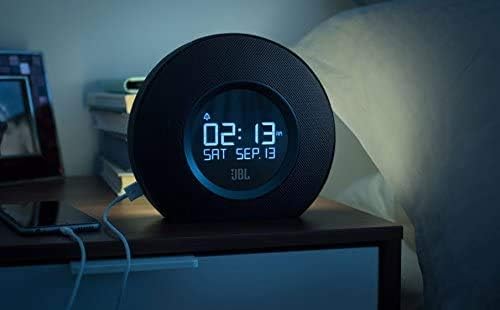

Vídeo 1: Aquest vídeo ofereix una visió generalview and demonstration of the JBL Horizon alarm clock radio. It showcases key features such as the dual alarm system, ambient light function for gentle wake-up, FM radio capabilities, Bluetooth connectivity for audio streaming, and the convenient USB charging ports for mobile devices. The video highlights the product's design and user interaction.
Manteniment
To ensure the longevity and optimal performance of your JBL Horizon:
- Netegeu el dispositiu amb un drap suau i sec. Eviteu utilitzar productes de neteja o dissolvents abrasius.
- Keep the device away from direct sunlight, excessive heat, and moisture.
- Assegureu-vos una ventilació adequada al voltant de la unitat.
Resolució de problemes
- Sense energia: Ensure the power adapter is securely connected to both the device and a working wall outlet.
- Mala recepció d'FM: Extend the FM antenna fully and try repositioning it for better signal.
- Problemes de vinculació de Bluetooth: Ensure the JBL Horizon is in pairing mode (flashing Bluetooth indicator) and your mobile device's Bluetooth is enabled and searching. Try unpairing and re-pairing if issues persist.
- Alarm Not Sounding/Too Quiet: Verify that the alarm is enabled, the volume is set appropriately, and the correct alarm source is selected. Check the backup battery status if a power outage va passar.
- Time Drift: If the time consistently drifts, ensure the device is connected to a stable power source. The backup battery helps maintain time during power interruptions.
Especificacions
| Número de model | K951170 |
| Marca | JBL |
| Color | Negre |
| Material | Acrilonitril butadiè estirè (ABS) |
| Dimensions del producte (P x A x A) | 8.6 cm x 18.3 cm x 16 cm |
| Pes de l'article | 890 grams |
| Tipus d'altaveu | Altaveu portàtil Bluetooth |
| Mida de l'altaveu | 1 polzades |
| Potència màxima de sortida de l'altaveu | 5 watts |
| Mode de sortida d'àudio | Mono |
| Frequency Response (Upper Limit) | 20 kHz |
| Tecnologia sense fils | Bluetooth |
| Dispositius compatibles | Ordinador portàtil, telèfon intel·ligent, tauleta |
| Font d'alimentació | AC Power (with battery backup for time/alarm) |
| Entrada Voltage | 13 volts (CC) |
| Impermeable | No |
| Muntatge obligatori | No |
| Piles necessàries | Yes (1 A type for backup) |

Garantia i Suport
The JBL Horizon comes with a 1-year manufacturer's limited warranty. Spare parts are available for a period of 2 years from the date of purchase.
For technical support, warranty claims, or further assistance, please visit the official JBL support website or contact their customer service department. Refer to the quick start guide or safety sheet for specific contact information in your region.
Informació important de seguretat
Always follow basic safety precautions when using this product to reduce the risk of fire, electric shock, and injury. Do not expose the device to rain or moisture. Do not disassemble the product. Refer to the included safety sheet for comprehensive safety guidelines.


