1. Producte acabatview
The UGREEN Micro USB 2.0 OTG Cable is designed to enable Micro USB-equipped smartphones and tablets to function as a host, allowing connection of various USB peripherals. This adapter facilitates data transfer and expands the functionality of your mobile device.

Image 1.1: The UGREEN Micro USB 2.0 OTG Cable, featuring a Micro USB male connector on one end and a USB-A female port on the other.
Contingut del paquet:
- 1 x UGREEN Micro USB OTG Adapter
- 1 x Manual d'usuari
2. Instruccions de configuració
This OTG cable is designed for plug-and-play operation. No drivers or software installation are typically required. Ensure your device supports OTG functionality before use.
Connecting the OTG Cable:
- Verify OTG Support: Confirm that your smartphone or tablet has Micro USB 2.0 and supports OTG (On-The-Go) functionality. This is crucial for the adapter to work.
- Connecta't al dispositiu: Insert the Micro USB male connector of the UGREEN OTG cable into the Micro USB port of your compatible smartphone or tablet.
- Connecta el perifèric: Plug your desired USB-A peripheral (e.g., flash drive, keyboard, mouse, game controller) into the USB-A female port of the UGREEN OTG cable.
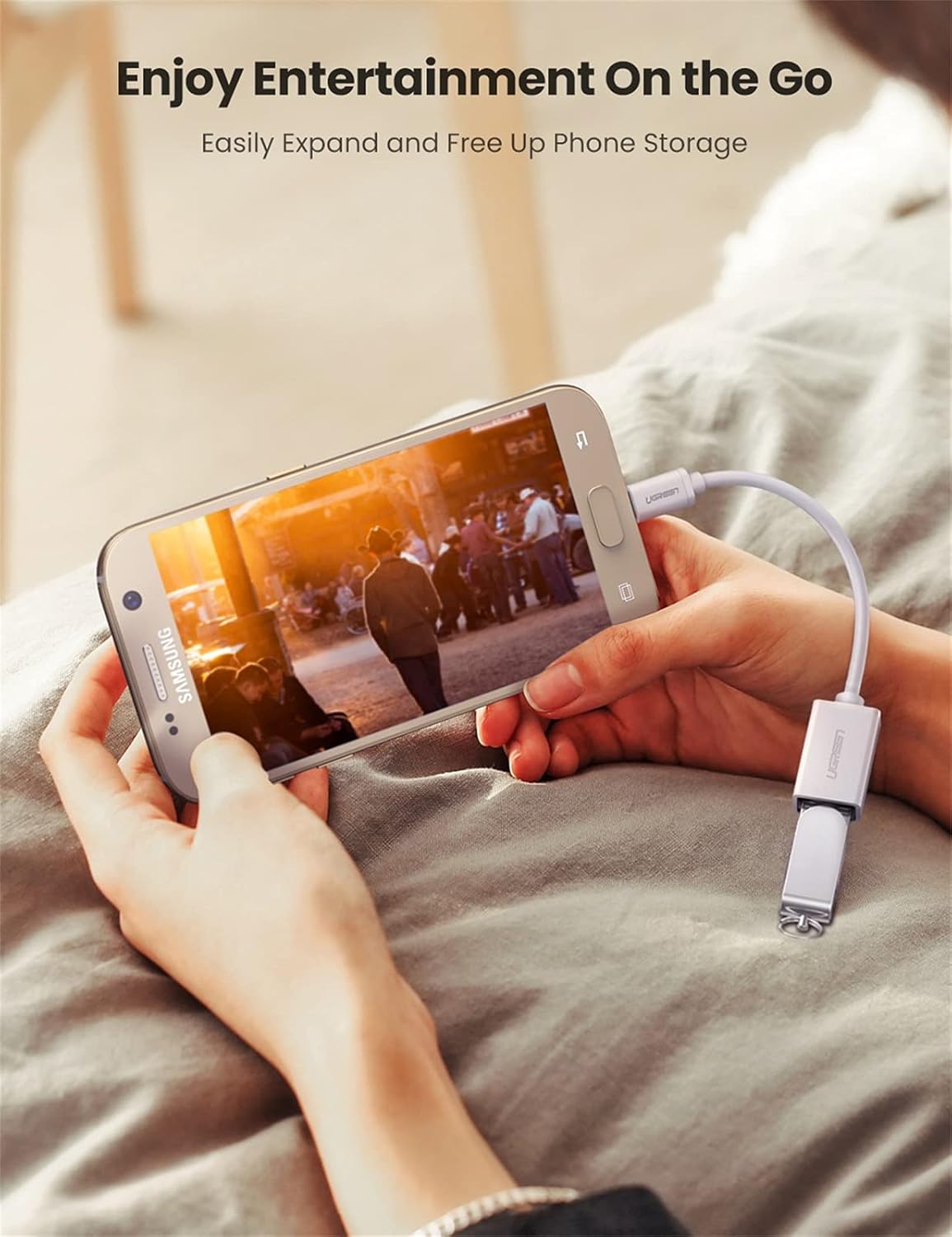
Image 2.1: A smartphone connected to a USB flash drive using the UGREEN OTG cable, demonstrating data access.
3. Instruccions de funcionament
Once connected, your device should automatically detect the peripheral. You can then interact with the connected device as you would with a computer.
Usos comuns:
- Transferència de dades: Connect USB flash drives or external hard drives to transfer photos, videos, and documents to or from your mobile device.
- Keyboard/Mouse Input: Connect a USB keyboard or mouse for easier typing, navigation, and control, especially useful for productivity tasks or if your device's screen is damaged.
- Game Controllers: Enhance your gaming experience by connecting compatible game controllers (e.g., PS3, PS4 controllers) to your smartphone or tablet.
- Lectors de targetes: Use a USB card reader to access data from SD/TF cards directly on your device.
- USB Headphones: Connect USB headphones for audio output.

Image 3.1: Demonstrates connecting a keyboard to a smartphone and a game controller to a tablet using the OTG cable for enhanced control.
Notes importants:
- Aquest adaptador fa no support OTG and charging simultaneously.
- This is a Micro USB to USB-A Female adapter, no a Micro USB to HDMI adapter. It does not support video output.
- Some devices may require a file manager application to access files on connected storage devices.
4. Manteniment
To ensure the longevity and optimal performance of your UGREEN Micro USB 2.0 OTG Cable, follow these maintenance guidelines:
- Emmagatzematge: Guardeu el cable en un lloc fresc i sec, allunyat de la llum solar directa i de temperatures extremes.
- Manipulació: Avoid bending or twisting the cable excessively, especially near the connectors, to prevent internal wire damage.
- Neteja: Feu servir un drap suau i sec per netejar el cable i els connectors. No utilitzeu netejadors líquids ni dissolvents.
- Connexió/desconnexió: Always grasp the connector housing when plugging in or unplugging the cable. Avoid pulling on the cable itself.

Imatge 4.1: Una explosió view of the UGREEN OTG cable's internal construction, highlighting its durable PVC jacket, aluminum foil shielding, tinned copper conductors, and ground wire for stable signal transmission.
5. Solució De Problemes
If you encounter issues while using your UGREEN Micro USB 2.0 OTG Cable, refer to the following common troubleshooting steps:
- Dispositiu no reconegut:
- Ensure your smartphone or tablet supports OTG functionality. Not all Micro USB devices have this feature.
- Verify that both the OTG cable and the peripheral are securely connected.
- Reinicieu el dispositiu mòbil i torneu-ho a provar.
- Test with a different peripheral to rule out an issue with the connected device.
- If connecting a storage device, ensure it is formatted to a file system compatible with your mobile device (e.g., FAT32, exFAT).
- Drenatge de la bateria:
- Some peripherals draw power from the host device. If you notice significant battery drain, disconnect the OTG cable and peripheral when not in use.
- The cable does not support simultaneous charging and OTG.
- Connexió solta:
- If the Micro USB connector feels tight or loose, ensure it is fully inserted. Some Micro USB ports may have slight variations.
6. Especificacions
| Característica | Detall |
|---|---|
| Número de model | 10822 |
| Tipus de connector | Micro USB Male to USB-A Female |
| Estàndard USB | USB 2.0 (compatible enrere amb USB 1.1) |
| Velocitat de transferència de dades | Fins a 480 Mbps |
| Longitud del cable | Aproximadament 4 polzades (10 cm) |
| Color | Blanc |
| Dimensions del producte | 5.71 x 3.15 x 0.08 polzades |
| Pes de l'article | 0.529 unces |
| Material | Construcció de PVC resistent, conductors de coure estanyat |
| Compatibilitat | OTG-enabled Micro USB phones/tablets (e.g., Samsung Galaxy S7/S6/S5, LG G4, Google Nexus 6, DJI Spark/Mavic Remote Controller) |

Image 6.1: Visual representation of the UGREEN OTG cable's universal compatibility, showing connections to phones and tablets with peripherals like game controllers, keyboards, mice, cameras, and flash drives.
7. Garantia i Suport
UGREEN products are designed for reliability and performance. For specific warranty information regarding your UGREEN Micro USB 2.0 OTG Cable, please refer to the warranty card included with your purchase or visit the official UGREEN weblloc.
For technical support, product inquiries, or assistance with troubleshooting, please contact UGREEN customer service through their official weblloc web o la informació de contacte que es proporciona a l'embalatge del producte.
Fabricant: GRUP UGREEN LIMITAT


