1. Introducció
The Logitech Wireless Mouse M320 provides comfortable and reliable wireless control for your computer. Designed with a contoured shape and soft rubber grips, it offers ergonomic support for extended use. This mouse features advanced optical tracking for precise cursor control and an energy-efficient design that extends battery life.
Les característiques clau inclouen:
- Ergonomic design with soft rubber grips for comfort.
- Fins a 2 anys de durada de la bateria.
- Smooth and precise optical tracking.
- Plug-and-forget nano receiver for reliable wireless connectivity.

Figure 1: Logitech Wireless Mouse M320 and its nano receiver.
2. Instruccions de configuració
2.1 Contingut del paquet
Assegureu-vos que el vostre paquet contingui els elements següents:
- Ratolí sense fils Logitech M320
- Nano receptor
- 1 pila AA (preinstal·lada o inclosa per separat)
2.2 Instal·lació de la bateria
If the battery is not pre-installed, follow these steps:
- Localitzeu la tapa del compartiment de la bateria a la part inferior del ratolí.
- Feu lliscar la tapa per obrir el compartiment.
- Inseriu una pila AA, assegurant-vos que els terminals positiu (+) i negatiu (-) s'alineïn correctament amb les marques de l'interior del compartiment.
- Torneu a col·locar la tapa del compartiment de la bateria fins que sentiu un clic i quedi ben fixada al seu lloc.
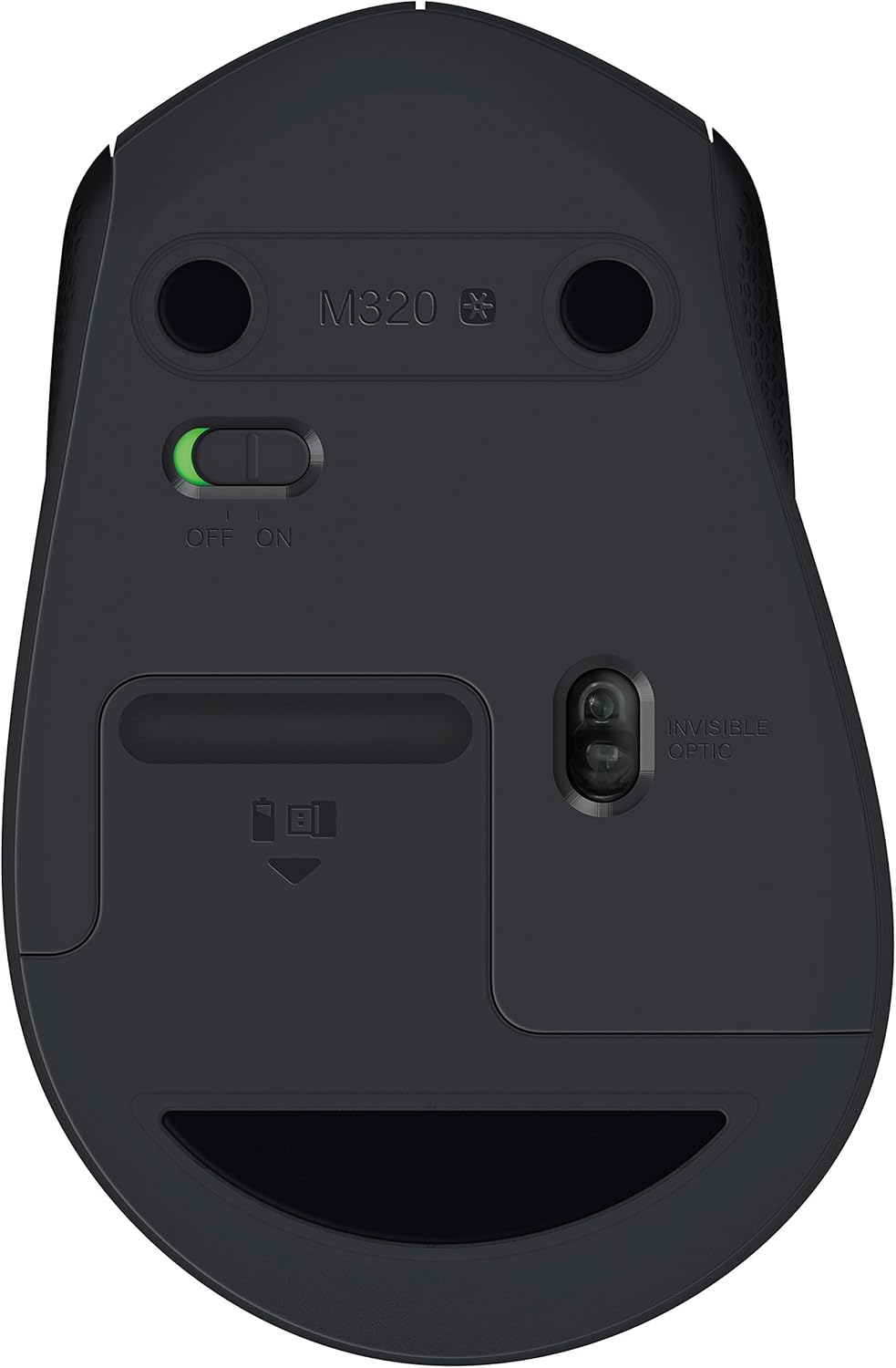
Figure 2: Underside of the mouse with battery compartment and ON/OFF switch.
2.3 Connexió del receptor
- Connecteu el nano receptor a un port USB disponible de l'ordinador.
- Turn on the mouse using the ON/OFF switch located on the underside of the mouse (refer to Figure 2).
- Your computer should automatically detect and install the necessary drivers. The mouse will be ready for use within a few seconds.
3. Funcionament del ratolí
The Logitech Wireless Mouse M320 offers standard mouse functionalities for intuitive navigation.
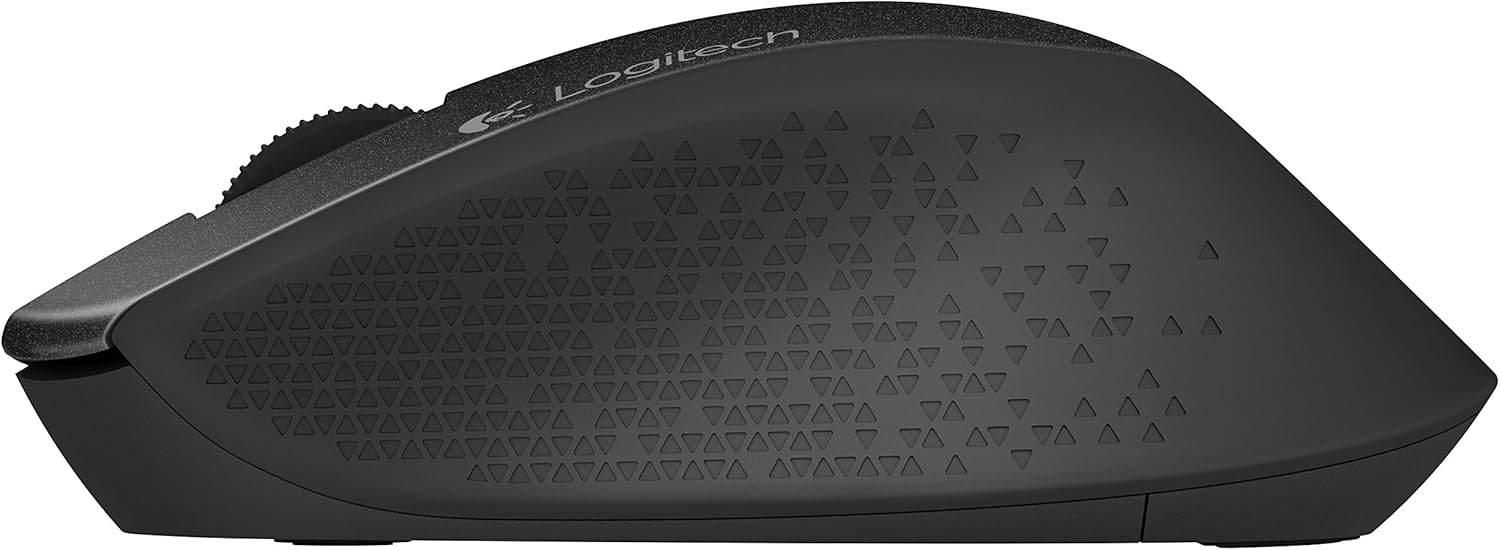
Figura 3: superior view of the mouse highlighting controls.
3.1 Funcions bàsiques
- Clic esquerre: Botó principal per seleccionar elements, obrir files i executant ordres.
- Clic dret: Botó secundari per accedir als menús contextuals i a les opcions addicionals.
- Roda de desplaçament: Desplaceu-vos amunt o avall per desplaçar-vos pels documents i web pages. Press the scroll wheel for a middle-click function, which can vary by application (e.g., opening links in new tabs).
3.2 Gestió de l'energia
The M320 mouse is designed with energy-efficient technology. It automatically enters a sleep mode when not in use to conserve battery power. To wake the mouse, simply move it or click a button.
For extended periods of non-use, such as when transporting your laptop, it is recommended to turn off the mouse using the ON/OFF switch on its underside.
4. Manteniment
4.1 Neteja
Per mantenir un rendiment i un aspecte òptims:
- Netegeu la superfície del ratolí amb un drap suauamp tela.
- Eviteu utilitzar productes químics agressius, netejadors abrasius o dissolvents.
- Mantingueu el sensor òptic de la part inferior del ratolí net i lliure de pols o restes.
4.2 Substitució de la bateria
When the mouse performance degrades or the battery indicator (if present) signals low power, replace the AA battery by following the steps in Section 2.2.
5. Solució De Problemes
5.1 El ratolí no respon
- Comproveu la potència: Ensure the mouse is turned ON using the switch on its underside.
- Comproveu la bateria: Replace the AA battery if it is low or depleted.
- Comprovació del receptor: Ensure the nano receiver is securely plugged into a working USB port on your computer. Try a different USB port.
- Proximitat: Move the mouse closer to the nano receiver.
5.2 Jumpy or Inaccurate Cursor
- Superfície: Feu servir el ratolí sobre una superfície neta, no reflectant i uniforme. Eviteu el vidre o les superfícies molt reflectants.
- Sensor: Assegureu-vos que el sensor òptic de la part inferior del ratolí estigui net i lliure d'obstruccions.
- Interferència: Move the mouse away from other wireless devices or large metal objects that might cause interference.
6. Especificacions
| Característica | Detall |
|---|---|
| Marca | Logitech |
| Número de model | M320 (910-004351) |
| Tecnologia de connectivitat | Sense fil (nanoreceptor USB) |
| Tipus sense fil | 2.4 GHz (802.11abg) |
| Detecció de moviment | Òptic |
| Dimensions (LxWxH) | 2.67 x 1.51 x 4.15 polzades |
| Pes de l'article | 3.2 unces |
| Font d'alimentació | Funciona amb bateria |
| Piles necessàries | 1 bateria AA (inclosa) |
| Durada mitjana de la bateria | Fins a 2 anys |
| Compatibilitat de sistemes operatius | Windows, Mac, Linux |
| Color | Negre |
7. Garantia i Suport
7.1 Informació de la garantia
For detailed warranty information regarding your Logitech Wireless Mouse M320, please refer to the warranty card included with your product or visit the official Logitech weblloc. Els termes i condicions de la garantia poden variar segons la regió.
7.2 Atenció al client
If you encounter any issues or have questions not covered in this manual, please visit the Logitech support website for further assistance, FAQs, and contact options:


