1. Introducció
The ZTE Velocity MF923 is a portable 4G LTE mobile Wi-Fi hotspot designed to provide high-speed internet access for multiple devices on the go. This device allows you to create a secure wireless local area network (WLAN) anywhere there is cellular coverage, enabling seamless uploading, downloading, and streaming. With its long battery life, dual-band Wi-Fi, and intuitive touchscreen, the ZTE Velocity offers a reliable and convenient internet solution for personal and business use.

Figure 1.1: ZTE Velocity MF923 Mobile Hotspot
Aquesta imatge mostra la part frontal view of the ZTE Velocity MF923 mobile hotspot. The device is white with a black screen displaying network information, including the Wi-Fi name (ATT-WIFI-2388), password, data usage, and battery level. Below the main display, there are touch icons for Wi-Fi, Messages, and Settings.
2. Contingut del paquet
Marqueu la casella per als elements següents:
- ZTE Velocity MF923 Mobile Wifi Hotspot
- Bateria de 2,800 mAh
- Carregador de paret
- Cable USB
- Quick Start Guide (this manual provides more detailed information)
- Pre-installed SIM Card (Note: While a SIM card may be pre-installed, activation with your network provider is required.)

Figure 2.1: ZTE Velocity MF923 in Retail Packaging
This image displays the ZTE Velocity MF923 mobile hotspot inside its orange retail box. The device's screen is visible, showing the same network information as in Figure 1.1, confirming the product's appearance.
3. Característiques del producte
The ZTE Velocity MF923 offers a range of features designed for optimal mobile connectivity:
- Connectivitat 4G LTE: Experience high-speed internet with download speeds up to 150Mbps.
- Punt d'accés Wi-Fi: Connect up to 10 Wi-Fi enabled devices simultaneously.
- Wi-Fi de doble banda: Supports both 2.4GHz and 5GHz Wi-Fi frequencies for flexible connectivity and reduced interference.
- Llarga vida útil de la bateria: Equipped with a 2,800mAh battery, providing up to 10 hours of continuous usage and up to 240 hours of standby time.
- Easy-to-Use Touchscreen: Navigate settings, view data usage, and manage connections directly from the device's color touchscreen display (240 x 320 pixels).
- GSM desbloquejat: Compatible with GSM carriers that use SIM cards for service, such as AT&T and T-Mobile. (Note: Will not work with CDMA carriers like Sprint, Verizon, Boost, or Virgin.)
- Targeta MicroSD File Compartint: Comparteix files directly from a MicroSD card inserted into the device.
- Wi-Fi segura: Features separate Guest Wi-Fi for enhanced security.
4. Guia de configuració
4.1. Instal·lació de la bateria i la targeta SIM
The ZTE Velocity MF923 uses a Micro SIM card. While a SIM card may be pre-installed, ensure it is properly seated and activated with your chosen GSM network provider.
- Localitza la tapa de la bateria a la part posterior del dispositiu.
- Traieu suaument la tapa de la bateria.
- If not already installed, insert the Micro SIM card into the designated SIM card slot with the gold contacts facing down and the notched corner aligned correctly.
- Insert the 2,800 mAh battery into its compartment, ensuring the contacts align.
- Torneu a col·locar la tapa de la bateria fins que quedi al seu lloc.

Figura 4.1: lateral View of ZTE Velocity MF923
Aquesta imatge mostra un costat view of the ZTE Velocity MF923, highlighting its compact design. This perspective is useful for identifying the location of ports or covers for battery and SIM card access.
4.2. Càrrega del dispositiu
Abans del primer ús, carregueu completament el dispositiu.
- Connect the small end of the USB cable to the charging port on the ZTE Velocity.
- Connect the large end of the USB cable to the wall charger.
- Connecteu el carregador de paret a una presa de corrent.
- The device's screen will indicate charging status. A full charge typically takes a few hours.
4.3. Encès / apagat
- Per encendre: Press and hold the Power button (usually located on the side or top) until the screen lights up.
- Per apagar: Press and hold the Power button until the power-off options appear on the screen, then select "Power Off" or slide to power off.
5. Instruccions de funcionament
5.1. Connexió de dispositius a la Wi-Fi
Once the ZTE Velocity is powered on and has established a cellular connection, you can connect your Wi-Fi enabled devices.
- On the ZTE Velocity's touchscreen, note the Nom Wi-Fi (SSID) i Contrasenya mostrat a la pantalla principal.
- On your device (laptop, smartphone, tablet, etc.), go to its Wi-Fi settings.
- Select the Wi-Fi Name (SSID) that matches your ZTE Velocity.
- Enter the Wi-Fi Password when prompted.
- Your device should now be connected to the internet via the ZTE Velocity hotspot.
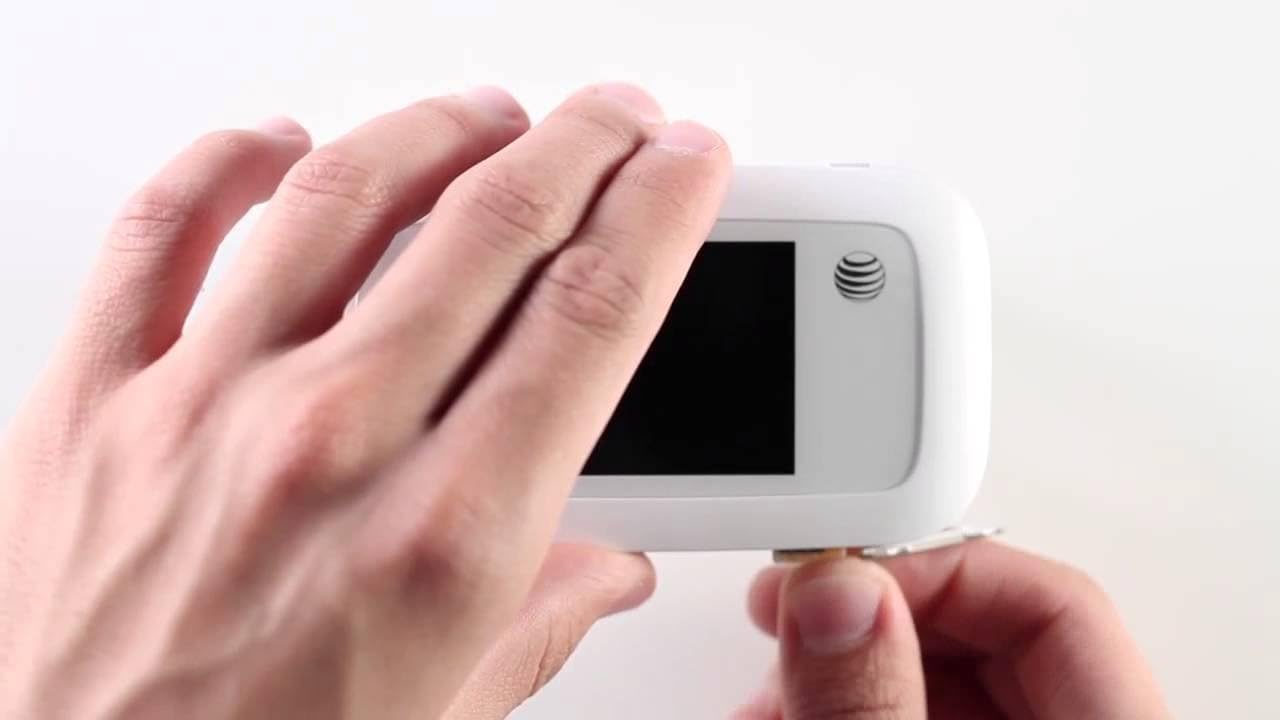
Figure 5.1: Using the ZTE Velocity for Mobile Connectivity
This image illustrates the convenience of using the ZTE Velocity mobile hotspot. A woman is shown working on a laptop in the back seat of a car, demonstrating how the device enables productivity and connectivity even when traveling.
5.2. Navegació amb pantalla tàctil
The ZTE Velocity features a responsive touchscreen for easy management.
- Pantalla principal: Displays Wi-Fi name, password, data usage, signal strength, and battery level.
- Icona de Wi-Fi: Toqueu per view connected devices and manage Wi-Fi settings.
- Icona de missatges: Access SMS messages (if supported by your carrier and plan).
- Icona de configuració: Configure advanced settings such as network mode, Wi-Fi band (2.4GHz/5GHz), security, and device information.
- Swipe left or right to access additional screens or menus.
5.3. Targeta MicroSD File Compartint
The device supports MicroSD cards for file compartint.
- Insert a MicroSD card (up to 32GB, sold separately) into the dedicated slot.
- Accedir al dispositiu web interface (usually 192.168.1.1 or similar, check manual or device screen for exact IP) from a connected device.
- Log in using the administrator password (default usually "admin" or found on device label).
- Navegueu fins a file sharing section to access and manage files a la targeta MicroSD.
6. Solució De Problemes
If you encounter issues with your ZTE Velocity MF923, try the following troubleshooting steps:
| Problema | Possible solució |
|---|---|
| Sense connexió a Internet |
|
| Velocitat d'Internet lenta |
|
| El dispositiu no s'encén |
|
| No es pot connectar a la Wi-Fi |
|
7. Especificacions
| Característica | Detall |
|---|---|
| Número de model | MF923-W |
| Dimensions | 2.5 x 0.7 x 4.5 polzades |
| Pes de l'article | 4.6 unces |
| Bateria | Ió de liti de 2,800 mAh (inclosa) |
| Temps d'ús | Up to 10 hours (4G LTE streaming) |
| Temps d'espera | Fins a 240 hores |
| Processador | Single-Core Qualcomm MDM9225 |
| RAM | 256 MB |
| Mostra | Touchscreen, 240 x 320 pixels |
| Wi-Fi estàndard | Dual-Band (2.4 GHz & 5 GHz Radio Frequency) |
| Freqüències de xarxa | LTE bands 2/4/5/17/29; UMTS HSPA 850/1900/2100 |
| Màxim dispositius connectats | 10 |
| Tipus de targeta SIM | Micro SIM |
| Compatibilitat amb MicroSD | Yes (for file sharing) |
| Color | Blanc |
| Fabricant | ZTE |
8. Informació de seguretat
Please read the following safety information carefully to ensure proper and safe use of your ZTE Velocity MF923:
- No exposeu el dispositiu a temperatures extremes, llum solar directa ni humitat elevada.
- Eviteu deixar caure, colpejar o doblegar el dispositiu.
- Feu servir només carregadors i accessoris aprovats.
- No desmunteu ni intenteu reparar el dispositiu vosaltres mateixos. Això anul·larà la garantia.
- Mantingueu el dispositiu allunyat de dispositius mèdics, ja que pot interferir amb el seu funcionament.
- Elimineu les piles i els components electrònics de manera responsable d'acord amb la normativa local.
- No utilitzeu el dispositiu mentre conduïu o utilitzeu maquinària pesada.
9. Garantia i Suport
For warranty information and technical support, please refer to the documentation provided by AT&T or visit the official AT&T support weblloc web. Conserveu el comprovant de compra per a reclamacions de garantia.
For further assistance, you may contact AT&T customer service directly.


