1. Producte acabatview
The D-Link DCS-8635LH is an outdoor Wi-Fi camera designed for surveillance, offering 2K QHD (1440p) video resolution. It features night vision capabilities, a motorized pan function for wide area coverage, and advanced AI-based detection for persons, vehicles, and glass breaks. The camera is equipped with a 90 dB siren for deterrence and boasts an IP65 rating for outdoor weather resistance. Video can be recorded to cloud storage or a local SD card.

Figura 1: Frontal view of the D-Link DCS-8635LH camera, showing the lens and indicator light.
2. Configuració i instal·lació
2.1 Contingut del paquet
Verifiqueu que tots els components siguin presents al paquet:
- D-Link DCS-8635LH Camera
- Adaptador de corrent (amb cable elèctric)
- Mounting Kit (screws, wall plugs)
- Guia d'instal·lació ràpida
2.2 Connexió d'alimentació
Connect the provided power adapter to the camera's power input and then to a suitable electrical outlet. Ensure the connection is secure and protected from weather elements if installed outdoors.
2.3 mydlink App Installation
- Descarrega't el mydlink aplicació d'Apple App Store o Google Play Store.
- Create a new mydlink account or log in with an existing one.
- Follow the in-app instructions to add your DCS-8635LH camera. This typically involves scanning a QR code on the camera or its packaging.
- Connect the camera to your home Wi-Fi network as prompted by the app. The camera supports Wi-Fi connectivity.
2.4 Muntatge de la càmera
The DCS-8635LH is designed for wall mounting. Choose a location that provides the desired field of view and has access to a power source. Ensure the mounting surface is stable and can support the camera's weight.
- Use the mounting plate as a template to mark screw holes on the wall.
- Drill pilot holes and insert wall plugs if necessary.
- Fixeu la placa de muntatge a la paret amb els cargols proporcionats.
- Attach the camera to the mounting plate and adjust its angle as needed.
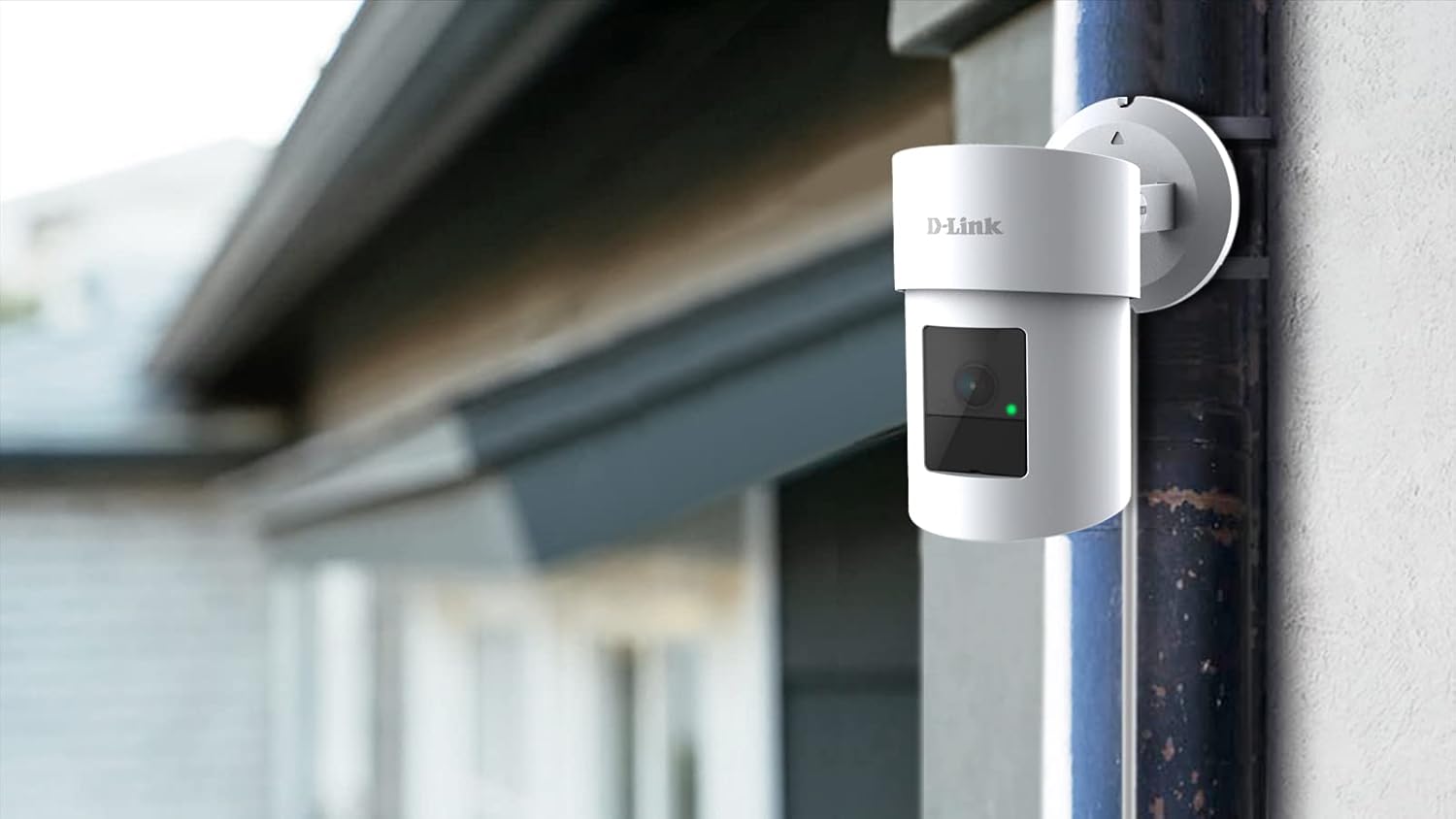
Figure 2: The D-Link DCS-8635LH camera mounted on an exterior wall, demonstrating typical installation.
3. Funcionament de la càmera
3.1 Viu View and Pan/Zoom Control
Open the mydlink app and select your DCS-8635LH camera to access the live video feed. Use the on-screen controls to pan the camera horizontally and digitally zoom into the image. The camera offers a 360-degree field of view.
3.2 Visió nocturna
The camera automatically switches to night vision mode in low-light conditions, providing clear surveillance footage even in darkness. The low light technology is Night Color.
3.3 Opcions d'enregistrament
The DCS-8635LH supports two primary recording methods:
- Enregistrament al núvol: Subscribe to a mydlink cloud recording plan for secure off-site storage of video events.
- Gravació de targeta SD: Insert a microSD card (up to 128 GB) into the camera's slot for local storage. The camera will record events directly to the card.

Figura 3: A baix view of the camera showing the microSD card slot and reset button, typically protected by a cover.
3.4 AI-Based Detection and Siren
Configure AI detection settings within the mydlink app. The camera can detect:
- Detecció de persones: Identifica figures humanes.
- Detecció de vehicles: Recognizes vehicles.
- Glass Break Detection: Alerts you to the sound of breaking glass.
Upon detection, the camera can send notifications to your device and activate its integrated 90 dB siren to deter intruders. Siren activation can be automated or manually triggered via the app.
4. Manteniment
4.1 Neteja
Periodically clean the camera lens and exterior housing with a soft, damp cloth. Avoid using harsh chemicals or abrasive materials that could damage the camera's finish or lens coating.
4.2 actualitzacions de microprogramari
Ensure your camera's firmware is up to date for optimal performance and security. Firmware updates are typically managed through the mydlink app. Follow the app's prompts to install any available updates.
4.3 Gestió de targetes SD
If using local storage, regularly check the status of your microSD card via the mydlink app. Format the card periodically to maintain performance or replace it if it becomes full or corrupted. The camera supports up to 128 GB flash memory.
5. Solució De Problemes
5.1 La càmera no es connecta a la Wi-Fi
- Assegureu-vos que la vostra xarxa Wi-Fi estigui activa i que la càmera estigui dins de l'abast del vostre encaminador.
- Verify that the Wi-Fi password entered in the mydlink app is correct.
- Try restarting your Wi-Fi router and the camera.
- If the issue persists, perform a factory reset using the reset button (refer to Figure 3) and attempt the setup process again.
5.2 Mala qualitat d'imatge
- Netegeu la lent de la càmera per eliminar qualsevol brutícia o taques.
- Assegureu-vos que no hi hagi obstacles en el camp de la càmera view.
- Comproveu la velocitat de la vostra connexió a Internet; una connexió lenta pot afectar la qualitat de la transmissió en temps real.
- Verify that the camera's resolution settings in the mydlink app are set to 2K QHD (1440p).
5.3 False AI Detections
- Adjust the sensitivity settings for person, vehicle, or glass break detection within the mydlink app.
- Definiu zones de detecció específiques per excloure zones amb moviment irrellevant freqüent (per exemple, carreteres transitades, arbres que es balancegen).
6. Especificacions
| Característica | Detall |
|---|---|
| Número de model | DCS-8635LH |
| Resolució de captura de vídeo | 2K QHD (1440p) |
| Resolució de vídeo efectiva | 1440p |
| Resolució de fixes efectius | 4 MP |
| Màxim WebResolució d'imatge de càmera | 5 MP |
| Tecnologia de connectivitat | Sense fil (Wi-Fi) |
| Font d'alimentació | Elèctric amb cable |
| Tipus de muntatge | Muntatge de paret |
| Ús interior/exterior | A l'aire lliure |
| Classificació de protecció internacional | IP21 |
| Característiques especials | Motion Sensor, Night Vision, Motorized Pan, AI Detection (Person/Vehicle/Glass Break), 90 dB Siren |
| Tecnologia de poca llum | Color nocturn |
| Camp de View | 360 graus |
| Zoom òptic | 3x |
| Mida de la memòria flash instal·lada | 128 GB (for microSD card) |
| Dimensions del producte (L x A x A) | 2.76 x 2.8 x 4.4 polzades |
| Pes de l'article | 12.1 unces (342 grams) |
| Material | Glass (lens) |
| UPC | 790069461675 |
7. Informació de la garantia
D-Link products are covered by a limited warranty. For specific warranty terms and conditions applicable to your region and product, please refer to the warranty card included with your product or visit the official D-Link weblloc.
8. Suport
For technical assistance, product inquiries, or further support, please visit the official D-Link support website or contact D-Link customer service. Support resources typically include FAQs, troubleshooting guides, and contact information for regional support teams.
D-Link Systems, Inc.
Fabricant


