Introducció
This manual provides comprehensive instructions for the setup, operation, and maintenance of your Humanscale M2 Monitor Arm. The M2 monitor arm is designed to enhance your workspace ergonomics, offering exceptional performance and durability in a lightweight, ultra-thin design. It supports a wide range of monitors and features integrated cable management for a clean setup.

Figure 1: Humanscale M2 Monitor Arm in use, attached to a desk.
Configuració i instal·lació
The Humanscale M2 Monitor Arm offers interchangeable mounting options to attach to a variety of work surfaces. This model typically uses a tabletop clamp mount or a bolt-through mount. Ensure your desk surface is suitable for the chosen mounting method.
Muntatge del braç
- Identify Mounting Type: Determine if your M2 arm is equipped with a clamp mount or a bolt-through mount. The clamp mount is suitable for desks with an edge, while the bolt-through mount requires a pre-drilled hole in the desk.
- Assegureu la base:
- Per Clamp Muntanya: Position the clamp on the edge of your desk and tighten the screw until the base is firmly secured.
- Per Muntatge per cargols: Insert the bolt through the desk hole and secure it from underneath with the provided washer and nut.
- Attach the Arm Segments: Connect the arm segments to the base and to each other, ensuring all connections are secure.
- Attach the VESA Plate: Secure the VESA mounting plate to the back of your monitor using the screws provided with your monitor or the arm. The M2 supports VESA 75x75mm and 100x100mm patterns.
- Muntar el monitor: Carefully slide the monitor with the attached VESA plate onto the arm's mounting head until it clicks securely into place.
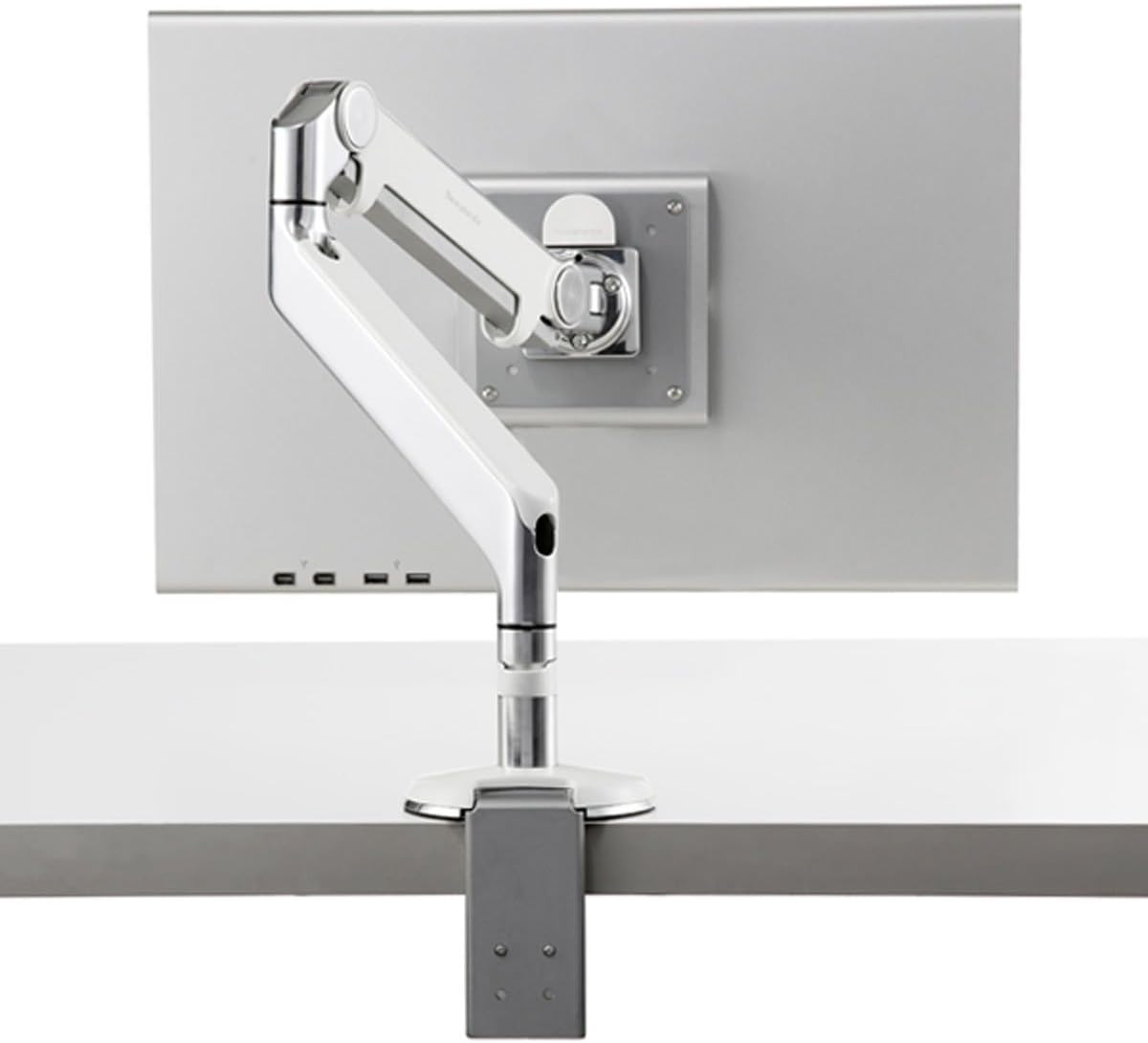
Figure 2: Humanscale M2 Monitor Arm with a clamp muntar.
Gestió de cables
The M2 monitor arm features integrated cable management to keep your workspace tidy. Route your monitor's power and video cables along the underside of the arm segments, securing them with the provided clips or channels. Ensure enough slack is left for full range of motion.

Figure 3: Integrated cable management on the M2 arm.
Operating and Adjusting Your Monitor Arm
The Humanscale M2 Monitor Arm allows for effortless adjustment to achieve optimal ergonomic positioning for any user or task. Its innovative mechanical spring provides smooth and stable movement.
Posicionament ergonòmic
- Distància: Position your monitor at an arm's length away from you.
- Alçada: The top line of text on your screen should be at or slightly below eye level. Adjust the arm vertically to achieve this.
- Inclinació: Tilt the top of the monitor slightly away from you until your line of sight is perpendicular to the monitor surface. This reduces glare and neck strain.
- Swivel and Rotate: The arm allows for easy swivel and rotation of the monitor (portrait to landscape and vice-versa) to accommodate different viewing needs or to share your screen with others.

Figure 4: Proper ergonomic positioning with the M2 arm.
Benefits of Proper Adjustment
Properly positioning your monitor increases viewing safety and comfort, while minimizing potential health risks such as neck and shoulder strain, eye fatigue, and headaches. By keeping the monitor off the work surface and directly in front of the user, critical workspace is recovered, and documents can be easily accessed for writing and viewing, all while allowing the user to maintain correct posture.
Video 1: Demonstrates the features and adjustability of Humanscale Monitor Arms, including the M2 model.
Manteniment
The Humanscale M2 Monitor Arm is designed for long-lasting performance with minimal maintenance. Its robust mechanical spring system requires no gas cylinders, which simplifies upkeep.
- Neteja: Utilitzeu un suau, damp cloth to wipe down the arm's surfaces. Avoid abrasive cleaners or solvents that could damage the finish.
- Comprovació periòdica: Reviseu periòdicament tots els cargols i connexions de muntatge per assegurar-vos que estiguin ben ajustats i segurs.
- Gestió de cables: Ensure cables are properly routed and not pinched, allowing for free movement of the arm.
Resolució de problemes
This section addresses common issues you might encounter with your Humanscale M2 Monitor Arm.
| Problema | Causa possible | Solució |
|---|---|---|
| Monitor arm feels stiff or difficult to adjust vertically. | Tension setting may be too high for the monitor's weight, or the arm needs to be "broken in". | Adjust the tension screw on the arm (refer to the diagram in the specifications section for location). Turn clockwise to increase tension for heavier monitors, counter-clockwise to decrease for lighter monitors. Repeated movement can also help loosen new arms. |
| El monitor s'enfonsa o no manté la posició. | Tension setting may be too low for the monitor's weight. | Adjust the tension screw on the arm clockwise to increase tension until the monitor holds its position. Ensure the monitor weight is within the arm's supported range (up to 20 pounds). |
| Cables are getting pinched or are too tight. | Insufficient slack left in cables during routing. | Re-route cables through the integrated management system, ensuring enough slack is provided for the full range of motion of the arm. |
| El monitor trontolla o es nota inestable. | Mounting base is not securely fastened to the desk. | Torneu a apretar les pinces de l'escriptoriamp or bolt-through mechanism. Ensure the VESA plate is securely attached to the monitor and the arm. |
Especificacions
Key specifications for the Humanscale M2 Monitor Arm:
- Marca: Humanscale
- Model: M2
- Supported Monitor Weight: Up to 20 pounds (95% of monitors in use today)
- Abast del braç: 20 polzades
- Interval d'ajust d'alçada: 10 polzades
- Pes de l'article: 6 lliures
- Dimensions del producte: 20.1 x 13.6 x 5.2 polzades
- Tipus de muntatge: Suport de taula (Cl)amp or Bolt-Through)
- Tipus de moviment: Articulant
- Material: Alumini
- Color: Silver With Gray Trim
- Dispositius compatibles: Monitor (17 to 46 Inches)
- UPC: 033584640270, 627554164370

Figure 5: Technical specifications and dimensions of the M2 arm.
Garantia i Suport
The Humanscale M2 Monitor Arm is backed by a comprehensive 15-year 24/7 warranty, reflecting its exceptional quality and durability.
For technical support, warranty claims, or any inquiries regarding your Humanscale M2 Monitor Arm, please contact Humanscale customer service directly. Visit the official Humanscale weblloc web per obtenir informació de contacte i recursos addicionals.
Nota: Always refer to the official Humanscale website or included documentation for the most current and detailed warranty information and support contacts.


