1. Instruccions de seguretat importants
Llegiu atentament totes les instruccions de seguretat i funcionament abans d'utilitzar aquest televisor. Conserveu aquestes instruccions per a futures consultes.
- Font d'alimentació: Connect the TV only to the power supply indicated on the label. Ensure the power cord is not damaged or pinched.
- Ventilació: No bloquegeu les obertures de ventilació. Deixeu prou espai al voltant del televisor per a un flux d'aire adequat per evitar el sobreescalfament.
- Aigua i humitat: No exposeu el televisor a la pluja ni a la humitat. No col·loqueu objectes plens de líquids, com ara gerros, a sobre del televisor.
- Neteja: Desendolleu el televisor de la presa de corrent abans de netejar-lo. Feu servir un drap suau i sec. No utilitzeu netejadors líquids ni aerosols.
- Col·locació: Col·loqueu el televisor sobre una superfície estable i plana. Eviteu exposar-lo a la llum solar directa o a prop de fonts de calor.
- Llamp: Per a una protecció addicional durant una tempesta amb llamps o quan es deixa sense vigilància durant llargs períodes, desendolleu el televisor de la presa de corrent i desconnecteu l'antena o el sistema de cable.
2. Contingut del paquet
Verifiqueu que tots els elements siguin presents a la caixa:
- TCL H32B3803 32-inch LED TV
- Control remot
- Bateries AAA (x2)
- TV Stand Components (Base and Screws)
- Cable d'alimentació
- Manual d'usuari (aquest document)
3. Configuració
3.1 Desembalatge
Carefully remove the TV and all accessories from the packaging. It is recommended to retain the packaging materials for future transport or service needs.
3.2 Col·locació del suport
Place the TV face down on a soft, clean surface to prevent screen damage. Align the stand components with the mounting holes on the bottom of the TV and secure them with the provided screws.
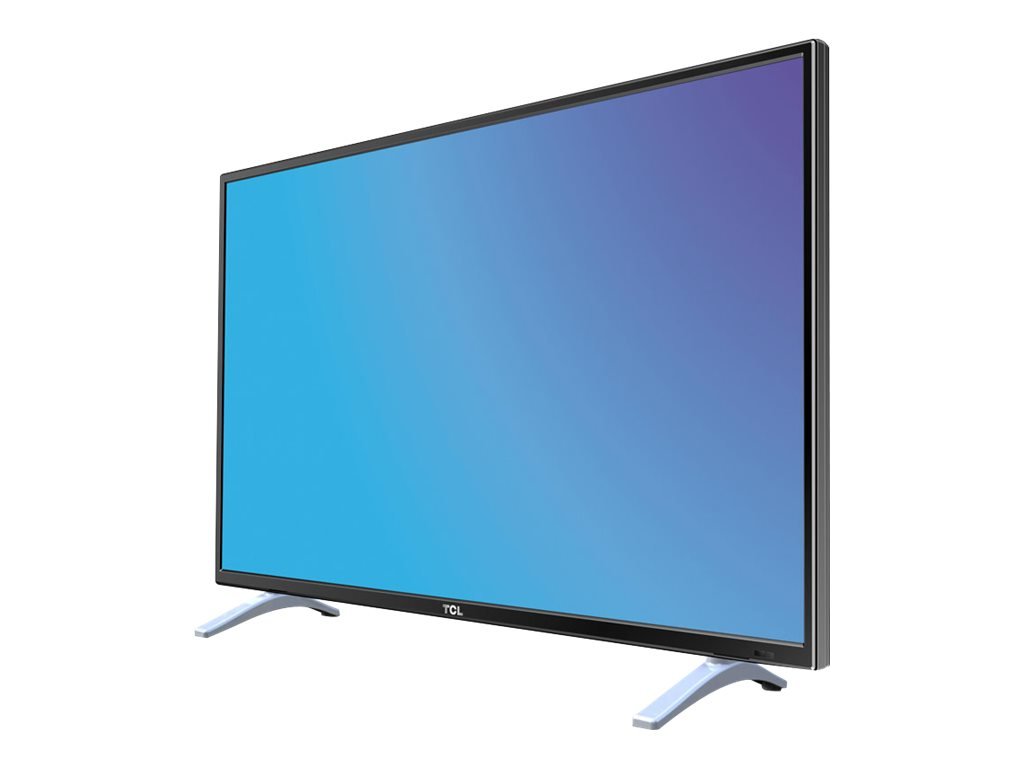
This image displays the TCL H32B3803 television on its included stand, providing a visual reference for its size and how it appears in a typical viewing environment. The image also indicates the TV's width as 28.9 inches (73 cm).
3.3 Connexió de potència
After securing the stand and making all necessary connections, plug the power cord into the TV's power input, then into a wall outlet.
3.4 Connecting Antennas and External Devices
Connect your antenna or cable signal to the appropriate input on the TV. For external devices such as Blu-ray players, game consoles, or sound systems, use the HDMI, DVI, or other available ports.
3.5 Assistent de configuració inicial
Upon first power-on, the TV will guide you through an initial setup process. This typically includes selecting your language, country, and performing an automatic channel scan for available DVB-T or DVB-C channels.
4. Funcionament del televisor
4.1 Control remotview
Insert the two AAA batteries into the remote control, observing the correct polarity. The remote allows you to control power, volume, channels, input sources, and access the TV's menu system.
4.2 Funcions bàsiques
- Potència: Premeu el botó d'engegada per encendre o apagar el televisor.
- Volum: Feu servir els botons VOL +/- per ajustar el nivell del so.
- Canals: Feu servir els botons CH +/- per canviar de canal.
- Font: Press the SOURCE button to select an input from connected devices (e.g., HDMI1, HDMI2, DVI, TV).
4.3 Navegació de menús
Press the MENU button on your remote to access the main menu. Use the arrow keys to navigate through options and the OK button to confirm selections. Press EXIT or MENU again to close the menu.
4.4 Configuració de la imatge
Within the menu, navigate to Picture settings to adjust parameters such as Brightness, Contrast, Color, and Sharpness. It is often recommended to adjust contrast from its default maximum setting for optimal viewing.
4.5 Configuració de so
Access Sound settings to modify options like Equalizer, Balance, and Sound Mode. While the TV's built-in speakers provide functional audio, custom adjustments can enhance the listening experience.
4.6 Gestió de canals
The TV includes features for organizing your channels. While channel sorting can be comprehensive, be aware that rearranging channels individually may require patience.
Reproducció USB 4.7
Insert a USB 2.0 storage device into the USB port to view compatible media files. The TV supports playback of various movie and photo formats. Note that WMV format files are not supported for playback.
4.8 Funcions del temporitzador
Set sleep timers to automatically turn off the TV after a specified period. You can also configure an auto-on timer, allowing the TV to power on at a set time to a specific channel or input.
5. Connexions
The TCL H32B3803 TV offers a range of connectivity options:
- Ports HDMI (x2): Per connectar dispositius d'alta definició com ara reproductors de Blu-ray, consoles de jocs i descodificadors.
- Port USB 2.0: Per connectar dispositius d'emmagatzematge USB per reproduir contingut multimèdia files.
- Entrada DVI: For connecting computers or other devices with DVI output.
- Port LAN (Ethernet): For network connectivity, potentially for firmware updates or limited internet services.
- Entrada d'antena: For connecting a terrestrial (DVB-T) or cable (DVB-C) antenna.
- Ranura CI: For Conditional Access Modules (CAMs) required by some pay-TV services.
6. Manteniment
6.1 Neteja del televisor
To clean the screen, gently wipe it with a soft, lint-free cloth. For the TV cabinet, use a soft, dry cloth. Avoid using abrasive cleaners, waxes, or solvents.
6.2 Actualitzacions de programari
Periodically check for available firmware updates to ensure optimal performance and access to the latest features. Updates can typically be performed via the LAN connection or USB. Exercise caution during updates, as interrupted processes can lead to operational issues.
7. Solució De Problemes
Si teniu problemes amb el televisor, consulteu les solucions habituals següents:
- Sense energia: Assegureu-vos que el cable d'alimentació estigui ben connectat tant al televisor com a la presa de corrent. Comproveu si la presa de corrent funciona.
- Sense imatge/so: Verifiqueu que s'ha seleccionat la font d'entrada correcta. Comproveu totes les connexions de cable a dispositius externs.
- Mala recepció: Adjust your antenna position or check cable connections. Perform a new channel scan.
- El control remot no funciona: Check the batteries and ensure they are inserted correctly. Point the remote directly at the TV's remote sensor.
- Imatge congelada/No respon: Turn off the TV, unplug it from the power outlet, wait for a few minutes, then plug it back in and power on.
8. Especificacions
| Característica | Especificació |
|---|---|
| Nom del model | H32B3803 |
| Mida de la pantalla | 32 polzades |
| Tecnologia de visualització | LED |
| Resolució | 768p (1366 x 768 Pixels) |
| Freqüència d'actualització | 100 Hz |
| Relació d'aspecte | 16:9 |
| Connectivitat | 2x HDMI, 1x USB 2.0, DVI, LAN |
| Sintonitzadors | DVB-T, DVB-C |
| Dimensions (L x P x A) | 73.5 x 19 x 48 cm |
| Pes | 4.8 kg |
| Classe d'eficiència energètica | A+ |
| Consum d'energia (actiu) | 31 W |
| Consum d'energia (mode d'espera) | 0.33 W |
| Bateries per a control remot | 2x AAA (included) |
9. Garantia i Suport
Aquest producte està cobert per la garantia del fabricant. Consulteu la targeta de garantia inclosa al paquet per conèixer els termes i condicions específics, com ara el període de garantia i els detalls de la cobertura.
For technical support, service inquiries, or further assistance, please visit the official TCL support website or contact their customer service department. Contact information can typically be found on the TCL weblloc web o a la documentació del producte.


