1. Introducció
The iCES ICR-210 is a versatile FM clock radio designed to provide reliable timekeeping, alarm functions, and FM radio entertainment. Its compact design and user-friendly controls make it an ideal companion for your bedside table or office desk. This manual provides detailed instructions for setting up and operating your new clock radio.

Figura 1.1: Frontal view of the iCES ICR-210 FM Clock Radio, showing the LED display and control buttons.
2. Contingut del paquet
Si us plau, comproveu el paquet per veure si hi ha els elements següents:
- Ràdio rellotge FM iCES ICR-210
- Multilingual Operating Instructions (this manual)

Figure 2.1: Contents of the iCES ICR-210 package, including the clock radio, power cable, and manual.
3. Característiques del producte
- FM clock radio with PLL (Phase-Locked Loop) tuning for stable reception.
- 0.6-inch LED display for clear time and frequency indication.
- Dual alarm function, allowing two separate alarm times to be set.
- Alarm selectable between FM radio or traditional buzzer.
- Snooze function for temporary alarm pause.
- Funció de temporitzador per adormir-se amb música.
- Clear placement of control buttons for easy operation.
- Battery backup compartment for time and alarm settings retention during power outages (3V storage battery not included).
4. Configuració
4.1 Connexió d'alimentació
- Desembaleu la ràdio rellotge i col·loqueu-la sobre una superfície estable i plana.
- Connecteu el cable d'alimentació de CA a l'entrada d'alimentació de la part posterior de la unitat.
- Connecteu l'altre extrem del cable d'alimentació a una presa de paret estàndard de CA de 230 V ~ 50 Hz.
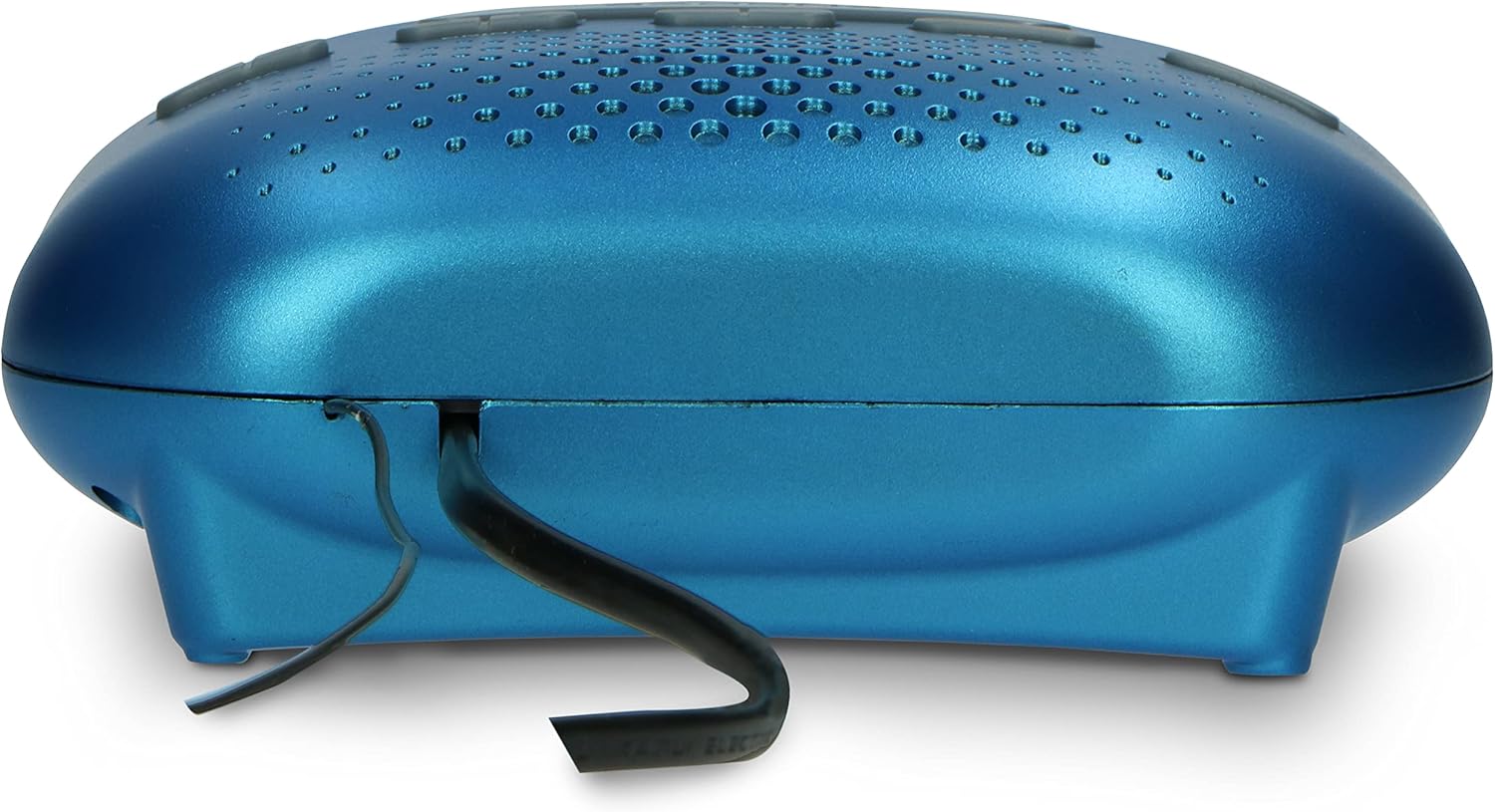
Figura 4.1: posterior view of the clock radio, illustrating the power cord connection.
4.2 Còpia de seguretat de la bateria (opcional)
To retain time and alarm settings during a power interruption, install a 3V storage battery (not included) into the battery compartment located on the bottom of the unit. Ensure correct polarity (+/-) when inserting the battery.
4.3 Antena
For optimal FM radio reception, fully extend the built-in wire antenna located at the back of the unit. Adjust its position for the best signal.
5. Instruccions de funcionament
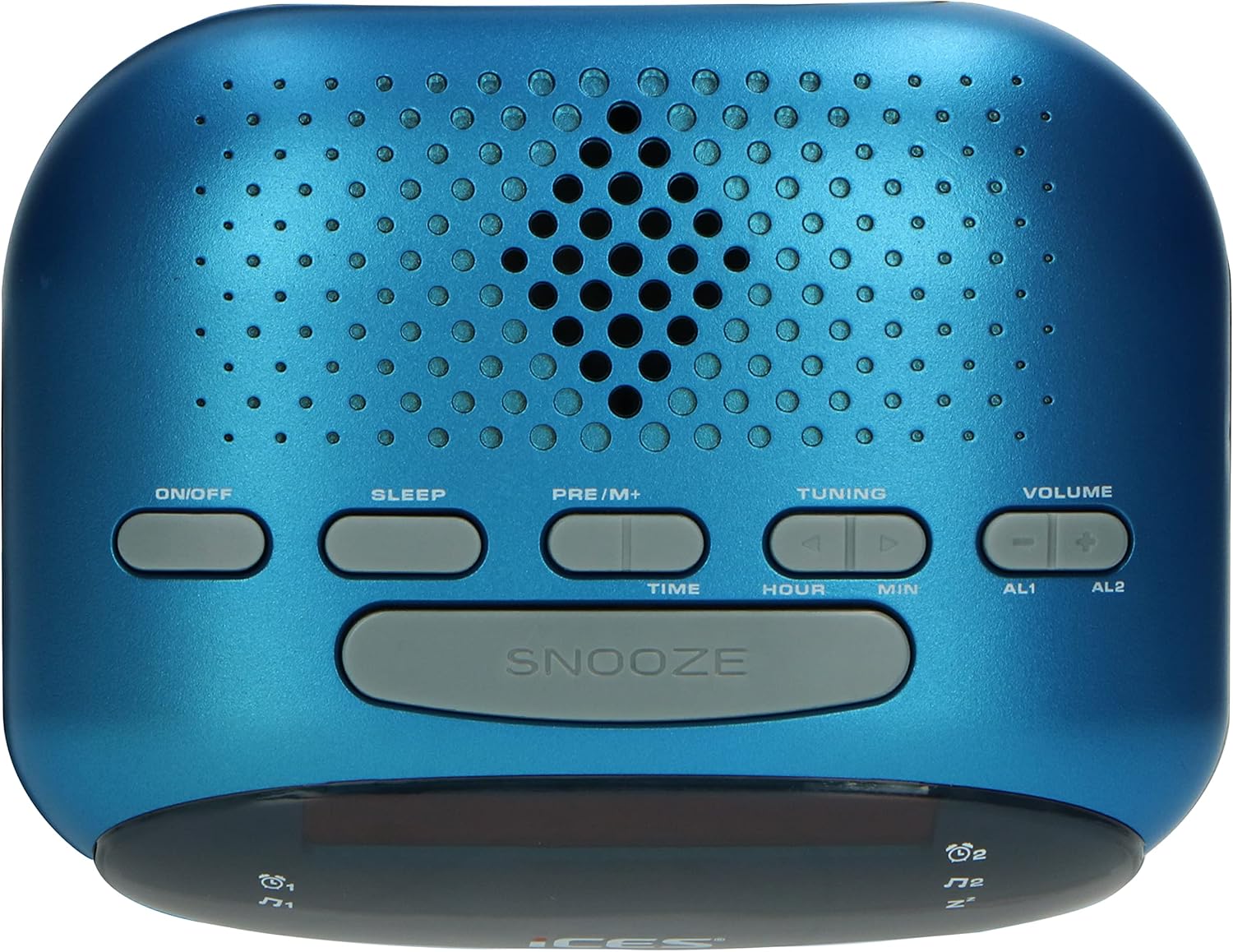
Figura 5.1: superior view of the clock radio, highlighting the control buttons.
5.1 Configuració de l'hora
- Manteniu premut el botó TEMPS botó fins que la pantalla parpellegi.
- Premeu el botó HORA per configurar l'hora.
- Premeu el botó MIN botó per configurar el minut.
- Premeu el botó TEMPS de nou per confirmar i sortir del mode de configuració de l'hora.
5.2 Configuració de l'alarma
The ICR-210 features two independent alarms (AL1 and AL2).
- Manteniu premut el botó AL1 or AL2 botó fins que la pantalla parpellegi.
- Premeu el botó HORA botó per configurar l'hora de l'alarma.
- Premeu el botó MIN botó per configurar els minuts de l'alarma.
- Premeu el botó AL1 or AL2 premeu el botó de nou per seleccionar la font de l'alarma: Zumbador or RàdioLa icona corresponent apareixerà a la pantalla.
- Premeu el botó AL1 or AL2 Premeu el botó una vegada més per confirmar i sortir del mode de configuració de l'alarma.
5.3 Funció de repetició
Quan soni l'alarma, premeu el botó gran DORMITAR button to temporarily silence the alarm. The alarm will sound again after approximately 9 minutes.
5.4 Temporitzador de repòs
El temporitzador de son et permet adormir-te amb la ràdio, que s'apagarà automàticament després d'un període de temps establert.
- Premeu el botó DORMIR Premeu el botó repetidament per anar passant pels temps de repòs disponibles (per exemple, 90, 60, 30, 15 minuts, OFF).
- La ràdio reproduirà durant el temps seleccionat i després s'apagarà automàticament.
5.5 Funcionament de la ràdio FM
- Premeu el botó ON/OFF botó per encendre la ràdio.
- Premeu el botó TUNING botons (▲ or ▼) to manually tune to a desired FM frequency. Press and hold to auto-scan for the next available station.
- Ajusteu el volum amb el botó VOLUM botons (+ or -).
- To save a preset station: Tune to the desired station, then press and hold the PRE/M+ fins que el número preestablert parpellegi. Feu servir el botó TUNING buttons to select a preset number (P01-P10), then press PRE/M+ de nou per confirmar.
- Per recuperar una emissora preestablerta: premeu breument la tecla PRE/M+ Premeu el botó repetidament per anar passant pels preajustos desats.
6. Manteniment
6.1 Neteja
To clean the unit, wipe the exterior with a soft, dry cloth. Do not use abrasive cleaners, waxes, or solvents as they may damage the finish. Ensure the unit is unplugged before cleaning.
6.2 Substitució de la bateria
If the battery backup is used, replace the 3V storage battery annually or when the time/alarm settings are no longer retained during power outages. Dispose of old batteries responsibly according to local regulations.
7. Solució De Problemes
| Problema | Causa possible | Solució |
|---|---|---|
| La unitat no s'encén. | Cable d'alimentació no connectat correctament. | Ensure the power cord is securely plugged into the unit and the wall outlet. |
| Cap so de la ràdio. | El volum és massa baix o està silenciat. | Augmenteu el volum amb el VOLUM + botó. |
| Mala recepció de ràdio FM. | Antena no estesa o no posicionada correctament. | Fully extend the wire antenna and adjust its position for better reception. |
| L'alarma no sona. | Alarm not set or turned off. Incorrect alarm time. | Verify that the alarm is set and enabled (icon visible on display). Check the alarm time. |
| Temps/configuració perduts després d'un apagadatage. | Battery backup not installed or depleted. | Install a new 3V storage battery in the battery compartment. |
8. Especificacions
| Model: | ICR-210 blue |
| Font d'alimentació: | CA 230V ~ 50Hz |
| Còpia de seguretat de la bateria: | DC 3V (3V storage battery, not included) |
| Consum d'energia: | Max./Standby: 6 W |
| Visualització: | LED de 0.6 polzades |
| Tipus de sintonitzador: | Ràdio FM PLL |
| Dimensions (L x A x P): | 140 x 110 x 50 mm (5.5 x 4.3 x 2.0 polzades) |
| Pes: | 0.320 kg (0.7 lliures) |
| Material: | Acrilonitril butadiè estirè (ABS) |
9. Garantia i Suport
For warranty information and technical support, please refer to the specific warranty card included with your product or visit the official iCES weblloc web. Conserveu el rebut de compra com a comprovant de compra per a qualsevol reclamació de garantia.


