1. Introducció
This manual provides detailed instructions for the installation, operation, and maintenance of your JOOAN TC-404AHD-4A 4-Channel 720P AHD Wired Security Camera System. Please read this manual thoroughly before using the product to ensure proper setup and functionality. Keep this manual for future reference.
2. Producte acabatview
The JOOAN TC-404AHD-4A system is designed to provide reliable surveillance with 720P AHD cameras, offering clear day and night vision. It features H.265+ video compression for efficient storage and supports remote access via mobile devices and PC.

Figure 2.1: JOOAN AHD Camera with Weatherproof Design, mounted on a wall with rain effects, indicating suitability for outdoor use.

Figure 2.2: Day and Night Vision Comparison. The camera automatically switches to black and white infrared vision in low light conditions.

Figure 2.3: Included Components of the JOOAN TC-404AHD-4A System. This package typically includes the DVR, four AHD cameras, necessary cables, power adapters, and a USB mouse.
3. Instruccions de configuració
Follow these steps to set up your JOOAN security camera system.
3.1 Desembalatge i connexió inicial
- Carefully unpack all components from the box. Verify that all items listed in the product overview estan presents.
- Connect the cameras to the DVR using the provided BNC cables. Ensure secure connections.
- Connect the DVR to a monitor using a VGA or HDMI cable.
- Connect the power adapters to the cameras and the DVR, then plug them into power outlets.
- The system should power on and display camera feeds on the connected monitor.
3.2 Remote Access Setup (Mobile App)
El sistema admet la navegació remota viewing via a mobile application. Refer to the video below for a visual guide on setting up remote access.
Video 3.1: Operation Video for JOOAN System. This video guides you through the unboxing, quick setup, and remote access configuration for your JOOAN security system using a mobile application and PC.
- Ensure your DVR is connected to the internet via an Ethernet cable.
- Download the recommended mobile application (e.g., XMEye Pro) from your device's app store.
- Open the app and register an account if you don't have one.
- Add your device by scanning the QR code displayed on your DVR's monitor (usually found in Network settings or Device Info).
- Un cop afegit, podeu view live feeds and playback recordings remotely.
4. Instruccions de funcionament
This section covers the basic operation of your security system.
Video 4.1: 8CH Wired Security Camera System - Main Functions. This video highlights key features such as motion detection, remote monitoring, and the system's resilience to various weather conditions.
4.1 Viu View i la reproducció
- Viu View: After successful setup, the monitor will display live feeds from all connected cameras. You can switch between single-camera view i una graella multicàmera view.
- Reproducció: Accediu a l'opció "Reproducció" del menú principal per tornar a reproduirview foo gravattage. You can search by date, time, and event type (e.g., motion detection).
4.2 Detecció de moviment i alertes
The system supports motion detection to trigger recording and send alerts.
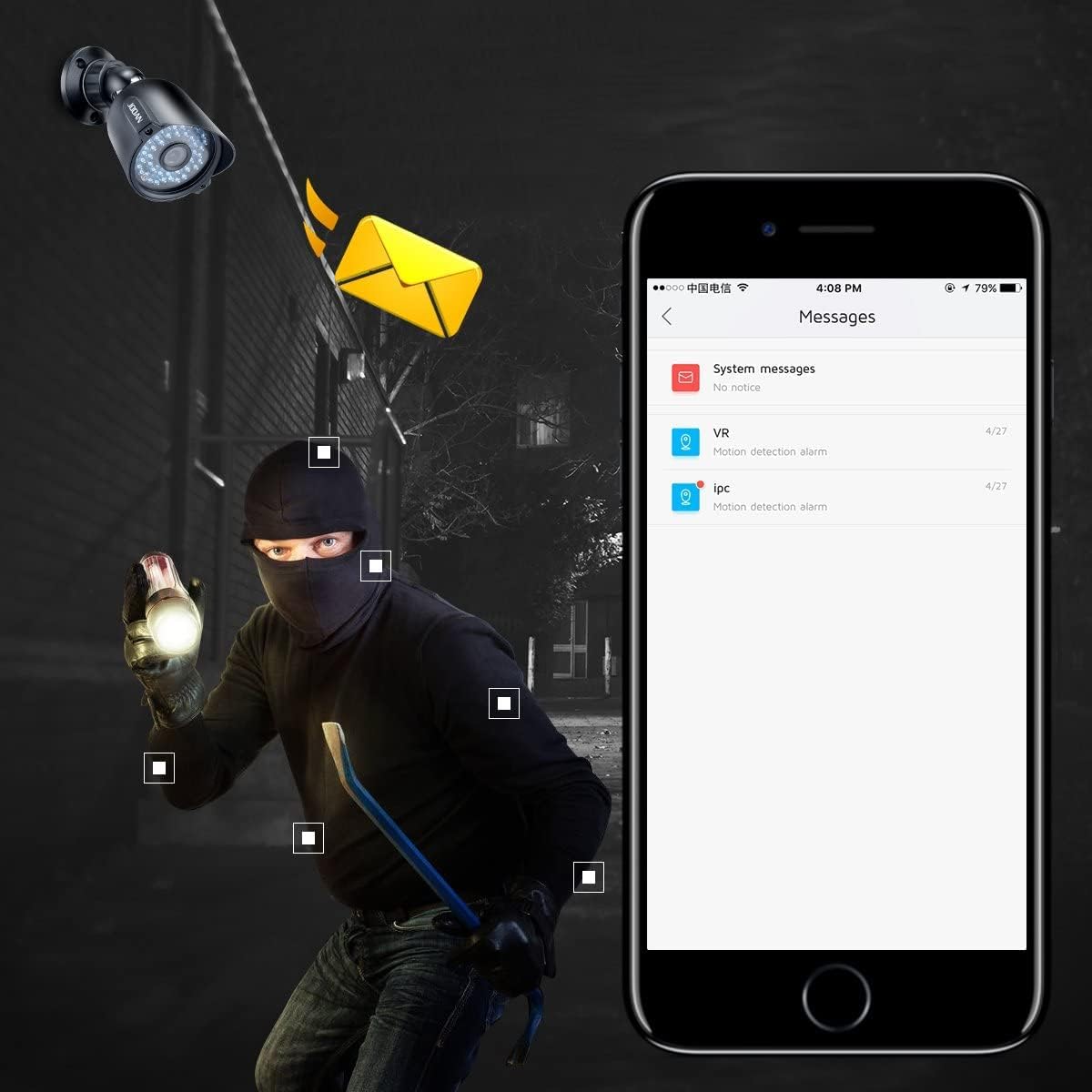
Figure 4.1: Motion Detection Alert. The system can send push notifications to your smartphone or email when motion is detected.
- From the DVR's main menu, navigate to 'Alarm' > 'Motion Detect'.
- Enable motion detection for desired channels.
- Adjust sensitivity and define detection regions as needed.
- Configure alert actions, such as sending email notifications or mobile app push alerts.
Compressió de vídeo 4.3 H.265+
The system utilizes H.265+ encoding technology to optimize storage space while maintaining video quality.

Figure 4.2: H.265+ vs H.264 Storage Comparison. H.265+ significantly reduces storage requirements compared to older H.264 compression.
5. Manteniment
- Neteja regular: Clean camera lenses periodically with a soft, damp tela per garantir una qualitat d'imatge nítida.
- Actualitzacions de firmware: Comproveu el del fabricant weblloc web per a actualitzacions de firmware per garantir un rendiment i una seguretat òptims.
- Inspecció del cable: Periodically inspect all cables for wear, damage, or loose connections.
- Gestió del disc dur: Ensure the DVR's hard drive has sufficient space. Configure overwrite settings if continuous recording is desired.
6. Solució De Problemes
- Sense visualització de vídeo: Check all cable connections (power, video, monitor). Ensure the monitor is set to the correct input source.
- Sense accés remot: Verify the DVR is connected to the internet. Check network settings (IP address, DNS). Ensure the mobile app is correctly configured with the device.
- Mala qualitat d'imatge: Clean camera lenses. Check cable integrity. Ensure cameras are within their effective range and not obstructed.
- La detecció de moviment no funciona: Verify motion detection is enabled for the specific channel. Adjust sensitivity and detection regions. Check alert settings (email, push notifications).
- System Not Recording: Check hard drive status and ensure it is initialized and has sufficient space. Verify recording schedules are correctly set.
7. Especificacions
| Característica | Especificació |
|---|---|
| Marca | JOOAN |
| Número de model | TC-404AHD-4A (Internal: 01-1004-000005) |
| Tecnologia de connectivitat | Amb cable |
| Resolució de captura de vídeo | 1080p, 720p |
| Característiques especials | Sensor de moviment, visió nocturna |
| Nombre de canals | 8 |
| Font d'alimentació | Battery Powered (for cameras, system is wired) |
| Dimensions de l'article L x W x H | 12.99 x 6.69 x 12.8 polzades |
| Usos recomanats | Interior, Exterior |
| Dispositius compatibles | Cameras, Personal Computers, Smartphones |
| Gamma de visió nocturna | 100 peus |
| Ports USB totals | 1 |
| Pes de l'article | 8.8 lliures |
| UPC | 700465870322 |
8. Garantia i Suport
JOOAN products are designed for reliability and performance. For specific warranty details, please refer to the product packaging or contact JOOAN customer service directly. Our support team is available to assist you with any questions or issues.
- Línia de servei: +86-755-33094780
- Correu electrònic: Technicalreply@qacctv.com
- Skype: market@qacctv.com


