1. Introducció
The Netatmo Smart Indoor Camera (model NSC01-EU) is designed to enhance your home security by providing intelligent surveillance. It features motion detection, facial recognition, night vision, and two-way audio, allowing you to monitor your home and communicate with occupants from anywhere. This manual provides essential information for installation, operation, and troubleshooting.
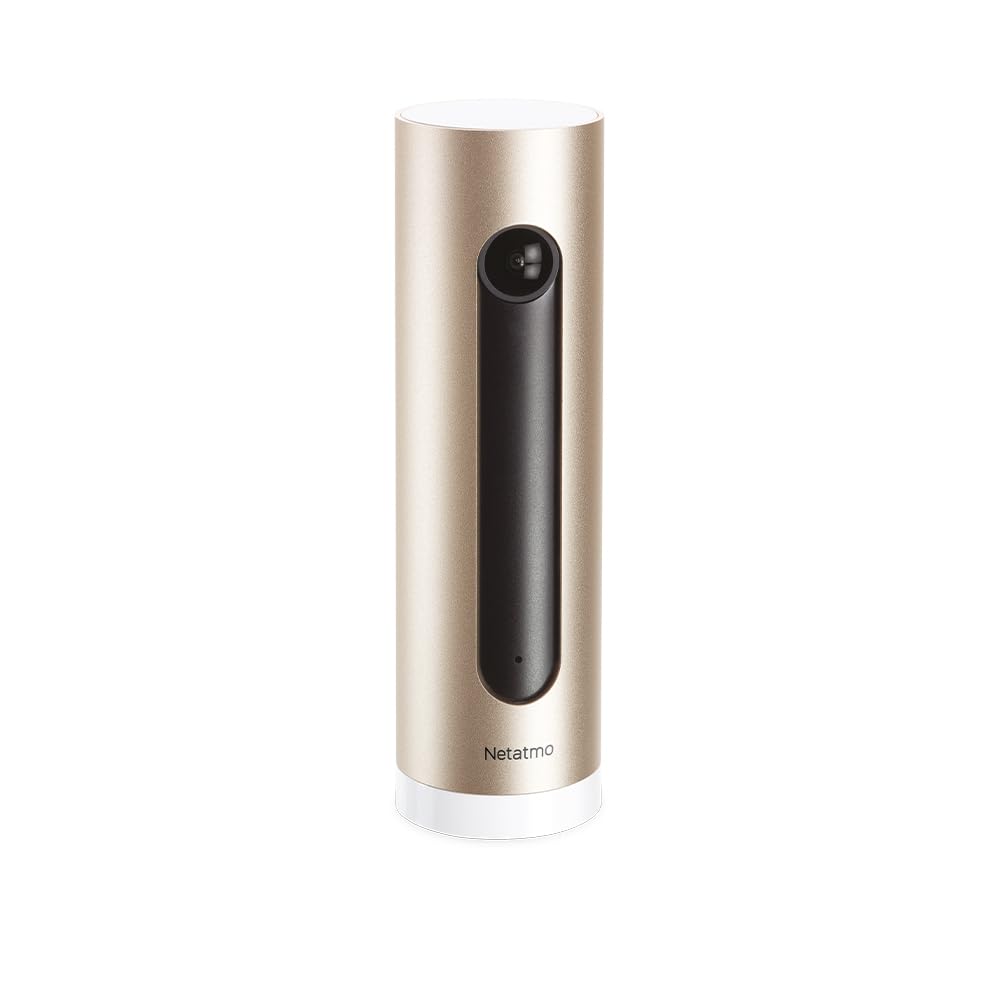
Image: The Netatmo Smart Indoor Camera, showcasing its compatibility with Apple HomeKit, Amazon Alexa, and Google Assistant.
2. Configuració
2.1 Desembalatge i contingut
Carefully unpack the camera and verify all components are present:
- Netatmo Smart Indoor Camera (NSC01-EU)
- Adaptador d'alimentació
- Cable USB
- Guia de l'usuari (aquest document)

Image: The Netatmo Smart Indoor Camera along with its included power adapter, USB cable, and printed user guide.
2.2 Col·locació de la càmera
Place the camera indoors on a stable, flat surface with a clear view of the area you wish to monitor. Ensure it is within range of your Wi-Fi network. Avoid placing it in direct sunlight or near heat sources.

Image: The Netatmo Smart Indoor Camera positioned discreetly on a wooden desk, demonstrating typical indoor placement.

Image: The Netatmo Smart Indoor Camera placed on a windowsill, offering a view of an indoor plant and the outdoor environment.
2.3 Connexió d'alimentació
- Connecteu el cable USB al port d'alimentació de la càmera.
- Connecteu l'altre extrem del cable USB a l'adaptador d'alimentació.
- Insert the power adapter into a wall outlet. The camera will power on automatically.
2.4 Instal·lació i emparellament de l'aplicació
- Download the Netatmo Security app from the Apple App Store or Google Play Store.
- Obre l'aplicació i crea un compte nou o inicia la sessió amb un d'existent.
- Follow the on-screen instructions within the app to add your new camera. This typically involves scanning a QR code on the camera or packaging and connecting it to your home Wi-Fi network.
3. Funcionament de la càmera
3.1 Viu View and Event Timeline
Once connected, open the Netatmo Security app to access the live video feed from your camera. The app also displays a timeline of recorded events, such as motion detections or recognized faces.

Image: The Netatmo Smart Indoor Camera positioned beside a smartphone, illustrating the camera's live feed and event timeline within the Netatmo Security application.
3.2 Detecció de moviment i alertes
The camera is equipped with advanced motion detection. When motion is detected, the camera records the event and sends a notification to your smartphone. You can customize alert settings within the app.
3.3 Reconeixement facial
The Netatmo Smart Indoor Camera can learn to recognize familiar faces. Once a face is identified, you can assign a name to it in the app. This allows the camera to differentiate between known individuals and strangers, providing more relevant alerts.
3.4 Àudio bidireccional
Utilitzeu el micròfon i l'altaveu integrats per a la comunicació bidireccional. Toqueu la icona del micròfon a la pantalla en directe view to speak through the camera, and hear responses through your phone's speaker.
3.5 Visió nocturna
The camera automatically switches to infrared night vision in low-light conditions, ensuring continuous surveillance even in complete darkness.
3.6 Controls de privadesa
Manage your privacy settings through the Netatmo Security app. You can define specific zones within the camera's view to ignore for motion detection or disable recording when certain individuals are detected.
3.7 Emmagatzematge de vídeo
The Netatmo Smart Indoor Camera offers free local storage of video recordings on a microSD card (included or purchased separately). You can also opt for cloud storage solutions if desired, though no subscription is required for basic functionality.
4. Manteniment
4.1 Neteja
To maintain optimal performance, periodically clean the camera lens and body with a soft, dry, lint-free cloth. Do not use harsh chemicals or abrasive materials.
4.2 Actualitzacions de programari
Ensure your camera's firmware is up to date. The Netatmo Security app will typically notify you of available updates and guide you through the installation process. Regular updates provide new features and security enhancements.
5. Solució De Problemes
5.1 La càmera no s'encén
- Verify the power adapter is securely plugged into both the camera and a working wall outlet.
- Prova una altra presa de corrent.
- Assegureu-vos que el cable USB no estigui danyat.
5.2 Sense connexió Wi-Fi
- Check if your home Wi-Fi network is active and functioning correctly.
- Assegureu-vos que la càmera estigui dins de l'abast del vostre encaminador Wi-Fi.
- Reinicieu el vostre encaminador Wi-Fi.
- Attempt to re-pair the camera with the Netatmo Security app.
5.3 Mala qualitat de vídeo
- Netegeu la lent de la càmera.
- Ensure adequate lighting in the monitored area (outside of night vision mode).
- Comproveu la velocitat de la vostra connexió a Internet; una connexió lenta pot afectar la qualitat de la transmissió en temps real.
5.4 Motion Detection Issues
- Review motion detection settings in the Netatmo Security app.
- Adjust the camera's placement to optimize its field of view.
- Ensure no objects are obstructing the camera's view.
6. Especificacions
| Característica | Descripció |
|---|---|
| Marca | Netatmo |
| Nom del model | NSC01-EU |
| Tecnologia de connectivitat | Cablejat, sense fil (Wi-Fi) |
| Característiques especials | Two-Way Audio, Night Vision, Motion Detection, Facial Recognition |
| Entorn d'ús | Interior |
| Font d'alimentació | AC/DC |
| Dispositius compatibles | Smartphones (iOS, Android), Apple HomeKit, Amazon Alexa, Google Assistant |
7. Garantia i Suport
7.1 Informació de la garantia
For detailed warranty information, please refer to the warranty card included in your product packaging or visit the official Netatmo weblloc web. Conserveu el comprovant de compra per a reclamacions de garantia.
7.2 Atenció al client
If you encounter any issues not covered in this manual or require further assistance, please visit the official Netatmo support weblloc a www.netatmo.com/support. You can find FAQs, troubleshooting guides, and contact information for technical support.


