1. Introducció
This manual provides essential information for the proper use and care of your genuine FINLUX remote control, model 42FME242S-T. This remote control is designed to operate compatible FINLUX televisions, including models 42FME242ST, 42FME242S-T, and 50FLHKR242BHCN.
It is an authentic replacement part, identical to the remote control originally supplied with your television.
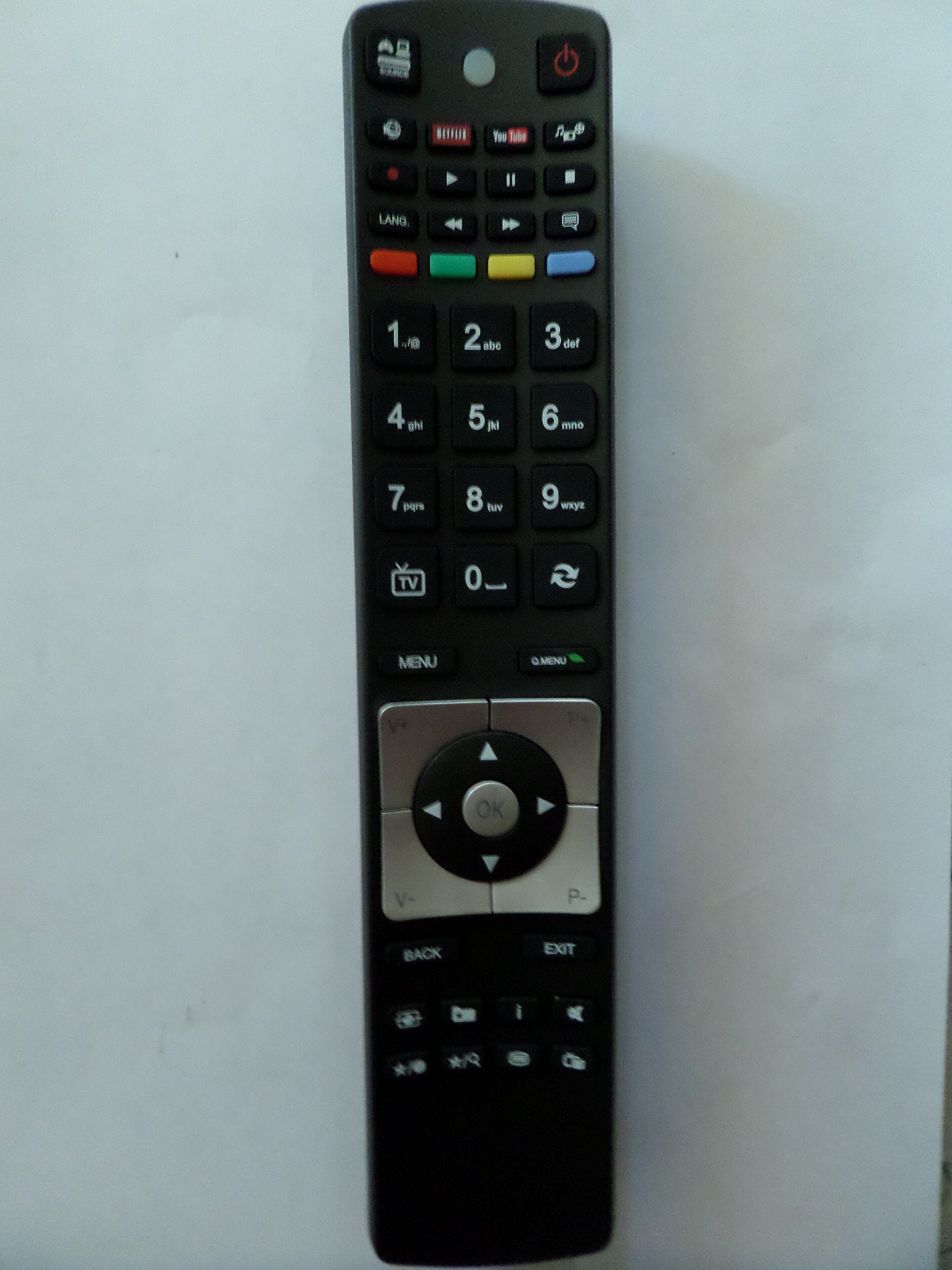
Image: The genuine FINLUX remote control, showing its button layout and design.
2. Configuració
2.1 Instal·lació de la bateria
El comandament a distància requereix dues (2) piles AA per funcionar. Segueix aquests passos per instal·lar les piles:
- Localitzeu la tapa del compartiment de la bateria a la part posterior del comandament a distància.
- Feu lliscar la tapa cap avall o premeu el pestell (si n'hi ha) per obrir el compartiment.
- Introduïu dues piles AA, assegurant-vos que els terminals positiu (+) i negatiu (-) s'alineïn correctament amb les marques de l'interior del compartiment.
- Tanqueu la tapa del compartiment de la bateria fent-la lliscar de nou al seu lloc fins que faci clic de manera segura.
Nota: Feu servir sempre piles noves i substituïu-les totes dues alhora. No barregeu piles velles i noves ni piles de tipus diferents.
3. Instruccions de funcionament
This remote control uses infrared (IR) technology to communicate with your television. Ensure there is a clear line of sight between the remote control and the TV's IR receiver.
3.1 Funcions bàsiques
The remote control provides standard functions for operating your FINLUX television. While specific button layouts may vary slightly, common functions include:
- Encès/apagat: Encén o apaga el televisor.
- Selecció de canals: Canvia els canals de televisió.
- Control de volum: Ajusta el nivell de so.
- Silenciar: Silencia l'àudio del televisor.
- Entrada/Font: Selects different input sources (e.g., HDMI, AV).
- Menú: Accesses the TV's on-screen menu.
- Botons de navegació: (Up, Down, Left, Right, OK) for navigating menus.
- Botons numèrics: Per a entrada directa de canal.
Refer to your television's user manual for detailed information on specific button functions and advanced features.
4. Manteniment
4.1 Neteja
Per netejar el comandament a distància, utilitzeu un drap suau i sec. Per a la brutícia resistent, netegeu lleugerament.ampen the cloth with water or a mild, non-abrasive cleaner. Do not use harsh chemicals, solvents, or abrasive cleaning pads, as these can damage the remote control's surface and internal components.
4.2 Emmagatzematge
When not in use for extended periods, remove the batteries to prevent leakage, which can damage the remote control. Store the remote control in a cool, dry place away from direct sunlight and extreme temperatures.
5. Solució De Problemes
- El comandament a distància no respon:
- Comproveu si les piles estan inserides correctament amb la polaritat correcta.
- Replace the batteries with new AA batteries.
- Assegureu-vos que no hi hagi obstacles entre el comandament a distància i el receptor d'infrarojos del televisor.
- Make sure you are within the maximum operating range (approximately 10 meters).
- Els botons són enganxosos o no responen:
- Netegeu el comandament a distància tal com es descriu a la secció Manteniment.
- If the issue persists, the remote control may require replacement.
6. Especificacions
| Característica | Detall |
|---|---|
| Marca | Finlux |
| Fabricant | FINLUX |
| Número de model | 42FME242S-T |
| Número de part | 42FME242S-T |
| Dispositius compatibles | Television (FINLUX models: 42FME242ST, 42FME242S-T, 50FLHKR242BHCN) |
| Tipus de bateria | 2 x piles AA |
| Tecnologia de connexió | Infrarojos (IR) |
| Interval de funcionament màxim | 10 metres (aproximadament 33 peus) |
| Primera data disponible | 22 de setembre de 2018 |
7. Garantia i Suport
Information regarding specific warranty terms or direct customer support for this product is not available in the provided data. Please refer to the documentation that came with your original television or contact FINLUX customer service for warranty inquiries and support options.


