Introducció
The Afterglow Prismatic LED Wired Controller for Xbox One is designed to enhance your gaming experience with customizable lighting and advanced features. Officially licensed by Microsoft, this controller offers a unique blend of visual appeal and functional customization, allowing gamers to tailor their gameplay.
Característiques
- Prismatic LED Lighting: Features Afterglow's signature Prismatic LED lighting, allowing users to set their favorite color, cycle through a rainbow of colors, or turn off the lights completely.
- Conector per a auriculars de 3.5 mm: Includes a 3.5mm audio jack for connecting headsets, with convenient chat and volume controls located directly on the controller.
- Dual Multi-Function Wheels: Equipped with two multi-function wheels on the back, offering 6 programmable actions for customized gameplay.
- Premium Analog Sticks: Utilizes premium Alps analog sticks for precise and reliable gaming control.
- Dual Rumble Motors & Impulse Triggers: Provides immersive haptic feedback with dual rumble motors and impulse triggers that respond to in-game events.
- Clear Polycarbonate Housing: The transparent design reveals the controller's internal circuitry, adding to its unique aesthetic.
Contingut del paquet
Si us plau, verifiqueu que tots els elements siguin presents al vostre paquet:
- Afterglow Prismatic LED Wired Controller
- Cable USB desmuntable
- Manual d'instruccions (aquest document)
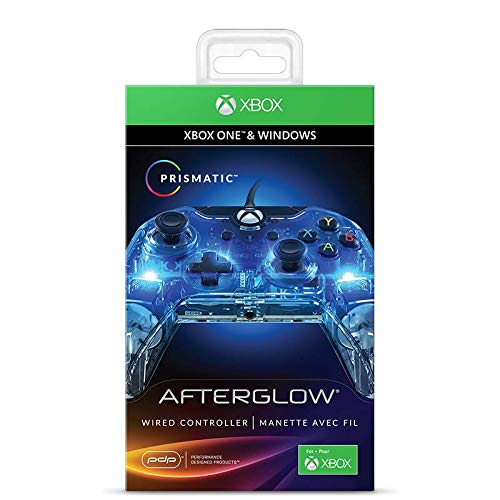
Davant view of the Afterglow Prismatic LED Wired Controller retail packaging.
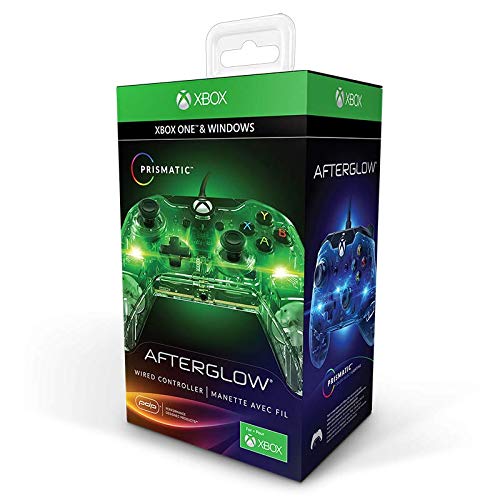
lateral view of the Afterglow Prismatic LED Wired Controller retail packaging, showing features.
Configuració
- Connecteu el controlador: Insert the detachable USB cable into the port on the top of the Afterglow Prismatic Controller. Connect the other end of the USB cable to an available USB port on your Xbox One console or PC.
- Reconeixement inicial: The console/PC should automatically detect the controller. For PC users, drivers may need to be installed. If automatic installation fails, visit the PDP support weblloc per a la descàrrega de controladors.
- Headset Connection (Optional): If using a headset, plug its 3.5mm jack into the port located at the bottom of the controller.

The Afterglow Prismatic LED Wired Controller, illuminated in blue.
Instruccions de funcionament
Controls bàsics
The controller features standard Xbox One button layouts, including A, B, X, Y buttons, D-pad, left and right analog sticks, shoulder buttons (LB, RB), and triggers (LT, RT). The Xbox button is located at the top center.
Prismatic LED Lighting Customization
The controller's signature feature is its customizable LED lighting. To adjust the lighting:
- Canvia el color: Use the dedicated button (often located on the back or front of the controller, refer to the quick start guide for exact location) in conjunction with an analog stick or D-pad to cycle through colors or select a specific hue.
- Cicle de colors: Some modes allow the controller to automatically cycle through the full spectrum of colors.
- Apagar els llums: The LED lighting can be completely deactivated if desired.
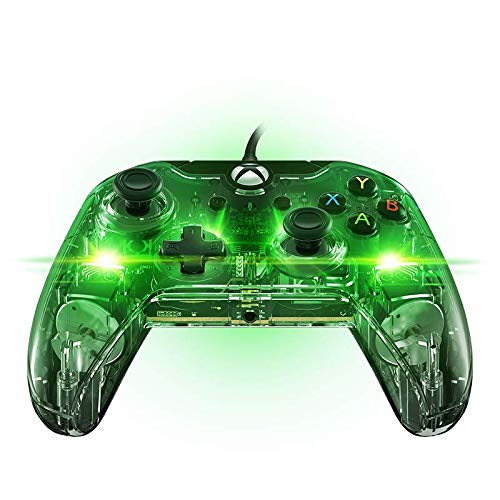
The controller illuminated in green.
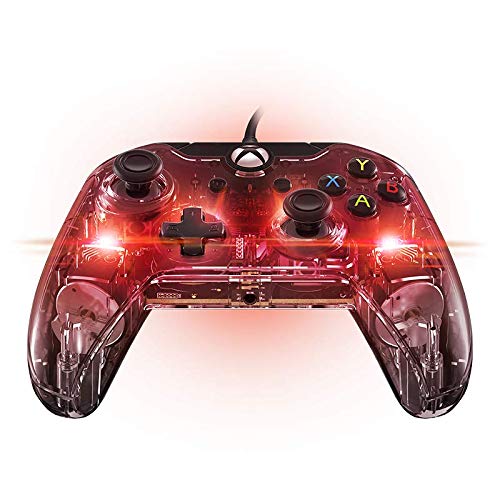
The controller illuminated in red.
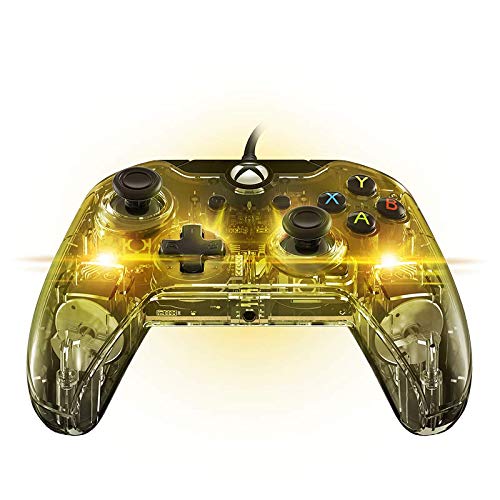
The controller illuminated in yellow.
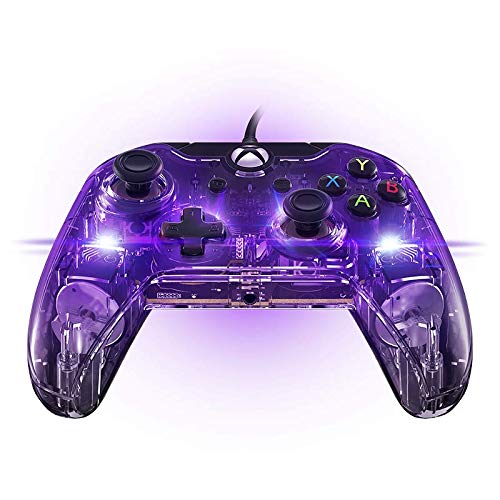
The controller illuminated in purple.
Multi-Function Wheels
The dual multi-function wheels on the back of the controller can be programmed to perform up to 6 different actions. This allows for quick access to frequently used commands without removing your thumbs from the analog sticks. Programming is typically done via a companion app available on the Xbox Store or PC.
Controls d'àudio
With a headset connected to the 3.5mm jack, you can adjust game and chat audio levels directly from the controller. Look for dedicated buttons or combinations (e.g., holding a button and using the D-pad) to control volume and chat/game balance.
Manteniment
- Neteja: Feu servir un drap suau i sec per netejar el controlador. Per a la brutícia persistent, netegeu lleugerament.amp es pot fer servir un drap, però assegureu-vos que no entri humitat als components interns. Eviteu productes químics agressius o netejadors abrasius.
- Emmagatzematge: Store the controller in a cool, dry place away from direct sunlight and extreme temperatures. When not in use, it is recommended to coil the USB cable neatly to prevent tangling or damage.
- Cura del cable: Avoid sharply bending or pulling the USB cable, especially near the connectors, to prevent internal wire damage.
Resolució de problemes
| Problema | Causa possible | Solució |
|---|---|---|
| El controlador no respon. | Loose USB connection; console/PC port issue; driver issue (PC). | Ensure USB cable is securely connected to both controller and console/PC. Try a different USB port. For PC, check device manager for driver status or reinstall drivers from PDP support weblloc. |
| LED lights not working or stuck on one color. | Lighting mode setting; software glitch. | Verify lighting settings using the controller's dedicated buttons or the companion app. Disconnect and reconnect the controller. Restart the console/PC. |
| Headset audio issues (static, no sound, mic not working). | Loose headset connection; incorrect audio settings; faulty headset or controller port. | Ensure headset is fully plugged into the 3.5mm jack. Check in-game and console/PC audio settings. Test with another headset if possible. Disconnect and reconnect the controller. |
| Multi-function wheels not programming correctly. | Incorrect programming steps; companion app issue. | Review the programming instructions within the companion app. Ensure the app is up-to-date. Reset controller settings if necessary. |
Especificacions
| Atribut | Detall |
|---|---|
| Número de model | 048-007-UE |
| Compatibilitat | Xbox One, Windows PCs |
| Connectivitat | Cablejat (cable USB desmuntable) |
| Port d'àudio | Conector per a auriculars de 3.5 mm |
| Dimensions (L x A x A) | 7.48 x 5.31 x 1.18 polzades |
| Pes | 3.53 unces |
| Fabricant | PDP |
| Data de llançament | 15 d'octubre de 2015 |
Garantia i Suport
For detailed warranty information and technical support, please refer to the official PDP website or the included warranty card. A comprehensive User Guide in PDF format is also available for download:
Descarrega la Guia de l'usuari (PDF)
For further assistance, contact PDP customer support through their official channels.


