Introducció
This manual provides detailed instructions for the installation, operation, maintenance, and troubleshooting of your Lock 10CD Digital Touch Panel Deadbolt. Designed with high-quality materials, this deadbolt offers advanced security for your main entry point, featuring both digital PIN and traditional key access. Please read this manual thoroughly before installation and use to ensure proper function and security.
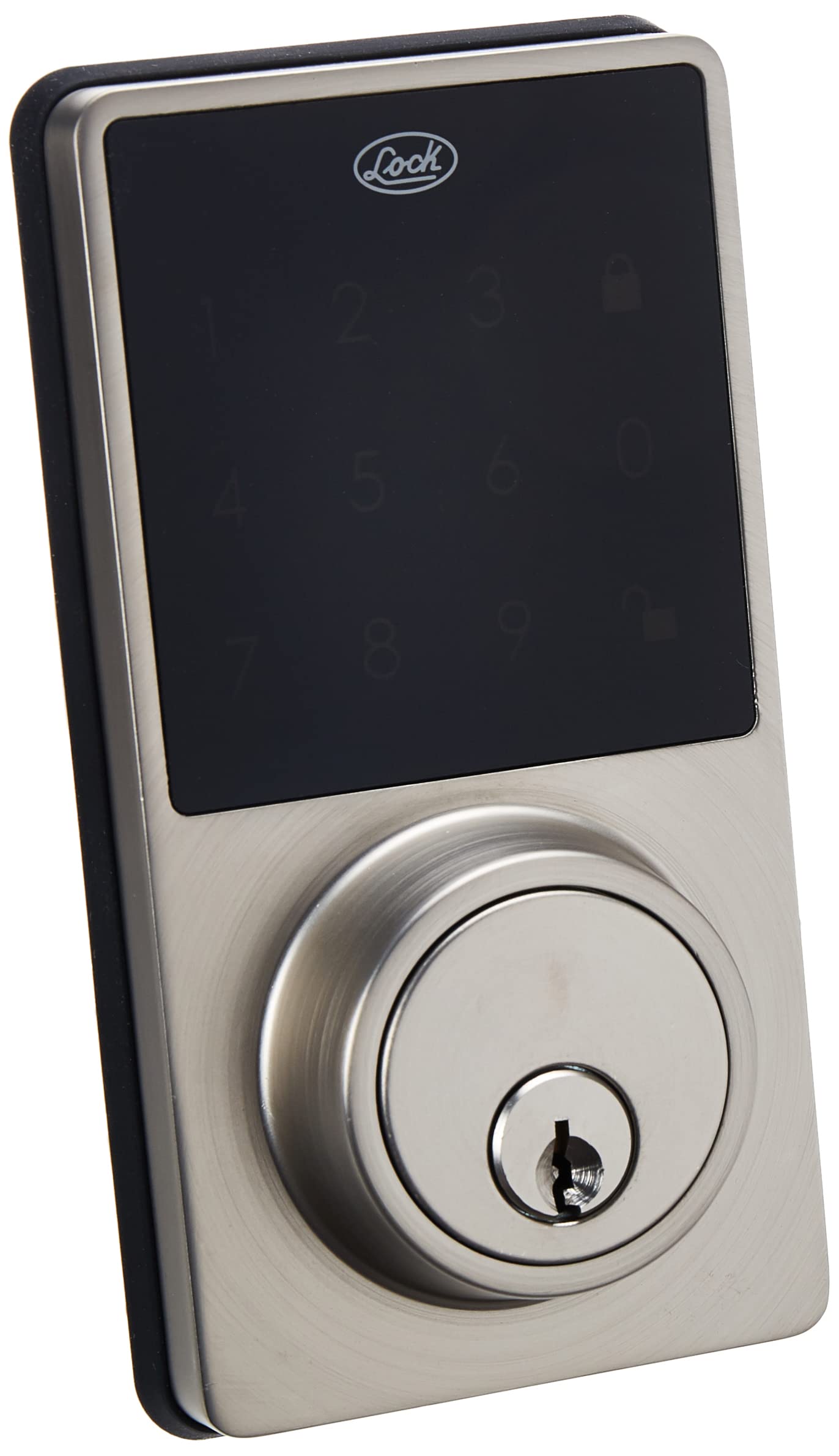
Image: The Lock 10CD Digital Touch Panel Deadbolt, showing both the exterior keypad unit and the interior thumb-turn unit.
Contingut del paquet
Abans de començar la instal·lació, assegureu-vos que hi hagi tots els components:
- Exterior Digital Keypad Unit
- Interior Thumb-Turn Unit
- Pestillo de cèrcol
- Placa de vaga
- Cargols i accessoris de muntatge
- 2 claus estàndard
- Manual d'instruccions (aquest document)
- Política de garantia

Image: The Lock 10CD Digital Deadbolt units displayed alongside two physical keys, indicating the dual access method.
Configuració i instal·lació
Follow these steps carefully for proper installation. It is recommended to have basic tools such as a screwdriver and tape measure.
- Prepara la porta: Ensure your door has standard bore holes for a deadbolt. If not, consult a professional for drilling.
- Instal·leu el tancament: Introduïu el pestell de forrellat a la vora de la porta. Assegureu-vos que la fletxa "AMUNT" del pestell estigui mirant cap amunt. Fixeu-lo amb cargols.
- Instal·leu el teclat exterior: Route the cable from the exterior keypad unit through the door bore hole. Align the keypad with the latch and secure it to the door.
- Instal·leu la placa de muntatge interior: Attach the interior mounting plate to the door, ensuring the cable from the exterior unit passes through it. Secure with screws.
- Connectar els cables: Connect the cable from the exterior unit to the interior unit. Ensure a secure connection.
- Install Interior Unit: Place the interior unit over the mounting plate, aligning the thumb-turn with the deadbolt mechanism. Secure with screws.
- Instal·leu les bateries: Open the battery cover on the interior unit. Insert 4 AA alkaline batteries (not included), observing polarity. Close the battery cover.
- Prova de funcionament: Test the deadbolt with the physical key and by entering a default or initial PIN (refer to the programming section for setting your own PIN).

Imatge: Una explosió view of the Lock 10CD Digital Deadbolt, illustrating the internal components and how they fit together during installation, including the battery compartment.
Instruccions de funcionament
Desbloqueig del forrellat
- Using a PIN Code:
- Toqueu el teclat numèric per activar-lo.
- Enter your 4-8 digit user PIN code.
- Premeu el botó Bloqueig button (usually represented by a padlock icon). The deadbolt will retract.
- Using the Physical Key:
- Insert the standard key into the keyhole.
- Turn the key to unlock the deadbolt.
- Des de l'interior:
- Rotate the thumb-turn on the interior unit to unlock the deadbolt.

Imatge: Un primer pla view of the Lock 10CD digital touch panel, showing the illuminated numbers and lock/unlock icons for code entry.
Bloqueig del forrellat
- Des de l'exterior:
- Premeu el botó Bloqueig button on the keypad. The deadbolt will extend.
- Des de l'interior:
- Rotate the thumb-turn on the interior unit to lock the deadbolt.
Programming User PIN Codes
Refer to the specific programming instructions included in your package for detailed steps on adding, deleting, or modifying user PIN codes. Generally, this involves entering a master code followed by a sequence to manage user codes.
Manteniment
- Neteja: Wipe the keypad and lock body with a soft, damp drap. Eviteu productes de neteja abrasius o dissolvents que puguin danyar l'acabat o els components electrònics.
- Substitució de la bateria: The lock features a low battery alarm. When the alarm sounds or the keypad lights dim, replace all four AA alkaline batteries promptly.
- Traieu la tapa de la bateria de la unitat interior.
- Traieu les piles velles i elimineu-les correctament.
- Introduïu piles alcalines AA noves, assegurant-vos de la polaritat correcta (+/-).
- Substituïu la tapa de la bateria.
- Lubricació: Periodically lubricate the deadbolt latch mechanism with a silicone-based lubricant to ensure smooth operation. Do not lubricate the key cylinder.

Imatge: A view of the interior unit of the Lock 10CD Digital Deadbolt, highlighting the battery compartment for easy access during maintenance.
Resolució de problemes
| Problema | Causa possible | Solució |
|---|---|---|
| El teclat no s'encén. | Piles gastades o instal·lació incorrecta de les piles. | Substituïu les piles per piles alcalines AA noves, assegurant-vos de la polaritat correcta. |
| Deadbolt does not lock/unlock with PIN. | Incorrect PIN entered; deadbolt mechanism jammed; low batteries. | Verify PIN code. Check for obstructions in the door frame or latch. Replace batteries. |
| Physical key does not work smoothly. | Key cylinder dirty or damaged; incorrect key. | Ensure you are using the correct key. Do not lubricate the key cylinder. If issue persists, contact support. |
| L'alarma de bateria baixa sona amb freqüència. | Batteries are nearing depletion. | Replace all batteries with new, high-quality AA alkaline batteries. |
Especificacions
| Característica | Detall |
|---|---|
| Número de model | 10 CD |
| Marca | Bloqueig |
| Tipus de bloqueig | Digital Touch Panel Deadbolt |
| Mètodes d'accés | PIN Code, Standard Key |
| Material | Materials d'alta qualitat |
| Acabar | Plata polida |
| Dimensions (L x A x A) | 7.2 x 11.2 x 16.2 cm (2.8 x 4.4 x 6.4 polzades) |
| Pes | 1.02 kg (2.25 lliures) |
| Font d'alimentació | 4 piles alcalines AA (no incloses) |
| Característiques especials | Digital touch panel, Low battery alarm |
| Components inclosos | 2 keys, installation accessories, instruction manual, warranty policy |

Image: The Lock 10CD Digital Deadbolt held in a hand, illustrating its approximate size and dimensions (5.2 inches or 13 cm in height).
Garantia i Suport
Your Lock 10CD Digital Touch Panel Deadbolt comes with a warranty policy. Please refer to the included warranty document for specific terms, conditions, and duration of coverage. Keep your proof of purchase for warranty claims.
For technical assistance, troubleshooting beyond this manual, or warranty inquiries, please contact Lock customer support. Contact information can typically be found on the warranty policy document or the manufacturer's official weblloc.
Fabricant: Urrea Professional Tools S.A. de C.V.
Per a més informació, visiteu el Lock Brand Page.


