Introducció
Thank you for choosing the Altec Lansing iMW475 Mini Life Jacket Bluetooth Speaker. This speaker is designed for portability and durability, featuring a rugged, compact, waterproof, dustproof, and shockproof design. It also floats, making it ideal for outdoor and water-related activities. This manual provides essential information for setting up, operating, and maintaining your speaker.
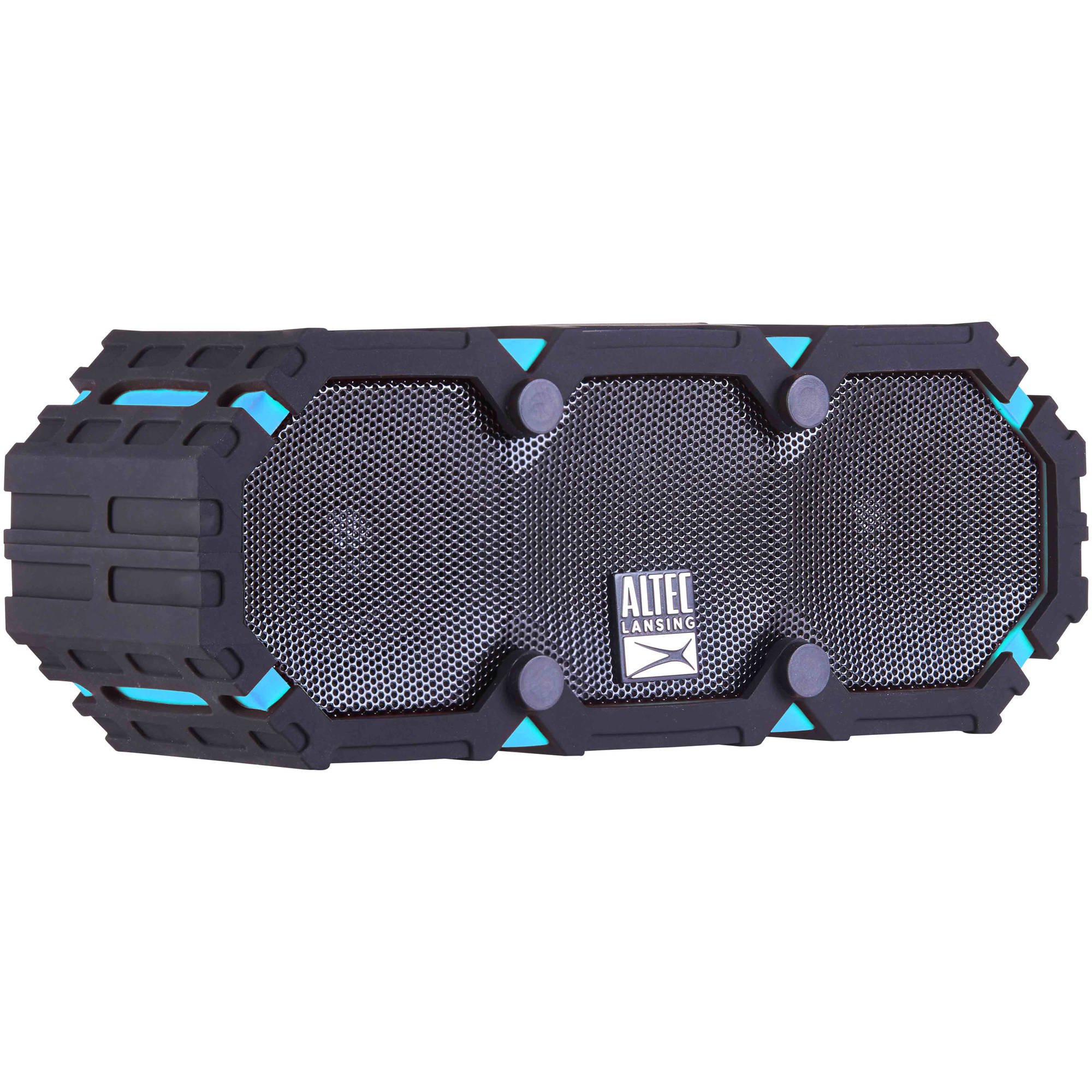
Image: The Altec Lansing iMW475 Mini Life Jacket Bluetooth Speaker, showcasing its compact, rugged design in black and blue.
Contingut del paquet
- Altec Lansing iMW475 Mini Life Jacket Bluetooth Speaker
- Suport de muntatge
- Cable de càrrega USB (Note: Specific cable type not detailed in product data, typically Micro-USB or USB-C)
- Auxiliary Cable (Note: Not explicitly listed but common for such speakers)
- Guia d'inici ràpid (Not explicitly listed but common)
Assegureu-vos que hi hagi tots els elements abans de continuar amb la configuració.
Controls i indicadors
The speaker features intuitive controls for power, volume, and Bluetooth pairing. Specific button layouts may vary slightly, but common functions include:
- Botó d'encesa: Mantingueu premut per activar o desactivar l'altaveu.
- Botó Pujar volum/Pista següent: Press to increase volume. Hold to skip to the next track.
- Botó per baixar el volum/pista anterior: Press to decrease volume. Hold to go to the previous track.
- Botó Reproduir/Pausa/Trucada: Press to play or pause audio. Press to answer or end a phone call. Hold to activate voice assistant (if supported by your device).
- Botó de vinculació Bluetooth: Manteniu premut per entrar al mode de vinculació Bluetooth.
- Indicador LED: Displays power status, charging status, and Bluetooth connection status.
Refer to the quick start guide included with your product for a detailed diagram of button placement.
Configuració
1. Carregant l’altaveu
Before first use, fully charge your Altec Lansing iMW475 speaker. A full charge provides approximately 10 hours of battery life.
- Locate the charging port, usually protected by a waterproof flap.
- Connecteu el cable de càrrega USB proporcionat al port de càrrega de l'altaveu.
- Connecteu l'altre extrem del cable USB a un adaptador de corrent USB (no inclòs) o al port USB d'un ordinador.
- The LED indicator will show the charging status (e.g., solid red while charging, off or green when fully charged).
- Once fully charged, disconnect the cable and ensure the waterproof flap is securely closed.
2. Emparellament Bluetooth
Per connectar l'altaveu a un dispositiu amb Bluetooth:
- Ensure the speaker is charged and turned off.
- Premeu i manteniu premut el botó d'engegada per encendre l'altaveu. L'indicador LED parpellejarà, indicant que està en mode d'emparellament.
- Al teu dispositiu mòbil (telèfon intel·ligent, tauleta, ordinador portàtil), vés a la configuració de Bluetooth.
- Cerca available devices. You should see "iMW475" or a similar name in the list.
- Select "iMW475" to connect. The LED indicator will turn solid when successfully paired.
- A voice prompt may confirm "You are now connected."
- Once paired, the speaker will automatically connect to the last paired device when turned on, if the device is within range (up to 30 feet or 9.14 meters).
Instruccions de funcionament
Reproducció d'àudio
- After successful Bluetooth pairing, open your preferred music application on your connected device.
- Start playing audio. The sound will be routed through your Altec Lansing iMW475 speaker.
- Use the Volume Up/Down buttons on the speaker or your connected device to adjust the audio level.
- Premeu el botó Reprodueix/Pausa per posar en pausa o reprendre la reproducció.
- Hold the Volume Up/Down buttons to skip tracks forward or backward.
Trucades mans lliures
The speaker features an onboard microphone for hands-free communication.
- When a call comes in, the music will pause, and you will hear a ringtone through the speaker.
- Press the Play/Pause/Call button once to answer the incoming call.
- Speak clearly into the speaker's microphone.
- To end the call, press the Play/Pause/Call button once again.
- To reject an incoming call, press and hold the Play/Pause/Call button.
Ús de l'entrada auxiliar
For devices without Bluetooth, you can connect via the auxiliary input.
- Locate the auxiliary input port, usually protected by a waterproof flap.
- Connect one end of a 3.5mm auxiliary cable (not included) to the speaker's AUX port.
- Connecteu l’altre extrem a la presa d’auriculars del dispositiu d’àudio.
- The speaker will automatically switch to AUX mode, or you may need to press the Mode button (if available).
- Control playback and volume from your connected audio device.
Manteniment
- Neteja: Netegeu l'altaveu amb un suau, damp tela. No utilitzeu netejadors abrasius ni dissolvents.
- Cura impermeable: Ensure all port covers are securely closed before exposing the speaker to water to maintain its waterproof integrity. After exposure to saltwater or chlorinated water, rinse the speaker with fresh water and allow it to air dry completely.
- Emmagatzematge: Guardeu l'altaveu en un lloc fresc i sec, allunyat de la llum solar directa i de temperatures extremes.
- Cura de la bateria: Per allargar la durada de la bateria, eviteu descarregar-la completament amb freqüència. Carregueu l'altaveu regularment, fins i tot si no l'utilitzeu durant períodes prolongats.
Resolució de problemes
| Problema | Solució |
|---|---|
| L'altaveu no s'encén. | Assegureu-vos que la bateria estigui carregada. Connecteu l'altaveu a una font d'alimentació amb el cable de càrrega USB. |
| No hi ha so de l’altaveu. |
|
| L'aparellament de Bluetooth falla. |
|
| Mala qualitat d'àudio o distorsió. |
|
Especificacions
- Nom del model: iMW475 Mini Life Jacket
- Tipus d'altaveu: A l'aire lliure
- Característiques especials: Waterproof, Dustproof, Shockproof, Floats
- Connectivitat: Bluetooth
- Rang Bluetooth: Fins a 30 peus (9.14 metres)
- Durada de la bateria: Fins a 10 hores
- Font d'alimentació: Battery and AC (via USB charging)
- Mode de sortida d'àudio: estèreo
- Potència de sortida màxima dels altaveus: 10 watts
- Mètode de control: Veu, botons
- Components inclosos: Suport de muntatge
- Dimensions del producte: 7 x 3 x 4.5 polzades
- Pes de l'article: 1 lliura (16 unces)
- Nivell de resistència a l'aigua: Impermeable
- UPC: 021331205841
Garantia i Suport
Altec Lansing products are designed for reliability and performance. For specific warranty information regarding your iMW475 Mini Life Jacket Bluetooth Speaker, please refer to the warranty card included with your purchase or visit the official Altec Lansing weblloc.
For technical support, frequently asked questions, or to register your product, please visit the Altec Lansing support page or contact their customer service directly. Contact details are typically available on the manufacturer's weblloc.
Note: Warranty terms and conditions may vary by region and retailer. Keep your proof of purchase for warranty claims.


