Introducció
The Marathon 100 Hour Dual Digital Timer is a versatile and essential tool designed for precise time management in various settings, including kitchens, offices, labs, and schools. Featuring a large, easy-to-read LCD display and a loud alarm, this timer ensures you never miss an important moment. It offers dual functionality, allowing you to track two separate events simultaneously, with both countdown and count-up capabilities.

Davant view of the Marathon 100 Hour Dual Digital Timer, highlighting its clear dual LCD display and intuitive button layout for T1, T2, M, HR, MIN, SEC, and START/STOP.
Característiques clau
- Dual Digital Timer: Simultaneously track two separate events with individual timers (T1 and T2).
- Large, Easy-to-Read LCD Display: High-contrast display ensures clear visibility of time from a distance.
- Loud Ring Alarm: Audible alarm can be heard across a room, ensuring timely alerts.
- Doble funcionalitat: Each timer can operate as a countdown timer (up to 99 hours, 59 minutes, 59 seconds) or a count-up stopwatch.
- Built-in Memory Function: Easily recall previous timer settings for repetitive tasks.
- Col·locació versàtil: Features a magnetic back for attachment to metal surfaces (like refrigerators) and a fold-out stand for tabletop use.
- Bateries incloses: Ve amb 2 piles AAA per a ús immediat.

Image illustrating the timer's dual function (count down or up), inclusion of 2x AAA batteries, and versatile placement options (tabletop stand, wall mount, wall magnet).
Configuració
1. Instal·lació de la bateria
- Localitza el compartiment de les piles a la part posterior del temporitzador.
- Feu lliscar la tapa de la bateria.
- Introduïu 2 piles AAA, assegurant-vos de la polaritat correcta (+/-) tal com s'indica a l'interior del compartiment.
- Tanqueu la tapa de la bateria amb seguretat.
2. Engegada inicial
Upon battery installation, the timer's LCD display will activate, showing "00:00:00" for both T1 and T2. The timer is now ready for use.
Instruccions de funcionament
Setting a Countdown Timer (T1 or T2)
- Premeu el botó T1 or T2 button to select the desired timer. The selected timer's display will flash.
- Premeu el botó HR button to set the hours.
- Premeu el botó MIN per definir els minuts.
- Premeu el botó SEC botó per configurar els segons.
- Un cop configurat el temps desitjat, premeu el botó INICI/PARA botó per iniciar el compte enrere.
- During countdown, a green light will flash. When the timer reaches zero, the alarm will sound, and a red light will flash. The timer will then automatically begin counting up to show elapsed time since the alarm.
- To stop the alarm and the count-up, press the INICI/PARA botó.
Using as a Count-Up Timer (Stopwatch)
- Ensure the selected timer (T1 or T2) is set to "00:00:00". If not, press the M (Memory) button to clear any previous setting, or press HR i MIN simultaneously to reset.
- Premeu el botó INICI/PARA button to begin counting up.
- Premeu el botó INICI/PARA button again to pause the count-up.
- Premeu el botó INICI/PARA button once more to resume.
- To reset the count-up timer to "00:00:00", press the HR i MIN buttons simultaneously while the timer is paused or running.
Funció de memòria
The timer features a built-in memory function. If you stop a countdown timer within one minute after it reaches zero, it will automatically remember the previous setting. To recall a stored memory, press the M botó.
Ajust de volum d’alarma
On the side of the timer, there is a switch to adjust the alarm volume. Options include: Mute, Low, and High. Select the appropriate volume level for your environment.

The timer displaying active green and red indicator lights for T1 and T2, signifying active or completed timers.
Opcions d'ubicació
- Esquena magnètica: The timer has strong magnets on its back, allowing it to be securely attached to metal surfaces such as refrigerators, ovens, or whiteboards.
- Fold-Out Stand: A convenient fold-out stand is integrated into the back of the timer, enabling it to stand upright on any flat surface like a countertop or desk.
- Clip: The fold-out stand can also function as a clip, allowing you to attach the timer to a belt, pocket, or apron for portability.

A user demonstrating the magnetic attachment feature of the timer on a refrigerator, showcasing its convenience in a kitchen environment.
Manteniment
- Neteja: Netegeu el temporitzador amb un suau, damp drap. No utilitzeu productes de neteja abrasius ni submergiu la unitat en aigua.
- Substitució de la bateria: Replace batteries when the display dims or the timer functions become erratic. Always use 2 new AAA alkaline batteries. Dispose of old batteries responsibly.
- Emmagatzematge: If storing the timer for an extended period, remove the batteries to prevent leakage and damage.
Resolució de problemes
| Problema | Possible causa/solució |
|---|---|
| La pantalla està en blanc o tènue. | Batteries are low or incorrectly installed. Replace with new AAA batteries, ensuring correct polarity. |
| L'alarma és massa baixa o no sona. | Check the volume switch on the side of the timer and set it to "Low" or "High". Ensure the speaker on the back is not obstructed. |
| El temporitzador no respon a les pulsacions de botons. | Try removing and reinserting the batteries to perform a soft reset. If the issue persists, replace the batteries. |
| Timer does not reset to zero. | To reset a timer, ensure it is paused (if counting up) or has completed its countdown. Then, press the HR and MIN buttons simultaneously. |
| Magnetic attachment is not strong enough. | Ensure the surface is clean and flat. For heavier items or less magnetic surfaces, consider using additional magnets or the fold-out stand. |
Especificacions
- Número de model: TI030017WH
- Color: Double Timer White
- Material: Plàstic
- Dimensions del producte: 5 x 4.2 x 1.4 polzades
- Pes de l'article: 3.2 unces (0.2 lliures)
- Font d'alimentació: 2 piles AAA (incloses)
- Configuració de temps màxim: 99 hores, 59 minuts, 59 segons
- Nombre de configuracions: 2 (Dual Timers)
- UPC: 063442000229
- Fabricant: Marató
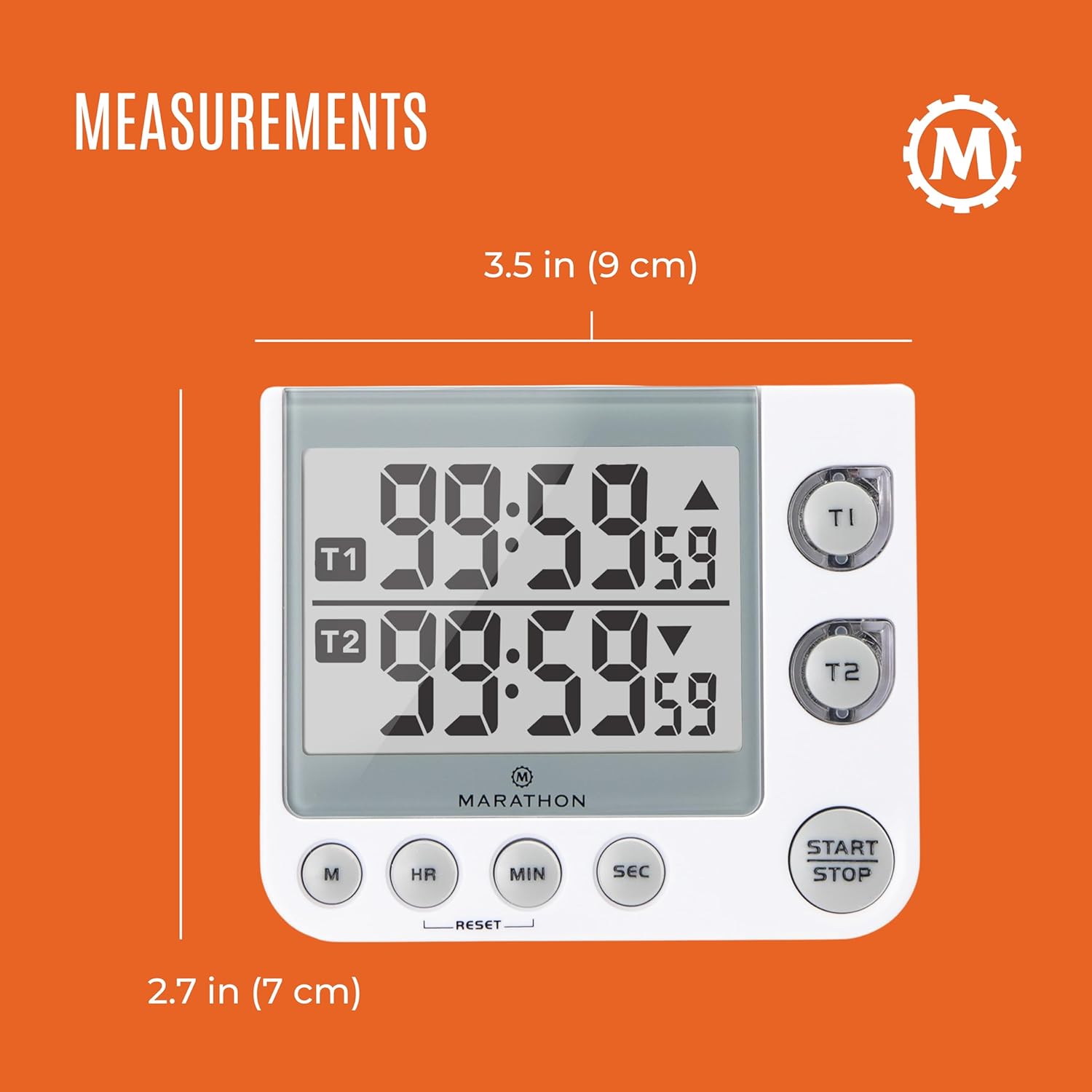
Image displaying the physical measurements of the timer, indicating its compact size for easy placement.
Garantia i Suport
Marathon has been manufacturing precision timing instruments since 1941, combining modern design sensibility with Swiss engineering and craftsmanship to ensure the highest quality products. For specific warranty information or technical support, please refer to the contact details provided with your product packaging or visit the official MARATHON weblloc.
Note: This manual provides general instructions. Specific features and operations may vary slightly. Always refer to the latest information from the manufacturer.


