VAMAV VM 223BT Radio User Manual
Model: VM 223BT
Introducció
Welcome to the user manual for your VAMAV VM 223BT Radio. This guide provides comprehensive instructions to help you set up, operate, and maintain your device, ensuring optimal performance and longevity. Please read this manual thoroughly before using the product.
Informació important de seguretat
- No exposeu el dispositiu a la pluja, la humitat ni a temperatures extremes.
- Eviteu col·locar el dispositiu a prop de fonts de calor com ara radiadors, registres de calor, estufes o altres aparells (inclosos amplificadors) que produeixen calor.
- No bloquegeu cap obertura de ventilació. Instal·leu-ho d'acord amb les instruccions del fabricant.
- Eviteu que el cable d'alimentació sigui trepitjat o pessigat, especialment als endolls, els endolls i el punt on surten de l'aparell.
- Utilitzeu només accessoris/accessoris especificats pel fabricant.
- Desendolleu aquest aparell durant les tempestes amb llamps o quan no l'utilitzeu durant llargs períodes de temps.
- Demaneu tot el servei a personal de servei qualificat. Cal fer servei quan l'aparell s'hagi fet malbé d'alguna manera.
Contingut del paquet
Marqueu la casella per als elements següents:
- VAMAV VM 223BT Radio Unit
- Cable d'alimentació
- Manual d'usuari (aquest document)
Producte acabatview
Familiarize yourself with the components of your VAMAV VM 223BT Radio.

Figura 1: Frontal View. This image displays the front of the VAMAV VM 223BT Radio, highlighting its two prominent speaker cones and the integrated carrying handle at the top. The design features vibrant colors and graphic elements.
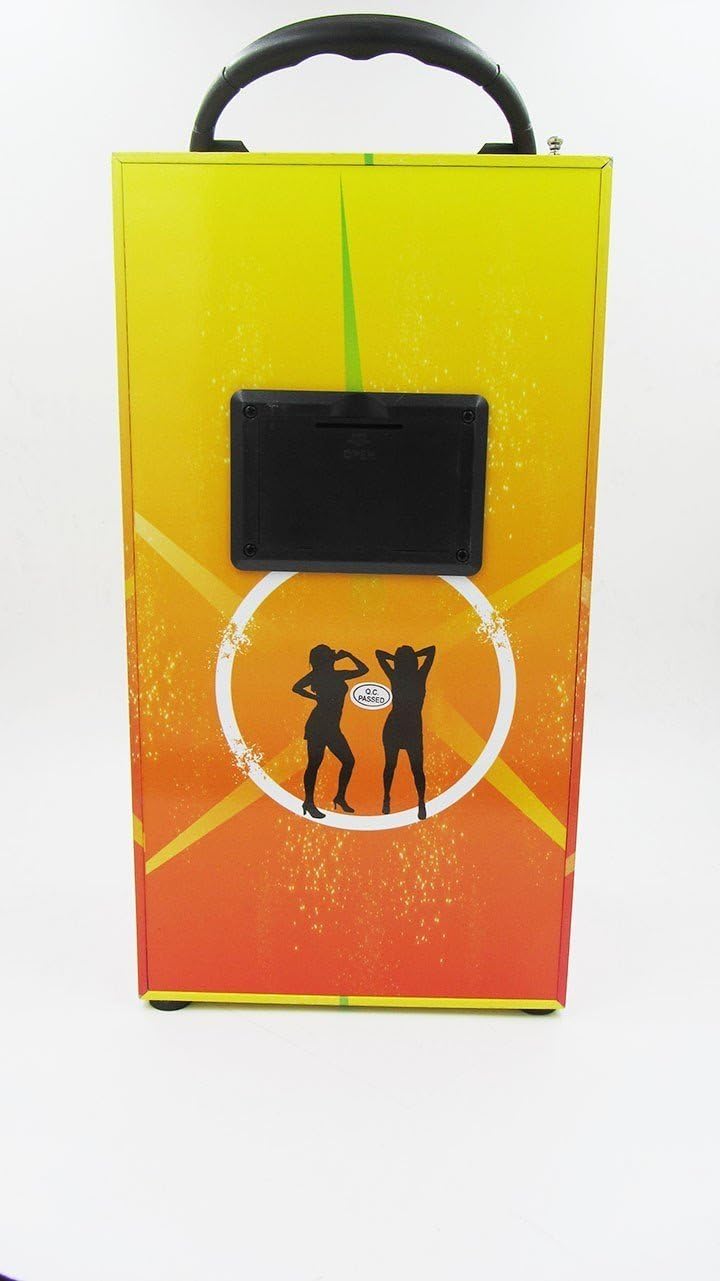
Figura 2: Esquena View. This image shows the rear side of the VAMAV VM 223BT Radio. A black panel is visible, which typically houses various ports and controls such as USB input, power input, and potentially an SD card slot.

Figura 3: Angle View. This image provides an angled perspective of the VAMAV VM 223BT Radio, showcasing both the front with its speakers and a side panel. The carrying handle is clearly visible at the top, emphasizing its portability.
Configuració
Encès
- Connect the power cable to the power input port on the back of the VM 223BT Radio.
- Connecteu l'altre extrem del cable d'alimentació a una presa de corrent estàndard.
- Locate the power button, typically on the back or top panel, and press it to turn on the device.
Connexió inicial
Upon first power-on, the device may automatically enter Bluetooth pairing mode or a default mode (e.g., FM Radio). Refer to the operating instructions for specific mode selection.
Instruccions de funcionament
Mode Bluetooth
- Ensure the VM 223BT Radio is powered on.
- Press the 'Mode' button (if available) until the display indicates 'Bluetooth' or a Bluetooth icon flashes.
- Al dispositiu mòbil (telèfon intel·ligent, tauleta, etc.), activeu el Bluetooth i cerqueu els dispositius disponibles.
- Select 'VAMAV VM 223BT' from the list of found devices.
- Once paired, the device will confirm the connection, and you can now play audio wirelessly from your mobile device.
MP3 Playback (USB/SD)
- Insert a USB flash drive or an SD card (with MP3 files) into the corresponding port on the VM 223BT Radio.
- The device should automatically detect the storage and switch to MP3 playback mode. If not, press the 'Mode' button to select 'USB' or 'SD' mode.
- Use the 'Play/Pause', 'Next', and 'Previous' buttons to control playback.
Radio Mode (FM)
- Ensure the VM 223BT Radio is powered on.
- Press the 'Mode' button until 'FM' or 'Radio' is displayed.
- To auto-scan and save stations, press and hold the 'Play/Pause' button. The radio will scan and store available FM stations.
- Use the 'Next' and 'Previous' buttons to navigate through the saved stations.
Manteniment
- Neteja: Feu servir un drap suau i sec per netejar l'exterior del dispositiu. No utilitzeu netejadors líquids ni aerosols.
- Emmagatzematge: Quan no la feu servir durant períodes prolongats, guardeu la ràdio en un lloc fresc i sec, allunyat de la llum solar directa i de temperatures extremes.
- Cura de la bateria (si escau): If your model has a rechargeable battery, avoid fully discharging it frequently to prolong its lifespan.
Resolució de problemes
| Problema | Solució |
|---|---|
| El dispositiu no s'encén. | Ensure the power cable is securely connected to both the device and a working power outlet. Check if the power outlet is active. |
| No es pot emparellar amb un dispositiu Bluetooth. | Make sure the VM 223BT is in Bluetooth pairing mode. Ensure your mobile device's Bluetooth is enabled and within range. Try restarting both devices. |
| No hi ha so dels altaveus. | Check the volume level on both the radio and your connected device. Ensure the correct input mode (Bluetooth, USB, FM) is selected. |
| No es reconeix la targeta USB/SD. | Ensure the USB drive or SD card is inserted correctly. Verify that the audio files are in a compatible format (e.g., MP3). Try a different USB drive or SD card. |
Especificacions
| Característica | Detall |
|---|---|
| Marca | Vamav |
| Model | VM 223BT |
| Funcions especials | MP3 Playback, Bluetooth Connectivity |
| Tecnologia de connectivitat | USB |
| Interfície del maquinari | USB |
| ASIN | B013QBU8UQ |
| Número d'identificació comercial global | 08435388099629 |
Garantia i Suport
For warranty information and technical support, please refer to the documentation provided with your purchase or contact VAMAV customer service directly. Keep your proof of purchase for any warranty claims.


