Introducció
This manual provides detailed instructions for the installation, operation, and maintenance of your Zmodo ZH-IXU1D-WAC 720p HD Wi-Fi EZCam Camera. This device is designed for home monitoring, offering high-definition video, two-way audio, and remote access capabilities via Wi-Fi. Please read this manual thoroughly before using the product to ensure proper setup and functionality.
Contingut del paquet
Verify that all items listed below are present in your package. If any items are missing or damaged, please contact Zmodo customer support.
- Zmodo ZH-IXU1D-WAC EZCam Camera
- Adaptador d'alimentació
- Kit de muntatge (cargols i ancoratges de paret)
- Guia d'inici ràpid (consulteu aquest manual per obtenir més informació)

Imatge: Frontal view of the Zmodo ZH-IXU1D-WAC EZCam Camera. The camera is white with a prominent black circular lens housing at the top, featuring the Zmodo logo printed below it. The camera is mounted on a white adjustable stand.
Configuració
1. Encendre la càmera
- Connecteu l'adaptador de corrent al port d'entrada d'alimentació de la càmera.
- Connecteu l'adaptador d'alimentació a una presa de corrent estàndard.
- Wait for the camera's indicator light to flash, indicating it is ready for setup.
2. Downloading the Zsight App
The Zsight mobile application is required to set up and manage your EZCam. It is compatible with Android devices.
- Cerca "Zsight" in your device's app store.
- Baixeu i instal·leu l'aplicació.
- Creeu un compte nou o inicieu sessió si ja en teniu un.
3. Connexió a Wi-Fi
Segueix les instruccions de l'aplicació per connectar la càmera a la xarxa Wi-Fi de casa.
- Open the Zsight app and tap the "+" icon to add a new device.
- Select "EZCam" or the appropriate camera model.
- Follow the on-screen prompts to enter your Wi-Fi network details. The app will guide you through the pairing process, which may involve scanning a QR code or using an audio pairing method.
- Once connected, the camera's indicator light will change to a solid color (refer to app for specific status).
4. Muntatge de la càmera (opcional)
The EZCam can be placed on a flat surface or mounted to a wall or ceiling. The camera's adjustable stand allows for flexible positioning.
- Trieu una ubicació amb un clar view and strong Wi-Fi signal.
- Use the provided mounting kit to secure the camera base to the desired surface.
- Adjust the camera's angle to cover the desired monitoring area.
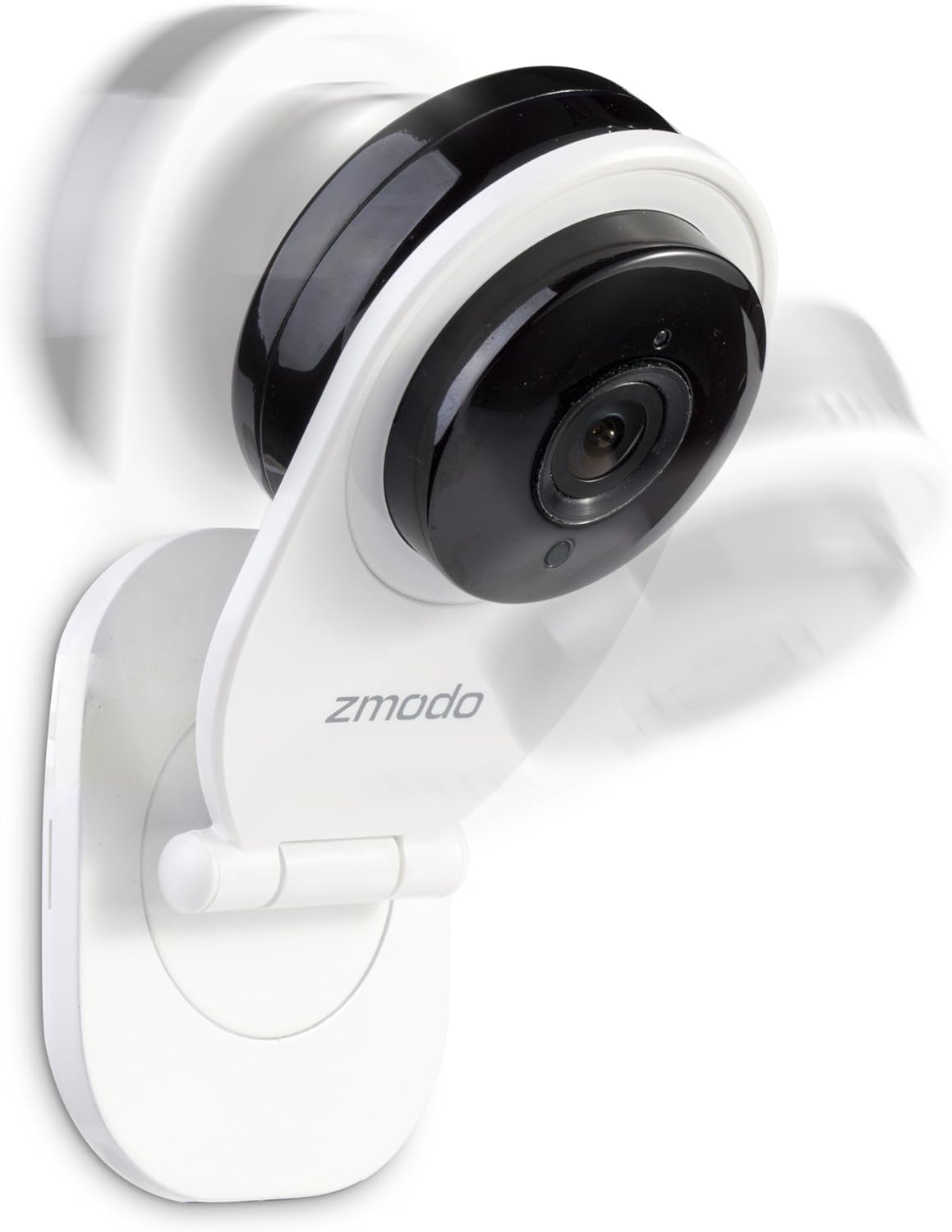
Imatge: Lateral view of the Zmodo EZCam camera. The image illustrates the camera's adjustable stand, allowing the camera head to pivot. Motion blur around the camera head suggests its rotational capability for optimal viewangles d'ajust.

Imatge: Una altra cara view of the Zmodo EZCam camera, further demonstrating its adjustable mounting and viewing angle. The camera head is tilted, and motion blur indicates its flexibility in positioning.
5. Installing a Micro SD Card (Optional)
To enable local recording, insert a micro SD card (not included) into the camera's designated slot.
- Locate the micro SD card slot on the camera (usually on the side or back).
- Gently insert the micro SD card until it clicks into place.
- Format the SD card via the Zsight app settings for optimal performance.
Funcionament de la càmera
Viu View
Access real-time video feed from your camera through the Zsight app.
- Open the Zsight app.
- Tap on your EZCam from the device list to view el feed en directe.
Àudio bidireccional
Communicate through the camera using the built-in microphone and speaker.
- Mentre està en directe view, toca la icona del micròfon per parlar.
- Tap the speaker icon to listen to audio from the camera's location.
Alertes de detecció de moviment
Rep notificacions al teu telèfon intel·ligent quan es detecta moviment.
- Enable motion detection in the camera settings within the Zsight app.
- Adjust sensitivity and alert schedules as needed.
Visió nocturna
The camera automatically switches to night vision mode in low-light conditions, providing clear video up to 30 feet.
- Ensure the camera lens is unobstructed for optimal night vision performance.
Local Recording (Micro SD Card)
If a micro SD card is installed and formatted, the camera can record video locally.
- Configure recording settings (e.g., continuous, motion-triggered) in the Zsight app.
- Accés gravat footage a través de la funció de reproducció de l'aplicació.
Manteniment
Neteja de la càmera
To maintain optimal image quality, keep the camera lens clean.
- Gently wipe the lens with a soft, lint-free cloth.
- Eviteu utilitzar productes químics durs o materials abrasius que puguin ratllar la lent.
Actualitzacions de firmware
Periodically check the Zsight app for available firmware updates to ensure your camera has the latest features and security enhancements.
- Follow the in-app instructions to perform any recommended updates.
Resolució de problemes
If you encounter issues with your Zmodo EZCam, refer to the following common solutions:
- La càmera no es connecta a la Wi-Fi:
- Assegureu-vos que la vostra xarxa Wi-Fi sigui de 2.4 GHz (5 GHz no és compatible).
- Verifiqueu que la contrasenya del Wi-Fi s'hagi introduït correctament a l'aplicació.
- Apropa la càmera al teu encaminador Wi-Fi.
- Reinicieu el router i la càmera.
- Poca qualitat de vídeo:
- Check your Wi-Fi signal strength in the camera's location.
- Netegeu la lent de la càmera.
- Assegureu-vos una il·luminació adequada per a un vídeo òptim durant el dia.
- Sense alertes de detecció de moviment:
- Verify motion detection is enabled in the Zsight app settings.
- Check alert schedules and sensitivity settings.
- Ensure the app has notification permissions on your smartphone.
- Micro SD Card Not Recording:
- Assegureu-vos que la targeta SD estigui inserida correctament.
- Format the SD card through the Zsight app.
- Check if the SD card is full or corrupted. Try a different compatible SD card.
For further assistance, please contact Zmodo customer support.
Especificacions
| Característica | Detall |
|---|---|
| Model | ZH-IXU1D-WAC |
| Resolució de captura de vídeo | 720p HD |
| Tecnologia de connectivitat | Sense fil (Wi-Fi) |
| Font d'alimentació | Elèctric amb cable |
| Gamma de visió nocturna | Fins a 30 peus |
| Viewangle ing | 105 graus |
| Àudio bidireccional | Yes (Built-in mic and speaker) |
| Emmagatzematge local | Ranura per a targeta Micro SD (targeta no inclosa) |
| Detecció de moviment | Yes (Alerts to smartphone) |
| Dispositius compatibles | Telèfon intel·ligent (Android) |
| Dimensions (L x A x A) | 4.25 x 2.75 x 7.25 polzades |
| Pes de l'article | 14.4 unces |
| Classificació IP | IP54 |
Garantia i Suport
For warranty information and technical support, please refer to the official Zmodo weblloc web o contacteu directament amb el servei d'atenció al client. Conserveu el rebut de compra per a reclamacions de garantia.
Zmodo Customer Support: Si us plau, visiteu www.zmodo.com/support for contact details and online resources.


