1. Introducció
This manual provides comprehensive instructions for the safe and efficient operation of your DBPOWER RD-805 Portable Multimedia Mini LED Projector. Please read this manual thoroughly before using the projector and retain it for future reference. This projector is designed for versatile multimedia applications, offering a compact solution for home entertainment, presentations, and more.
2. Informació de seguretat
- No mireu directament a la lent del projector quan estigui encès.amp està encès. La llum intensa pot causar lesions oculars.
- Ensure proper ventilation. Do not block ventilation openings. Overheating can damage the projector.
- Use only the power adapter supplied with the projector. Using an incorrect adapter may cause malfunction or fire.
- Keep the projector away from water or other liquids. Do not operate in humid environments.
- Eviteu col·locar el projector sobre superfícies inestables.
- Desconnecteu el cable d'alimentació durant tempestes amb llamps o quan no l'utilitzeu durant períodes prolongats.
- No intenteu reparar el projector vosaltres mateixos. Encarregueu totes les tasques de manteniment a personal qualificat.
3. Contingut del paquet
Verifiqueu que tots els articles que s'enumeren a continuació s'inclouen al vostre paquet. Si falta algun article o està malmès, poseu-vos en contacte amb el vostre distribuïdor.
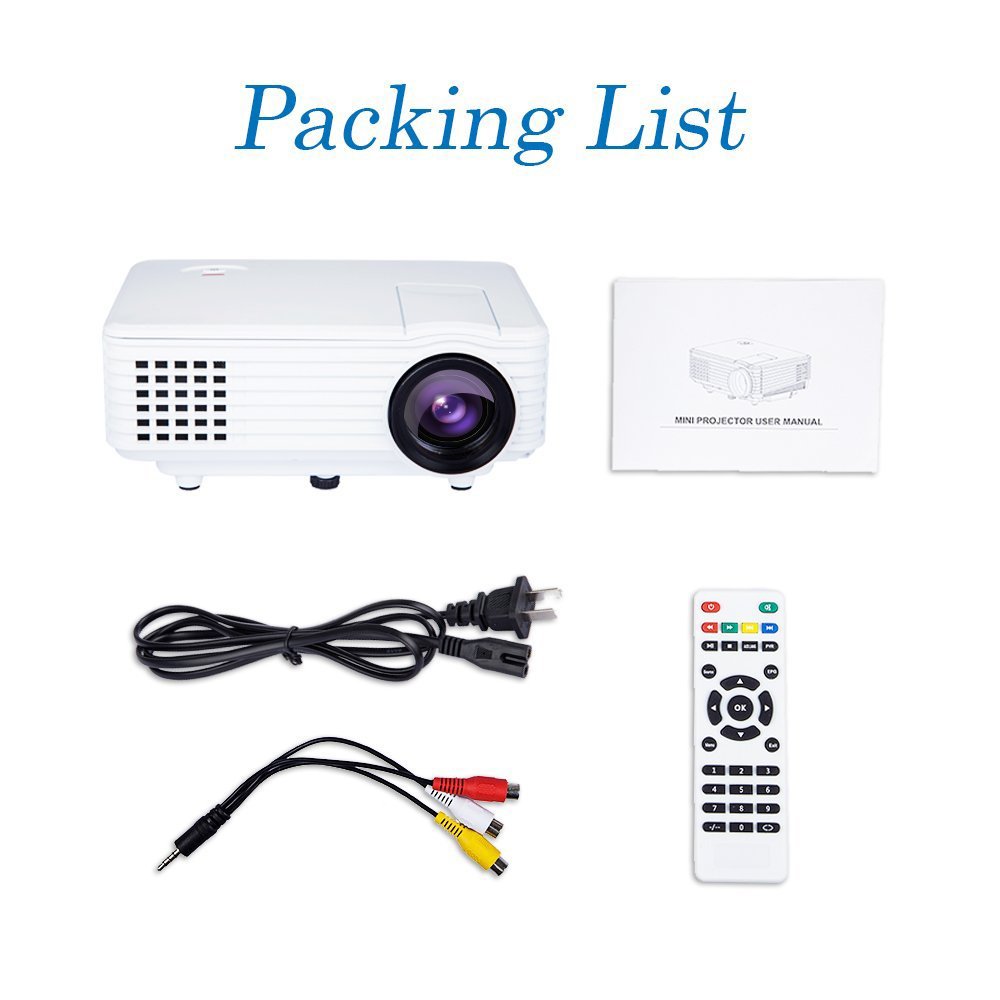
Image: Contents of the DBPOWER RD-805 projector package, showing the projector unit, power cable, AV cable, remote control, and user manual.
- DBPOWER RD-805 Mini LED Projector
- Cable d'alimentació
- Control remot
- Cable AV
- Manual d'usuari
4. Producte acabatview
Familiarize yourself with the various parts of your projector.

Image: The DBPOWER RD-805 projector held in a hand, illustrating its portable and compact design.
4.1 Davant i superior View
- Lent de projecció: Emits the image.
- Anell de focus: Ajusta la claredat de la imatge.
- Dial de correcció trapezoidal: Corregeix la distorsió trapezoïdal de la imatge.
- Tauler de control: Buttons for menu navigation and basic functions.
4.2 Panell posterior i connexions

Imatge: Detallada view of the rear panel of the DBPOWER RD-805 projector, highlighting the power button, on/off switch, USB port, HDMI port, AV input, VGA input, and audio output jack.
- Botó d'encesa: Encén/apaga el projector.
- On/Off Button (Main Switch): Master power switch.
- Port USB: Connecteu unitats USB per a la reproducció de contingut multimèdia.
- Port HDMI: Connect devices via HDMI cable (e.g., laptops, gaming consoles).
- AV IN Port: Connect devices using the AV cable (e.g., DVD players).
- Port VGA: Connect computers via VGA cable.
- Audio Output (Earphone) Jack: Connecteu altaveus externs o auriculars.
- Micro USB: (Not explicitly labeled in image, but mentioned in features) For specific connectivity.
5. Configuració
5.1 Col·locació
Place the projector on a stable, flat surface. Ensure there is adequate space around the projector for ventilation. The projection distance will determine the image size (20-80 inches recommended).

Image: The DBPOWER RD-805 projector set up on a tripod next to a laptop, demonstrating a typical usage scenario for presentations or media viewing.
5.2 Connexió d'alimentació
- Connecteu el cable d'alimentació a l'entrada d'alimentació del projector.
- Connecteu l'altre extrem del cable d'alimentació a una presa de corrent.
- Flip the main On/Off switch on the rear panel to the 'On' position.
5.3 Connexió de dispositius
El projector admet diverses fonts d'entrada:

Image: A circular diagram illustrating the wide range of devices compatible with the DBPOWER RD-805 projector, including laptops, desktops, gaming consoles (PS4, Xbox 360, Wii), mobile phones, tablets, DVD players, and MP4/MP5 players.
- HDMI: Connect laptops, gaming consoles (PS4, Xbox 360), Blu-ray players.
- VGA: Connect desktop computers or older laptops.
- DE: Connect DVD players, set-top boxes using the included AV cable.
- USB: Insert USB flash drives for direct playback of photos, videos, and music.
- Micro USB: For specific device connections (refer to device manual for compatibility).
- Sortida d'àudio: Connecteu altaveus o auriculars externs per obtenir un àudio millorat.
6. Funcionament del projector
6.1 Engegada/apagada
- Ensure the main On/Off switch on the rear is in the 'On' position.
- Press the Power button on the projector or remote control to turn on the unit.
- To power off, press the Power button again. The indicator light will change.
6.2 Ajust de la imatge
- Focus: Rotate the focus ring near the lens until the projected image is clear and sharp.
- Correcció Keystone: Use the keystone correction dial to adjust the image if it appears trapezoidal (wider at the top or bottom). The projector supports up to 15 degrees of keystone correction.
6.3 Selecció de la font d'entrada
Use the 'Source' button on the remote or projector control panel to cycle through available input sources (HDMI, VGA, AV, USB).
6.4 Reproducció multimèdia
When a USB drive is connected, navigate the on-screen menu to select the desired media type (Photo, Music, Movie, Text) and browse files. The projector supports MP3/WMA/OGG/AAC/FLAC/APE/WAV audio and JPEG/BMP/PNG image formats.
6.5 Aplicacions
The DBPOWER RD-805 is suitable for a variety of uses:

Image: A collage depicting various applications of the DBPOWER RD-805 projector, including outdoor movie nights, classroom teaching, business meetings, and gaming sessions.

Imatge: Quatre examples of home theater environments utilizing the DBPOWER RD-805 projector for immersive viewfent experiències.
- Entreteniment a casa: Enjoy movies, TV shows, and sports on a large screen.
- Jocs: Connect your gaming console for an immersive gaming experience.
- Presentacions: Ideal for small business meetings or educational purposes.
- Foto Viewing: Share your photos with friends and family on a big display.
7. Manteniment
7.1 Neteja de la lent
Use a soft, lint-free cloth specifically designed for optical lenses. Do not use abrasive cleaners or cloths that could scratch the lens.
7.2 Neteja del cos del projector
Netegeu l'exterior del projector amb un drap suau i sec. Per a marques difícils, feu un drap lleugerament sec.amp es pot fer servir un drap, seguit d'un de sec.
7.3 Ventilació
Regularly check and clean the ventilation grilles to prevent dust buildup, which can impede airflow and cause overheating.
7.4 Lamp La vida
El LED lamp in your projector has a long lifespan, rated for approximately 50,000 hours, significantly reducing the need for lamp substitució.
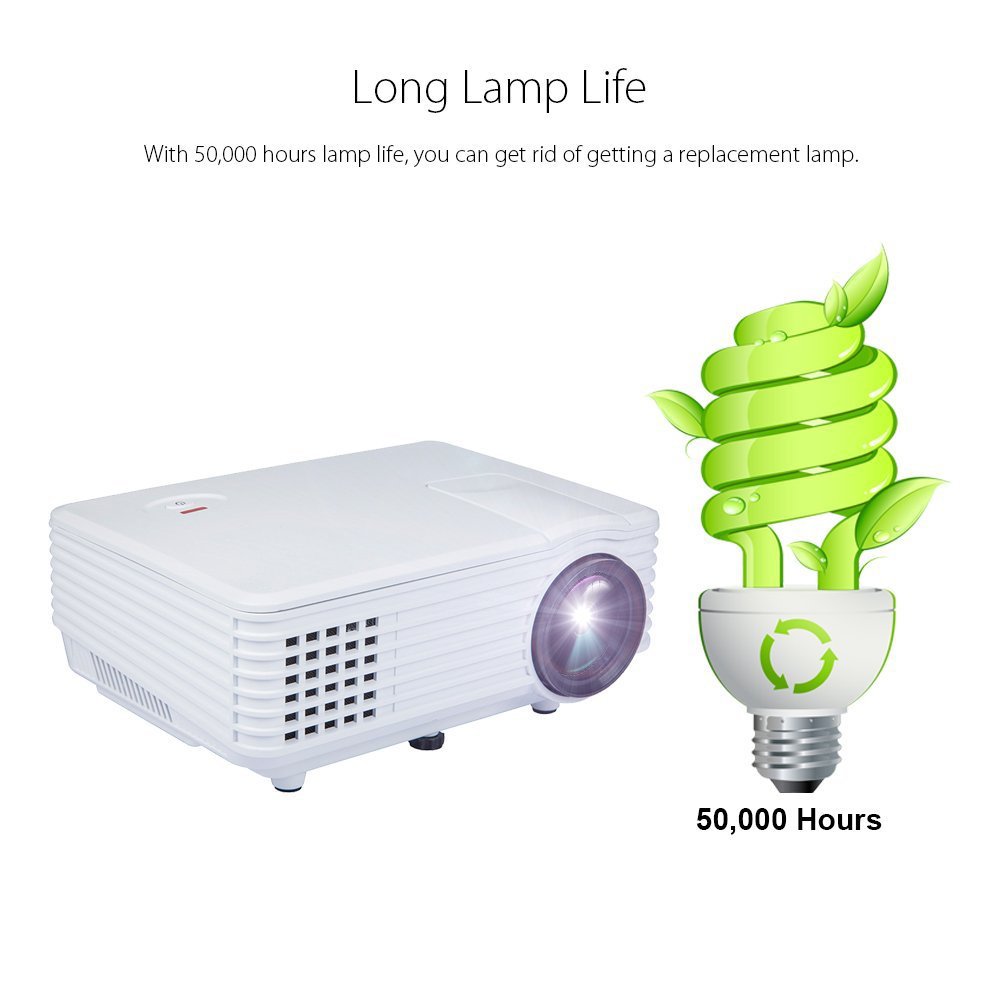
Image: An illustration highlighting the long lamp life of the DBPOWER RD-805 projector, indicating an estimated lifespan of 50,000 hours for its LED light source.
8. Solució De Problemes
| Problema | Causa possible | Solució |
|---|---|---|
| No es projecta cap imatge | Alimentació no connectada; Font d'entrada incorrecta; Tapa de l'objectiu posada. | Comproveu la connexió d'alimentació; seleccioneu la font d'entrada correcta; traieu la tapa de l'objectiu. |
| La imatge és borrosa | Enfocament no ajustat; Projector massa a prop/lluny de la pantalla. | Adjust focus ring; Adjust projection distance (20-80 inches). |
| La imatge és trapezoïdal | Clave trapezoidal no ajustada. | Ajusteu el dial de correcció de la distorsió trapezoidal. |
| Sense so | Volume too low; External speakers not connected; Audio format not supported. | Increase volume; Connect external speakers to audio out; Check audio format compatibility. |
| El comandament a distància no funciona | Batteries dead; Obstruction between remote and projector. | Canvieu les piles; assegureu-vos que la línia de visió amb el receptor d'infrarojos estigui clara. |
9. Especificacions

Image: The DBPOWER RD-805 projector with its physical dimensions (21cm length, 14.5cm width, 8cm height) and weight (1250g) indicated, alongside a "1 Year Warranty" badge.
| Marca | DBPOWER |
| Nom del model | RD-805 |
| Número de model de l'article | FP8048H1W-IV6 |
| Tecnologia de visualització | LCD |
| Tipus de visualització | LED |
| Mida de projecció | 20-80 inches (recommended) |
| Max Screen Display Size | 120 polzades / 305 cm |
| Correcció de pedra clau | Manual, 15 degrees |
| Lamp La vida | Fins a 50,000 hores |
| Interfícies d'entrada | USB, VGA, HDMI, AV, Micro USB |
| Interfície de sortida | Earphone (3.5mm Audio Jack) |
| Formats d'àudio compatibles | MP3 / WMA / OGG / AAC / FLAC / APE / WAV |
| Formats d'imatge compatibles | JPEG/BMP/PNG (with zoom, 360 degree rotate) |
| Consum d'energia | 20 watts |
| Font d'alimentació | AC |
| Dimensions del producte (LxWxH) | 21.08 x 14.48 x 7.87 cm |
| Pes de l'article | 907.18 g |
10. Garantia i Suport
Your DBPOWER RD-805 Projector comes with a 1 anys de garantia des de la data de compra. Aquesta garantia cobreix els defectes de fabricació i la mà d'obra en condicions d'ús normal.
For technical support, warranty claims, or any inquiries, please contact DBPOWER customer service through the contact information provided on their official website or your purchase platform. Please have your model number (RD-805) and purchase details ready when contacting support.


